ENEnglish
 LTLietuviškai
 DEDeutsch
 FRFrançais
 RUРусский
 ESEspañol
 PLPolski
 ITItaliano
 UKУкраїнська
 CSČeština
 PTPortuguês
 JA日本語
JA日本語 LVLatviešu valoda
 ETEesti
 HUMagyar
 IDBahasa Indonesia
 TRTürkçe
 HIहिन्दी
 ELΕλληνικά
 ARالعربية
 THไทย
THไทย VITiếng Việt
 RORomână
 MSBahasa Melayu
 BNবাংলা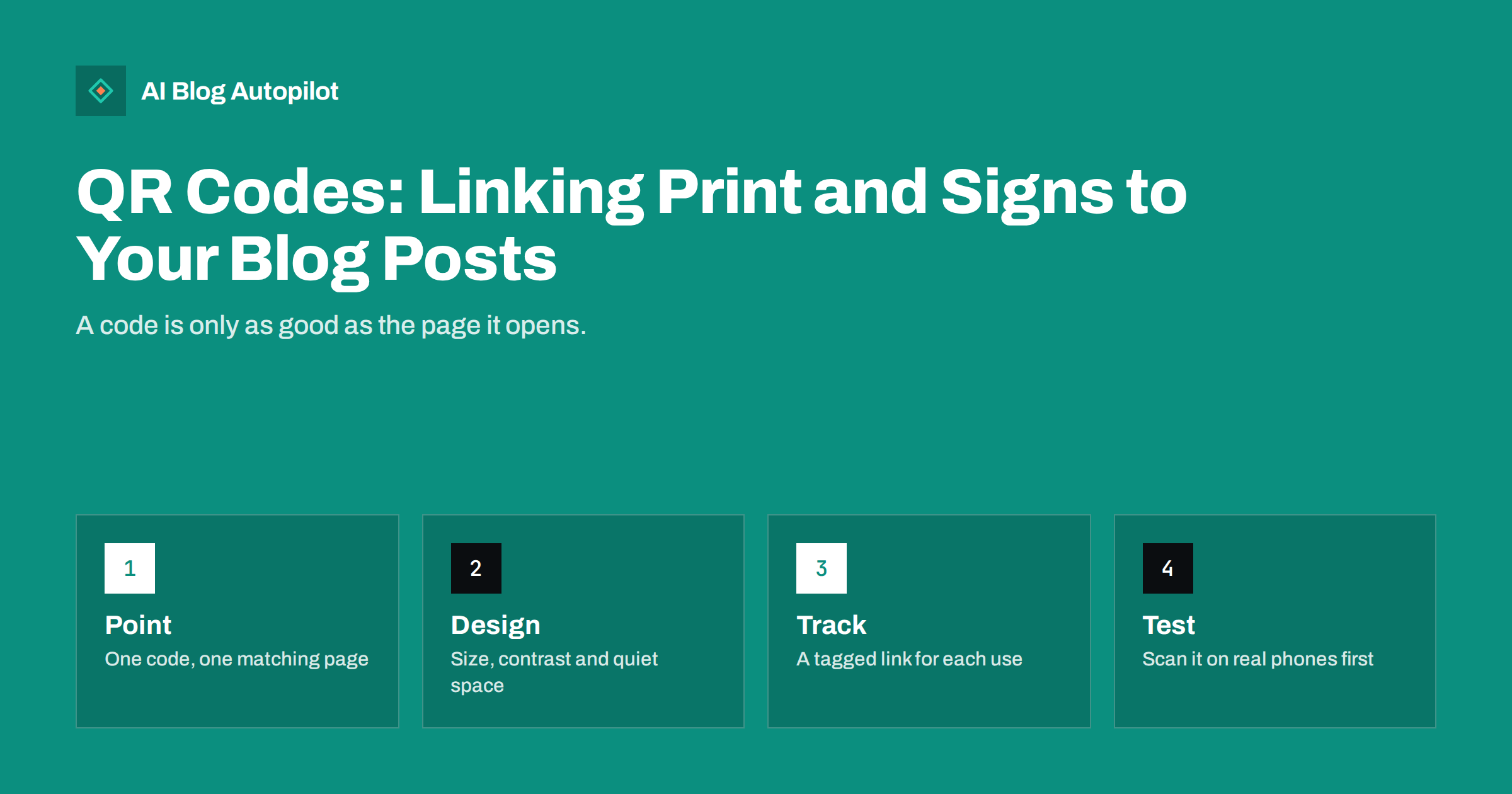
Short answer: a QR code can carry people from a flyer, a shop window, packaging or a business card to a blog post, as long as it opens a page that matches the place where they scanned it. Print it large enough with strong contrast and empty space around it, add a short line saying what they will find, use a tagged link so you can see the visits and test it on several phones before printing. Never use a code that you cannot check later.
Offline materials reach people who may never search for your business. A person standing at a bus stop, holding a leaflet or looking at a product can reach a helpful article with a single scan, if the code is well made and the page is worth the visit. A careless code does the opposite: it leads to a slow page, a home page that does not answer the question or a link that no longer works.
Decide what the code is for
Start with the reader’s situation. A person holding packaging may want setup instructions, care advice or a recipe. A person looking at a shop window may want opening hours, a menu or a booking page. A visitor at an event may want the slides, a checklist or an article that expands on a talk. Write down the moment, the question and the page that answers it. If you cannot name a specific page, the code is not ready.
Avoid sending everyone to the home page. A matching page converts far better because the reader does not have to search for the thing they were promised. This is the same principle as in our article on choosing between a landing page and a blog post: match the page to the intent of the visitor, and keep the promise made in the print.
Write a page for people arriving from print
A visitor from a code arrives on a phone, often standing up, with a particular question and little patience. Build or choose a page that loads quickly, has a heading that repeats the promise, gives the answer near the top and offers one clear next step. Keep the layout simple, with large text and buttons that are easy to tap. Test it on a slow connection, because mobile coverage inside buildings can be poor.
If the code is on a product or a leaflet, make sure the page continues the story that the print started, using the same words and images. Add a short note about what the reader can do next, such as booking, downloading a checklist or reading a related guide. Our guide on calls to action that fit the article they sit in explains how to keep the next step natural.
Think about where the code will be placed physically. A code on a shop window can be reflected in sunlight, one on a moving vehicle is almost impossible to scan, and one placed at ankle height on a poster will be ignored. Choose a position at a comfortable eye level, where people can stop without blocking others. On packaging, place the code where it is visible without opening the product, and on a leaflet put it near the part of the text that makes the promise.
Design the code so that it scans
Most scanning failures come from design choices. Keep strong contrast between the code and the background, normally dark on light. Leave a clear empty margin around the code, often called the quiet zone, and do not place text or pictures inside it. Avoid very small prints, and make the code large enough for the distance at which it will be scanned: a business card can use a small code, but a poster read from a metre away needs a much larger one.
Avoid heavy decoration, such as logos that cover too much of the pattern or colours with low contrast, and do not stretch or distort the code. Place it on a flat, matt surface where possible, because glare and curved surfaces make scanning harder. Add a short line beside it, such as “Scan for the setup guide”, so people know why they should scan, and add the short web address in text for those who prefer to type or whose camera does not read codes.
Choose static or changeable codes
A static code stores the address directly. It never expires, but you cannot change where it points, and you cannot count scans unless your site records the visit. A changeable code, often called dynamic, points to a short address controlled by a service or by your own redirect, which you can edit later. For printed material that will stay in circulation for months, a redirect you control is safer, because if a page moves you can fix the destination without reprinting.
If you use a third-party service for changeable codes, check the terms, pricing and what happens if you stop paying, since a code may stop working. A good alternative is to use a short, readable address on your own domain that redirects to the right page, for example yourdomain.com/guide. You keep control, and you can see in your own analytics how many visits arrive. Choose permanent redirects only when you are sure the destination will not change, and test every one.
Plan for languages and accessibility as well. If your customers speak several languages, either offer a language choice on the landing page or print separate codes for each version. Make sure the page works with large text settings and screen readers, and that the contrast of text is high. Remember that some people cannot or do not want to scan a code, so always give an alternative, such as a short address, a phone number or a staff member who can help.
Track visits with tagged links
Give each placement its own tagged address, so you can see which materials bring visits: one for the window poster, one for the flyer, one for the packaging, one for the event. Use consistent names for the source and the campaign, as described in our guide on UTM tags for social shares. Keep a simple sheet that lists each tag, the material, the print date and the number of copies.
When you hide long tagged addresses behind a short redirect, the code stays clean and easy to scan. Review the numbers after a few weeks. A code with many visits and no actions suggests the page does not deliver what the print promised. A code with few visits may be badly placed or badly worded. Change one thing at a time, and note the date, so that you can learn from the result.
Keep scanners safe
People are rightly cautious about scanning unknown codes, because criminals sometimes stick fake codes over real ones. Make yours trustworthy: print the domain beside the code, use a secure address, keep the destination page clean and free of unexpected downloads or requests for passwords, and check your physical materials for stickers that have been added. If you put codes in public places, inspect them regularly.
Respect privacy as well. If the page collects an email address or other data, explain why and link to your privacy policy, as discussed in our guide to privacy and analytics on a blog. Do not ask for more than you need, and make sure that your analytics setup follows the rules that apply in your country and your reader’s.
Be careful about the content that the code leads to. A page that asks visitors to download an app, accept notifications or hand over personal details before showing any content will lose most of them. Show the useful answer first and ask for anything else afterwards. If your page needs a form, keep it short, explain what happens next and confirm clearly when the message is sent. The visitor has made an effort to scan, and the page should reward it immediately.
Test before printing and maintain afterwards
Before sending anything to the printer, scan a proof from several phones, with different cameras, apps and lighting conditions, and from the distance at which the code will be used. Check that the destination loads on a mobile connection and that the page matches the print. Keep a record of every code in circulation, with the destination, the owner and the date it was checked. Check them every few months, and whenever you change the site.
If a page must be removed or renamed, redirect the old address to the nearest relevant page instead of leaving an error. Remove codes from materials that are out of date, and avoid printing codes for campaigns that have ended. A dead code in a shop window tells customers that nobody is looking after the details.
Finally, treat codes as part of a longer plan, not a one-off trick. Decide which printed materials get codes, who maintains the destination pages and when the results will be reviewed. A simple yearly check of everything in circulation, from business cards to window stickers, keeps the system tidy. When you update an article that a code points to, keep the address unchanged, so that old print continues to work and the visits you have earned continue to build on each other.
How AI Blog Autopilot helps
AI Blog Autopilot writes full SEO articles for your WordPress blog from the topics, keywords, audience and tone you set, with FAQ sections, tags and SEO meta included, and it shares each one to your social networks. That gives your printed codes a growing library of articles to point to, such as setup guides, care advice and answers to common questions. Approval mode lets you read each article before it goes live, so you know that the page behind a printed code says what you intend. See the pricing page for plans.
Related reading
- UTM Tags for Social Shares: See Which Posts Bring Readers
- Landing Page or Blog Post: Which Does a Query Need?
- Short Links in Social Posts: Do They Help or Hurt Clicks?
- Blog Strategy for a Local Business
The bottom line
A QR code is a bridge between print and a page, so build both ends carefully. Point each code to a matching page, design it to scan, use a link you control and can tag, keep scanners safe and test before printing. The code takes seconds to scan, and the page it opens decides whether the effort was worth it.
FAQ
Where should a QR code on a flyer point?
To a page that answers the question the flyer raises, not to the home page. Keep the promise on the print and the content of the page aligned.
How big should a QR code be?
Large enough for the distance at which it is scanned. A business card needs only a small code, while a window poster needs a much larger one. Always test a proof.
Should I use a static or changeable code?
For printed material that stays in circulation, use a redirect that you control, so you can fix the destination later without reprinting.
How can I see how many people scan the code?
Give each placement its own tagged link or redirect and read the visits in your analytics, or use a service that counts scans.
Are QR codes safe?
They can be if the code shows your domain, goes to a secure page and is checked regularly for stickers placed over it by others.