ENEnglish
 LTLietuviškai
 DEDeutsch
 FRFrançais
 RUРусский
 ESEspañol
 PLPolski
 ITItaliano
 UKУкраїнська
 CSČeština
 PTPortuguês
 JA日本語
JA日本語 LVLatviešu valoda
 ETEesti
 HUMagyar
 IDBahasa Indonesia
 TRTürkçe
 HIहिन्दी
 ELΕλληνικά
 ARالعربية
 THไทย
THไทย VITiếng Việt
 RORomână
 MSBahasa Melayu
 BNবাংলা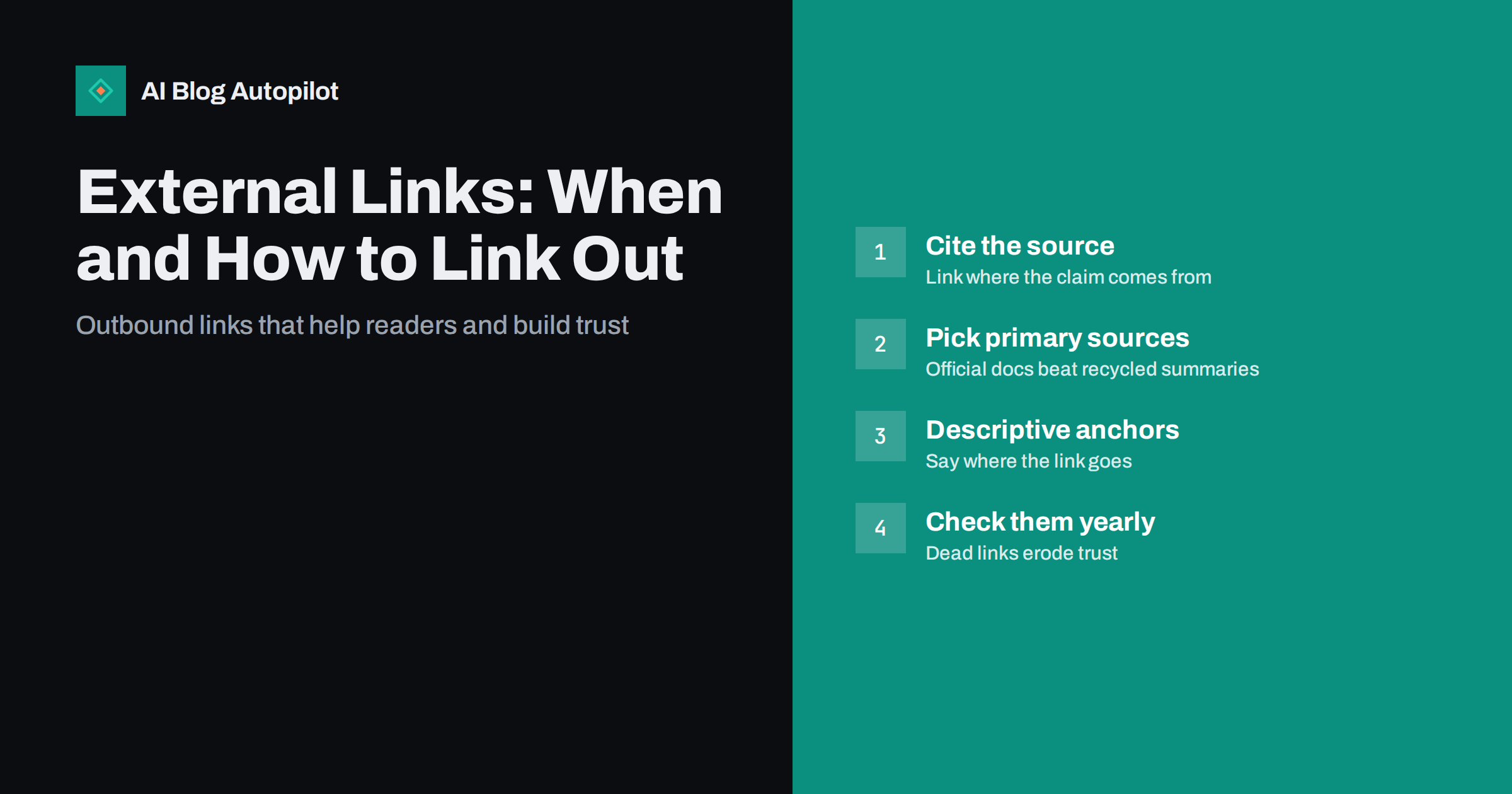
Short answer: link out to another website whenever it genuinely helps the reader: to show where a fact comes from, to point to official documentation or to offer a deeper resource you do not want to repeat. Outbound links do not drain your rankings, and well-chosen ones make an article more trustworthy. Link to primary, reputable sources with descriptive anchor text, use rel=”sponsored” or rel=”nofollow” only where they apply, and check old links periodically so they do not break.
Many site owners are nervous about linking to other websites. The worry usually goes like this: every link out sends visitors away and “leaks” ranking value that should stay on your own pages. So articles end up making claims without sources, mentioning tools without linking to them, or hiding every outbound link behind a nofollow attribute.
That instinct is understandable but mostly wrong. Good external links are part of what makes an article useful and credible. This guide covers when to link out, how to choose sources, how to write the links, and the few situations where you should be careful.
Why the “link leak” fear is outdated
The idea that outbound links cost you rankings comes from an early, simplified view of how link value flows between pages. In that view, every link on a page takes a share of the page’s value, so links to other sites seemed to “waste” value that could go to your own pages.
Modern search engines do not work in such a mechanical way, and there is no evidence that a few relevant outbound links hurt a page’s ability to rank. Search engines evaluate whether a page is helpful, accurate and trustworthy. Citing where information comes from is one of the most ordinary signals of a careful writer, both for readers and for anyone assessing quality.
There is also a simple reader-level argument. If someone reads your article about a tax deadline or a technical setting and wants to verify it, a link to the official source saves them a search. They will remember that your article was the one that made it easy. A reader who has to go and hunt for a source is more likely to stay on the search results page and pick another result next time.
When an external link helps the reader
Not every mention needs a link. Linking works best when it answers a question the reader is likely to have at that moment. Typical good reasons to link out include:
- Supporting a specific claim. If you state a rule, a requirement, a figure or a definition that the reader may want to check, link to the place it comes from.
- Official documentation. When you describe how a platform, standard or regulation works, link to the official page rather than paraphrasing it at length. Official pages are updated when things change; your paraphrase is not.
- Tools and products you mention. If you recommend a tool or describe how to use one, a link saves the reader from searching for it and possibly landing on a copycat site.
- Deeper resources. A topic you only touch on may be covered thoroughly elsewhere. Pointing to a strong resource is better than writing a thin summary of it.
- Attribution. Quotes, images, data sets and ideas that come from someone else deserve a link to the original, both as courtesy and as honesty.
Equally, do not link just to look well sourced. A link to a general home page, a link on a common word or a link to a page that does not actually support the sentence adds nothing and can make the article look padded.
How to choose sources worth linking to
The page you link to becomes part of your article’s credibility. A reader who clicks and finds a thin, ad-covered or outdated page will judge your article by it. Some rules of thumb help:
- Prefer primary sources. Link to the organisation that published the rule, the documentation of the tool, the standard itself or the original research, not to a blog post that summarises a summary.
- Prefer stable pages. Official documentation, standards bodies and well-maintained reference sites tend to keep their URLs for years. News articles and social posts often disappear or move.
- Check the page actually says what you claim. It is surprisingly common to find articles linking to a source that says something different from, or even opposite to, the sentence the link sits in. Read the relevant part before you link.
- Check the date. For anything that changes, such as platform settings, laws or pricing, make sure the source is current.
- Avoid competitors’ commercial pages when a neutral source exists. There is nothing wrong with linking to a competitor’s genuinely useful guide, but when you need a neutral reference, an official or independent source is usually better.
For SEO and web topics, good primary sources include the search engines’ own documentation, web standards documentation and the official help centres of the platforms you write about.
Writing the link itself
How a link is written matters for readers, for accessibility and for search engines trying to understand what the linked page is about.
Use descriptive anchor text. The words you link should tell the reader what they will find. “Google’s documentation on qualifying outbound links” is better than “click here” or “this article”. Screen reader users often navigate by jumping from link to link, and “here” tells them nothing.
Link the most specific page. If you mention a particular setting, link to the page about that setting, not the documentation home page. Readers should land where the answer is.
Keep links in context. A link placed in the sentence that makes the claim is more useful than a list of sources dumped at the end. A short “further reading” list can work for long guides, but it should complement in-text links, not replace them.
Do not overdo it. A paragraph with five links is hard to read. As a rough guide, a typical article of a couple of thousand words may need a handful of external links, not dozens. The right number is whatever the claims require.
Opening in a new tab is a choice, not a rule. Some sites open external links in a new tab so readers do not lose the article. Others prefer standard behaviour, which gives users control. If you do open links in a new tab, add rel=”noopener” so the new page cannot interact with yours, which modern browsers largely handle but which remains good practice.
Nofollow, sponsored and when to use them
By default, a link tells search engines that you are pointing to something you consider worth visiting. Link attributes let you qualify that. Google describes the options in its guide to qualifying outbound links:
- rel=”sponsored” for links that are paid, part of an advertisement, an affiliate programme or another commercial arrangement.
- rel=”ugc” for links inside user-generated content, such as comments and forum posts.
- rel=”nofollow” for other links you do not want to vouch for, or where you do not want your site associated with the destination.
Editorial links to sources you cite do not need any of these. Adding nofollow to every outbound link “just in case” is unnecessary and slightly odd: you are telling search engines you do not trust the very sources you chose to support your article. Save the attributes for the cases they are designed for, above all paid and affiliate links, where marking them is expected.
Links you should avoid
A few kinds of outbound links can genuinely hurt, either your readers’ trust or your standing with search engines:
- Paid links without the sponsored or nofollow attribute. Selling or buying links that pass ranking value is against search engine spam policies.
- Links to spammy, hacked or deceptive sites. Even an innocent link to a site that later turns bad reflects poorly on you, which is why periodic checks matter.
- Link exchanges. “I link to you, you link to me” arrangements at scale look manipulative and rarely add value for readers.
- Links inserted for someone else’s SEO. Requests to “just add a link” to an unrelated page, often in return for a fee, are best declined.
- Links to pages that make your claim harder to trust. An unsourced forum post or a page full of pop-ups is weaker than no link at all.
Keeping external links healthy over time
External links age. Pages move, companies rebrand, documentation gets reorganised and entire sites disappear. An article with several broken outbound links looks neglected, and readers who hit a dead page lose confidence in the rest of the text.
A simple maintenance routine keeps this under control:
- Run a link checker periodically. Many SEO crawlers and WordPress plugins report broken outbound links. Quarterly or twice a year is enough for most blogs.
- Replace, do not just remove. When a source has moved, find its new location. When it has disappeared, find an equivalent source or rewrite the sentence so it does not depend on it.
- Watch redirects. A link that redirects to a home page or an unrelated page is effectively broken, even if it returns a success code.
- Revisit sources when you refresh content. When updating an older article, check that each source still says what your sentence claims.
How AI Blog Autopilot handles sources
AI Blog Autopilot writes full articles for your blog and, as its site explains, its writer is instructed never to invent statistics, quotes or sources. That matters for outbound linking, because a made-up citation is worse than no citation. Articles also go through an automatic quality check on length, structure, keywords and meta before they are published. If you prefer to review sources yourself before anything goes live, you can switch on approval instead of the default AUTO mode. Learn how AI Blog Autopilot works.
Related reading
- How to Fact-Check Content Before You Publish
- Earning Backlinks Honestly: What Works for a Small Site
- Statistics Round-Up Posts: Doing Them Honestly
- E-E-A-T on a Blog That Publishes Automatically
The bottom line
External links are a service to the reader, not a leak. Link out when it supports a claim, points to official documentation or offers a better resource, and choose primary, stable, relevant pages. Use descriptive anchor text, mark paid and user-generated links properly, and leave editorial citations as normal links. Check your outbound links once or twice a year so the sources that make your articles trustworthy keep working.
FAQ
Do external links hurt my SEO?
No, relevant outbound links do not hurt a page’s ability to rank. Citing good sources is a normal part of helpful, trustworthy content. Problems only arise with paid links that are not marked, or links to spammy and deceptive sites.
How many external links should a blog post have?
There is no ideal number. Link wherever a claim, definition or recommendation benefits from a source, and nowhere else. A typical long article may need a handful of outbound links rather than dozens.
Should I make external links nofollow?
Not by default. Editorial links to sources you chose do not need any attribute. Use rel=”sponsored” for paid or affiliate links, rel=”ugc” for user-generated content and rel=”nofollow” for links you do not want to vouch for.
Should external links open in a new tab?
It is a design choice rather than an SEO factor. Opening in a new tab keeps your article open, while standard behaviour gives users control. If you use new tabs, add rel=”noopener” to the link.
What should I do when a source I linked to disappears?
Look for the page’s new location first, then for an equivalent reliable source. If neither exists, rewrite the sentence so it no longer depends on that source rather than leaving a broken link.