ENEnglish
 LTLietuviškai
 DEDeutsch
 FRFrançais
 RUРусский
 ESEspañol
 PLPolski
 ITItaliano
 UKУкраїнська
 CSČeština
 PTPortuguês
 JA日本語
JA日本語 LVLatviešu valoda
 ETEesti
 HUMagyar
 IDBahasa Indonesia
 TRTürkçe
 HIहिन्दी
 ELΕλληνικά
 ARالعربية
 THไทย
THไทย VITiếng Việt
 RORomână
 MSBahasa Melayu
 BNবাংলা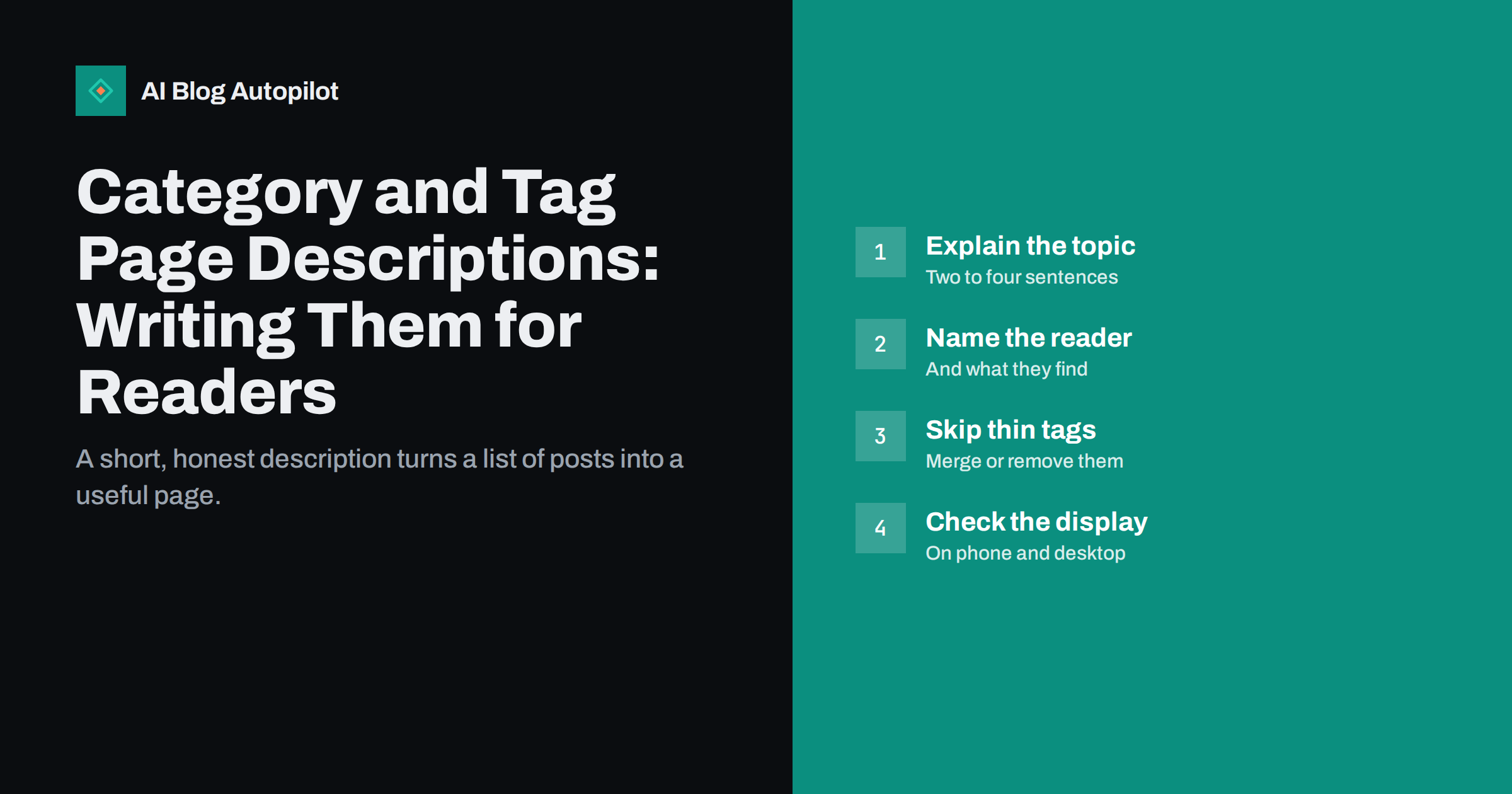
Short answer: write category and tag descriptions as short, plain introductions to the topic: two to four sentences that say what the section covers, who it is for and what readers will find. Add them only to pages that deserve to exist, meaning categories with a clear scope and a healthy number of posts. Avoid keyword lists and copied text, and do not create descriptions for tags that hold one or two posts. Check how the text appears in your theme on phone and desktop.
Most blogs leave category and tag pages as bare lists of post titles. That is a missed chance. These pages are often entry points from search, from a menu or from a link on the site, and a few sentences of introduction can tell a new visitor where they are and why the section is worth browsing. This article covers what to write, how to keep it honest, how it affects search and which pages are better left without a description at all.
Why these pages need words
A category or tag page without text is a list. Search engines see titles, short excerpts and links, and little else that explains the topic. Readers see a column of headlines and must decide for themselves what the section is about. A short description helps in three ways:
- Orientation. A visitor who arrives from search or from a link learns what the section covers.
- Guidance. You can point to the best starting posts, a related category or a guide.
- Distinctness. Each page gets text of its own, so it does not look like another near-identical list.
None of this makes a category page rank by magic. It makes the page more useful, which is the reason to do it.
Categories versus tags
Before writing, be clear about the difference. Categories are the main sections of the blog, a small number of broad topics that every post fits into. Tags are finer labels that connect posts across categories. A blog usually needs few categories and can have many tags, though many tags are better trimmed.
The descriptions differ accordingly:
- Category descriptions explain a main section and its scope. They are worth writing for every category you keep.
- Tag descriptions are worth writing only for tags that form real topic hubs with enough posts behind them.
If you are unsure how to organise the two, a guide on categories and tags helps you decide before you start describing them.
What to write
A good description is short and answers three questions: what is this section about, who is it for and what will I find here?
A simple formula
- One sentence on the topic. “Practical guides on planning and scheduling blog posts.”
- One sentence on the audience or purpose. “For small teams that publish a few posts a week and want a reliable routine.”
- One sentence on what is inside, such as the kinds of posts, or a pointer to the best place to start.
Two to four sentences is enough. Write in natural language, as if you were telling a visitor in person.
What to avoid
- Lists of keywords separated by commas.
- The same sentence repeated with only the topic name changed.
- Text copied from another site or from your own posts.
- Claims you cannot support, such as “the best guides on the internet”.
- A long essay. If the text pushes the post list far down the page, readers will scroll past it.
How they affect search
Search engines use the text on a page to understand what it is about, and the description on a category page is part of that text. It can also be used as a base for the snippet in results, although engines often choose their own. A clear, specific description helps them see the topic of the page and tell it apart from others on your site.
Some practical points:
- Give each category or tag page its own title and description in your SEO plugin if it allows it, written for readers.
- Do not target the same query with a category page and a long article. If they overlap, decide which should be the main result and link between them.
- Keep the page crawlable and linked from your menus or related posts, so search engines can find it.
- Do not expect description text alone to change rankings. Content, links and usefulness matter far more.
Which tag pages to skip
Tags multiply easily. After a year, a blog may have hundreds of tags, many with a single post. Pages like these add little value: they are thin, they repeat content found elsewhere and they scatter attention. Options for handling them:
- Merge similar tags into one clear tag, and redirect the old pages.
- Remove tags that serve no purpose and hold only one or two posts.
- Keep the useful ones, give them a description and link to them from relevant posts.
- Consider keeping thin tag pages out of search, as your SEO plugin allows, if you decide to keep them for internal browsing.
Decide on a rule, such as “a tag needs at least five posts before it gets a description and a place in the menu”, and apply it consistently.
Where the text appears
Where the description appears depends on your theme. Some show it above the list of posts, some below and some not at all. Before spending time on writing, check:
- Is the text visible on the live page on a phone and on a desktop?
- Does it appear above the posts or below them? Above is usually better, if it is short.
- Does the theme strip links or formatting? If so, plan text that works without them.
- Is the same text used for the page title and meta description? If you fill in separate fields in an SEO plugin, give each a purpose.
If your theme hides the description, ask whether to change the theme template or to add the text through a supported setting instead of working around it.
Keeping descriptions up to date
Descriptions age as the blog grows. A category written when it had three posts may no longer fit when it has fifty. Add a short review to your regular content check:
- Does the description still match what is in the section?
- Are the best starting posts still the best?
- Have any categories been merged, renamed or removed?
- Do the links in the text still work?
When you rename or merge a category, remember to redirect the old address to the new one so that existing links and search results keep working.
Tone and consistency
Use the same voice as the rest of the blog. If your articles are friendly and direct, so should the descriptions be. Keep the format consistent across categories, with similar length and structure, so the section pages feel like a set. A short style note, with a template sentence for each part, makes this easy to keep up when more than one person edits the blog.
Examples of good and weak descriptions
Compare two descriptions for a category about scheduling content.
A weak one reads: “Content scheduling, blog scheduling, schedule posts, best scheduling tips, scheduling tool.” It is a keyword list. It tells a reader nothing and looks careless.
A better one reads: “Practical guides on planning when your blog posts go live. This section is for small teams that publish a few times a week and want a steady routine, without a spreadsheet for every post. Start with the guide to building a simple calendar.” It says what the section is, who it is for and where to begin, in natural language, and it points to a clear first step.
For a tag, the text can be shorter: “Posts about internal links: how to choose anchor text, where to add links and how to fix pages nobody links to.” One or two sentences are enough if the tag is narrow and the posts speak for themselves.
Linking from the description
The description is a good place for one or two links: to the best starting article, to a related category or to a guide that sits above the section. Choose them by usefulness, not by a wish to pass ranking signals. A reader who clicks the first link and finds what they need has been served, which is the real aim.
Languages and translations
If your blog publishes in more than one language, write the descriptions natively for each, as you do for articles. A literal translation of a short text often sounds stiff, and short texts carry less room for error to hide. Ask a fluent reader to review each one.
Whatever you write, read it aloud once. If it sounds like something a person would say to a visitor, it is probably right; if it sounds like a list of search terms, rewrite it.
How AI Blog Autopilot helps
AI Blog Autopilot writes each article with tags and SEO meta. The categories and tag pages themselves live in your WordPress site, where you can add the descriptions described here. A short, well-chosen set of tags from the start makes later tidying much easier. See the pricing page for plans.
Related reading
- Categories or Tags: How to Organise a Blog
- Keyword Cannibalisation: When Your Own Posts Compete
- Pagination and Archive Pages: SEO for Blog Listings
- WordPress SEO Plugin Settings That Actually Matter
The bottom line
Category and tag descriptions turn bare lists into useful pages. Write two to four plain sentences covering the topic, the audience and what is inside, and give each page its own wording. Add descriptions only to categories and to tags with enough posts to be real hubs, merge or remove thin tags and check how your theme displays the text on phone and desktop. Review the descriptions when your blog changes so they keep matching the content.
FAQ
Do category descriptions help SEO?
They give search engines and readers clearer text about the page, which helps it stand apart from other pages. They are not a ranking trick, and quality of content matters more.
How long should a category description be?
Two to four sentences. Say what the section covers, who it is for and what is inside, without pushing the posts far down the page.
Should every tag have a description?
No. Describe only tags that form real topic hubs with enough posts. Merge or remove tags that hold one or two posts.
Where does the description show on the page?
It depends on the theme. Check the live page on phone and desktop, and prefer a short text above the post list.
Should I keep thin tag pages out of search?
If you keep them for browsing, you may keep them out of search through your SEO plugin. Often it is better to merge or remove them.