ENEnglish
 LTLietuviškai
 DEDeutsch
 FRFrançais
 RUРусский
 ESEspañol
 PLPolski
 ITItaliano
 UKУкраїнська
 CSČeština
 PTPortuguês
 JA日本語
JA日本語 LVLatviešu valoda
 ETEesti
 HUMagyar
 IDBahasa Indonesia
 TRTürkçe
 HIहिन्दी
 ELΕλληνικά
 ARالعربية
 THไทย
THไทย VITiếng Việt
 RORomână
 MSBahasa Melayu
 BNবাংলা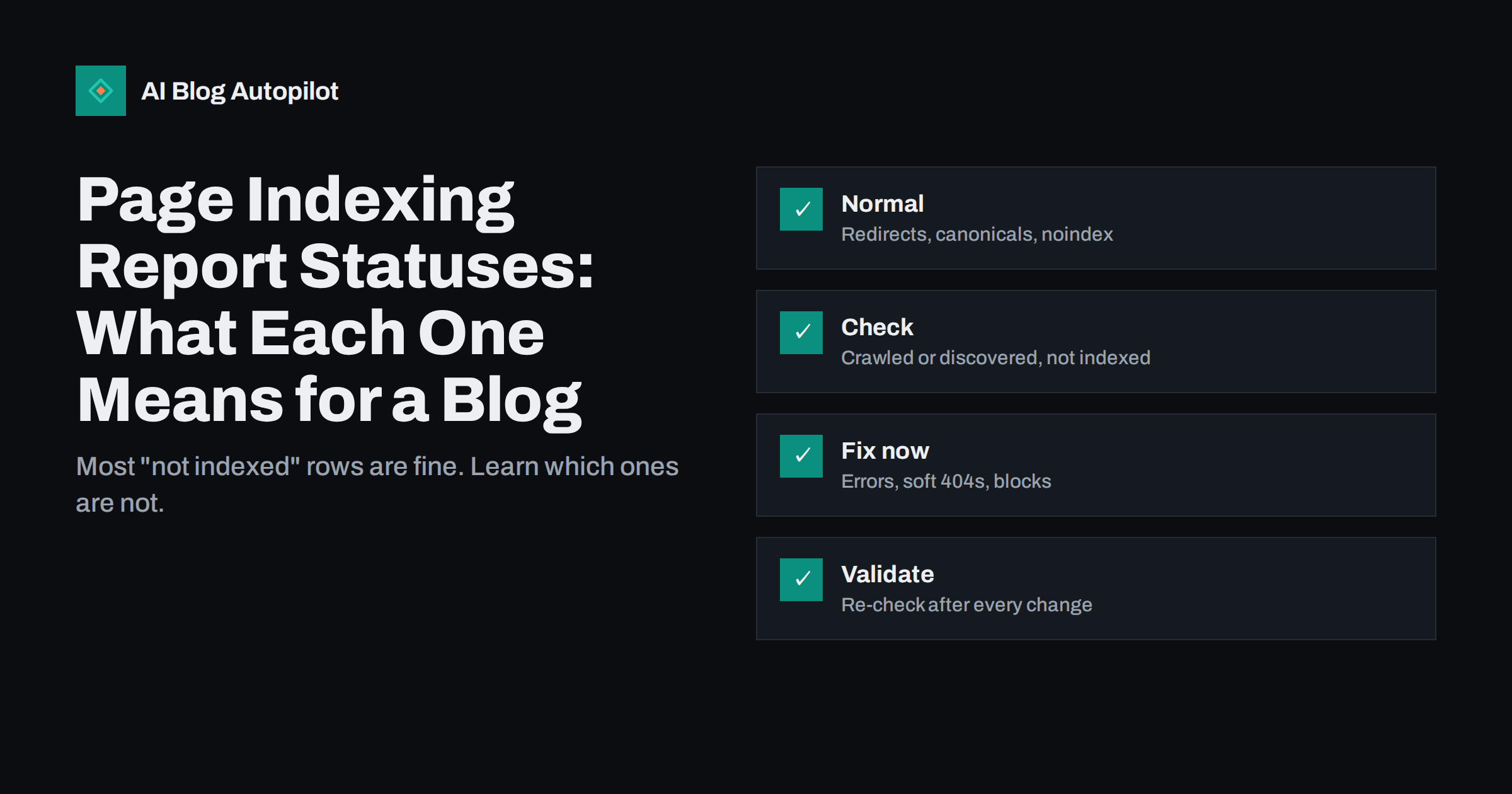
Short answer: the page indexing report in Search Console sorts every URL the crawler knows about into indexed and not indexed, and gives a reason for each one that is not indexed. Many of those reasons are normal and need no action: pages with redirects, alternate pages with a proper canonical, pages you deliberately marked noindex and old URLs returning 404. The reasons that deserve attention on a blog are server errors, redirect errors, soft 404s, pages blocked by robots.txt that should be visible, duplicates where the search engine chose a different canonical than you did, and the two “currently not indexed” statuses, which usually point at quality or internal linking problems rather than technical ones.
The report looks alarming at first because the number of not-indexed URLs is often larger than the number of indexed ones. That is expected on any site with a few years of history: every old slug, feed, tag page, attachment page and tracking-parameter variant that a crawler has ever found stays in the list. The skill is in reading each status correctly, so that you spend time on the handful of rows that are costing you visibility and ignore the rest. This article goes through the statuses you are likely to see on a blog, what each means and what to do about it.
How the report is organised
The report has two groups. Indexed pages are in the search index and can appear in results. Not-indexed pages are known but not in the index, each with a reason. Within each reason you can open a list of example URLs, see when each was last crawled and inspect any URL in detail. Statuses are assigned per URL, not per page as you think of it, so one article can appear several times: once as the final URL, once as an old slug that redirects, once with a tracking parameter. The report also offers a validation flow: after you fix a problem, you ask for the status to be re-checked and the report tracks whether the affected URLs change.
Two rules make the report easier to read. First, decide for each row whether the URL should be indexed at all. Second, compare the list of indexed URLs with the list of pages you actually want in search; the gap between the two is your work list.
Statuses that are usually fine
These rows describe URLs that are not indexed because they should not be. Check a few examples in each group, then leave them alone.
- Page with redirect: the URL redirects elsewhere. Normal after slug changes, HTTPS migrations and merged articles. Only a problem if the redirect target is wrong or the chain is long.
- Alternate page with proper canonical tag: the URL points to another URL as the canonical version, and the search engine agreed. Typical for tracking parameters, pagination variants and print versions.
- Excluded by noindex tag: the page carries a noindex instruction. Fine for tag archives, author pages, search results pages, thank-you pages and anything else you chose to keep out. Check that no real article is in this list by mistake.
- Not found (404): the URL returns a not-found response. Normal for deleted content that has no replacement. If the URL has traffic or external links, redirect it to the closest relevant page instead.
- Blocked by page removal tool: someone used the removal tool. Expected if it was deliberate; worth a look if nobody remembers doing it.
- Blocked by robots.txt: normal for admin areas, internal search and similar paths. A problem only when a page you want indexed is in the list.
Our article on noindex explains which pages a blog should keep out of search, and the one on 404 and 410 errors covers when a missing page is fine.
Statuses that need checking
These rows may be fine or may be hiding a problem. Look at the example URLs before deciding.
- Duplicate without user-selected canonical: the search engine found several copies and you did not say which is the original. Add a canonical tag to the version you want indexed. Common with URLs that resolve both with and without a trailing slash, or with upper and lower case.
- Duplicate, search engine chose a different canonical than the user: you declared a canonical, but the search engine picked another URL, often because your internal links and sitemap point at the other version. Make links, sitemap and canonical agree.
- Crawled, currently not indexed: the page was fetched but not added to the index. On a blog this usually means the page looked thin, duplicate or low value, or that the site publishes more than the search engine is willing to index. See the section below.
- Discovered, currently not indexed: the URL is known, usually from a sitemap or a link, but has not been crawled yet. Can be a temporary queue, or a sign that the crawler is not prioritising the site. New blogs see this often.
- Indexed, though blocked by robots.txt: listed as a warning. The page is indexed from links alone and the crawler cannot read it, so its snippet may be poor. Either unblock it or add noindex and unblock so the instruction can be seen.
Statuses that need fixing
These rows describe errors that keep pages out of search, and they should be treated as a work list.
- Server error (5xx): the server failed when the page was requested. Check hosting, plugins and resource limits, and look for a pattern in timing. Repeated server errors cause pages to be dropped.
- Redirect error: a loop, a chain that was too long, an empty or bad redirect URL or a redirect that never completed. Trace the hops and fix the rules.
- Soft 404: the page returned a success code but looked empty or like an error page. On blogs this is often an empty category or tag page, a placeholder article or a page whose content failed to load. Give the page real content, redirect it or make it return a true 404.
- Blocked due to access forbidden (403) or unauthorized request (401): the crawler was refused. Common causes are security plugins, firewalls or hosting rules that block bots. Allow the crawler and re-test.
- Blocked by robots.txt, for pages you want indexed: an overbroad disallow rule, often left over from staging. Correct the file and request re-crawling.
- Excluded by noindex, for real articles: a theme or plugin setting applied noindex to posts by mistake, or a site-wide “discourage search engines” setting is on. Remove it.
Fix the groups with the most URLs or the most important pages first, then use the validation button so that the report confirms the change.
“Currently not indexed”: what it really means on a blog
The two “currently not indexed” statuses cause the most worry and have the least technical cause. “Discovered” means the crawler has not got to the page yet. For a new or small site that may simply take time, but if it persists for weeks, the usual causes are weak internal linking, a huge sitemap full of low-value URLs or a site that the crawler sees little reason to visit often. “Crawled” means the crawler read the page and decided not to index it for now. That decision is usually about the page: short or repetitive content, near-duplicates of other articles, pages that exist mainly to hold a keyword, or a site publishing far more pages than its reputation supports.
The practical response is the same for both. Link the page from relevant articles and from category pages, make sure it says something the site does not already say, improve or merge thin pages, remove junk URLs from the sitemap and be patient. Requesting indexing through the URL inspection tool can help for a single important page, but it does not fix the underlying cause. Our article on crawled but not indexed goes through the diagnosis in detail.
A routine for reading the report
You do not need to study the report every day. A short monthly routine is enough for most blogs.
- Compare the indexed count with the number of pages you expect to be indexed. A sudden drop is the most important signal in the report.
- Open each “needs fixing” status, look at the example URLs and add real problems to a work list.
- Scan the “fine” statuses for anything that should not be there, such as a real article under noindex or 404.
- Check the “currently not indexed” lists for articles you care about, and improve or link them.
- Validate fixes you made last month and record what changed in your change log.
- Cross-check with the sitemap report, so that the sitemap lists only final, indexable URLs.
Remember that the report is delayed by a few days and that example lists are samples, not complete inventories. Combine it with a site crawl when the numbers do not add up.
How AI Blog Autopilot helps
AI Blog Autopilot writes and publishes SEO articles to your WordPress blog with the title, description, tags and FAQ in place, and with a quality check on length and structure before anything goes live, which helps new pages avoid the thin-content reasons for staying out of the index. On the Pro and Agency plans it can also import topics from Search Console, so that new articles cover queries your site already appears for. The indexing report itself remains yours to read. Plans are on the pricing page.
Related reading
- Crawled but Not Indexed: Why Some Blog Posts Stay Out
- The URL Inspection Tool: Checking One Blog Post in Detail
- Noindex on a Blog: Which Pages to Keep Out of Search
- Canonical Tags Explained Without the Jargon
The bottom line
The page indexing report is a list of decisions the search engine made about every URL it knows, and most of those decisions are correct. Redirects, proper canonicals, deliberate noindex and genuine 404s need no action. Server errors, redirect errors, soft 404s, access blocks and canonical disagreements need fixing. The “currently not indexed” statuses are usually about page quality and internal links rather than technical faults. Read the report monthly, work from the indexed count downwards and validate every fix.
FAQ
Is it bad to have more not-indexed pages than indexed pages?
Not by itself. Old slugs, parameter variants, feeds and deliberately excluded pages all appear as not indexed. What matters is whether the pages you want indexed are indexed.
What is the difference between “discovered” and “crawled” currently not indexed?
Discovered means the URL is known but has not been fetched yet. Crawled means it was fetched and then not added to the index, usually for content quality or duplication reasons.
Should I request indexing for every new blog post?
No. A good sitemap and internal links are enough for most posts. Use the request for a single important page, and fix the underlying cause if posts regularly stay out.
What does “alternate page with proper canonical tag” mean?
The URL declares another URL as the original and the search engine agreed, so only the canonical version is indexed. This is normal for parameter and duplicate variants.
How long does validation take after a fix?
It can take days to a few weeks, depending on how often the affected URLs are crawled. Keep the fix in place and check the validation status rather than repeating the request.