ENEnglish
 LTLietuviškai
 DEDeutsch
 FRFrançais
 RUРусский
 ESEspañol
 PLPolski
 ITItaliano
 UKУкраїнська
 CSČeština
 PTPortuguês
 JA日本語
JA日本語 LVLatviešu valoda
 ETEesti
 HUMagyar
 IDBahasa Indonesia
 TRTürkçe
 HIहिन्दी
 ELΕλληνικά
 ARالعربية
 THไทย
THไทย VITiếng Việt
 RORomână
 MSBahasa Melayu
 BNবাংলা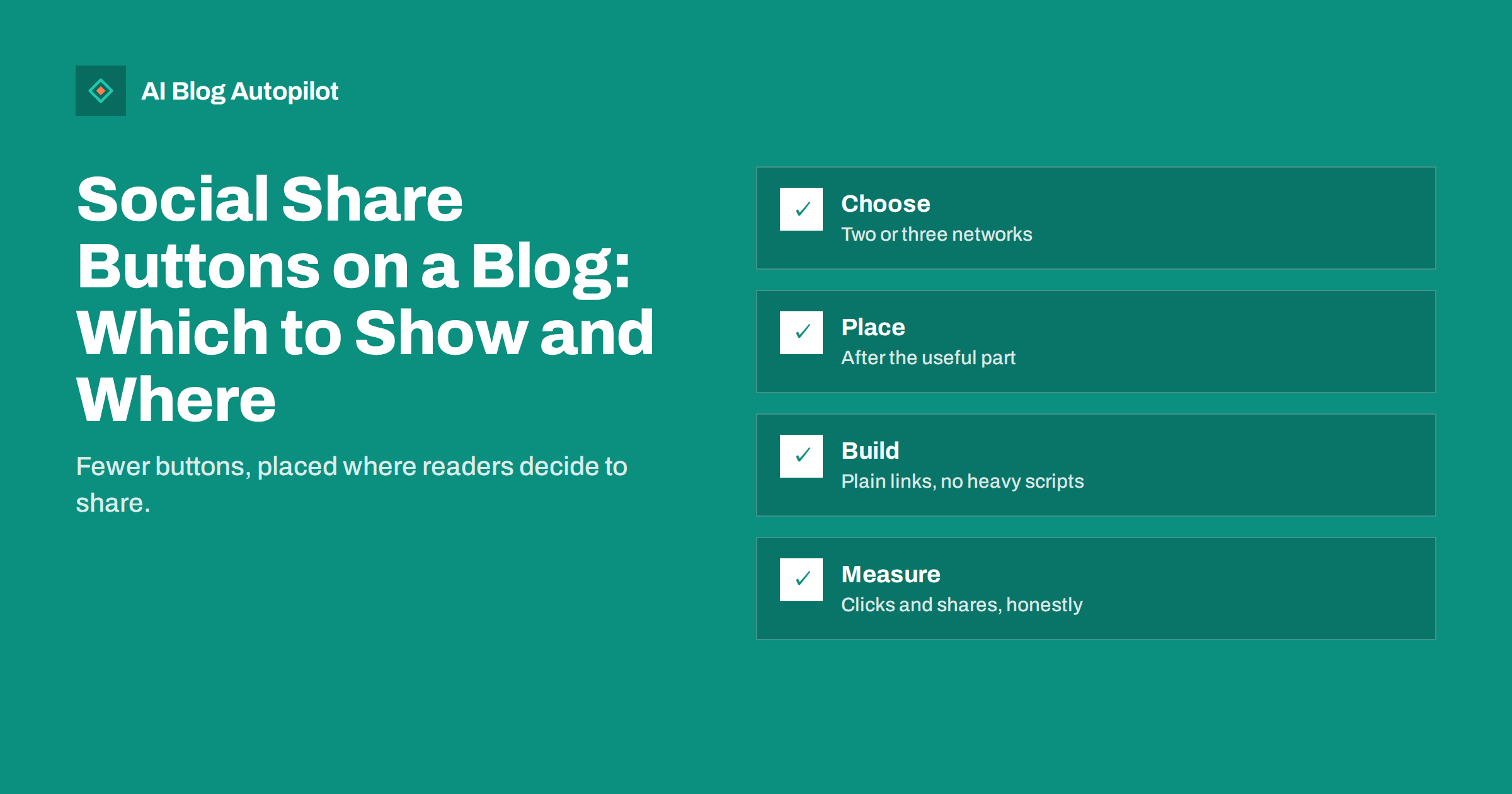
Short answer: share buttons still help a blog a little, but only when they are few, fast and well placed. Show the two or three networks your readers actually use, add a copy-link option, place the buttons where a reader has just finished something useful and build them as plain links rather than loading a script from every network. Counters showing zero shares do more harm than good, and a row of ten icons slows the page, adds tracking and makes the choice harder. Test the buttons against real behaviour, and remove them if nobody clicks.
Share buttons were once treated as essential. Today, many readers share by copying the address or using the share function built into their phone, and many of the widgets that provided buttons have disappeared or turned into performance problems. That does not make sharing unimportant; recommendations from readers remain one of the best sources of new visitors. It means the design of the buttons matters more than their presence. This article covers when they are worth having, how to choose and place them and how to avoid the speed and privacy costs that come with careless implementations.
Do share buttons actually work?
Share buttons do not improve rankings directly, and you should be wary of anyone who says they do. What they can do is reduce the effort of sharing for a reader who has already decided to share, and sometimes prompt a reader who had not thought of it. The effect is modest and varies enormously by audience. A blog read mainly by professionals who share on one network may see a measurable number of clicks. A blog read mostly via search on mobile may see almost none, because those readers rarely share individual articles.
The honest approach is to treat buttons as an experiment. Add them, measure the clicks for a month or two and keep them if people use them. The measurement is simple if you tag the shared links; our article on UTM tags for social shares describes how to see which posts bring readers back through the links people post.
Which networks to show
Every extra button is an extra decision. Choose networks by evidence about your own readers rather than by a general list of the biggest platforms.
- Look at your referral data in analytics to see which networks already send visitors to the blog.
- Look at where your readers are. A business-to-business blog may need LinkedIn and email; a craft blog may need Pinterest; a community blog may need a messaging app.
- Add “copy link” as a button. It is the most universal option, it needs no third-party script and it works for private channels that no network button can reach.
- Add an email option if your readers forward articles to colleagues.
- Skip networks you do not use yourself, because a share from a network where your brand has no presence leads nowhere if people want to follow up.
Two or three network buttons plus copy link is enough for most blogs. Our article on choosing which social networks a business blog should use offers a method for deciding where to focus in the first place.
Where to place the buttons
Placement should follow the moment of motivation. A reader is most likely to share after finishing something useful, so the strongest position is at the end of the article, near the conclusion. A compact row near the top of the page can also work, provided it takes little space. Floating bars that follow the reader down the page are popular, but they can cover content on small screens, distract from the text and in some cases count as intrusive elements on mobile. If you use one, make sure it never overlaps the article or hides the main navigation, and test it on a real phone.
- After the key idea or key takeaway, in articles where a single quotable point exists. A “share this” link attached to a quote or a statistic can outperform a generic row.
- At the end, next to the related articles and the call to action, without competing with them.
- Not in the middle of instructions, where a reader needs to follow steps.
Mobile readers deserve separate thought, because most of your sharing, if you have any, will happen on a phone. Thumbs are imprecise, so give each button a generous tap area and enough space around it that a reader does not hit the wrong network by accident. Avoid placing buttons at the very edge of the screen, where swipe gestures and browser controls interfere. Check the layout on both a small phone and a tablet, because a row that fits neatly at one width may wrap into an untidy stack at another. If the row has to wrap, reduce the number of buttons instead of shrinking them.
It is also worth deciding what the buttons should say. A label such as “Share this guide” is clearer than a bare icon, and an invitation tied to the content (“Know someone setting up a blog? Send them this guide”) can outperform a generic prompt, because it gives the reader a reason and a person to think of. Keep the wording honest and short, and do not use pressure or false urgency.
Build them as plain links, not heavy widgets
The old way to add share buttons was to include a script from each network. Each script loads its own code, sets its own cookies and may track visitors who never click anything. Add a few of those and the page becomes slower, the layout may shift as they load and your privacy notice becomes longer. A better approach is to use share links: ordinary links to each network’s own sharing address, with the article address and title filled in. They load nothing extra, track nothing until clicked and give you full control over the appearance.
If you use a plugin, check what it loads. Look at the page in your browser’s developer tools or a speed test and see whether it adds scripts, fonts or images. Check also that it does not add share counts fetched from a third party, which are slow and often inaccurate. If you are concerned about speed, our articles on Core Web Vitals and page speed for content sites explain how to judge the impact.
On phones, the operating system’s own share function covers every installed app. A button that calls it, where the browser supports it, gives readers every option without a single network script. Keep ordinary links as a fallback for desktop browsers.
Privacy and accessibility
Because some share widgets set cookies or contact external servers when the page loads, they can raise consent questions in regions with strict rules. Plain links avoid most of this, since nothing is sent until the reader clicks. Whichever approach you choose, describe it accurately in your privacy notice and test it with your consent banner, as our article on privacy and analytics on a business blog explains.
For accessibility, every button needs a text label that a screen reader can announce, such as “Share on LinkedIn”, not just an icon. Make the targets large enough to tap, keep sufficient contrast, ensure the buttons can be reached and used with a keyboard and avoid opening unexpected new windows without warning. Our accessibility checklist for blogs lists these basics.
Make the shared result look good
A button only helps if the result is attractive. When someone shares your article, the network reads your page for a title, a description and an image. If those are missing or wrong, the post looks poor and nobody clicks. Check the Open Graph tags on every article and use a preview tool to see how a link will appear. Our article on Open Graph tags explains the fields; if a network shows an old image after you change it, the article on stale share cards describes how to refresh it. Set the shared text sensibly: the article title is usually better than a long pre-written slogan, and a pre-filled hashtag should only be included if it is relevant.
Measuring and removing
- Tag the links so that visits from the buttons are identifiable in analytics.
- Track clicks on the buttons as events, per network and per article.
- Review after a month or two. Which networks are used? Which articles attract shares? Is the reading experience affected?
- Remove what is unused. A button nobody clicks is clutter. Keep copy link if only one remains.
Avoid showing share counts when they are low. A visible “0” tells the reader that nobody wanted to share the article, which is the opposite of the message you want. Show counts only if they are real, recent and reassuring, and consider not showing them at all.
How AI Blog Autopilot helps
Share buttons ask readers to spread your articles; AI Blog Autopilot also shares each article itself. It writes SEO articles for your WordPress blog from the topics, keywords, audience and tone you set, then posts each one to your connected social networks with text and timing suited to each network. Approval mode lets you check an article before it is published and shared. Network and plan limits are listed on the pricing page.
Related reading
- UTM Tags for Social Shares: See Which Posts Bring Readers
- Open Graph Tags: Controlling How Shared Posts Look
- Which Social Networks Should a Business Blog Use? A Method
- Page Speed on a Content Site: What Actually Helps
The bottom line
Use two or three network buttons you can justify with data, add copy link, place them after the useful part and build them as plain, labelled links that do not slow the page or track visitors who do not click. Make sure the shared result looks good, measure what happens and remove what is not used. Share buttons are a small convenience, not a growth strategy, and they work best when everything around them is simple.
BUJ
Do share buttons help SEO?
Not directly. Shares do not act as ranking signals you can rely on. They can help articles reach more readers, who may then link to or mention you.
How many share buttons should a blog have?
Two or three networks your readers use, plus a copy-link option. More buttons make the choice harder and usually slow the page.
Should I show share counts?
Only if they are real and meaningful. Low or zero counts discourage sharing, so many blogs leave them out.
Are floating share bars a good idea?
Sometimes, but on small screens they can cover content and annoy readers. If you use one, test it on a phone and make sure it never blocks the text.
Do share buttons affect privacy compliance?
Script-based widgets can set cookies or contact third-party servers on page load. Plain share links send nothing until clicked, which is simpler to describe and to defend.