ENEnglish
 LTLietuviškai
 DEDeutsch
 FRFrançais
 RUРусский
 ESEspañol
 PLPolski
 ITItaliano
 UKУкраїнська
 CSČeština
 PTPortuguês
 JA日本語
JA日本語 LVLatviešu valoda
 ETEesti
 HUMagyar
 IDBahasa Indonesia
 TRTürkçe
 HIहिन्दी
 ELΕλληνικά
 ARالعربية
 THไทย
THไทย VITiếng Việt
 RORomână
 MSBahasa Melayu
 BNবাংলা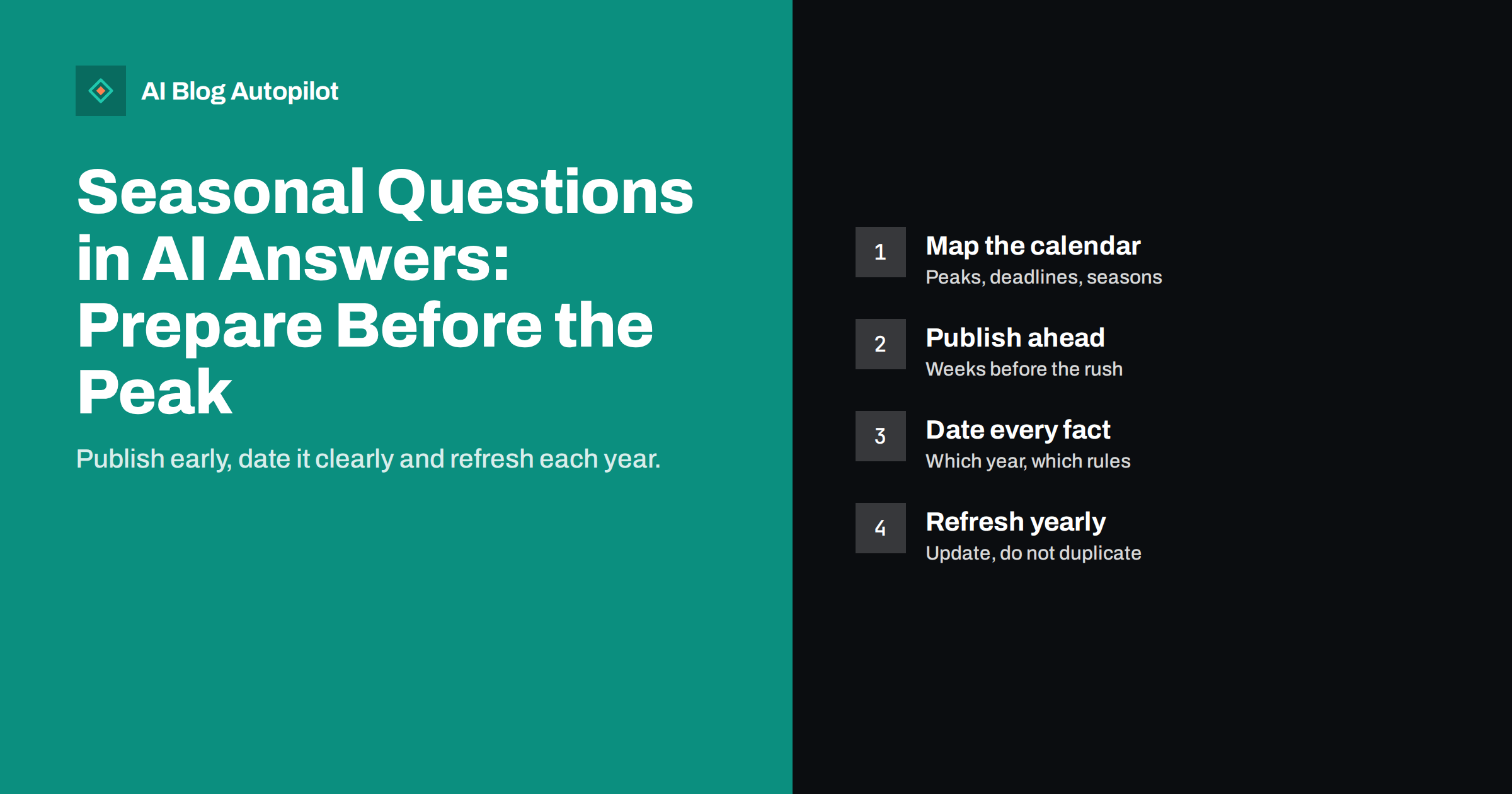
Short answer: seasonal questions, such as holiday opening hours, tax deadlines or winter maintenance, spike on a predictable calendar, and AI assistants answer them from pages they can find at that time. To be ready, list the seasonal questions in your field, publish or update a clear page several weeks before the peak, state the dates and the year plainly, keep one permanent address and refresh it each year instead of creating a new page every season. Mark clearly what is current, so an old answer does not outlive its use.
Most businesses have a few weeks each year in which demand for certain information jumps. A garden centre is asked about autumn planting, an accountant about filing dates, a shop about delivery cut-offs before a holiday. In those weeks, many people ask an assistant instead of searching and clicking, and the answer they get is shaped by whatever the assistant can find and trust. If your page is late, vague or out of date, someone else’s page will fill the gap. This article describes how to prepare in a calm, repeatable way.
Why seasonal content is different
Seasonal questions have three features that change how you should write and publish.
- The timing is sharp. The window in which an answer is useful can be a few days or weeks, and a page published inside the window may be too late to be found and used.
- The facts expire. Opening hours, deadlines, prices and rules apply to a specific year. An answer based on last year’s page can be wrong in ways that matter.
- The same question returns. The question will be asked again next year, so the investment can be reused if the page is built for it.
Assistants that use live web search look for current sources, while those that rely on older information may repeat what they saw earlier. In both cases, a clear, dated and well-structured page on your site is the best thing you can offer, because it is the authoritative source for your own facts.
Map the seasonal calendar for your business
Start with a simple calendar. For each month, list the questions customers ask that depend on the time of year. You can find them in several places.
- Past emails and calls: which questions arrive in a burst each year?
- Search Console and site search: which queries rise at certain times?
- Your own operations: holiday closures, changed hours, deadlines you set or must meet, sales and events.
- External dates: public holidays, tax or regulatory deadlines, school terms, weather seasons, sporting or cultural events.
- Trend data: a trends tool can show when interest in a topic usually starts to rise, which tells you how early to publish.
For each item, note the typical start of interest, the peak and the end. Then work backwards: your page should be live before the start, with time for search engines and assistants to find it.
Write the page for the question, with the facts first
A seasonal page should answer the question in its first lines. Think of the person who asks, “What are your opening hours over the holidays?” or “When is the deadline for X this year?”
- Put the answer in the first paragraph, with exact dates, times and the year.
- Use a clear heading that matches the question, for example “Opening hours during the winter holidays 2026”.
- List exceptions and conditions after the main answer, not before it.
- Give a contact route for people whose situation is not covered.
- Link to related pages, such as the delivery policy or the ordering page.
Write numbers and dates unambiguously, with the month as a word and the time zone where it matters. Where a rule comes from an official source, link to it and say when you checked it. Avoid long introductions about the history of the season. People need the facts.
Publish early, and plan the lead time
Search engines and assistants need time to discover and trust a page, and customers start asking before the peak. As a rule of thumb, publish or update seasonal pages several weeks before the interest begins. For events with a long planning period, such as weddings or holiday travel, start even earlier.
- Put the dates in the calendar: a task to review each page, with a due date well before the peak.
- Prepare drafts in advance, leaving blanks for facts that you will only know later, and fill them in as soon as they are confirmed.
- Update the page the moment facts change, and add a visible “updated” line.
- Tell people: share the page on your social channels and in your newsletter, which helps readers find it and gives search engines a reason to visit.
If the details are not yet decided, publish a holding statement that says when more information will follow, and keep the same address so that the later update replaces it.
Keep one address, and refresh instead of duplicating
A common mistake is to create a new page every year, such as “holiday hours 2025” and “holiday hours 2026”. The old pages stay on the site and compete with the new one, while links and signals are spread across several addresses.
- Use one permanent address, for example “holiday-opening-hours”, and update its content each season.
- Show the year in the heading and the text, and the update date near the top.
- If you want a record of past years, keep a short archive section lower on the page or a separate archive page, clearly marked as past.
- If old year-specific pages exist, redirect them to the current page or label them clearly as outdated and link to the current one.
This keeps one authoritative page that gathers links and trust year after year, and it reduces the chance that an assistant quotes an old version.
Avoid leaving stale answers behind
After the season ends, the page can do harm if it still reads as current. Plan the end of the season as carefully as the start.
- Change time-bound wording on the day the period ends, or replace it with a note such as “These hours applied until 6 January 2027” and a link to the regular hours.
- Remove banners and links that point people to a deadline that has passed.
- Check other places where the facts appear: the footer, the contact page, business profiles, social bios and newsletters.
- Do a search of your own site for the old dates to catch pages you forgot.
It is also worth asking an assistant a few of the seasonal questions after the change, to see whether your correct information now appears. If it does not, check that the page is accessible and not blocked, and make sure no old version is cached in a place you control.
A small example
A bakery that takes orders for holiday cakes might create one permanent page called “holiday-cake-orders”. In October it publishes the order deadlines for the year, the pickup days, the price list with currency and tax statement, and the contact route for large orders. It adds a line saying when the page was last updated. It shares the page in its newsletter and on its social channels, and it links to the page from the homepage and the ordering form.
In January, the bakery changes the heading to say that orders have closed, keeps a short note with next year’s expected opening month and updates its business profile. Next autumn it repeats the process on the same address. The page gains age and links over time, and a customer or an assistant asking about holiday cakes finds the same trustworthy source each year.
Checking your seasonal pages before the peak
A short checklist, run a few weeks before each peak, prevents most problems. It takes less than an hour for a handful of pages.
- Does the first paragraph of each seasonal page answer the question with exact dates and the year?
- Is there a visible updated date, and does it match the real state of the content?
- Do the title, headings, meta description and FAQ agree with each other and with the body?
- Are all links working, including those to ordering pages, forms and official sources?
- Is the page linked from the homepage, the menu or a relevant hub, so that visitors and crawlers can reach it?
- Are the same facts, such as hours and deadlines, consistent across your business profiles, social pages and emails?
- Have you asked a few assistants the questions that matter, and written down what they said?
The last step is useful because it shows what people will see. If an answer is wrong or uses an old source, you can fix the cause before the busy period, not during it. Record the result in a simple note, so that next year you can compare. If your business sells across several countries, repeat the checks for each market, since holidays, deadlines and rules differ, and write each page for the people it serves, with their dates, currency and language.
How AI Blog Autopilot helps
AI Blog Autopilot writes SEO articles with FAQ, tags and meta for your WordPress blog on the topics you choose, including seasonal ones, and it can publish them at the time you set. Facts such as your own hours, deadlines and prices should come from you and be checked each year. See the pricing page for plans.
Related reading
- Planning Seasonal Content Without Scrambling Every Year
- Conversational Queries: Writing for How People Ask AI
- Expired Content: Old Event, Offer and Deadline Posts
- Product and Pricing Facts: Making Them Easy for AI Answers
The bottom line
Seasonal questions are predictable, so you can prepare for them. Map the calendar, publish a clear page with exact dates before the interest begins, keep a single permanent address and refresh it each year, and tidy the page when the season ends. An assistant can only repeat what it finds, so make sure the best thing it finds is your own accurate, dated answer.
BUJ
How early should I publish a seasonal page?
Several weeks before interest starts, and earlier for events with long planning. Trend data and your own past enquiries show when interest usually begins.
Should I create a new page each year?
Usually not. Keep one permanent address and update it, so links and trust build up in one place and old versions do not compete.
What if I do not know the dates yet?
Publish a short holding statement saying when details will follow, then replace it on the same address as soon as the facts are confirmed.
How do I stop old answers from appearing?
Update or retire time-bound wording when the period ends, check other places where the facts appear, and redirect or label old year-specific pages.
Do social posts help with seasonal content?
They help people find the page and give a clear signal that it is current. The page itself remains the authoritative source.