 ENEnglish
 LTLietuviškai
 DEDeutsch
 FRFrançais
 RUРусский
 ESEspañol
 PLPolski
 ITItaliano
 UKУкраїнська
 CSČeština
 PTPortuguês
 JA日本語
JA日本語 LVLatviešu valoda
 ETEesti
 HUMagyar
 IDBahasa Indonesia
 TRTürkçe
 HIहिन्दी
 ELΕλληνικά
 ARالعربية
 THไทย
THไทย VITiếng Việt
 RORomână
 MSBahasa Melayu
 BNবাংলা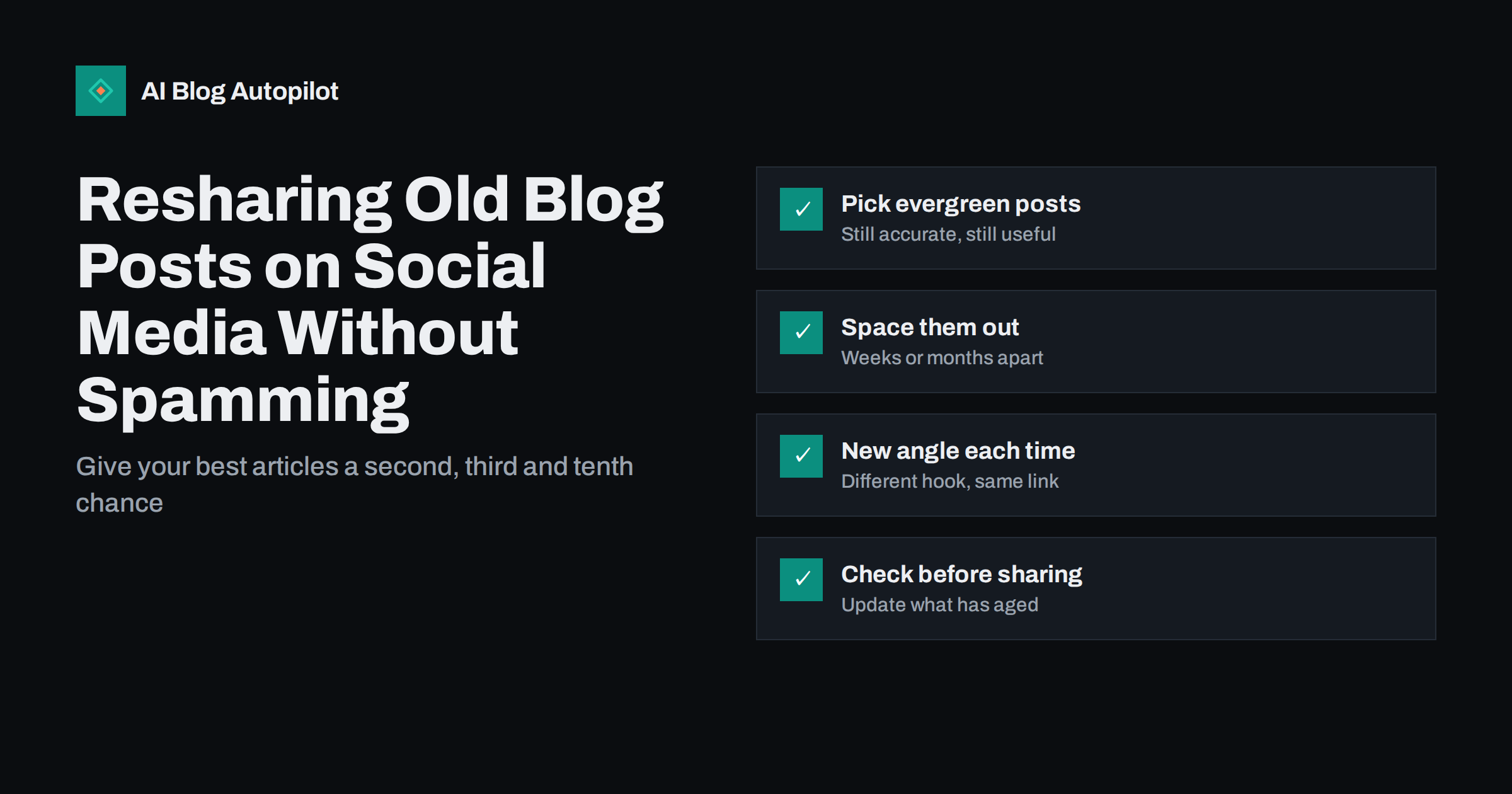
Short answer: resharing older blog posts on social media is normal and effective, as long as the posts are still accurate and each share offers something slightly different. Choose evergreen articles that answer lasting questions, space reshares weeks or months apart depending on the network, and change the hook each time: a different tip, question, quote or image. Update any outdated details before a post goes out again. Most of your followers never saw the original share, so a well-spaced reshare reaches them for the first time.
Many blogs treat social sharing as a one-time event: publish an article, share it once, move on. After that, the post’s only source of new readers is search, and on social networks it is effectively forgotten.
That wastes a lot of good work. A useful article written a year ago is usually just as useful today, and most of your current followers have never seen it. Resharing, done with some care, turns your archive into a steady source of content and traffic without writing anything new.
Why resharing works
Three facts about social feeds make resharing sensible rather than lazy.
- Most followers miss most posts. Algorithmic feeds show each post to only a portion of your followers, and people scroll past far more than they read. A single share reaches only a fraction of your audience.
- Audiences change. People who followed you in the last six months never saw what you shared before they arrived.
- Visibility is short-lived. On fast-moving networks, a post’s visibility is concentrated in the hours after it appears. After that, it effectively disappears.
So the second, third or tenth share of a good article is often the first time many followers see it. The question is not whether to reshare, but how to do it without annoying people who did see it before.
Which posts deserve resharing
Not every post is a good candidate. The best ones share a few traits:
- Evergreen topics. How-to guides, explainers, checklists and answers to common questions stay relevant for years. News, announcements and time-bound posts usually do not.
- Still accurate. Facts, screenshots, product details and recommendations are current, or can easily be updated.
- Proven useful. Posts that already bring search traffic, get read to the end or earned good engagement the first time are strong candidates.
- Relevant to your audience now. An article about a service you no longer offer, or aimed at an audience you have moved away from, should stay in the archive.
Search Console and your analytics make this selection easier. Sort posts by organic clicks over the last year, then by average engagement time. Articles near the top of both lists are proven answers that deserve a wider audience on social as well.
Start with a list of ten to thirty posts that meet these criteria. That is enough to run a resharing routine for months.
How often to reshare
There is no universal rule, but some principles keep reshares from feeling repetitive:
- Space reshares of the same post by weeks at a minimum and often months, depending on how much you publish and how fast the network moves.
- Faster feeds tolerate more repetition. On networks where posts disappear within hours, a reshare after a few weeks is rarely noticed as a repeat. On slower networks or small communities, space them further apart.
- Mix old and new. Reshares should complement new content, not replace it. An account that only recycles old posts looks inactive.
- Watch the response. If a reshare gets noticeably less engagement than the original, or followers comment that they have seen it before, increase the interval.
For most small businesses and blogs, a rotation in which each evergreen post comes back every two to three months on a given network is a reasonable starting point, adjusted by results.
Keep every reshare fresh
The link can stay the same; the post around it should not. Each reshare is a chance to present the article from a different angle:
- A different tip. Pull a specific piece of advice from the middle of the article and lead with it.
- A question. Ask the problem the article solves: “Still getting the wrong image when you share a link?”
- A short quote or statistic from the article, where the statistic is a sourced, well-established fact.
- A different format. A list in the post text, a short carousel, a single image with a key point, or a brief video summary where the network suits it.
- A seasonal or timely hook. An article about planning content becomes relevant again at the start of a quarter or a new year.
Images deserve the same treatment. If your blog lets you set a separate social image, a new visual for a reshare, such as a key point on a branded background, makes the post look different in the feed even when the article is the same.
A reader who saw the original share and sees this one gets a new idea rather than a repeat, and may click this time because the new hook fits their situation.
Update the article before sharing it again
Resharing an outdated article is worse than not sharing it. Before a post goes back into rotation, give it a quick check:
- Are the facts, prices, product names and screenshots still correct?
- Do all links still work, both internal and external?
- Is there a newer, better post on the same topic that should be shared instead, or linked from this one?
- Does the preview image and title still look good when shared?
If the article needs a substantial update, do it properly and consider mentioning the update in the share: “Updated with new examples.” Readers appreciate knowing the content is maintained.
Automating reshares sensibly
Resharing by hand quickly becomes a chore, which is why many sites automate it with a scheduling or social posting tool. Automation works well if you set a few guardrails:
- Curate the pool. Only posts you have checked should be eligible for automatic resharing. Exclude news and time-bound posts.
- Set minimum intervals per post and per network, so the same article never appears too often.
- Vary the text. Prepare several versions of the post text for each article, or use a tool that generates different text per network and per share.
- Review the pool periodically. Every few months, remove posts that have become outdated and add strong new ones.
- Keep new content first. Make sure scheduled reshares do not crowd out the sharing of new articles.
Measuring whether reshares work
Resharing is easy to start and easy to forget about, so it is worth checking now and then whether it actually brings readers.
- Tag the links. Adding campaign parameters, such as a utm_campaign value of “reshare”, lets your analytics separate visits from reshares and from first shares.
- Compare like with like. Look at clicks and engagement per reshare against the original share of the same article, and against first shares of new articles published in the same period.
- Look at the articles, not only the network. Some posts keep performing on every reshare; others fade after the first repeat. Keep the first group in rotation and retire the second.
- Watch for fatigue. Falling clicks across all reshares on one network, or more unfollows after reshare days, suggest the intervals are too short or the pool is too small.
- Check what happens after the click. Visitors from reshares who read to the end, subscribe or enquire show that the article still serves its audience.
A simple monthly look at these numbers is enough to keep the routine useful rather than automatic noise.
Mistakes that make resharing feel like spam
- The same text every time. Identical posts are the clearest sign of careless automation.
- Too little spacing. Sharing the same article several times in one week on the same network.
- Outdated content. Old prices, broken links or advice that no longer applies.
- Everything, all the time. Resharing the whole archive indiscriminately, including weak and irrelevant posts.
- Ignoring comments. Automated posts that nobody watches can leave questions unanswered for days.
- No new content. An account made up entirely of reshares looks abandoned, however good the old posts are.
How AI Blog Autopilot handles reshares
AI Blog Autopilot shares every new article to your connected social networks, with its own text, length and timing for each network. The Growth, Pro and Agency plans also include evergreen reshares, so older articles can come back into your feeds alongside new ones. Keeping the articles themselves accurate, as described above, is what makes those reshares worth seeing. The pricing page shows which plans include evergreen reshares.
Related reading
- Turning an Article Into Social Posts That Get Read
- How to Refresh Old Blog Posts (and When It Beats Writing New Ones)
- Repurposing an Article: One Piece, Several Formats
- Best Time to Share a Blog Post on Social Media
The bottom line
Resharing good older posts is one of the easiest ways to get more from a blog. Pick evergreen, accurate articles, space reshares weeks or months apart, write a new hook each time and check the post before it goes out again. Automate the routine if you like, but keep a curated pool, sensible intervals and varied text, and always give new articles priority.
BUJ
Is it okay to reshare old blog posts on social media?
Yes. Most followers miss most posts, and new followers never saw older ones. Resharing evergreen, accurate articles with a fresh angle each time is a normal and effective practice, as long as it does not crowd out new content.
How often can I reshare the same blog post?
It depends on the network and how much you publish. As a starting point, space reshares of the same post by several weeks to a few months on each network, and increase the interval if engagement drops or followers notice repeats.
Which blog posts are best for resharing?
Evergreen posts such as how-to guides, explainers, checklists and answers to common questions, especially those that are still accurate and have performed well in search or on social before. Avoid news, announcements and time-bound posts.
Should I change the text when resharing a post?
Yes. Keep the link but write a new hook each time, such as a different tip from the article, a question it answers or a relevant seasonal angle. Identical repeated posts look like careless automation.
Should I update an old post before resharing it?
Always check it first. Make sure facts, links, screenshots and recommendations are current, and update anything that has aged. Sharing an outdated article can damage trust more than not sharing it.
Can I reshare the same post on different networks?
Yes, and you should adapt it for each one. Each network has its own audience, format and rhythm, so a professional takeaway may suit one, a practical tip another and a descriptive pin a third. Stagger the timing so followers on several networks do not see it everywhere at once.


