ENEnglish
 LTLietuviškai
 DEDeutsch
 FRFrançais
 RUРусский
 ESEspañol
 PLPolski
 ITItaliano
 UKУкраїнська
 CSČeština
 PTPortuguês
 JA日本語
JA日本語 LVLatviešu valoda
 ETEesti
 HUMagyar
 IDBahasa Indonesia
 TRTürkçe
 HIहिन्दी
 ELΕλληνικά
 ARالعربية
 THไทย
THไทย VITiếng Việt
 RORomână
 MSBahasa Melayu
 BNবাংলা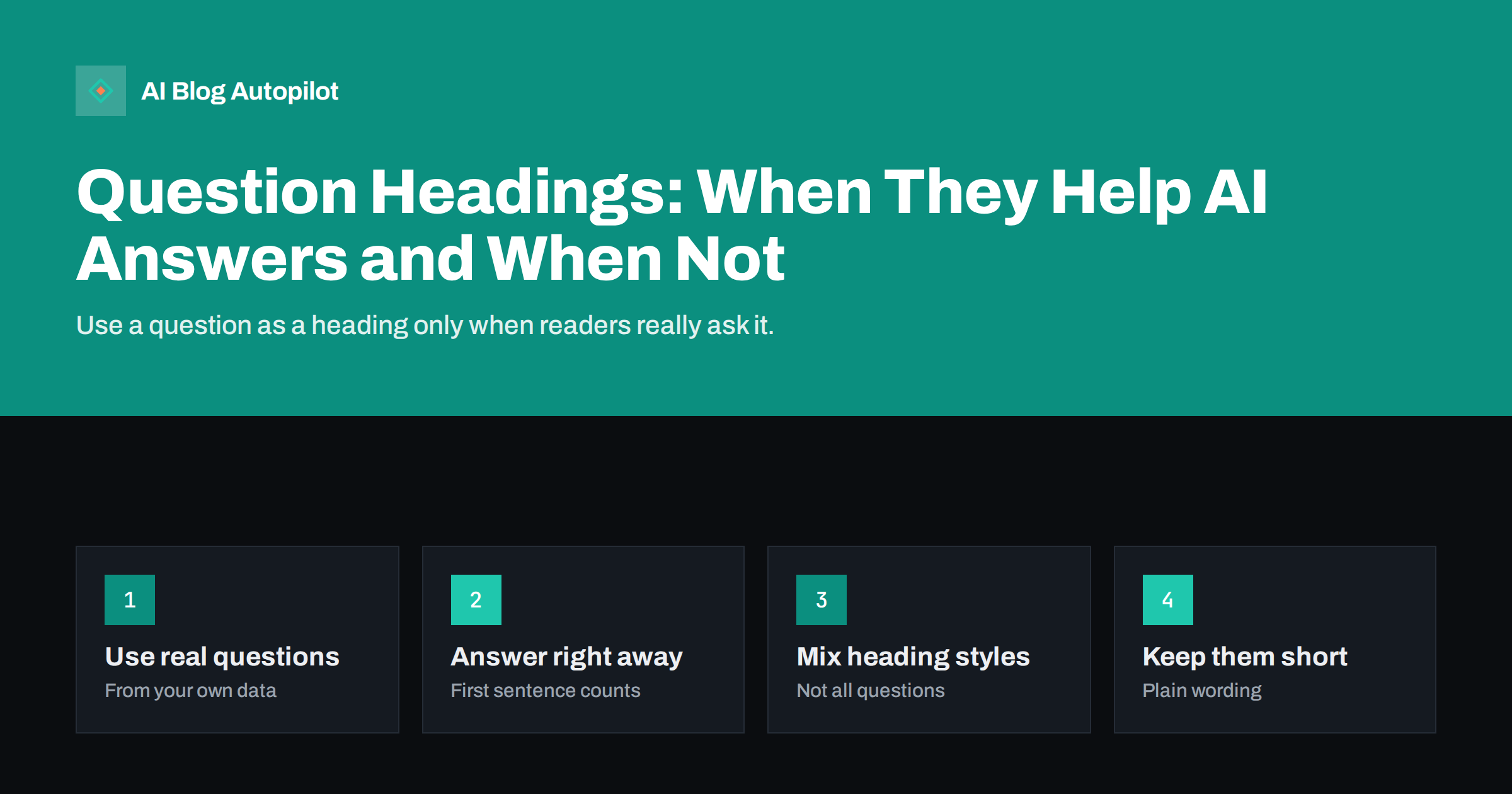
Short answer: question-style headings help AI answers and search when they match something people really ask and the first sentence below the heading answers it directly. They make a section easy to find, quote and match to a query. They read badly when every heading is a question, when the questions are invented or repetitive, or when the answer below is vague. Use questions for sections that answer a specific query, and plain descriptive headings for the rest.
Many writers have heard that headings should be phrased as questions so that AI assistants and search engines can pick them up. There is some truth in it, because a clear question followed by a clear answer is an easy shape for a system to lift. But a page where every heading begins with “What is” or “How do I” feels mechanical and tires readers. This article explains when the question format earns its place, how to word it and how to keep the rest of the page natural.
Why a question heading can help
A heading tells a reader and a system what the section contains. A question heading does that in the same words a person might type or say, which creates a direct link between query and section.
- Matching. If the heading looks like the question, it is easier for a system to see that the passage below is relevant.
- Scanning. Readers can skim the headings and jump to the exact question they brought.
- Quoting. A section that begins with a question and a short answer is a self-contained unit that can be used as a snippet, a featured answer or part of a generated reply.
- Structure. Writing the question first forces you to say what the section must answer.
None of this is a guarantee. Systems that generate answers consider many signals, and a heading is one of them. A question heading cannot rescue a thin or unreliable section.
Where question headings read badly
The format becomes a problem when it is applied without thought. Common signs:
- Every heading is a question. The page reads like a quiz, and readers lose the sense of a structured argument.
- The questions are invented. “Why is blogging important for blogging?” is not a question anyone asks. It exists only to fill a slot.
- Repeated wording. A dozen headings starting with “What is” or “How do I” look generated and blur together.
- The answer does not follow. If the first line below the heading wanders, the question has promised something the section does not deliver.
- Long questions. A heading that runs over two lines is hard to scan and may be cut in previews.
If you see these, use a plain heading or merge sections.
Find the questions people really ask
Real questions beat invented ones. Good sources for them include:
- Search Console queries, where many queries are phrased as questions.
- Customer messages, emails and support tickets, which show the exact words people use.
- Sales calls and comments, which reveal the questions that come before a purchase.
- The related questions and suggestions that search engines show for your topic.
- Your own site search, if you have one, which records what visitors cannot find.
Use these in the words your audience uses. If customers say “cost”, do not write “pricing structure”. The closer the heading is to natural speech, the more likely it matches a real query.
Answer in the first sentence
A question heading is a promise, and the first sentence under it must keep it. Put the direct answer first, then explain.
A simple pattern
Heading as a question, then one or two sentences that answer it fully, then supporting detail, examples or caveats. A reader who stops after the first sentence still gets the answer, while one who continues gets the depth.
Avoid warm-up lines
Do not begin with “This is a common question” or “Many people wonder”. These add nothing and push the answer down. Start with the substance.
The same habit helps readers and systems alike, since both look for the answer at the top of a section.
Mix question and statement headings
A good article uses a variety of headings. Some sections answer questions; others describe a process, compare options or explain a concept, and a descriptive heading suits them better. For example:
- “How long does it take?” suits a section that gives a time.
- “Steps to set it up” suits a numbered process.
- “Common mistakes” suits a list of pitfalls.
- “Costs to expect” suits a breakdown of figures.
As a rough guide, let questions cover the sections where a reader’s query is naturally a question, and keep statement headings for the rest. The page then reads as a coherent guide, not a list of prompts.
Keep the heading short and plain
Headings that work for people and systems tend to share a few features:
- They are short enough to read at a glance.
- They use ordinary words, not jargon.
- They contain the key term or subject, so the section makes sense when read alone.
- They are not stuffed with keywords or repeated phrases.
Also keep the hierarchy clean. One main heading for the page, section headings below it and sub-sections under those. Skipping levels or using headings for styling confuses both readers and assistive tools.
The FAQ section is a natural home for questions
If you have several short questions that do not merit a section each, collect them in an FAQ at the end. Each question is a heading or a clear label, followed by a concise answer. This keeps the main body flowing and gives systems a tidy list of questions and answers. Make sure the FAQ answers are written in plain text on the page and that any structured data matches what readers see.
Do not copy the same questions from section headings into the FAQ. Use the FAQ for related questions that the body only touches on.
Test whether it works
You can check whether your headings serve their purpose without special tools:
- Read only the headings. Does the outline tell the story of the page?
- Read each heading with its first sentence. Does the sentence answer the heading?
- Ask a few assistants the question and see what they say, and whether your page or a competitor’s appears.
- Watch Search Console for the queries that lead to the page after a change.
Results take time and vary, so treat changes as small experiments and avoid rewriting a whole site at once.
Rewriting existing headings
You do not have to rewrite a whole archive. Start with the pages that already get impressions but few clicks, or that cover a topic where people clearly ask questions. For each, list the headings and mark the ones that are vague, such as “Overview”, “More information” or “Things to consider”. Replace them with headings that say what the section contains, using a question where it fits naturally. Check that the opening sentence under each one answers it.
Then leave the page alone for a few weeks and look at the queries and clicks again. If nothing changes, that is useful too: it tells you that the heading wording was not the limiting factor and that you should look at depth, accuracy, internal links or freshness instead. Avoid making heading changes the centre of your SEO plan. They are a refinement of good content, not a substitute for it.
Mistakes to watch for when you edit
- Changing a heading so that it no longer matches the section, which confuses readers who arrive through a link to that part of the page.
- Breaking existing anchor links by changing heading text, if other pages or your contents list point to it.
- Stuffing the same keyword into each heading, which reads as repetition and adds nothing.
- Forgetting the mobile view, where a long heading wraps over several lines and takes up the first screen.
When a statement is better than a question
Some sections simply do not have a question behind them. A section that tells a short story, introduces a framework or summarises a decision is best served by a clear statement. Forcing a question there leads to awkward wording. Let the content decide the shape of the heading, and keep the question format for the places where a reader would really ask.
Keep the reader first
Whatever format you choose, the test is simple: would a person arriving on the page find the answer quickly and feel that the article respects their time? If yes, systems that read the same page will usually find it useful as well. If the headings are written only for machines, the page tends to feel hollow, and readers leave. Write for the person with the question and the structure will follow.
It also helps to keep a short list of headings you have already used on the site. Reusing the same wording on several pages makes them look alike to readers and to systems, and it can make your own pages compete for the same query. Give each page a heading that reflects its own angle.
How AI Blog Autopilot helps
AI Blog Autopilot writes articles that include an FAQ, tags and SEO meta, and its automatic quality check looks at length, structure, keyword and meta before anything goes live; weak articles wait for you instead of being published. That gives each article a consistent shape that you can then review for heading wording. See the pricing page for plans.
Related reading
- Answer-First Writing: Structuring Posts for AI Answers
- Conversational Queries: Writing for How People Ask AI
- Heading Structure for SEO: H2s, H3s and Common Mistakes
- How to Write FAQ Sections That Rank (and Feed AI Answers)
The bottom line
Question headings are a useful tool, not a rule. Use them where a real question exists and the first sentence below gives the answer. Take the wording from your own data, keep headings short and plain and vary them with descriptive headings so the page reads like a guide. Use the FAQ for the smaller questions. Test by reading headings with their opening sentences and by watching which queries bring readers.
BUJ
Should every heading on a page be a question?
No. Use questions where a real query exists and descriptive headings elsewhere. A page of nothing but questions reads like a quiz and tires readers.
Do question headings improve AI answers?
They can make a section easier to match and quote, especially when the first sentence answers directly. They are one signal among many and do not rescue weak content.
Where do I find questions to use?
In Search Console queries, customer emails and support tickets, sales calls, related questions in search results and your own site search.
How long should the answer under a question heading be?
Start with one or two sentences that answer fully, then add detail, examples or caveats. A reader who stops early still gets the answer.
Where do small questions belong?
In an FAQ at the end of the article, with concise plain-text answers. Do not repeat the questions already used as section headings.