ENEnglish
 LTLietuviškai
 DEDeutsch
 FRFrançais
 RUРусский
 ESEspañol
 PLPolski
 ITItaliano
 UKУкраїнська
 CSČeština
 PTPortuguês
 JA日本語
 LVLatviešu valoda
 ETEesti
 HUMagyar
 IDBahasa Indonesia
 TRTürkçe
 HIहिन्दी
 ELΕλληνικά
 ARالعربية
 THไทย
 VITiếng Việt
 RORomână
 MSBahasa Melayu
 BNবাংলা
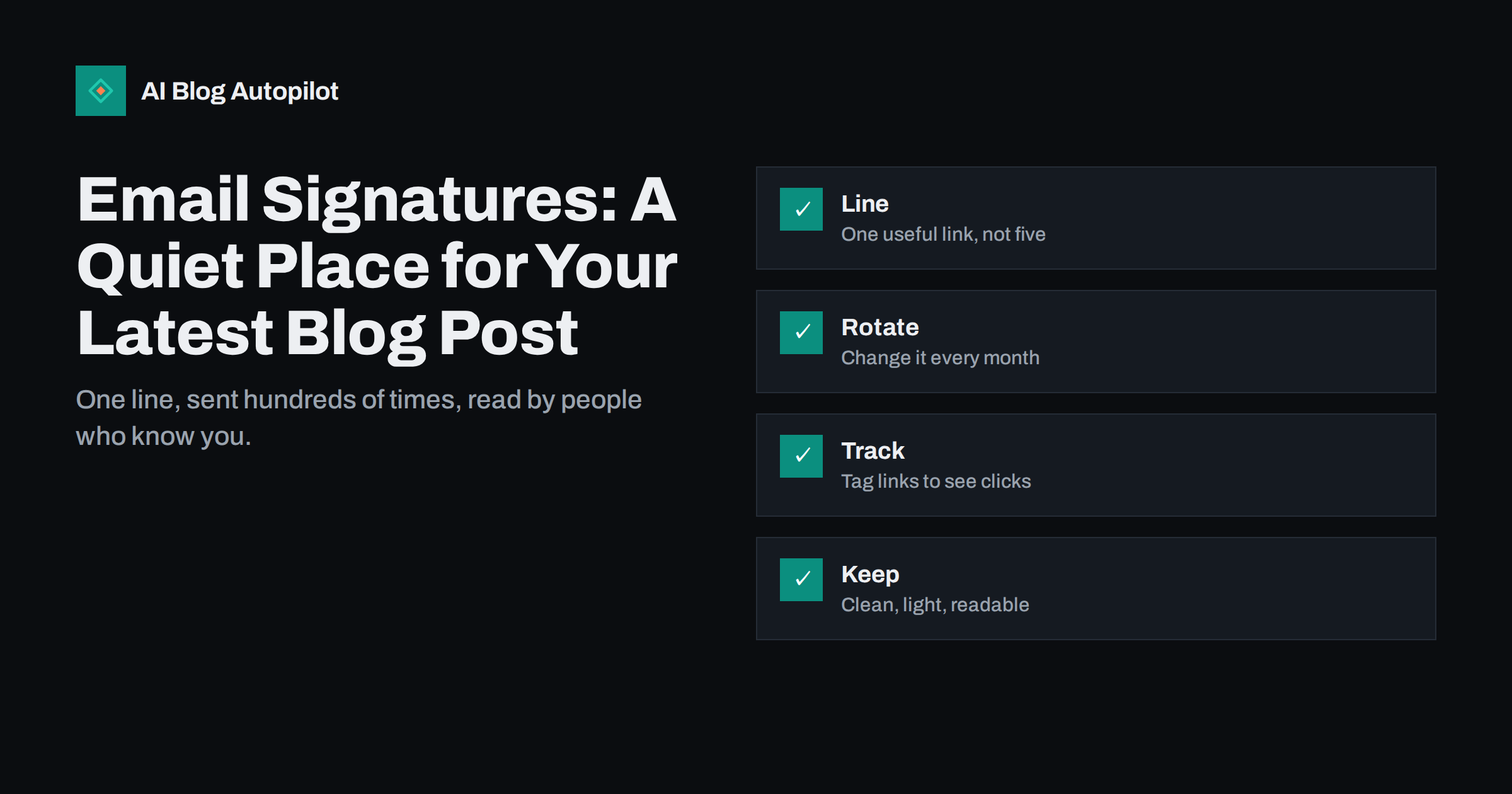
Short answer: an email signature is a free, trusted place to share your best article. Add one short line with a clear link, such as “New guide: how to price a project”, change it regularly, tag the link so you can see clicks and keep the design light and readable on a phone. Avoid long banners, many links and heavy images, which look like advertising and may affect delivery. Done well, a signature brings steady visits from people who already know you.
Think about how many emails you and your team send each week. Clients, suppliers, partners, applicants and colleagues all see your signature. These readers know your name and have a reason to trust you, so they are more likely than strangers to click on something useful. A line at the bottom costs nothing and takes minutes to set up.
This guide explains what to include in a signature, how to choose and rotate the link, how to track results and how to avoid the mistakes that make signatures annoying or hard to read. It suits freelancers, small teams and larger companies that want a consistent approach.
It is also a good fit for businesses that rely on relationships. Consultants, agencies, accountants, designers and local services send many emails to a small circle of contacts, and those contacts talk to others. A useful article that arrives at the bottom of a message can be forwarded, saved or mentioned in a conversation, which spreads your name without extra effort.
Why the signature is worth using
A signature reaches an audience that is already engaged. When someone opens an email from you, they are paying attention. A short, relevant line at the end can bring them to your site without the cost of ads or the effort of a campaign. For a business that sends dozens of emails a day, this can add up to a large number of impressions.
It also repeats your brand in a calm way. The reader sees your name, role, contact details and a hint of what you do every time you write. Over months, this builds recognition. Unlike a pop-up or a banner, a signature does not interrupt the reader, and so it feels more natural.
The signature works with your other efforts. When you publish a new article, a link in the signature is one more place where it can be found, together with social posts and newsletters. The guide to how to promote a blog post after you publish it lists these channels.
What a good signature contains
Start with the essentials: your name, role, company, phone number and website. Add an address if it is useful for your business, and a link to a booking page if you often arrange calls. Keep it short, and place the most important contact method first. A signature of more than six or seven lines looks cluttered.
Add one line for content. This could be the title of a recent article with a link, a guide that answers a question your readers often ask or an invitation to a useful resource. Make it specific and helpful, for example “Read our guide to choosing a website platform”, and not generic, such as “Visit our blog”.
Include the legal details that your country or sector requires, such as company registration or a confidentiality note. Keep them short and place them in small text below the rest. Long legal notices that repeat in every message in a thread make emails hard to read and are rarely enforceable.
A small logo or photo can add a personal touch, but keep it light. A large image makes the email heavy and may display badly on a phone. If you use an image, add a text alternative and make sure the signature still works if images are blocked.
Choose the link with care
The best link is the one that your email readers will find useful. Think about who you write to most: prospects, clients, partners or suppliers. If you write to prospects, a guide on how to choose your service or a case study is useful. If you write to clients, a help article or a news update fits better.
Check that the page is ready. It should load fast on a phone, make sense without context and offer a next step, such as a related guide or a way to get in touch. Do not send readers to a home page without a reason, because they will not know what to do there.
Avoid sending people to content that is out of date or that you have not reviewed. A signature link keeps working for as long as it stays in the footer, and it may reach people long after you wrote the article. The article on how to refresh old blog posts shows how to keep pages current.
Use one link, or two at most. A single clear invitation is more effective than a menu. If you want to promote several things, rotate them over time instead of listing them all together.
Rotate and keep it fresh
Change the content line on a regular schedule, such as once a month or when a new article is published. A line that stays the same for a year becomes invisible to the people who see it regularly. A new line gives repeat recipients a fresh reason to click.
Plan the rotation in your content calendar. When you decide on the articles for the month, choose the one that will go in the signature and note the dates. If your team shares a standard signature, one person can update it for everyone using the tools of your email system.
Think about the relevance of each line to the reader. A line about a pricing guide is useful to a prospect but not to a supplier. If your email system allows different signatures for different purposes, such as one for sales and one for support, use that. The guide on content calendar on autopilot shows how to plan such items alongside articles.
Remove lines that are tied to a date, such as an event or an offer, as soon as they expire. A signature that promotes an event that took place last year makes the sender look careless.
Track the clicks
Add tracking tags to the link so that your analytics shows how many visitors came from your signature. A source such as email-signature and a campaign name that matches the article will do. The guide to UTM tags for social shares explains how to build tagged links, and the same method works for email.
Keep the tagged link short and tidy. Very long addresses look suspicious and may be cut or flagged in some systems. Some teams use a short address on their own domain that redirects to the full link. This keeps the signature clean and lets you change the target without editing every signature.
Review the numbers every month. Compare the visits from the signature with other sources, and note which lines get the most clicks. If a certain topic works better, write more articles about it. Be realistic: signature clicks are usually small in number, but they come from people who know you and are often valuable.
Avoid mistakes
The most common mistake is clutter. Long banners, several social icons, quotes, awards, offers and legal text all in one block make the signature look like an advert and push the real message down. Keep to what the reader needs, and let the content line stand out.
Another is heavy images. A large banner can bloat every email and may be blocked by mail programs, leaving a blank box. It may also trigger spam filters if the email has a lot of image and little text. Use text where you can, and keep any image small.
Do not make false or inflated claims. A signature that says “the best” or “number one” without proof may mislead readers and break advertising rules. The article on evidence for marketing claims explains how to support statements. Make sure that your signature follows the rules for business emails in your country, including company details where required.
Check for accessibility. Use real text for links, not an image of a link, choose a readable font size and colours with good contrast, and write link text that makes sense when read alone, such as the title of the article instead of “click here”. Test the signature on a phone, on a desktop and in dark mode.
Measure the effect on the team level too. If different departments use different lines, such as sales promoting a pricing guide and support promoting a help article, compare the clicks and the follow-up actions. You may find that a certain group of readers responds better to a certain type of content. Share the results with the team in a short note, so that people see the value of the small effort and keep the signatures up to date.
Roll it out across a team
For a team, consistency matters. Create a template with fields for name, role and contact details, and a shared line for content. Use the central signature management tool of your email system if you have one, so that updates reach everyone at once. Otherwise, send a short guide with the template and a deadline for changes.
Explain the purpose to the team. People are more willing to add a line when they understand that it helps the whole business and takes seconds to set up. Ask for feedback, and adjust if something does not work, such as a layout that looks wrong on a phone.
Respect personal preferences and rules. Some staff, for example in sensitive roles, may not want their picture or direct number shown. Offer a simpler version for them. The line about content should be the same for all, but the rest can vary.
How AI Blog Autopilot helps
AI Blog Autopilot keeps a stream of new articles on your blog, with FAQ sections, tags and SEO meta, so there is always a fresh, relevant piece to feature in your signature, and it shares each article to your social networks too. See the pricing page for plans and monthly credits.
Related reading
- How to Promote a Blog Post After You Publish It
- UTM Tags for Social Shares: Tracking Which Posts Bring Readers
- Building a Newsletter From Your Blog Posts
The bottom line
Add one useful, tagged link to a clean signature, rotate it regularly, keep it light and readable, and review the clicks each month.
BUJ
Does a link in an email signature help SEO?
Not directly. It brings visits and reminds people of your brand. The benefit is traffic and recognition, not rankings.
How many links should a signature have?
One content link, plus your website and contact details. More links make the signature look like advertising.
Should I use images in a signature?
Only small ones, with text alternatives. Large banners can bloat emails and may be blocked.
How often should I change the link?
Monthly or when you publish a new article. Remove date-bound lines when they expire.
How can I track clicks from a signature?
Add tracking tags to the link, such as a source and campaign name, and check your analytics each month.