 ENEnglish
 LTLietuviškai
 DEDeutsch
 FRFrançais
 RUРусский
 ESEspañol
 PLPolski
 ITItaliano
 UKУкраїнська
 CSČeština
 PTPortuguês
 JA日本語
JA日本語 LVLatviešu valoda
 ETEesti
 HUMagyar
 IDBahasa Indonesia
 TRTürkçe
 HIहिन्दी
 ELΕλληνικά
 ARالعربية
 THไทย
THไทย VITiếng Việt
 RORomână
 MSBahasa Melayu
 BNবাংলা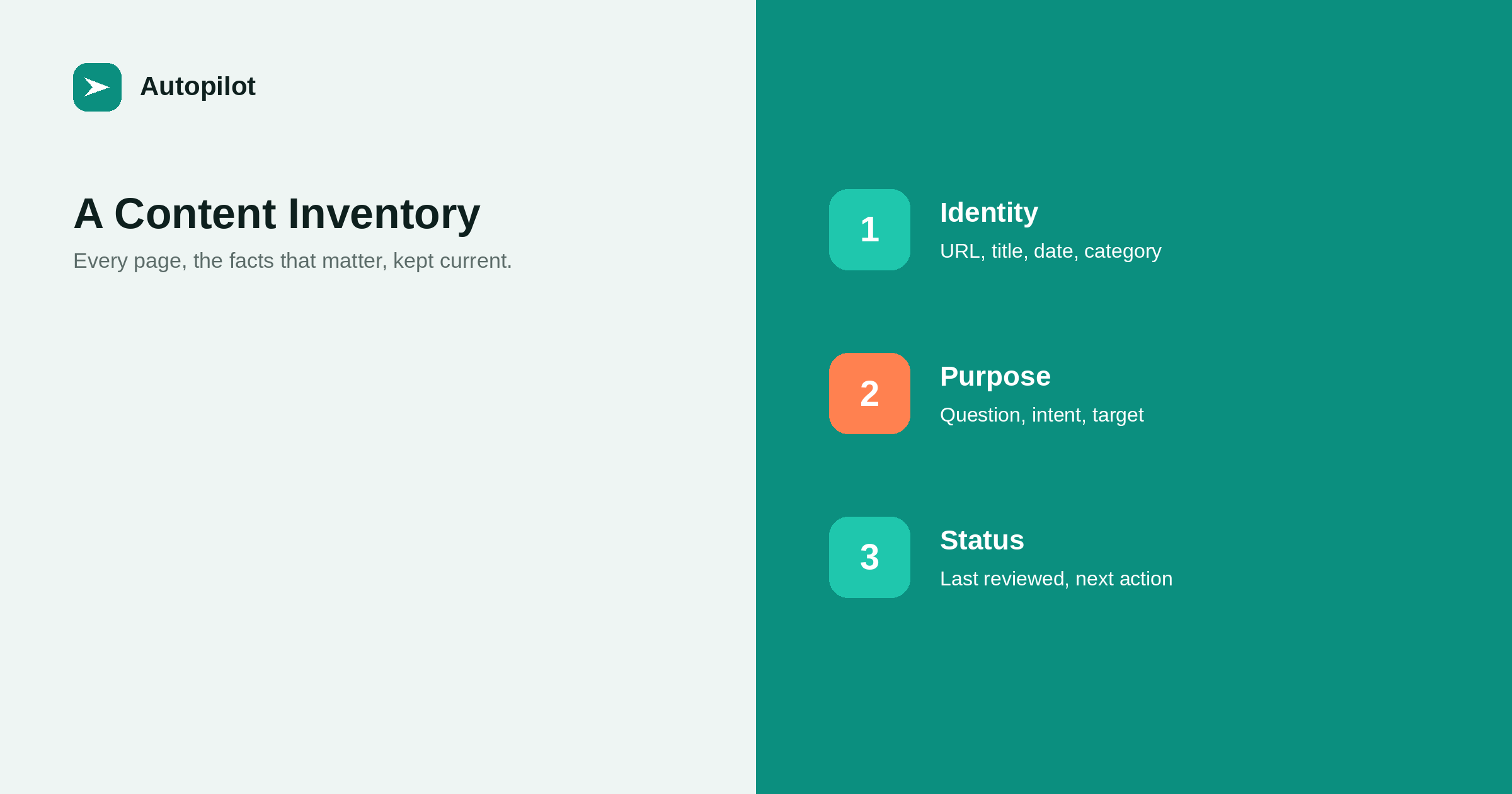
Short answer: a content inventory is a spreadsheet listing every published page with the facts you need to manage it: URL, title, publication and review dates, category, the question the page answers, its intent, performance data, internal links, and the next action. Build it once from your sitemap or CMS export, add a row whenever you publish, and update performance data quarterly. It prevents duplicate topics, makes audits quick, and shows at a glance which pages need attention.
Most blogs have no single list of what they have published. The CMS shows posts by date; nobody can say quickly which articles cover a subject, which are outdated, or which answer the same question.
A content inventory fixes that. It is a spreadsheet, nothing more, and it becomes one of the most useful tools a content team has once it exists.
The columns
A practical inventory has three groups of columns.
| Group | Columns |
|---|---|
| Identity | URL, title, published date, category, author, language |
| Purpose | Question answered, intent, primary query, pillar or cluster |
| Performance | Clicks, impressions, position, visits, outcomes, links in |
| Status | Last reviewed, facts that expire, next action, notes |
Start with fewer columns if that is what you will maintain. A small inventory kept current is more useful than a large one abandoned after a month.
The question column
The most useful column is the one most inventories lack: the single question each page answers, in one sentence.
Filled in consistently, it makes overlaps obvious — two rows with the same question are two articles competing — and it stops new topics duplicating old ones. It is the practical form of the one-question rule in how many keywords one article should target.
Building it
Export the list of posts and pages from the CMS, or crawl the site, or use the sitemap. Paste into a spreadsheet and add the identity columns.
Filling in the question and intent columns takes the longest, since it means looking at each page. For a large archive, do it in batches by category, starting with the most visited pages.
Adding performance data
Search Console exports clicks, impressions and position by page. Analytics exports visits and outcomes. Match them to rows by URL.
Update this data quarterly rather than continuously; the aim is to see trends and spot pages that need attention, not to monitor daily movement.
Keeping it current
An inventory is only useful if it stays current. Two habits make that easy.
- Add a row whenever an article is published, with its question and intent filled in.
- Update the status columns whenever a page is reviewed, merged or removed.
For automated publishing, the row can be added as part of the publishing step; many teams export a list of published posts each month and append the new ones.
Using it for planning
Before approving a month’s topics, check each proposed question against the inventory. If it already exists, improve the existing page instead. If a pillar has few supporting articles, that is where new topics are needed.
planning a month of articles covers monthly planning; the inventory is what keeps the plan from repeating itself.
Using it for maintenance
The facts-that-expire column lists what each page states that will change: prices, dates, feature names, statistics. When something changes in the business, filter by that fact and update every affected page.
The last-reviewed column shows which pages have gone longest without a check. refreshing old posts covers the refresh itself.
A starter template
If starting from scratch, twelve columns are enough: URL, title, published, category, question answered, intent, primary query, clicks in the last twelve months, impressions, internal links in, last reviewed, and next action.
Add others only when you find yourself needing them. Language, author, facts that expire and pillar are common additions once the basic inventory is in use. Resist columns that seem interesting but never inform a decision.
Who owns it
An inventory needs an owner: one person responsible for adding new rows, updating status, and refreshing data each quarter. Without an owner it slowly drifts out of date and stops being trusted.
For a small team, that is often whoever reviews articles. For an agency, one inventory per client, owned by the account lead, keeps each client’s archive manageable.
Multilingual inventories
For a blog in several languages, add a language column and a column linking each page to its equivalents. Filtering by language shows each market’s coverage separately; the equivalence column shows which articles exist in some languages but not others, which is a useful planning signal.
Keep one inventory rather than one per language, so gaps and overlaps across languages are visible in one place.
Spreadsheet or database
A shared spreadsheet is enough for most blogs up to a few thousand pages. It is easy to filter, sort and share, and everyone knows how to use it.
Larger operations sometimes move to a database or a content management add-on that stores the same fields alongside each post. That avoids copying data between systems but makes ad hoc analysis harder. Start with a spreadsheet and move only when it genuinely becomes a constraint.
Whatever the format, keep one version as the single source of truth. Several copies maintained by different people quickly disagree.
Linking it to the brief
When a new article is briefed, its planned row can be added to the inventory before it is written, with the question and intent filled in. That makes the inventory a planning tool as well as a record, and it ensures the question in the brief and the question in the inventory are the same.
Using it for audits
With an inventory in place, a yearly audit starts from an existing spreadsheet rather than a blank one, and most of the data is already there. auditing a blog covers the audit process.
An inventory does not improve rankings by itself. It makes the decisions that do — merging, refreshing, planning — faster and better informed.
Related reading
If this was useful, these cover the questions that usually come next.
- Auditing a blog — the inventory’s biggest use
- Planning a month of articles — using the inventory to plan
- How many keywords one article should target — one question per row
The bottom line
List every page with identity, purpose, performance and status columns, and above all the one question each page answers. Build it once, add a row at every publication, refresh performance data quarterly, and use it to check new topics, track expiring facts and speed up audits.
BUJ
What is a content inventory?
A spreadsheet listing every published page with the information needed to manage it: identity, purpose, performance and status.
What columns should a content inventory have?
URL, title, dates, category, the question answered, intent, performance data, internal links, last reviewed and next action.
How do I build one quickly?
Export posts from the CMS or use the sitemap, then add purpose and performance columns in batches, starting with the most visited pages.
How often should the inventory be updated?
Add rows as you publish, update status as pages change, and refresh performance data quarterly.
How does an inventory prevent duplicate articles?
By recording the question each page answers, so new topics can be checked against existing ones before writing.
Does an inventory help SEO?
Indirectly: it makes merging, refreshing and planning decisions faster and better informed.


