ENEnglish
 LTLietuviškai
 DEDeutsch
 FRFrançais
 RUРусский
 ESEspañol
 PLPolski
 ITItaliano
 UKУкраїнська
 CSČeština
 PTPortuguês
 JA日本語
JA日本語 LVLatviešu valoda
 ETEesti
 HUMagyar
 IDBahasa Indonesia
 TRTürkçe
 HIहिन्दी
 ELΕλληνικά
 ARالعربية
 THไทย
THไทย VITiếng Việt
 RORomână
 MSBahasa Melayu
 BNবাংলা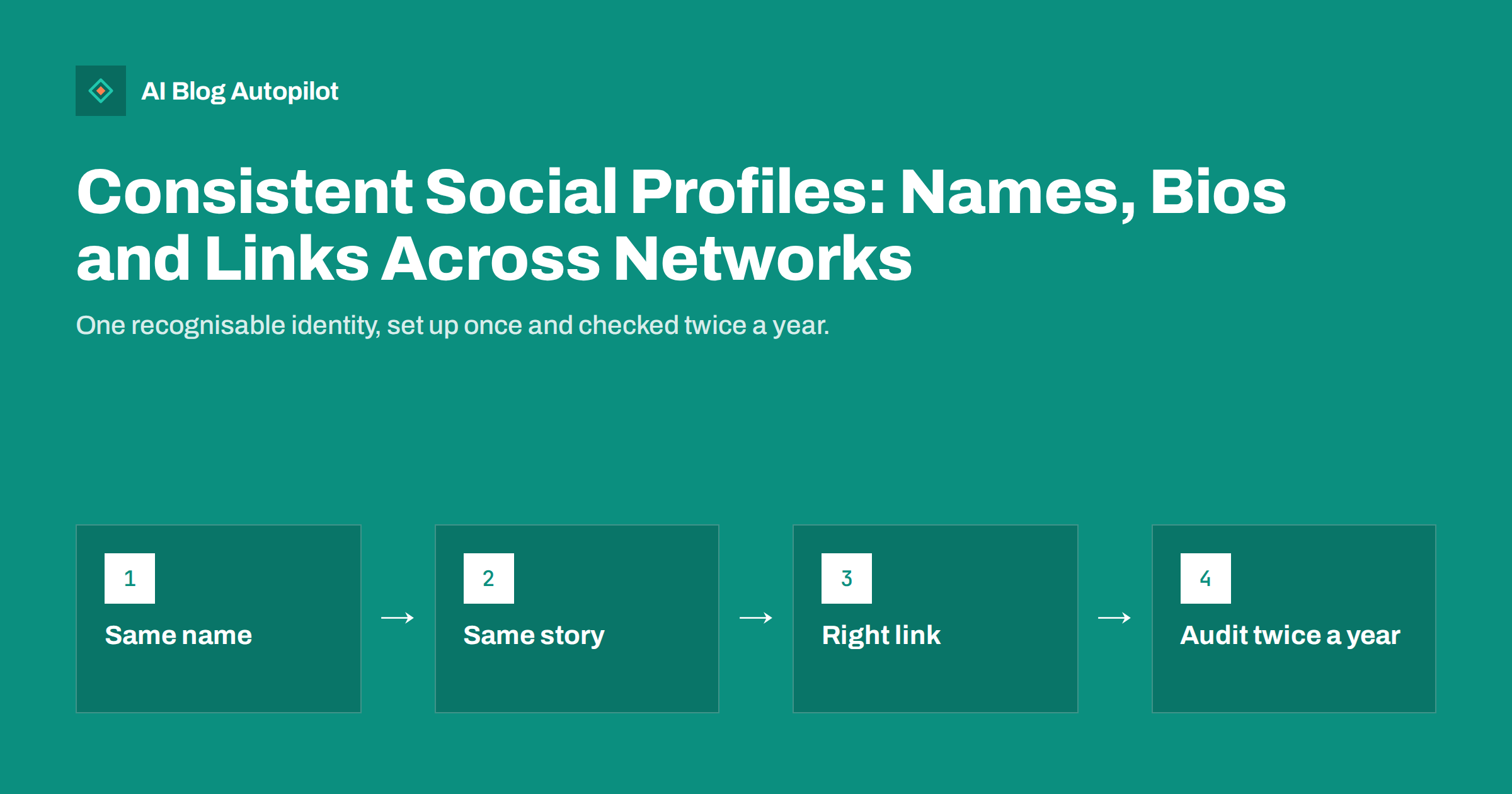
Short answer: consistent social profiles use the same business name, a handle that is as similar as you can make it, the same logo and a bio that tells the same story, adjusted in length for each network. Link every profile to the right page on your own site, keep contact details and descriptions up to date and audit the whole set twice a year. Consistency helps people recognise and trust you, and it makes it easier for search engines and AI assistants to see that all those accounts belong to one business.
Most businesses build their social presence one network at a time. The Facebook page was created by one person, the LinkedIn page by another, and the account on a newer network was opened in a hurry to reserve the name. A few years later the logo differs, the bio on one profile mentions a service you no longer offer and the link in another points to a page that has moved. Visitors notice, even if they cannot say why the business feels less trustworthy. This guide covers what to keep consistent, what to adapt and how to audit your profiles without turning it into a big project.
Why consistency matters
A profile is often the first thing a potential customer sees before they visit your website. Several things depend on it.
- Recognition. A familiar name and logo let people find the right account among similar ones and know they are in the right place.
- Trust. Mismatched details, such as different addresses or phone numbers, raise doubt about whether an account is genuine or still active.
- Protection against imitation. A clear, consistent identity makes fake accounts easier to spot and to report.
- Search and AI visibility. Search engines and AI assistants gather information about a business from many sources. When the name, description and links agree across your website and your profiles, it is easier for them to understand which entity you are.
- Efficiency. A single set of approved text and images saves time every time you open a new account or change a detail.
Consistency does not mean identical. Each network has its own habits and limits. The aim is for a visitor to recognise the same business everywhere, not to paste the same text into every box.
Names and handles
Your business name should be written the same way on every profile: same spelling, same capital letters, same words. Do not use “Ltd” on one network and drop it on another unless the network has a different convention for display names.
Handles are harder, because the one you want may be taken. A few guidelines help.
- Choose the ideal handle first and try to get it everywhere, ideally matching your domain name or brand.
- If it is taken, add a short, sensible variation that you use on every network, such as the word for your trade or your country. Avoid random numbers and underscores that look like a fake account.
- Keep a list of all handles in one place, together with who owns each account and where the recovery details are held.
- Reserve the name on networks you do not use yet, if the network matters in your field, but do not leave an empty account that looks abandoned. Add the logo, a short bio and a link at least.
- Be careful with changes. Changing a handle can break old links and mentions, so check how the network handles this before you do it.
Logo and images
Use the same logo on every profile, in the version that suits the shape the network uses. Many networks show the profile picture as a circle or a square, so check that your logo is not cut off. A simple mark or a short word is easier to read at small sizes than a full logo with a tagline.
- Keep a master file of the logo and a version prepared for square and for circular crops.
- For cover or banner images, use one consistent style, for instance the same colours and typeface, even if the picture differs. Check the safe area on phones, where the edges are often cropped.
- Add alt text for images where the network allows it, and make sure text in the banner is also stated in the bio, since images are hard to read for assistive technology.
- Replace the banner when a campaign ends or the offer changes, so that it never advertises something out of date.
Bio and description
Write one clear core description of the business, then adapt it. The core should say in a sentence or two who you are, who you help and what you do, in plain words. From that, create versions for each network’s limit: a very short line, a medium paragraph and a long description.
- Shortest version. A phrase that works in a bio with a tight character limit.
- Medium version. Two or three sentences with the key facts and one call to action.
- Long version. A fuller “about” text, where the network allows it, with services, location and how to get in touch.
Keep the facts identical. If the opening hours, location, service area or contact details change, update them everywhere. Do not make claims that cannot be checked on your website, such as superlatives or awards. If you mention a specialism, make sure your site covers it too. Adjust tone to the network, but keep the voice recognisably yours.
Links and tracking
The link on a profile is one of the few places where you can send people to your site, so use it with care.
- Link to a page that fits what someone on that network wants. For a new visitor, the home page or a short “start here” page often works; for a campaign, a specific page.
- Use the same address format on every profile, with the preferred version of your domain, so that you do not split your statistics across variants.
- Add campaign tags to the profile link if you want to see how many visits each network sends, and use a consistent naming scheme.
- Check the link works, including on a phone, and that it does not pass through a chain of redirects.
- If a network allows several links, list the most useful ones, such as the blog, contact page and booking page.
Where a network does not make links clickable in posts, the profile link matters even more, so keep it fresh. A “latest article” link in a bio needs updating whenever you publish, which is easy to forget; a stable page that lists your latest posts is more reliable.
Handling old and duplicate accounts
Many businesses discover, during the first audit, that they have more accounts than they thought: an old page created by a former employee, a duplicate profile or an account for a product that no longer exists. Decide what to do with each one. If the account is yours and unused, merge it, redirect followers to the main account in a final post, or close it using the network’s own process. If someone else controls it, ask for access to be transferred, or report it if it uses your name without permission. Do not leave abandoned accounts with outdated details, because visitors may find them first.
Contact details and verification
Make sure the contact details on every profile match your website: business name, address if you have one that customers visit, phone number and email address. Use a shared mailbox for business accounts rather than a personal address, so that access does not depend on one person.
Verification and official badges differ by network, and their rules and availability change. Where a verification process exists and fits your situation, completing it can help visitors tell the real account from a copy. Do not pay for services that promise guaranteed badges. Instead, follow the network’s own process and keep the documents you used.
Finally, link your website back to your profiles. A “follow us” section in the footer, with links to the real accounts, gives visitors and search tools a clear confirmation of which accounts are yours.
Run a twice-yearly audit
A profile audit takes an hour or two and prevents most drift. Open each profile, ideally logged out or on a phone, and go through the list.
- Is the name spelled correctly and the same as on the website?
- Is the handle the one on your list, and is it linked from the website?
- Are the logo and banner current and not cropped badly?
- Does the bio match your current core description and limits?
- Do the link and contact details work and match?
- Is the pinned post still relevant? Remove any expired offers.
- Who has access? Remove people who have left and check that two-factor authentication is on.
- Has the network added fields or features you should use, or removed some you relied on?
Record the date and any changes in your list. When you open a new network, use the same list as a template so the profile starts out consistent.
How AI Blog Autopilot helps
AI Blog Autopilot shares your articles to the social networks you connect, with a text written for each network, with its own length and timing. Its content map shows every post per network, and if a connection needs attention, such as a profile that must be reconnected, it tells you what to fix. Setting up the profiles themselves, and keeping their details consistent, remains your decision. See the pricing page for plans.
Related reading
- Social Media Content Mix: What to Post Between Articles
- Sharing Blog Posts on Instagram When Links Do Not Work
- How Often to Post on Each Social Network Without Overdoing It
- Securing Your Social Media Accounts: Access, 2FA and Recovery
The bottom line
Consistent social profiles make a business easier to recognise, trust and understand. Use one name, handles that are as close as possible, one logo and a core bio adapted to each network’s limits. Point each profile to a useful page on your own site, keep contact details identical and link back from your website to the real accounts. Keep a list of handles, owners and recovery details, and audit everything twice a year so that small differences do not grow into confusion.
BUJ
Do all my social handles have to be identical?
Ideally they match, but if the handle is taken, use one short variation consistently across networks and keep a list of every handle in one place.
Should the bio be the same on every network?
The facts should be the same, but the length and tone should fit each network. Write a core description and make shorter and longer versions from it.
What should I put in the profile link?
Link to a page that fits what a visitor on that network wants, such as the home page or a start-here page, and add campaign tags if you want to measure visits.
How often should I audit my profiles?
Twice a year is enough for most small businesses, and also whenever your name, logo, services or contact details change.
Should I open accounts on networks I do not plan to use?
Only if the network matters in your field, and then add a logo, a short bio and a link so the account does not look abandoned.