ENEnglish
 LTLietuviškai
 DEDeutsch
 FRFrançais
 RUРусский
 ESEspañol
 PLPolski
 ITItaliano
 UKУкраїнська
 CSČeština
 PTPortuguês
 JA日本語
JA日本語 LVLatviešu valoda
 ETEesti
 HUMagyar
 IDBahasa Indonesia
 TRTürkçe
 HIहिन्दी
 ELΕλληνικά
 ARالعربية
 THไทย
THไทย VITiếng Việt
 RORomână
 MSBahasa Melayu
 BNবাংলা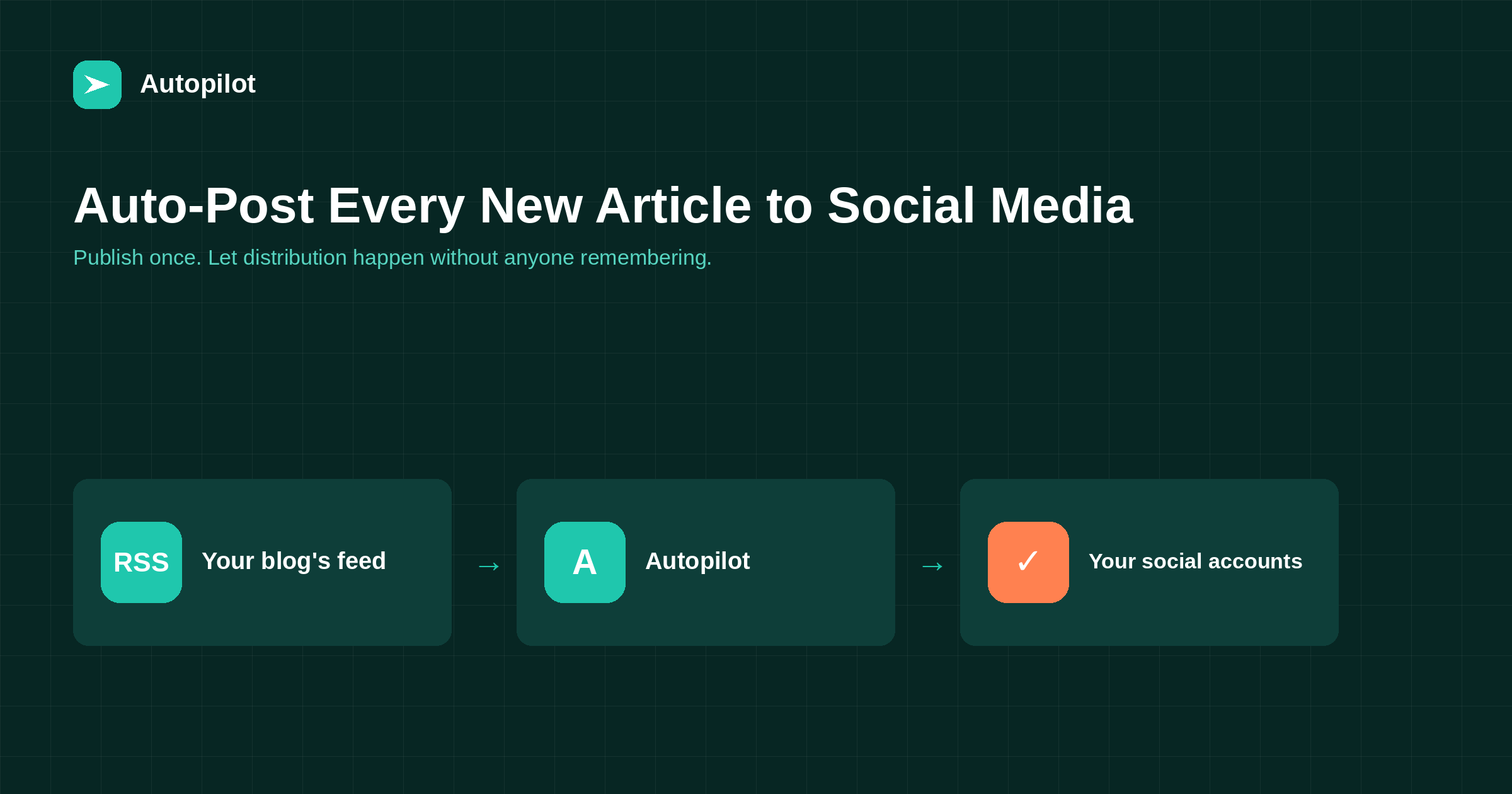
Short answer: connect your blog’s RSS feed to a publishing tool once, and every new article is shared automatically as it goes live. The parts worth configuring are the text per network, whether the image comes through, and how often reshares happen; the part worth skipping is posting the identical sentence everywhere at the same minute. With Autopilot this is built in — each published article is shared to the social accounts on your plan, with the publishing handled by PostRSS — but the principles below apply to any tool you use.
Distribution is the step most blogs skip, and it is the cheapest one to fix. The article is already written; sharing it costs nothing but the act of remembering, which is exactly the kind of task humans are worst at and software is best at.
The reason automated sharing has a poor reputation is not the automation. It is that most setups post the same bare headline and link to five networks at the same second, which reads exactly like what it is.
How the mechanism works
Nearly every blog publishes an RSS feed, usually at /feed/ on WordPress. It is a machine-readable list of your newest posts, updated the moment you publish.
A publishing tool checks that feed on a schedule, notices anything it has not seen before, and posts it to the accounts you connected. There is no plugin to install on the receiving networks and nothing to remember. The whole setup is: point the tool at the feed, connect the accounts, decide the text format.
The same mechanism works for anything that produces a feed — a podcast, a shop’s new arrivals page, a changelog — which is why it outlasted most of the integrations built on top of it.
What to change per network
This is the difference between distribution and spam, and it takes one afternoon to get right.
| Network | What works | What to avoid |
|---|---|---|
| A sentence of context above the link | Hashtag walls | |
| X | Short, one idea, link at the end | Truncated headlines |
| Facebook Page | A question or a concrete detail | Bare link with no text |
| A vertical image and a descriptive title | Text-only posts | |
| Telegram / messaging | Title, one line, link | Long excerpts |
The underlying rule is that each network has a native shape, and a post that ignores it reads as a broadcast. A good tool lets you set the template per destination rather than sharing one string everywhere.
Timing, and why simultaneous posting looks wrong
Publishing the same link to every account within the same minute is the clearest signal that nobody is home. It also wastes the post: audiences on different networks are active at different times, and a post shared at the wrong hour is gone before anyone sees it.
Two adjustments fix most of it. Stagger the destinations by anything from minutes to hours, and let each network have its own preferred window rather than inheriting your publishing time. Neither requires you to be awake for it.
The second lever is reshares. A good article is useful for years, but a social post lives for hours. Resharing evergreen pieces on a schedule — a feature on the Growth plan and above — extracts far more from work you already did than publishing another new article would.
What to do with articles you already published
Connecting a feed only handles what comes next. The archive is usually the larger opportunity, because those articles have already been written and most of them were shared once, if at all.
Two approaches work. The first is a scheduled reshare of evergreen pieces, which puts a steady trickle of older work in front of people who were not following you when it went out. The second is deliberate: pick the ten articles that still answer a live question, refresh anything that aged badly, and share those over a few weeks as if they were new — because to most of your audience they are.
What does not work is dumping the archive at once. It floods the feed, it teaches people to mute you, and on some networks it looks enough like automation abuse to attract a limit.
The mistakes that make automation obvious
- The same text on every network. The single most visible mistake.
- Truncated titles. A headline cut mid-word reads as broken, not as a teaser.
- No image where the network expects one. Image-first platforms bury text-only posts.
- Posting your entire archive on day one. Connecting a feed with a backlog can fire hundreds of posts at once; check whether your tool only publishes items that appear after setup.
- Never replying. Automation is for publishing. Conversation is not automatable, and a feed that never answers anyone is a noticeboard.
Setting it up
The practical sequence, whichever tool you use:
- Find your feed. On WordPress it is your domain followed by
/feed/; check it opens and shows your latest posts. - Connect the accounts you actually maintain, not every account you have ever created.
- Write a template per network. Ten minutes each, once.
- Publish one test article and watch what arrives, including the image.
- Turn on reshares for evergreen pieces after a month, once you trust the output.
With Autopilot, steps one to three are part of setup and the sharing runs automatically on every article it publishes, handled behind the scenes by PostRSS. How many networks are included and whether evergreen reshares are available depends on the plan; the current list is on the pricing page.
Related reading
- Setting Up a New Blog for SEO: The First Day
- Featured Images for Automated Posts: What Works and What to Avoid
- How to Automate Your Blog with AI in 2026 (Without Losing Quality)
The bottom line
Distribution is the highest-return step left in most content operations, because the expensive work is already done. Point a tool at your feed, write one template per network, stagger the timing, and let evergreen pieces come back around. What you should not automate is the conversation afterwards — that is the part an audience notices is missing.
BUJ
Do I need a WordPress plugin for this?
No. The feed WordPress already publishes is enough, and nothing needs to be installed on the social networks either.
Will it post my old articles when I connect it?
It depends on the tool. Most publish only items that appear after the connection is made, which is what you want. Test with one article before trusting it with a full archive.
Can I change the text before it goes out?
Templates are set per network in advance. If you want to approve each post individually, that is scheduling rather than automation, and a different kind of tool.
What about networks that do not allow automated posting?
Some platforms restrict or forbid it, and no tool can work around that honestly. A good tool tells you which destinations are supported rather than implying all of them are.
Does auto-posting hurt reach?
Posting identical text everywhere at once does. A post written for the network it appears on performs like any other post, regardless of what published it.
Can I do this without a website?
Yes. Autopilot can write and publish only to social accounts, with no site involved, which suits brands whose whole presence is social.