ENEnglish
 LTLietuviškai
 DEDeutsch
 FRFrançais
 RUРусский
 ESEspañol
 PLPolski
 ITItaliano
 UKУкраїнська
 CSČeština
 PTPortuguês
 JA日本語
JA日本語 LVLatviešu valoda
 ETEesti
 HUMagyar
 IDBahasa Indonesia
 TRTürkçe
 HIहिन्दी
 ELΕλληνικά
 ARالعربية
 THไทย
THไทย VITiếng Việt
 RORomână
 MSBahasa Melayu
 BNবাংলা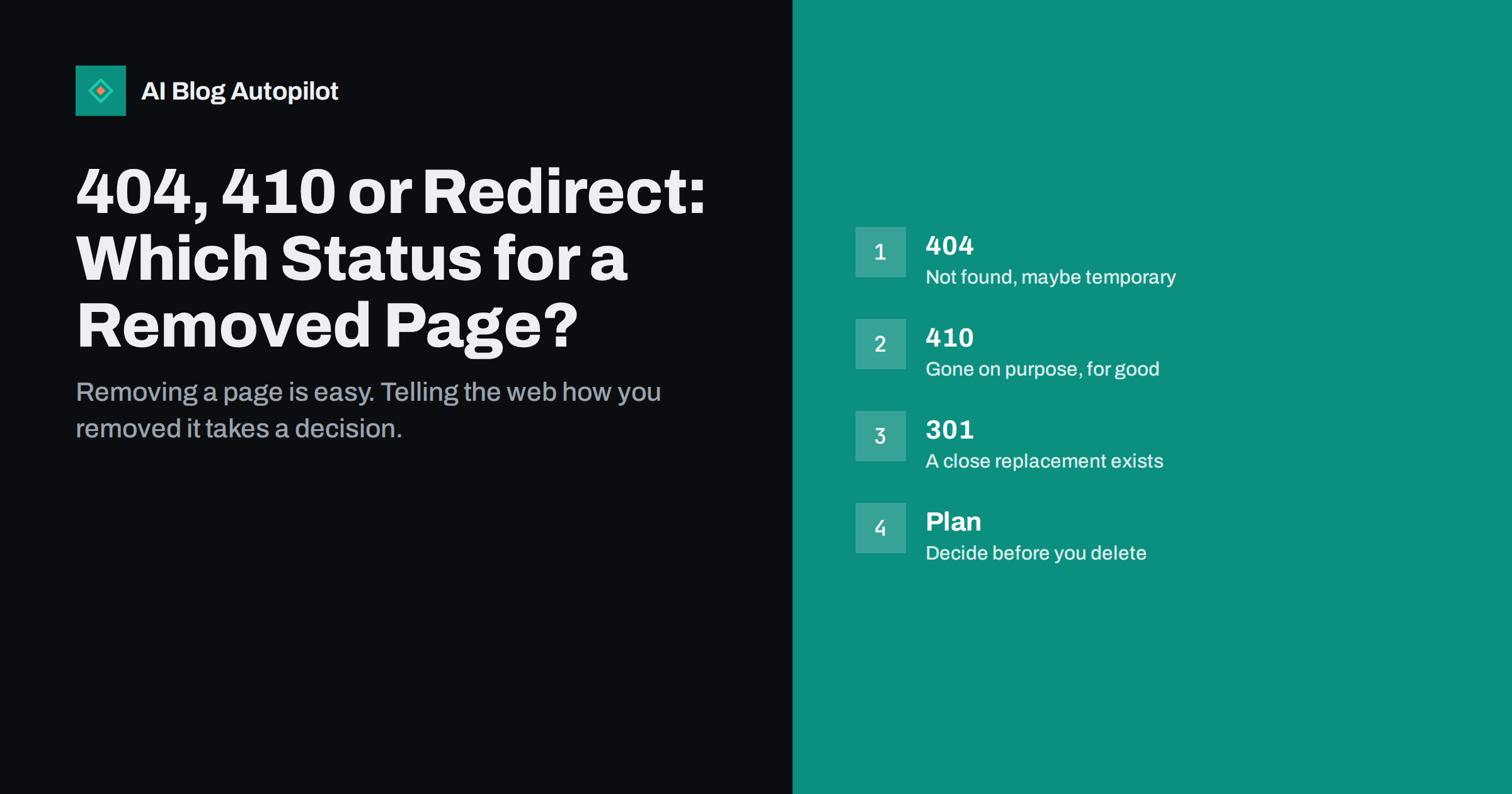
Short answer: when a page has a close replacement, redirect it with a 301 to that page. When the content is gone for good and nothing fits, return 410 Gone to say that the removal is deliberate, or accept a plain 404 if your platform makes that simpler. Never send removed pages to the home page, and never show a “not found” message with a 200 status.
Every blog loses pages in the end: old announcements, duplicate posts, tests, thin articles that were merged. What happens to the address matters more than most owners expect. The status code is a message to browsers and search engines, and a clear message helps them tidy their records quickly. A confused message leaves ghosts in the index and visitors on dead ends.
What the status codes say
A 404 means that the server cannot find anything at that address. It does not say whether the page ever existed, whether it will return or whether the removal was intentional. Search engines treat it as a possible temporary state and may keep checking for a while before dropping the address.
A 410 means that the page is gone and is not coming back. It is a stronger statement, and in practice search engines may remove such addresses from their index a little faster, though the difference is usually small and they handle both codes in a similar way. A 301 says that the page has moved permanently to another address, and a 200 says that everything is fine and here is the content.
The fourth case, which causes the most trouble, is a page that shows a “not found” message but returns 200. Search engines call this a soft error. It is covered in soft 404 errors, and it should always be fixed by returning a proper code.
When a redirect is the right answer
If there is a page that serves the same need, redirect to it. A removed article about last year’s version of a topic should point to the updated article. A merged duplicate should point to the main version. A permanent redirect carries visitors and any value of the old links to the new page, and that is almost always better than an error.
The test is relevance. Would a person who clicked the old link be happy to land on the new page? If so, redirect. If the new page is only loosely related, for example a general category page, the engines may treat the redirect as a soft error anyway, and the visitor may feel misled. Our guide to content pruning: delete, merge or redirect gives a fuller way to decide article by article.
Keep redirects to a single step. When you remove several pages over the years, old redirects can chain into new ones. Update the first one to point straight to the final address, as described in redirect chains and loops.
Think about the long term as well. A redirect is a commitment that you will keep in place for as long as the old address is used, which can be years. If you expect to restructure the site again, keep a list of redirects in one place, so that a future migration, such as the one described in blog migration without losing traffic, can carry them across instead of losing them.
When 410 or 404 is better
Use an error when no real replacement exists. Examples include an event that has finished, a product you no longer offer and will not offer again, test pages, spam pages created by a hack, or a thin post that said nothing useful. Pointing such pages to an unrelated address helps nobody.
Between the two, choose 410 when you are sure and your system can send it. It documents your intent, and it helps your own team, because anyone reading the logs can see that the removal was on purpose. If your platform only returns 404, that is acceptable. The main thing is to avoid mixed signals, such as a 404 for a page that is still linked from your menu.
For emergencies, such as spam after a hack, a 410 combined with a removal request is a sensible pair. See hacked blog spam cleanup and the removals tool in the search console for the details. Remember that the removals tool is temporary, so the correct status code must be in place as well.
A practical example may help. Suppose a bakery blog published a post about a seasonal tasting evening two years ago. The event is over, but the post still gets a few visits each month. A redirect to the general events page is not a true match, and a redirect to the home page is worse. The best options are to keep the post as a record of the event with a note that it has finished, or to return 410 if the post has no further value. Either way, the visitor is told the truth.
What to show visitors
The code is for machines, but the page that goes with it is for people. A helpful error page says in plain words that the page is not available, offers a search box and links to your most useful pages, and keeps the same design as the rest of the site. It must still return the error code, not 200. See a custom 404 page for blogs for a simple layout.
For a 410, you can add a short line such as “this page has been removed”. There is no need to explain why, but a pointer to related content keeps visitors on the site. Avoid funny messages on pages that people reach from important links, such as those in an email to customers.
Do not trap visitors in automatic redirects after a delay. A page that says “not found” and then sends people elsewhere after five seconds is confusing and may be treated as a redirect by crawlers in unpredictable ways.
A decision list for deleted posts
Work through these questions in order for every page you plan to remove. First, does the page have links from other sites, or does it bring visitors? If yes, look hard for a replacement and redirect. Second, is there a page that answers the same question better? If yes, redirect there. Third, is the topic simply finished, for example an old event? Return 410 or 404 and remove internal links to the page.
Fourth, can the page be improved rather than removed? Sometimes the best answer is to update the post, as described in how to refresh old blog posts. Fifth, is the page harmful, such as spam? Remove it at once, return 410 and clean the sitemap.
Record the decision in a simple sheet with the old address, the action, the new address and the date. When you review the site a year later, you will know why a link behaves the way it does. A content inventory spreadsheet is a natural place to keep it.
Also think about how you will find out when something goes wrong. A short monthly look at the errors report in your search tools, together with a check of the most visited pages in your analytics, catches most problems early. If an important page starts returning an error by accident, for example after a theme change or a permalink edit, you want to know within days rather than months.
Clean up after the removal
Take the page out of your sitemap, because a sitemap that lists error addresses sends a mixed message. Remove internal links that pointed to it, in menus, related lists and other posts, so that visitors do not meet the error from your own pages. After a few weeks, check the page indexing report and confirm that the address is shown as not found or removed rather than still indexed.
Watch for strange spikes in errors in your reports after a big clean-up. A handful of addresses is normal, but hundreds mean that something links to the removed pages, such as a template or an old feed. Fix the source instead of the symptoms, using the steps in broken links: find and fix.
Finally, remember the people behind the links. If a well-known page goes away and others link to it, a short note to the main linking sites can save a loss of visitors. It is a small effort for the pages that matter.
Common mistakes
The biggest mistake is redirecting everything to the home page “to keep the value”. Search engines generally treat that as a soft error, and visitors arrive at a page that has nothing to do with what they wanted. Another is deleting pages in bulk without looking at their links and traffic, which can remove useful entry points.
A third is leaving old addresses in the sitemap or internal menus. A fourth is forgetting that a staging or test version of the site may be public, so that removed pages still exist elsewhere. Check this with staging site indexed by Google. The last mistake is panic: a normal number of 404 errors is not a penalty, and search engines expect sites to lose pages over time.
How AI Blog Autopilot helps
AI Blog Autopilot writes full SEO articles for your WordPress blog from the topics, keywords, audience and tone you set, with FAQ sections, tags and SEO meta included, and it shares each one to your social networks. Regular publishing means you can replace removed pages with better articles on the same topic. Approval mode lets you read each article first. See the pricing page for plans.
Related reading
- Soft 404 Errors: Why Pages Look Missing but Are Not
- Content Pruning: Delete, Merge or Redirect
- Redirects: 301 vs 302 and When to Use Each
The bottom line
Redirect when a close replacement exists, return 410 or 404 when the content is gone, never use the home page as a catch-all and make sure the status code matches the message on the page.
FAQ
Is a 410 better than a 404 for SEO?
It is a clearer signal and may be handled slightly faster, but both work. Choose 410 when you are sure the page will not return.
Will 404 errors hurt my rankings?
Not by themselves. Sites lose pages all the time. Fix errors on pages that are still linked or valuable.
Should I redirect deleted posts to the home page?
No. Redirect to a close replacement, or return an error if there is none. Home page redirects are often treated as soft errors.
How long should I keep a redirect?
Keep it as long as the old address has links or visitors, which often means years. Removing it too soon brings the error back.
What if the page returns 200 but says not found?
Fix it so the server returns a real 404 or 410. Otherwise it is a soft error that search engines may ignore.