ENEnglish
 LTLietuviškai
 DEDeutsch
 FRFrançais
 RUРусский
 ESEspañol
 PLPolski
 ITItaliano
 UKУкраїнська
 CSČeština
 PTPortuguês
 JA日本語
 LVLatviešu valoda
 ETEesti
 HUMagyar
 IDBahasa Indonesia
 TRTürkçe
 HIहिन्दी
 ELΕλληνικά
 ARالعربية
 THไทย
 VITiếng Việt
 RORomână
 MSBahasa Melayu
 BNবাংলা
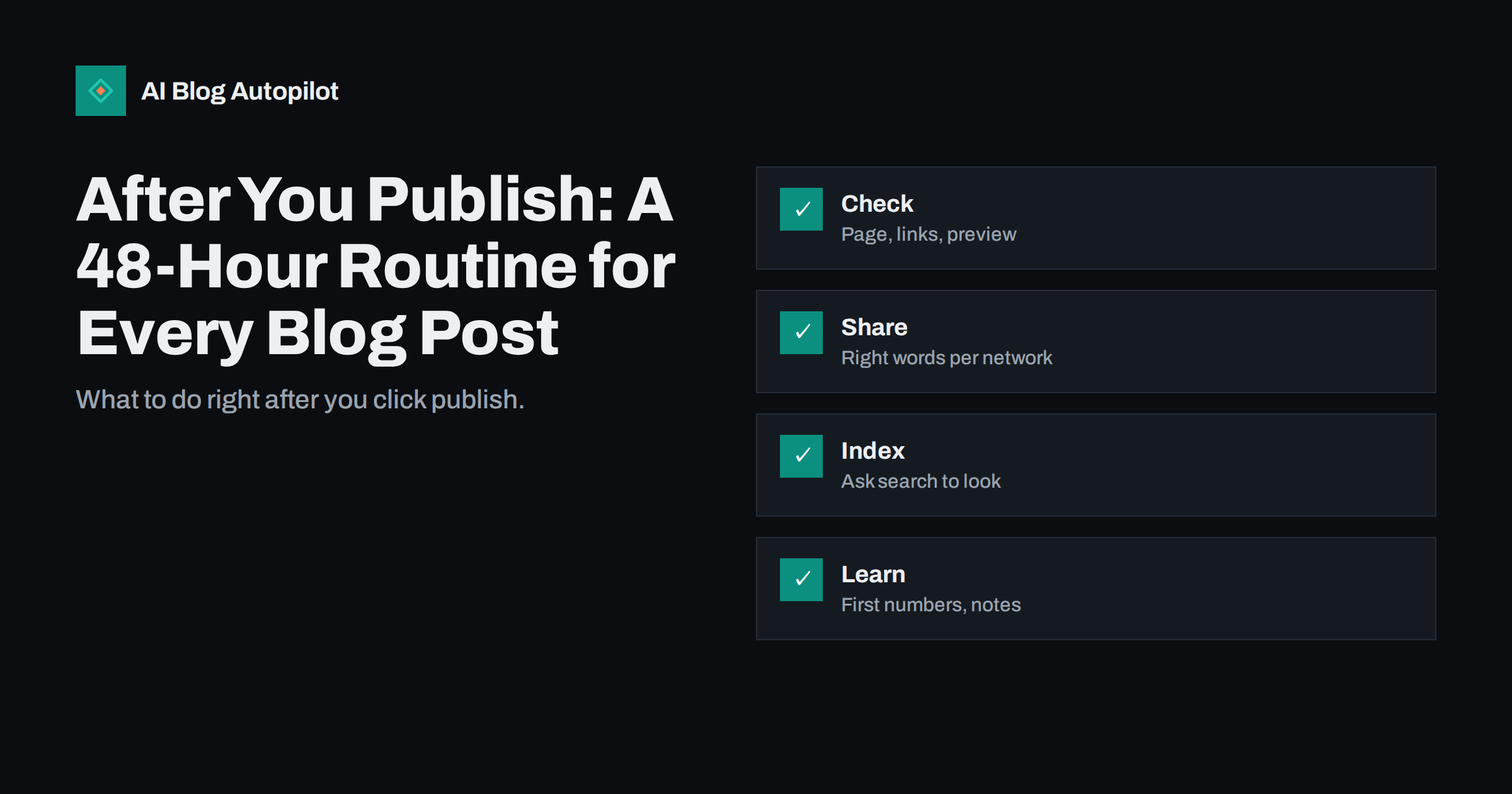
Short answer: in the first 48 hours after a post goes live, check that the page displays and links correctly, share it with wording suited to each network, tell the people who helped or were mentioned, make sure search engines can find it, add it to your internal links and newsletter plan, and write down what the first numbers show. A short routine, repeated every time, makes each post work harder.
Many blogs treat publishing as the finish line. The article goes live, a link is posted once and the team moves on. Yet the first two days are when a new post is easiest to promote, when mistakes are easiest to spot and when you can learn most about how readers respond. A little discipline here pays back over the life of the page.
This guide gives you a routine you can run in about thirty minutes of active work spread over two days. It suits a solo writer as well as a small team, and it works whether you publish by hand or on a schedule. Adapt the steps to your tools and your audience, and keep them in a checklist that you actually use.
Hour one: check the live page
Open the published page on a phone and on a computer, in a private window so that you see what a visitor sees. Read the title, the first paragraph and the headings. Look for layout problems, missing images, odd line breaks and anything that looks different from the draft. Fix real faults immediately, since early visitors form the first impression.
Click every link, internal and external. Broken links are common right after publishing, especially when a link points to a page that is still a draft. Check that the links open the right pages and that external links go to trustworthy sources. Look at the table of contents, buttons and forms if the page has them.
Test the preview that appears when the address is shared. Paste the link in a message to yourself or use a preview tool, and look at the title, image and description. If the preview shows an old image or no image at all, correct the settings now, before many people see it. The guide to Open Graph tags for blogs explains the fields.
Confirm that the structured data and meta information are in place: the title tag, the meta description, the canonical address and the schema for any FAQ. A quick look at the page source or a testing tool is enough. These details are easy to forget and hard to notice later.
Hours one to four: share with the right words
Share the post on the networks you actually use, and write a different message for each. A professional network may suit a sentence about the lesson, a short-video platform a single striking point and a community a genuine question. Do not paste the same text everywhere, and do not use more hashtags than the network encourages.
Lead with a reason to click. Share one specific finding, number or question from the post, and then the link. A line that says new post and a headline is the weakest option. The guide to writing the first lines of social posts offers examples of openings that work.
Use the right image for each network. Crop or resize the cover so that faces, text and key details are not cut off, and add a text description for readers who use screen readers. If you plan to share the post several times, prepare different images and angles, so that followers do not see the same card again and again.
Tell people. If you quoted a person, linked to a source or mentioned a company, send a short note with the link. This is courtesy and also a legitimate way to earn shares and sometimes links. Keep the message brief, never ask for a link and never pressure anyone to share.
Day one: help search engines find it
Make sure the post is in your sitemap and that the sitemap has been updated. Most platforms do this automatically, but check once. If your site supports a fast notification method for new pages, use it, and if not, you can request inspection of the new address in the search console. This is not a guarantee, but it helps new pages get noticed sooner.
Add internal links from older posts. A new page with no links pointing to it is hard for crawlers and for readers to find. Choose three to five older articles that cover related ideas and add a natural sentence with a link to the new post. Use descriptive anchor text and avoid forcing links where they do not fit.
Link from the places that readers actually see: the home page or blog index, a category page, a related posts section and the footer or sidebar if you list recent posts. Check that the new post appears there and that its title is not truncated in a confusing way.
Review the title and description as they appear in search once the page is indexed. Search engines sometimes rewrite titles, and you may learn something from the changes. Do not change the page in a hurry; wait several days to see how it settles, unless you find a real error.
Day one: plan the follow-ups
Add the post to your newsletter plan. Decide whether it deserves its own email, a mention in the next weekly summary or a place in a welcome series. Write down the date, so that it does not slip. A post that is never mentioned in email loses a chance to reach readers who already know you.
Schedule later shares. A single post on day one reaches only a small share of your followers. Plan two or three more over the following weeks, with new angles such as a quote, a question or a chart. The guide to resharing old blog posts explains how to do it without annoying people.
Consider turning the post into other formats: a short video, a carousel, a checklist, a thread or a section of a talk. You do not have to do this immediately, but a note on the idea while it is fresh saves time later. Keep a list of such ideas next to the post in your editorial calendar.
Think about people who might find the post useful: a customer who asked the question, a partner who works in the field, a journalist who covers the topic. A personal message with a relevant link often does more than a public post, because it reaches someone who needs it now.
Day two: read the first signals
Look at the early numbers without overreacting. Check views, time on the page, scroll depth, clicks from social posts and any replies or comments. A new post rarely shows its true level in the first days, but strange patterns, such as many visits and no scrolling, can show a problem with the title, the opening or the layout.
Read the comments and replies, and answer them. Thank people who share, correct any mistake that readers point out and note questions that deserve their own posts. Early comments often point to a missing example or an unclear sentence, which you can fix before the article spreads further.
Check the search console for impressions and queries once data appears. Do not expect much on day two, but notice which queries show up and whether they match your intended topic. If a different query appears, consider whether a heading or a sentence should make it clearer, and make a note for the next review.
Be careful about editing. If you must correct a fact or a broken link, do it and note the date of the change where appropriate. Avoid constant small edits that change the date without changing the substance, since readers and search engines may find that misleading.
Remember that scheduled posts need the same care. If a post goes live while you are away, set a reminder to run the routine as soon as you are back, and ask a colleague to check the page during the first hours. A scheduled article that carries a broken image for a whole weekend is a common and avoidable mistake.
Keep a copy of the first version of the page, the shared messages and the images you used. If something goes wrong later, such as a dispute about a quote or a change in a source, you will know exactly what was published and when. This habit also makes it easier to hand the blog to someone else.
Keep a short log and learn
Write down what you did and what happened. A simple table with the date, the post, the shares, the first visits and one lesson is enough. After ten posts, you will see which networks and wording work for you and which steps take time without results.
Review the routine every quarter. Remove steps that never change anything, add steps that would have prevented a recent problem and update the links to your tools. A routine is only useful if it stays short enough to be done every time.
Share the checklist with everyone who publishes. If several people work on the blog, agree who does each step, and write it down. The guide to a pre-publication checklist covers the steps before the post goes live, and this routine covers the days after.
Above all, keep the standard the same for every post. A modest article that gets a careful launch often beats a brilliant one that is forgotten, and the habit of checking, sharing and learning compounds across hundreds of posts.
How AI Blog Autopilot helps
AI Blog Autopilot can write and publish articles on your chosen topics, with FAQ sections, tags and SEO meta, and share them to your social networks. That leaves you time for the human steps of this routine, such as replying to readers and telling the people you mentioned. See the pricing page for plans and monthly credits.
Related reading
- A Pre-Publication Checklist for Blog Posts
- How to Promote a Blog Post
- Resharing Old Blog Posts Without Annoying Followers
The bottom line
Check the live page, share with network-specific wording, add internal links, plan follow-ups and record what you learn within the first 48 hours.
FAQ
What should I do first after publishing a post?
Open the live page on a phone and a computer, click every link and test how the preview looks when the address is shared.
Do I need to ask Google to index every post?
Not always, since most sites are crawled automatically, but a sitemap and internal links help new pages get found sooner.
How many times should I share a new post?
Share it on day one and plan two or three later shares with new angles, so followers do not see the same message repeatedly.
Should I edit a post right after publishing?
Fix real errors straight away, but avoid constant small edits that change the date without improving the content.
What should I record in my log?
The date, the post, shares, first visits and one lesson, so that patterns appear after about ten posts.