ENEnglish
 LTLietuviškai
 DEDeutsch
 FRFrançais
 RUРусский
 ESEspañol
 PLPolski
 ITItaliano
 UKУкраїнська
 CSČeština
 PTPortuguês
 JA日本語
JA日本語 LVLatviešu valoda
 ETEesti
 HUMagyar
 IDBahasa Indonesia
 TRTürkçe
 HIहिन्दी
 ELΕλληνικά
 ARالعربية
 THไทย
THไทย VITiếng Việt
 RORomână
 MSBahasa Melayu
 BNবাংলা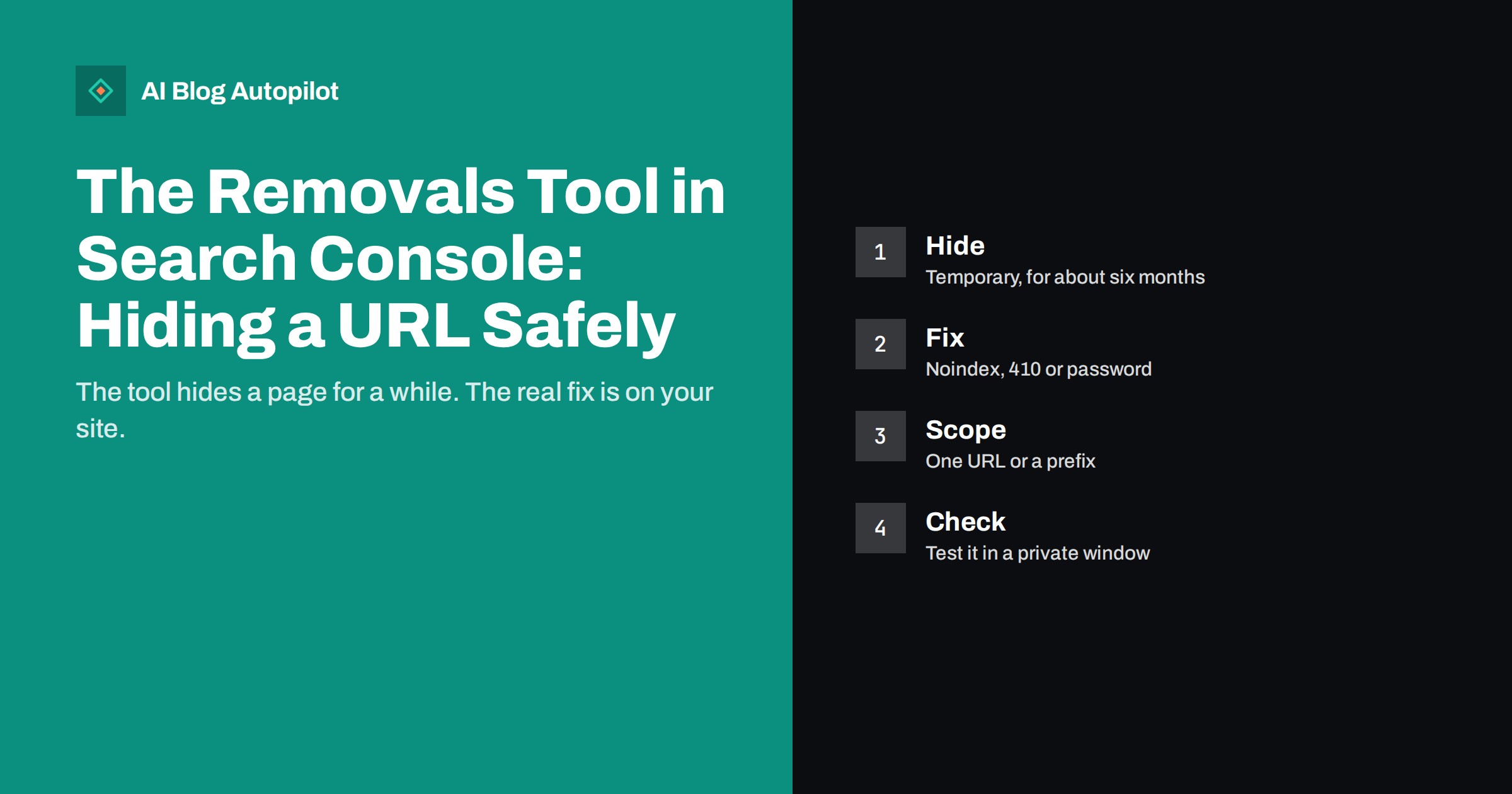
Short answer: the Removals tool in Google Search Console temporarily hides a URL, or a group of URLs sharing a prefix, from Google Search results, and can clear the cached copy and snippet of a page. The hiding lasts about six months and does not delete anything from your site or from other search engines. To make a removal permanent, you must also change the page itself: remove it so the server returns 404 or 410, add a noindex directive, or put it behind a login. Use the tool when something needs to disappear from results quickly, such as exposed private information, a wrongly published page or a hacked section, and always pair it with the lasting fix.
Most blog owners never need this tool, and for ordinary housekeeping it is the wrong one. Deleting an old post, merging articles or retiring a section are handled by redirects, status codes and the normal recrawl process, which can take days or weeks but happen without any request. The Removals tool exists for the urgent cases, when waiting for Google to notice a change is not acceptable. This article explains how it works, what it cannot do and how to use it without causing problems of your own.
What the tool does and what it does not do
The tool has several functions, and it helps to keep them apart.
- Temporary removals hide a URL from Google Search results. You can submit a single URL or ask to hide every URL that begins with a given prefix. The request lasts for roughly six months, after which the URL may return to results if nothing else has changed on the page.
- Clear cached URL removes the stored copy and the description shown in results until the page is next crawled. The page itself may still appear, with the new content once it has been recrawled.
- Outdated content lists the removal requests made through the public tool for pages on your site, including pages that someone else has reported as changed or gone, and shows their status.
- SafeSearch filtering shows the URLs that have been flagged as adult content, which is relevant if a page of yours has been marked incorrectly.
What the tool does not do is equally important. It does not delete the page, so anyone with the address can still open it. It does not remove the page from other search engines. It does not take down a copy on another website. It does not stop Google from crawling the URL. And a temporary request is not a permanent decision: if the page is still live and indexable when the six months end, it can reappear.
When to use it
Reserve the tool for situations where speed matters more than tidiness.
- Private or sensitive information has been exposed on a page, such as personal data, internal documents or login details. Fix the page and hide the old result at once.
- A page was published by mistake, for example an unfinished draft, a confidential offer or a staging copy. Our article on staging sites that get indexed describes the wider clean-up.
- The site was hacked and spam pages are showing up in results. Use the tool to hide them while you clean the site and secure it, as explained in our article on cleaning spam pages out of search results.
- Legal or reputational urgency requires that a page stop appearing quickly while the permanent change takes effect.
- The cached snippet is wrong or harmful, and you have already updated the page, so clearing the cache helps the corrected version appear sooner.
It is not the right tool for routine deletions, for pruning thin content, for cleaning up duplicate URLs or for fixing parameters. For those, use redirects, canonical tags or noindex, and let the normal process work. Our article on content pruning describes when to delete, merge or redirect.
How to submit a request
- Open the right property. You need to be a verified owner or hold full permissions in that Search Console property. A domain property covers all versions of the address; a URL-prefix property covers only the exact prefix, so make sure it matches the URL you want to hide. Our article on property types explains the difference.
- Choose Removals in the left-hand menu and start a new request.
- Select “Remove this URL only” for a single page, or “Remove all URLs with this prefix” for a whole directory. Enter the address exactly, with the correct protocol and, if relevant, the correct host name.
- Choose between temporary removal and clearing the cache. If the page is gone or should not appear, use the removal. If it is live and you only need the snippet refreshed, clear the cache.
- Submit and check the status. The request appears in a list with its state. Processing is often fast but not guaranteed to be immediate.
Be careful with prefix requests. A prefix such as the blog folder will hide everything under it, and a mistake in the address can hide much more than you intended. Test the pattern against your list of real URLs first, and prefer single-URL requests when only a handful of pages are involved.
Make the removal stick
A temporary request buys time. What happens to the page itself decides what Google does when the time runs out. Choose the right permanent change for your case.
- The page should no longer exist: remove it and return a 404 or, if you want a clearer signal, a 410 status. Check that the server really returns that code rather than showing a friendly “not found” page with a 200 status, which search engines call a soft 404.
- The page should exist but stay out of search: add a noindex directive that Google can read. This requires that the page is not blocked in robots.txt, because a blocked page cannot be crawled and the directive will never be seen. Our article on noindex explains which pages are suited to it.
- The page should be private: put it behind a login, which prevents both crawling and public viewing. For genuinely sensitive material, this is the most reliable option.
- The content has moved: use a 301 redirect to the new address and do not request removal, because the aim is for the new address to take over the old one’s place.
Do not rely on robots.txt alone for removal. A robots.txt rule stops crawling, but a URL that other pages link to can remain in the index with little or no description. If you must keep a page out of results, use noindex, a removed status or a login.
Think also about the links that point to the removed page. Internal links to a page that no longer exists create broken links for readers and waste crawling, so update the menus, related-post sections and articles that mention it. If the page had meaningful backlinks, a redirect to the closest relevant page may be better than a bare error, unless the page must be hidden for legal or privacy reasons, in which case a removed status is the right answer and the lost links are a price worth paying. Update your sitemap too, so that it lists only pages you want indexed.
Checking that it worked
Verify the result from the outside rather than trusting the status label. Search for the exact URL and a distinctive phrase from the page in a private browser window, so personalisation does not interfere. Use the URL Inspection tool to see the status Google reports for the address and whether noindex or a removed status is detected; our guide to the URL Inspection tool explains the fields. Check the Pages report in the weeks that follow to see the URL move into a “not indexed” category for the expected reason. Remember that other search engines have their own tools, such as Bing Webmaster Tools, and their own timing. If the content was copied by someone else, the Removals tool will not help, and you will need to contact that site or use the appropriate legal or reporting process.
Mistakes to avoid
- Hiding a URL and leaving the page live and indexable, so it returns after six months.
- Blocking the page in robots.txt and adding noindex, which prevents the directive from being read.
- Requesting removal of a page you have redirected, which can remove the very address you want users to reach.
- Using the wrong property or a mistyped prefix, and hiding more than you meant.
- Assuming it removes private data everywhere. If the information is public on the page, anyone with the link can still see it. Remove it from the page first.
- Using the tool for routine cleanup that a normal redirect or status code would handle without risk.
Keep a short record of every removal request: the URL or prefix, the date, the reason and the permanent fix applied. When a request expires six months later, you will want to confirm that the page stayed out for the right reason.
How AI Blog Autopilot helps
AI Blog Autopilot writes and publishes SEO articles on your WordPress blog from the topics, keywords, audience and tone you set. If you need a published article taken down, you control that in WordPress, and the removal steps above apply in the same way. Approval mode lets you review each article before it goes live, which is the best way to prevent mistakes that would require an urgent removal. Plans are listed on the pricing page.
Related reading
- Noindex on a Blog: Which Pages to Keep Out of Search
- Hacked Blog? Cleaning Spam Pages Out of Search Results
- The URL Inspection Tool: Checking One Blog Post in Detail
- Staging Site Indexed by Google? How to Clean It Up
The bottom line
The Removals tool is a temporary shield, not a delete button. Use it when a page must disappear from Google quickly, and always back it up with a change on the site itself: a removed page with a proper 404 or 410, a readable noindex or a login. Check the outcome from outside, record what you did and use ordinary redirects and status codes for everything that is not urgent.
FAQ
How long does a removal in Search Console last?
A temporary removal lasts about six months. After that, the URL can return to results if the page is still live and indexable, so make a permanent change as well.
Does the Removals tool delete my page?
No. It only hides the URL from Google Search results. The page stays on your site and remains reachable by anyone who has the address.
Can I use it for pages on someone else’s site?
Not through your own Search Console. There is a separate public tool for reporting outdated results, and other legal routes exist for copied or harmful content.
Should I block the page in robots.txt instead?
Not for removal. Blocking stops crawling, but the URL can stay in the index. Use noindex, a removed status or a login, and keep the page crawlable so the signal is seen.
Do I need this tool when I delete an old blog post?
Usually not. A proper 404 or 410, or a redirect to a better page, is enough, and Google will update its index on the next crawl.