ENEnglish
 LTLietuviškai
 DEDeutsch
 FRFrançais
 RUРусский
 ESEspañol
 PLPolski
 ITItaliano
 UKУкраїнська
 CSČeština
 PTPortuguês
 JA日本語
JA日本語 LVLatviešu valoda
 ETEesti
 HUMagyar
 IDBahasa Indonesia
 TRTürkçe
 HIहिन्दी
 ELΕλληνικά
 ARالعربية
 THไทย
THไทย VITiếng Việt
 RORomână
 MSBahasa Melayu
 BNবাংলা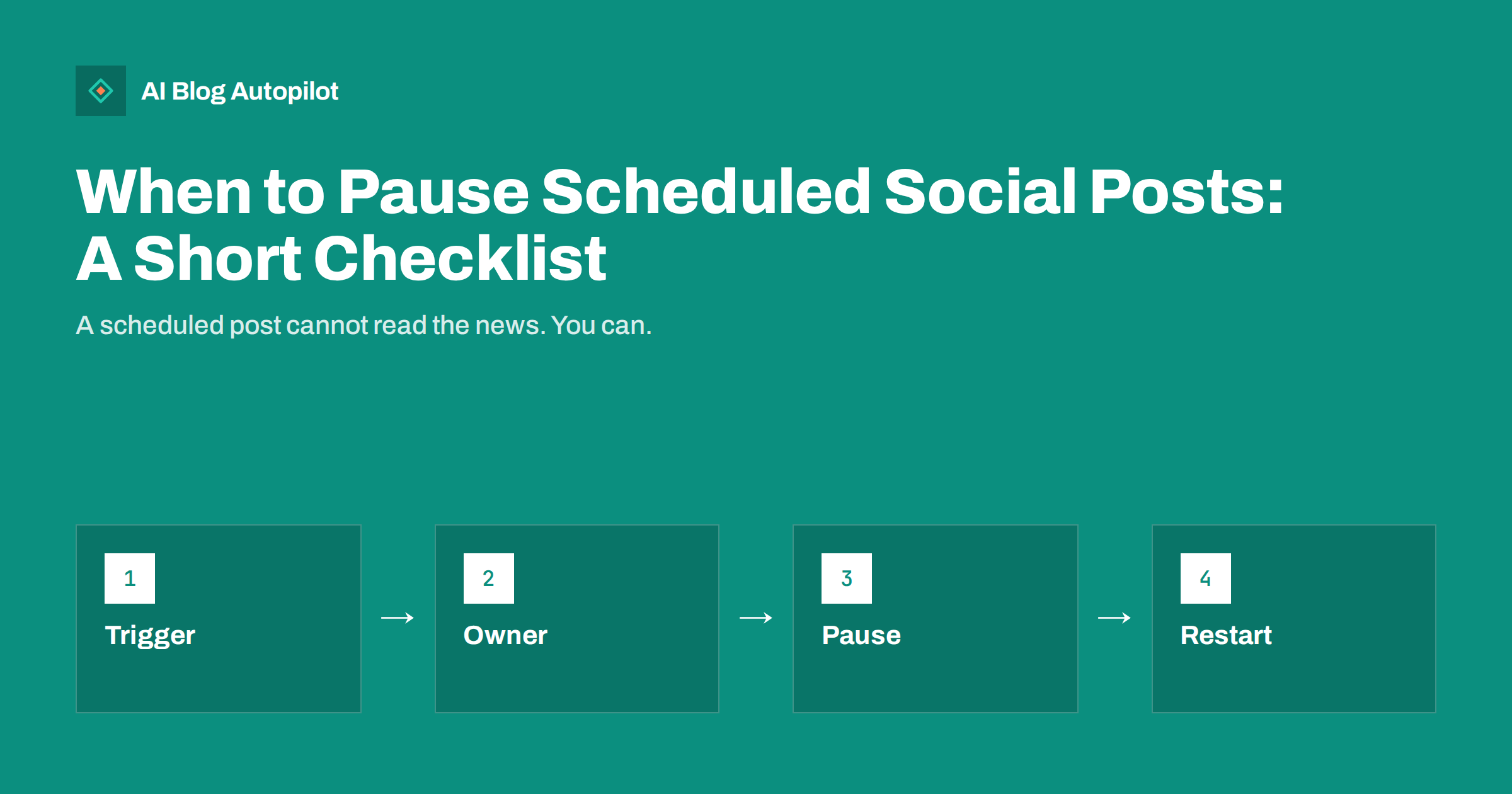
Short answer: pause scheduled social posts when events make cheerful or promotional content inappropriate or risky: a tragedy that affects your audience, an outage or a safety problem at your own business, a mistake in a queued post, a legal or reputation issue or a major news event close to your topic. Decide the triggers and the person who can pause in advance, stop every queue and tool, and restart only after you have reviewed what is scheduled.
Scheduling saves time, but it has a blind spot: a queued post does not know what happened this morning. A light-hearted promotion that was written last week may appear an hour after a disaster, or a link may point to a page that is down. Most such moments are avoidable with a simple plan, and it takes less effort to prepare one than to apologise for a post that went out at the wrong time.
Events that call for a pause
The clearest case is a public tragedy, such as a serious accident, an attack or a natural disaster, especially in a place or community that your audience cares about. Promotional or playful posts in those hours can look callous even when nobody intended it. A pause of a day or two is normal, and then you can judge the mood.
The second case is a problem at your own business: an outage, a data incident, a product recall, a safety issue or a delivery failure. Cheerful posts that ignore a problem that customers are already complaining about look tone-deaf. Share clear facts about what is wrong and what you are doing about it, and keep promotion out of the way until it is fixed.
The third is an error. A wrong price, a broken link, a mistaken date or a picture that should not be public may be waiting in the queue. The fourth is a legal or reputational issue: a complaint, a dispute or a statement from a regulator that needs review before you say anything. The fifth is an event close to your subject, such as a controversy in your industry, when a scheduled comment could be read as taking a side.
Decide the rules before you need them
Write a short list of triggers that suit your business, and agree on it with everybody who posts. Keep it plain: “we pause when there is a death or serious injury linked to our product or community”, “we pause when our site or service is down for more than thirty minutes”, “we pause when a queued post contains an error”. A list helps you act at once, without a long discussion at a stressful moment.
Name the person who has the authority to pause, and a deputy. In a small team, one person who can stop everything without asking permission is the best rule. If several people post for the business, they should all know who it is and how to reach them, including out of hours. See editorial review: draft, approve or full auto for the wider choice of how much control to keep.
Write down where all your queues are. Many businesses schedule posts in more than one tool, in the native schedulers of each network, in an email platform and in the blog itself. A pause that misses one queue is not a pause. A simple list with links and logins stored safely makes the task quick.
How to pause in practice
Start with the queues you know. Stop the scheduled posts in each tool, or move them to drafts rather than deleting them, so that you can review and reuse them later. Check automatic sharing from your blog as well: if your site sends each new article to social networks, a new article scheduled for the afternoon will be shared whether or not you remember it. See scheduling posts in WordPress.
Then think about paid promotion. Adverts keep running unless you stop them, and a promotion that sits beside a sad news story looks worse than an organic post. Pause campaigns that could look insensitive, and look at your email and push notifications too.
Finally, watch what is already out. Check the last few posts and the comments on them. If a post now reads badly, consider hiding the comments or removing the post, and prepare a short reply for the questions that you may receive. Follow the approach in negative comments on social posts.
Remember that your staff are people with feelings as well. If an event affects them directly, tell them first and let them know what the business will and will not say publicly. Ask team members not to post personal opinions from official accounts, and remind them that a personal profile that names your business is read as part of your voice.
What to say, and what to leave unsaid
Silence is often the right choice. Not every event needs a statement from your business, and a quick comment from a brand that has no connection to the matter can look like an attempt to gain attention. Speak when the event touches your customers, your staff or your service, and then keep to facts and care for people.
If you do speak, use plain words, avoid marketing language and do not link a message of sympathy to a sale. Give useful information, such as opening times, safety instructions or a place to get help. Do not speculate about causes, and do not repeat unverified claims. Where a legal matter is involved, have the wording checked before you post.
If your own mistake caused the problem, say what happened, what you are doing and when you will update. A short apology with specifics is better than silence or a defensive reply. The principles in how to handle corrections on a blog carry over to social media.
Be careful with automatic features that fill gaps. Some tools re-share old posts or recycle evergreen content when a queue runs low, and an old cheerful post may surface at a bad moment. When you pause, switch off these helpers as well, and switch them on again only after you have checked the pool of posts that they can pick from.
Restarting without a clumsy return
Do not simply press resume. Look at each queued post and ask whether it still fits the mood and the facts. Remove references to dates that have passed, to offers that have ended and to events that have changed. If the pause was due to a public tragedy, wait until the news cycle has moved on, and then restart with ordinary, useful content rather than the loudest promotion in your backlog.
Restart in stages. Begin with one or two helpful posts and watch the response, then return to your normal rhythm after a day or two. If readers have asked questions during the pause, answer them first. A calm return shows that you took the matter seriously without making a show of it.
Record what happened. A short note with the date, the trigger, who decided, what was paused and how long it took helps you improve your list. Review it with the team when things are calm, as part of your regular planning described in content calendar on autopilot.
A short practice run helps. Once a year, imagine a sudden event and walk through the plan: who is told, who stops what, which tools are checked and who writes the first message. Time it. Most teams find a forgotten queue, an old login or an unclear owner in the first run, and fixing it in a quiet week costs very little compared with finding it during a real incident.
Reducing the need for emergency pauses
Some risk can be designed out. Keep the scheduling window short for sensitive topics, so that a post is never far from the moment it was written. Avoid scheduling very topical commentary weeks ahead. Use evergreen content in the queue where you can, as explained in evergreen vs news content, because it ages better than a reaction to a passing event.
Check links and images before you schedule them, and review the queue once a week. A weekly look at what is coming up catches most errors, including posts that refer to a product you no longer sell. The routines in automated social posting mistakes list other checks worth adding.
Protect the accounts too. A hacked account can post on its own, and a stolen login can fill your queue with spam. Strong passwords and two-step verification, as described in securing social media accounts, are part of the same plan.
Smaller teams can keep this simple. A shared note with the triggers, the owner’s phone number and the list of tools fits on one page, and pinning it where everyone can see it is enough. Larger teams may add a short approval step for sensitive topics, so that no single person can send a message that speaks for the whole business.
Automation is not abdication
People sometimes treat automation as a promise that no one needs to look. The opposite is true: the more that is automated, the more important it is to have a person who can step in. Machines are good at doing the same thing on time, and humans are good at noticing that today is not a normal day.
That is why the best set-up combines a steady schedule with a clear off-switch and an owner. When a day comes that needs it, you will be glad that the plan was written when nothing was happening.
How AI Blog Autopilot helps
AI Blog Autopilot writes full SEO articles for your WordPress blog from the topics, keywords, audience and tone you set, with FAQ sections, tags and SEO meta included, and it shares each one to your social networks. Approval mode lets you read each article first, which gives you a moment to decide whether it suits the day. Use your own pause plan to decide when to hold anything back. See the pricing page for plans.
Related reading
- Automated Social Posting Mistakes
- Negative Comments on Social Posts: Reply, Hide or Ignore?
- How Often to Post on Each Social Network
The bottom line
Agree the triggers and the owner in advance, stop every queue and campaign, speak only when you have something useful to say and review the queue before you restart.
FAQ
How long should I pause after a public tragedy?
Often a day or two, until the mood changes. Judge by how your audience and the news are reacting.
Should I delete the queued posts?
Move them to drafts instead, so you can review, edit and reuse them later.
Do I need to post a statement when I pause?
Not usually. Speak only when the event touches your customers, staff or service, and keep it factual.
Who should be allowed to pause?
One named person and a deputy who can act at once, without asking for approval.
How can I avoid emergency pauses?
Keep sensitive posts close to the moment they are written, review the queue weekly and prefer evergreen content in advance.