ENEnglish
 LTLietuviškai
 DEDeutsch
 FRFrançais
 RUРусский
 ESEspañol
 PLPolski
 ITItaliano
 UKУкраїнська
 CSČeština
 PTPortuguês
 JA日本語
JA日本語 LVLatviešu valoda
 ETEesti
 HUMagyar
 IDBahasa Indonesia
 TRTürkçe
 HIहिन्दी
 ELΕλληνικά
 ARالعربية
 THไทย
THไทย VITiếng Việt
 RORomână
 MSBahasa Melayu
 BNবাংলা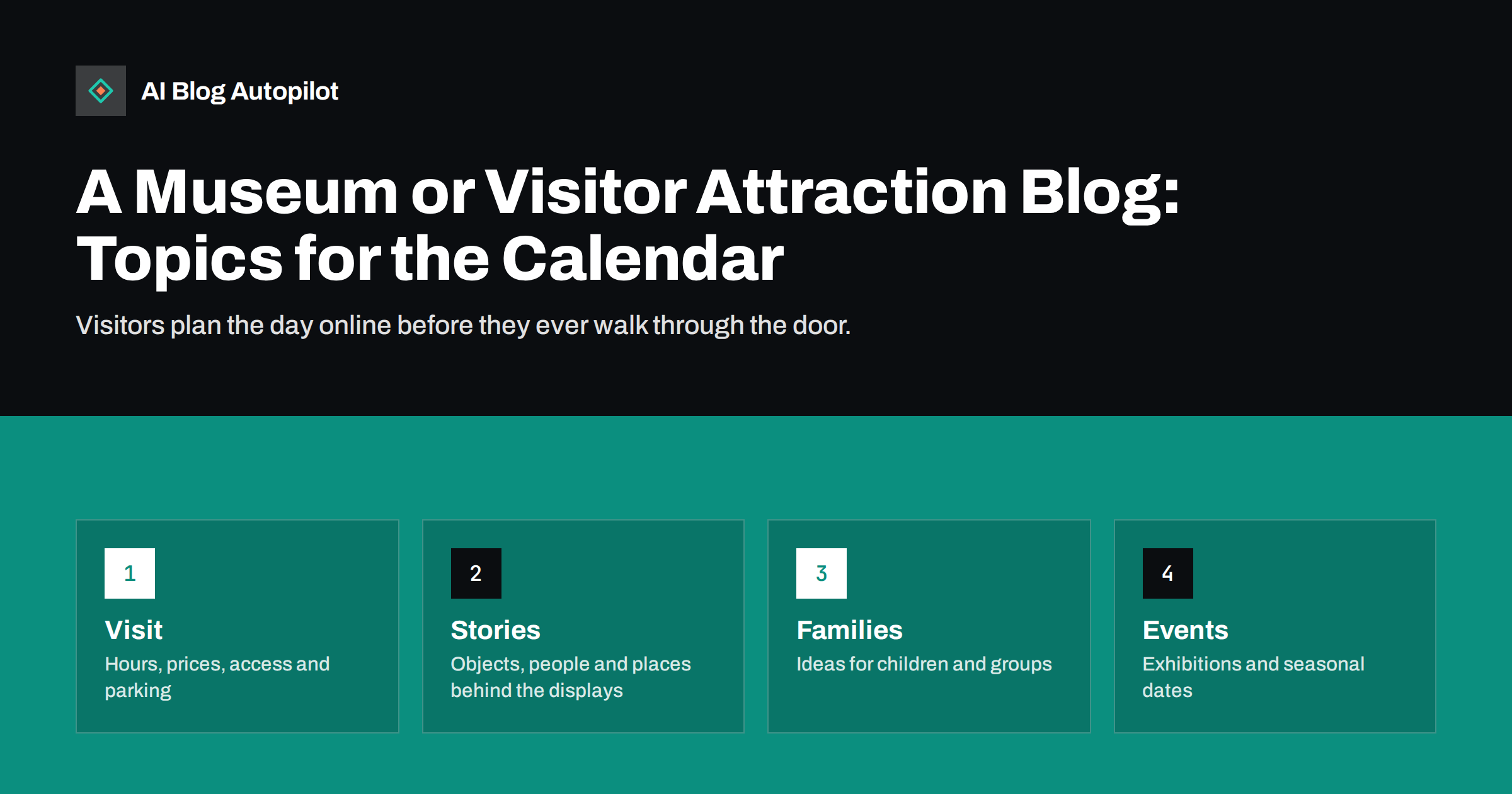
Short answer: a museum or visitor attraction blog works best when it helps people plan a visit and then gives them a reason to go: clear pages for hours, prices, access and travel, stories about the objects and people behind the displays, guides for families and groups, and event pages that stay at stable addresses. Keep practical details accurate, because they are the pages visitors read first.
People decide where to spend a day by searching, reading reviews and comparing options, and most of that happens before they leave home. A museum, gallery, heritage site or garden has rich material to offer, but much of it stays inside the building or in a short catalogue entry. A blog turns that knowledge into pages that search engines and readers can find, and it gives staff a way to share what they know beyond the opening hours.
Make the visit page the best page on the site
The most visited page is rarely a story but the plan-your-visit page. Put opening hours, closing days, ticket prices, concessions, how to book, how long a visit takes and where to find the entrance at the top. Say what is free and what is not, and how queues behave at busy times. If something changes, update it the same day and show the date of the last update.
Add the practical details that visitors worry about: step-free access, lifts, seating, quiet spaces, toilets, baby changing, a cloakroom, a cafe, parking and public transport. Be honest about limits, such as steep stairs or a narrow historic building, because visitors with access needs would rather know before they arrive. Use the same details on your business profile and listing sites, as described in our guide to reusing blog posts locally.
Write separate pages for different groups: schools, coach parties, researchers, wheelchair users and those who need a relaxed visit. Each group asks different questions, and a page that answers them clearly will be found by people who would otherwise telephone or choose a competitor.
Consider making the visit page the hub for everything else. Link from it to the access guide, the family pages, the cafe, the shop and the current exhibitions, and link back from each of those pages. Visitors then move through the site as they would move through the building, and search engines understand which pages matter most. Keep the page short enough to scan on a phone, because many people read it while standing outside the entrance.
Tell the stories behind the collection
Every object has a story, and short, well-written articles can bring it to life. Choose one item, person, place or event, explain why it matters and say where visitors can see it. Keep each article focused and include a clear photograph with a caption and alt text. A reader who enjoys a page about one object often becomes a visitor who wants to see it in person.
Use the knowledge of curators, conservators and guides, and interview them, as explained in interviewing experts for content. Their voices add authority and personality, and a short quote often says more than a paragraph of summary. Credit the expert by name and role, and ask for their approval of the final text so that facts are accurate.
Be careful with history. State what is known, what is uncertain and what is disputed. Cite sources, give dates in a consistent format and correct errors openly, following the advice in how to handle corrections on a blog. A reputation for accuracy is a museum’s most valuable asset.
Do not overlook adults who visit alone or in pairs. A page for people who want a quiet, slower visit, with the best times, the calmest rooms and the places to sit, is among the most appreciated and least often written. The same is true of a short guide for first-time visitors who feel nervous about not knowing enough, which reassures them that no knowledge is needed and that questions are welcome.
Write for families and groups
Families search for practical ideas: what to do with children of a certain age, how long they will stay interested, where to eat and whether there is a pushchair space. Write pages such as a first visit with a toddler, a rainy-day plan, a trail for young readers or a day out for teenagers. Use short sentences and real timings, and say what is hands-on and what is not.
Offer printable material where you can, such as a trail sheet or a scavenger hunt, and publish it as a PDF with a text version on the page as well, so that it is accessible and can be indexed. Our article on PDF versions of blog posts explains how to offer both. Always state the age range and any safety points.
For schools, explain the learning links, group sizes, risk assessments, costs and how to book. Teachers plan months in advance and need information they can paste into a form. A clear schools page can bring a steady flow of bookings with very little extra work.
Plan exhibitions and events as stable pages
Exhibitions open and close, but the pages about them can be useful for a long time. Give each exhibition a page with the dates, the theme, highlights, ticket information and a short account of how it was made. When it ends, do not delete the page if it earned links. Mark it as closed, add a gallery of photographs and link to the current exhibition, following the guidance on dealing with expired event posts.
For recurring events such as late openings, festivals, talks and workshops, keep one address per series and update it for each date. Publish at least six weeks ahead, because many visitors plan trips and school visits early. After the event, add a short recap with photographs, as suggested in our article on event recaps as blog posts.
Keep a note of the questions that visitors ask on the day, and add them to a shared list. Typical examples are where to leave a bicycle, whether photography is allowed, whether dogs are welcome and what happens if it rains. Each question is a paragraph or a short page, and answering it before the visit reduces the number of calls and the queue at the desk.
Follow the seasons and the local calendar
Attractions are shaped by seasons, school holidays and local festivals. Build a yearly plan using the method in seasonal content planning without the scramble: when the busy weeks begin, when special opening times apply and when the quiet months leave time for deeper articles. Prepare holiday and half-term pages in advance and keep their addresses stable.
Write about the area as well as the site. Readers planning a day out want a walking route, a place for lunch, other nearby attractions and travel tips. Work with neighbouring businesses where it is sensible, link to them where they are useful and ask them to link back. This helps visitors and builds a local web of references that supports your standing in search.
Write alt text and captions for every image, describing what is shown in plain words, including the title, maker and date of an object where relevant. This helps blind and partially sighted visitors, and it gives search engines useful context. Our guide to writing image alt text explains how to do it well, and the same text can serve as a caption in a gallery.
Respect copyright, privacy and sensitive subjects
Museums handle images, objects and stories that carry legal and ethical responsibilities. Check who holds the copyright to photographs, artworks and archive material before publishing, and state credits clearly. Photographs of visitors, children or staff need consent. When objects or stories relate to loss, conflict or living communities, consult those communities and use respectful language, and consider adding a note to warn readers about sensitive content.
The same care applies to AI-assisted text and images. If you use them, check every fact against the collection record and label any illustration that is not a real photograph, in line with our guide on disclosure of AI use. An error about an object or a date is far more damaging than a missing article.
Measure what visitors actually use
Look at which pages people read before booking and which questions they send by email or at the desk. The visit page, the family pages and the exhibition pages usually bring the most visits, but local data may surprise you. Use search queries to find the words visitors use, which may differ from the names in your catalogue, and add them naturally to titles and headings.
Review the blog each season. Update hours and prices, remove expired offers, check links to ticketing systems and refresh the photographs. A small, accurate library of pages serves visitors better than a large one that is out of date.
Keep the blog manageable
A museum or attraction team already has a full day, so set a rhythm that is sustainable. Plan a handful of pages before each season, write them ahead and schedule them. Share the work: a curator can supply a paragraph, a guide can suggest a family trail and the front desk can list the questions people ask. Our guide to running a blog in two hours a week shows a routine that fits a small team.
Set one person to check the practical pages each month, comparing them with the actual opening times, prices and access arrangements. Put the check in the calendar and record the date. Outdated hours or a closed entrance listed as open cost goodwill very quickly, and they are easy to prevent with a regular review.
How AI Blog Autopilot helps
AI Blog Autopilot writes full SEO articles for your WordPress blog from the topics, keywords, audience and tone you set, with FAQ sections, tags and SEO meta included, and it shares each one to your social networks. For a team that is busy with visitors and exhibitions, stories and planning pages keep appearing while you work. Approval mode lets you read each article first, which matters for historical facts, dates and prices. See the pricing page for plans.
Related reading
- Blog Strategy for a Local Business
- Interviewing Experts for Content People Trust
- Old Event, Offer and Deadline Posts: Keep, Update or Remove?
The bottom line
Make the visit page accurate, tell the stories behind the collection, help families and groups, keep exhibition and event pages at stable addresses, respect copyright and sensitive subjects and review everything each season.
FAQ
What page should a museum blog start with?
A plan-your-visit page with hours, prices, access, travel and booking details. It is the page most visitors read first.
Should exhibition pages be deleted when they end?
No. Mark the page as closed, add photographs and link to the current exhibition so it keeps its links and history.
How often should an attraction publish?
One or two useful articles a month is enough if the practical pages stay accurate. Plan around the school holidays and local events.
How do I cover sensitive history?
State what is known and what is uncertain, cite sources, consult affected communities and add a note when content may upset readers.
Can I use photographs from the collection?
Only if you hold or have cleared the rights and can credit them. Photographs of identifiable visitors need consent.