ENEnglish
 LTLietuviškai
 DEDeutsch
 FRFrançais
 RUРусский
 ESEspañol
 PLPolski
 ITItaliano
 UKУкраїнська
 CSČeština
 PTPortuguês
 JA日本語
JA日本語 LVLatviešu valoda
 ETEesti
 HUMagyar
 IDBahasa Indonesia
 TRTürkçe
 HIहिन्दी
 ELΕλληνικά
 ARالعربية
 THไทย
THไทย VITiếng Việt
 RORomână
 MSBahasa Melayu
 BNবাংলা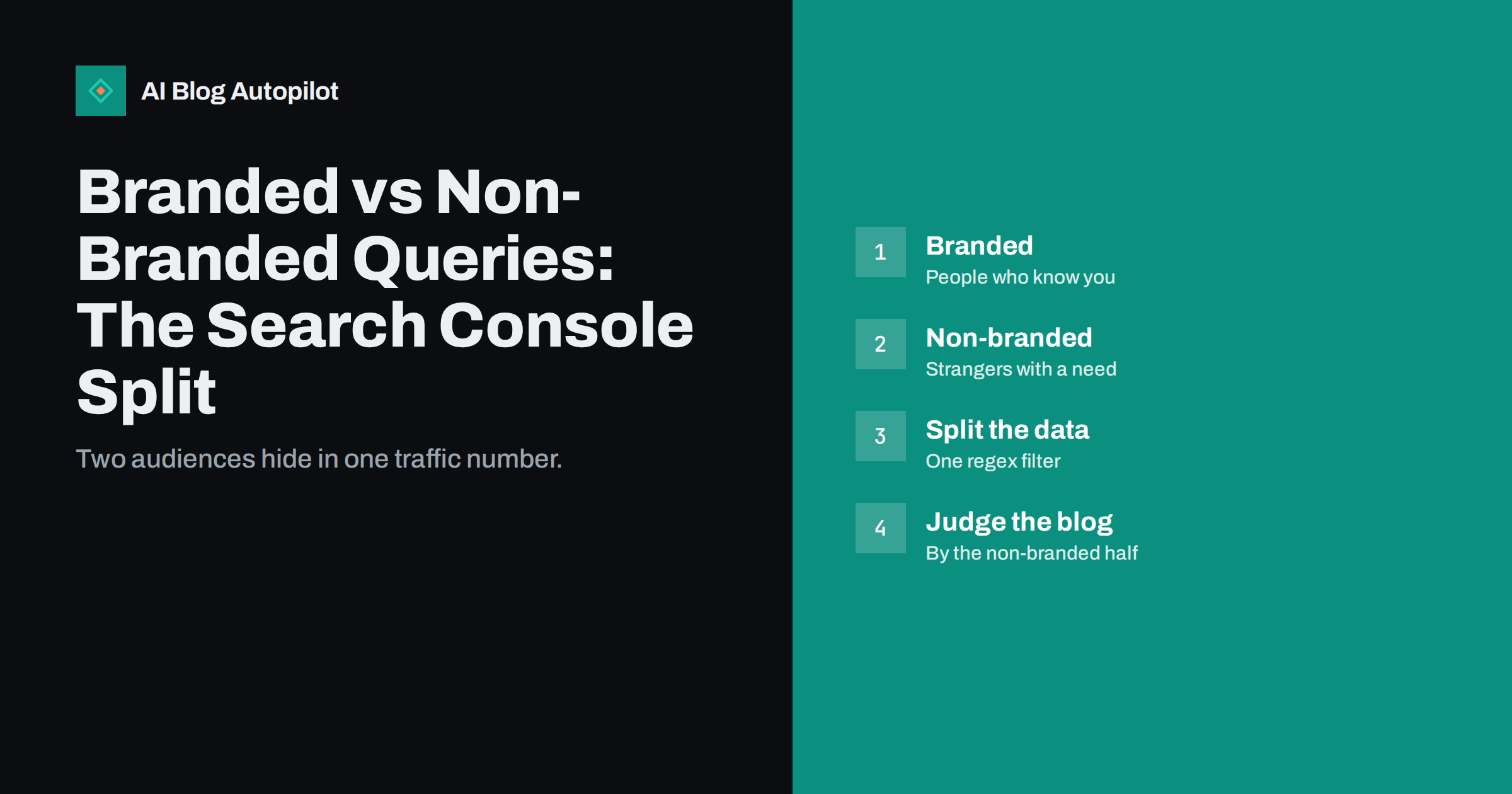
Short answer: branded queries contain your business, product or domain name, so they come from people who already know you. Non-branded queries describe a need or a topic and come from people who may never have heard of you. A business blog is mostly responsible for the second group. In Search Console, filter queries by a pattern that matches your brand name and its common misspellings, compare the two groups separately, and judge the blog by how the non-branded clicks and impressions change over time.
A single total for search traffic hides two very different stories. If the total rises because more people look for your company name after a campaign, the blog may have done nothing. If it falls because a seasonal brand search ended, the blog may have improved. This guide shows how to separate the two groups, what each one tells you, and how to avoid common mistakes when you read the numbers.
What counts as a branded query
A branded query is any search that includes your brand. The obvious examples are your company name, your product names, your domain and the name of a founder who is publicly associated with the business. Less obvious ones are common misspellings, the name with and without spaces, abbreviations, and the name combined with words such as “login”, “pricing”, “reviews” or “contact”.
Non-branded queries are the rest: questions, problems, comparisons and topics that do not include your name. Someone searching for “how to prepare a content calendar” is non-branded, even if your article ranks first. Someone searching for “your brand content calendar template” is branded.
Edge cases exist. If your brand name is also a common word, some queries are ambiguous and you will have to decide where they belong. If you sell a product whose name is generic, the same applies. Pick a rule, write it down and apply it consistently, because the trend matters more than the exact boundary.
Why the split matters for a blog
Branded searches mostly reflect awareness that you built elsewhere: advertising, word of mouth, social media, press mentions, events and customer referrals. They are valuable, but a blog is rarely the main cause. Non-branded searches reflect how well your content matches what people look for before they know you. That is the job of a blog.
- Growth in non-branded clicks suggests that articles are reaching new readers.
- Growth in branded clicks suggests that awareness is increasing, possibly helped by content but not proven by it.
- A drop in branded clicks may point to a seasonal pattern, a change in marketing or a problem such as a wrong listing.
- A high branded share in a young blog is normal, since the first visitors are often people who already know the business.
Over time, a healthy content programme shifts the balance. Branded queries remain steady or grow slowly, while non-branded queries grow faster and become the larger share.
How to split the data in Search Console
Search Console lets you filter the Performance report by query. Add a query filter, choose the option that matches a regular expression, and enter a pattern that includes your brand variants separated by a vertical bar. For example, for a business called Green Bike Works, you might use a pattern such as green ?bike ?works|greenbike|gbw. Use the exclusion option for the same pattern to see only non-branded queries.
- List your brand variants. Include the full name, short forms, product names, the domain without the extension and the usual typos.
- Build the pattern and test it by looking at the queries it matches. Remove anything that matches unrelated words.
- Save two views. Record the settings for the branded and non-branded filters so you can repeat them each month.
- Compare equal periods. Use the same length of time, such as the last three months against the previous three, or the same months in the previous year for seasonal businesses.
- Export the numbers. Put clicks and impressions for each group in a simple sheet, one row per month.
Be aware that Search Console hides some very rare queries for privacy reasons, so the totals for filtered views may not add up exactly to the unfiltered total. Treat the figures as a good sample, not a perfect count.
What to look at in each group
For branded queries, the most useful measure is click-through rate. People searching for your name are looking for you, so a low rate often means something is wrong: another page outranks yours, a directory or a competitor takes the click, or your title does not look like the official site. Also read the queries themselves. A rise in “your brand reviews” or “your brand problems” tells you something about what people worry about.
For non-branded queries, look at impressions first, then clicks. Rising impressions with flat clicks suggest your pages appear but do not attract a click, which points to titles, descriptions or the presence of answer boxes above your result. Rising clicks suggest the topics are working. Then look at the pages that receive these clicks, and ask which topics deserve more articles.
- Which non-branded queries bring the most clicks, and are they close to your product or far from it?
- Which pages have many impressions but few clicks, and could they be improved?
- Are there queries at the edge of page one where a small update could help?
Common mistakes when reading the split
The first mistake is to report one total and call it blog performance. If a conference, a podcast or a press story pushes people to search for your name, the total rises for reasons the blog did not cause. The second is to count branded traffic as a content win in a quarter when you spent heavily on advertising elsewhere. A third mistake is to assume that a low non-branded count means a failing blog, when the blog may be new, the topics may be competitive, or the site may still be building trust.
It also helps to remember that people often find a business through content and later return by searching for its name. A reader who first meets you in a guide, leaves, and comes back a week later through a brand search is a branded visit that the blog helped to create. You cannot measure this precisely from Search Console alone, but you can notice a slow rise in brand searches that follows steady content growth. Treat that as supporting evidence and not as proof.
A simple monthly routine
Once the filters are saved, the review takes about fifteen minutes. Open the two views for the previous month and write down clicks, impressions, average position and click-through rate for each. Add one line of notes about anything unusual, such as a launch, a holiday or a site change. After three months you will see patterns, and after a year you will be able to explain what changed and why.
- Record the branded and non-branded figures in your sheet.
- Check the top ten queries in each group for anything surprising.
- List the three non-branded pages with the most impressions and the lowest click-through rate.
- Decide on one action, such as rewriting a title, adding a section or planning a new article.
Keep the routine small. The goal is a regular habit that informs the content plan, not a new reporting burden. If you also use analytics, compare the trends with what you see there, and read the guide on why the two tools never match before you worry about small differences.
A worked example
Imagine a small firm that sells accounting software to freelancers. In January its blog has been running for six months. Search Console shows 4,000 clicks in the quarter, which looks encouraging. After applying the brand filter, the picture changes: 2,600 of the clicks are branded and 1,400 are non-branded. Most branded clicks come from the company’s name with the word “login”, which means existing customers use search as a shortcut. They say little about the blog.
Three months later the total is 4,300, only a small rise. The split shows that branded clicks fell to 2,300 because a few customers now bookmark the login page, while non-branded clicks rose to 2,000. That is a 43 percent increase in the part the blog is responsible for, hidden inside a total that barely moved. Without the split, the owner might have concluded that the content programme had stalled.
Looking deeper, the firm finds that three articles about invoice wording and late payments bring most of the new non-branded clicks. It plans a small cluster of related articles, updates the titles of two pages that have many impressions but few clicks, and links the new pieces from the older ones. Next quarter’s review will show whether the plan worked. The key habit is the same each time: separate the audiences, find the pages that serve strangers, and decide on one improvement.
Notice what the example does not claim. It does not say the blog caused every non-branded click or that branded clicks are unimportant. Customers who search for the name and find the right page quickly are well served, and a fall in those clicks can be a sign of a good bookmark habit as much as a sign of a problem. The purpose of the split is to ask better questions, not to produce a single score.
How AI Blog Autopilot helps
AI Blog Autopilot asks for your topics, keywords, audience and tone, and writes full SEO articles with FAQ, tags and meta for your WordPress blog. Reading the non-branded half of your search data shows which topics to give it next, so the content plan follows what readers actually search for. See the pricing page for plans.
Related reading
- Brand Search Results: What People See When They Look You Up
- Search Console vs Analytics: Why the Numbers Never Match
- Google Search Console: The Five Reports That Matter
- How to Measure Whether a Blog Is Working
The bottom line
Do not judge a blog by one search total. Split queries into branded and non-branded groups with a saved filter, watch the non-branded clicks and impressions as the main sign of content progress, and use the branded group to spot awareness changes and problems with how your name appears. Review both once a month, write down one action, and let the trend, not any single month, guide your decisions.
FAQ
Do I need a separate tool to split branded and non-branded queries?
No. The Performance report in Search Console supports query filters with regular expressions, which is enough for most blogs.
What if my brand name is a common word?
Some queries will be ambiguous. Choose a clear rule, such as counting a query as branded only when it also includes a product word or your domain, and apply it consistently.
Is a high branded share bad for a blog?
Not for a young blog, since early visitors often already know the business. Over time you would expect the non-branded share to grow.
How often should I review the split?
Once a month is enough for most sites. Compare the same periods and look at trends, not single weeks.
Why do filtered totals differ from the overall total?
Search Console omits some rare queries for privacy reasons, so filtered views may not add up exactly to the unfiltered figure.