ENEnglish
 LTLietuviškai
 DEDeutsch
 FRFrançais
 RUРусский
 ESEspañol
 PLPolski
 ITItaliano
 UKУкраїнська
 CSČeština
 PTPortuguês
 JA日本語
JA日本語 LVLatviešu valoda
 ETEesti
 HUMagyar
 IDBahasa Indonesia
 TRTürkçe
 HIहिन्दी
 ELΕλληνικά
 ARالعربية
 THไทย
THไทย VITiếng Việt
 RORomână
 MSBahasa Melayu
 BNবাংলা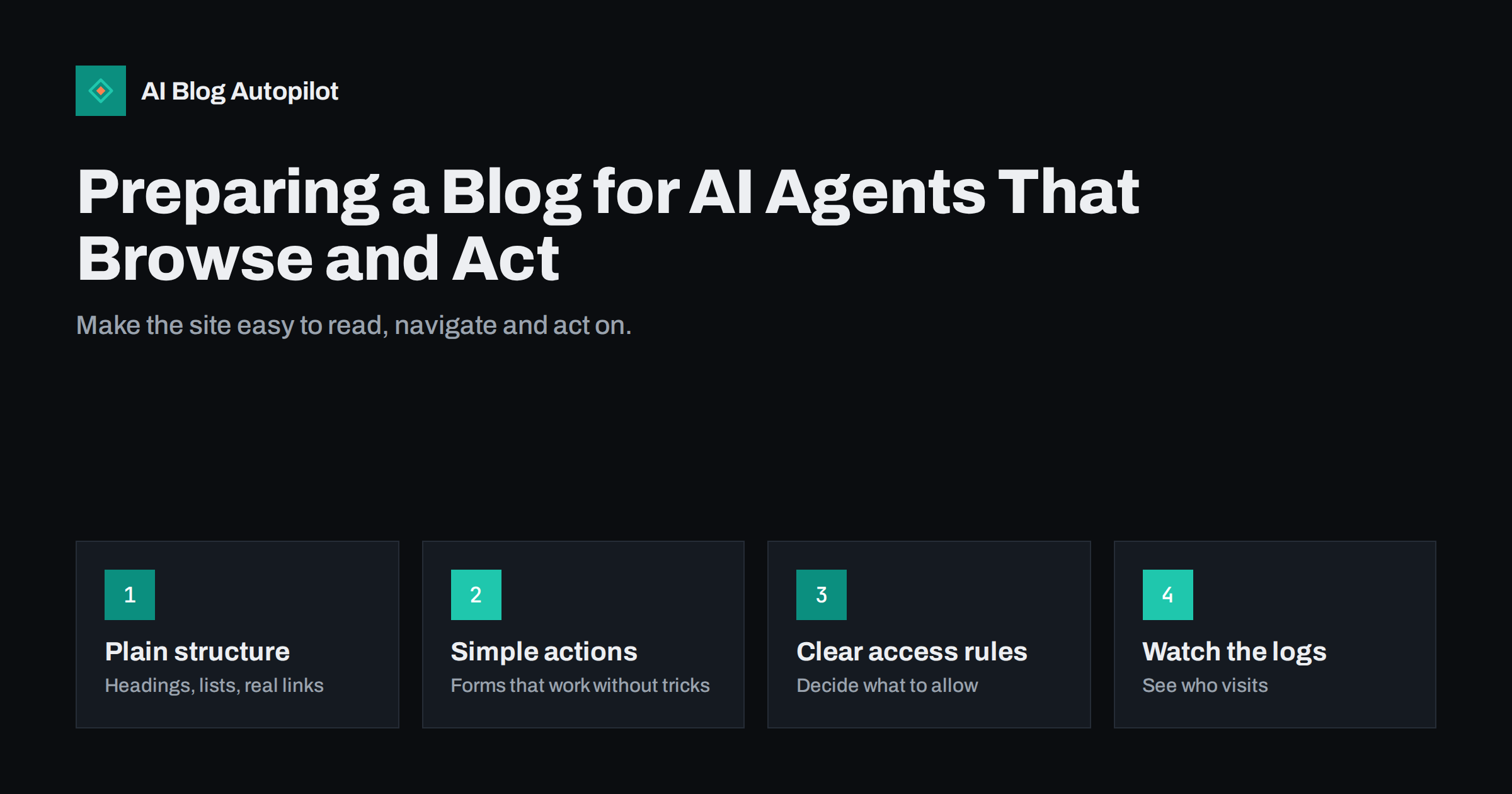
Short answer: some AI tools now visit websites on behalf of a person, reading pages, comparing options and sometimes filling in forms. A blog does not need special technology to be ready. Use clear headings and real links, keep key facts in plain text, make forms and buttons work with ordinary browser behaviour, decide deliberately what automated visitors may access, and check your server logs to see what actually arrives. The same qualities that help people with disabilities and ordinary search help here too.
Until recently, the main automated visitors to a blog were search engine crawlers that read pages in order to list them. A newer kind of visitor works for a single person: it receives a request such as “find a reliable plumber near me and compare their prices”, opens several sites, reads what it finds and reports back, or even takes a step such as filling in a contact form. How common this becomes, and how well it works, differs between products and is changing quickly, so this article avoids predictions. It sets out practical, low-risk steps that make your site understandable to any careful automated reader, and that are good practice anyway.
What an agent does differently from a crawler
It helps to picture the behaviour. A search crawler fetches many pages, stores their content and returns later. An agent, in the sense used here, acts for a user in the moment.
- It has a goal. It is looking for an answer, a price, an opening time or a way to contact you, and it moves through your site looking for it.
- It reads what is on the page, sometimes the text, sometimes a rendering of the page or its underlying structure, and it follows links.
- It may try to act. It might click a button, choose an option, or complete a form.
- It reports back to a person, who may never visit your site themselves if the answer is good enough.
The consequence for you is that clarity matters twice: the agent needs to find the right facts, and the answer it passes on will be only as good as what it found. Unclear or contradictory pages produce unclear answers.
Make facts easy to find
An agent looking for specific information will go to the obvious places first. Make those places complete and consistent.
- Keep key facts in plain text, not only in images or documents. Opening hours, location, prices where you can state them, services and contact details belong in readable text.
- Use clear page purposes. An About page, a contact page, a services or products page and a page for policies make the site easy to map.
- Name things consistently. The same product, service or person should have the same name across pages.
- Put a date on time-sensitive information, so a reader can judge whether it is current.
- Add structured data where it fits, such as organisation or article details, and make sure it matches the visible text exactly.
On a blog, the same applies to articles: a clear title, a direct opening answer, descriptive headings and a visible author and date.
Use real links and a predictable structure
Navigation that works for a person using only a keyboard or a screen reader usually works for automated readers too.
- Use ordinary links (an anchor with a proper address) for navigation, not scripts that change the page without a link.
- Write descriptive link text. “Read our returns policy” tells an agent where the link goes. “Click here” does not.
- Keep a clear menu with the main sections, and breadcrumbs on deeper pages.
- Make the page order logical, with a single main heading and sub-headings in sequence.
- Avoid hiding essential content behind steps that need unusual interaction, such as hover menus, endless scrolling or content that loads only after several clicks.
- Keep addresses stable. When you move a page, redirect the old address permanently.
Forms and actions that work simply
If an automated visitor is asked to contact you or complete a step, a simple form is the best route. Complicated ones fail for people as well as for programs.
- Label every field with visible text and connect the label to the field in the HTML.
- Use standard field types for email, phone and date, and give clear error messages in text.
- Keep the form short. Ask only for what you need.
- Avoid puzzles that only some humans can solve. If you need spam protection, choose a method that does not block legitimate assistive tools, and test it.
- Show a clear confirmation message after submission, and also send an email confirmation if appropriate.
- Decide what you want to happen if an agent submits a form for a person. For anything that commits you to something, such as a booking or a purchase, a confirmation step by the real person is wise.
Beware of treating every automated submission as spam. Some will be genuine requests made on behalf of real customers, and others will not. Review your enquiries, and respond to those that make sense.
Decide what to allow
You are free to choose which automated visitors may read your site. Make the choice deliberately, and be aware of what each option implies.
- Review your robots rules. The file tells well-behaved crawlers which parts of the site they may fetch. Check that you have not blocked the whole site by accident, for example by leaving a staging setting in place.
- Understand what is voluntary. Compliance with these rules depends on the visitor choosing to respect them, so do not use them to protect anything private.
- Protect what must stay private with real access control, such as a login, and not only by hoping that nobody looks.
- Consider rate limits. Automated visitors that make many requests quickly can slow the site. Reasonable limits protect your server without blocking ordinary use.
- Record your decision. Note who made it, when and why, so you can revisit it as the landscape changes.
Some site owners want to be visible to as many tools as possible, while others prefer to restrict some uses of their content. Both are valid choices. The risk lies in having an accidental policy because nobody checked.
Watch what actually visits
Your server logs and analytics show the real picture. You do not need an expensive tool; the raw access log or the statistics page of your hosting is a start.
- Look at the visitor identifiers (the user-agent strings) and group them into search crawlers, known automated tools and ordinary browsers.
- Check which pages automated visitors request. Are they finding your important pages, or hitting errors and redirects?
- Watch for spikes that could point to abusive scraping, and block those that misbehave.
- Note that identifiers can be faked, so use them as a clue and not as proof.
- Repeat the check every month or two, and keep a record of what you see.
Test your own site as an automated visitor would
You can learn a great deal with a simple exercise. Pick three tasks a customer might want to do: find your opening hours, compare two of your services, and send you a question. Try to do each one using only the text of the page, a keyboard and the links you can follow without a mouse. Then turn off scripts in your browser, or use a plain text view, and repeat. Anything you cannot do is something an automated visitor may also fail to do. Fix the biggest blockers first, such as hidden text, broken links or a form that will not submit.
If you are comfortable asking an AI assistant that can browse to perform one of these tasks on your site, note what it finds and where it stumbles. Treat the result as one data point, because behaviour varies between tools.
Privacy, security and honesty
New kinds of visitor raise a few questions beyond readability. Keep these in mind as you plan.
- Personal data. If an agent submits a form for a person, the data still belongs to that person. Handle it under the same privacy policy and legal rules as any enquiry, and do not store more than you need.
- Security. Keep software updated and forms protected against abuse. Automated traffic of all kinds probes for weak spots, so basic hygiene matters more, not less.
- Do not show different content to automated visitors. Serving one page to people and another to tools can break search guidelines and mislead users. Show the same facts to everyone.
- Do not rely on hidden instructions. Text meant only for machines, tucked into a page where people cannot see it, is a poor idea. It may be treated as manipulation, and it undermines trust if discovered.
- Be accurate. If an agent compares your prices or services with a competitor’s, only correct, current facts help you.
The sensible rule is the one that applies to all content: write for real readers, state facts plainly and make them easy to check.
How AI Blog Autopilot helps
AI Blog Autopilot writes articles with a clear structure, a FAQ, tags and SEO meta, which gives readers of every kind well-organised text to work with. It publishes to your own WordPress blog, where you control your robots rules, forms and page structure. The writer is instructed never to make up statistics, quotes or sources. See the pricing page for plans.
Related reading
- AI Crawlers, robots.txt and llms.txt: What Site Owners Should Know
- Semantic HTML for Blog Posts: Markup That Helps Search
- Server Log Analysis: Seeing How Bots Crawl Your Blog
- Tracking Visits From AI Assistants in Your Analytics
The bottom line
AI tools that browse for people are a new kind of visitor, but you can prepare for them without chasing trends. Keep the key facts in plain text, use real links and clear headings, build simple forms that work, set a deliberate policy for automated access and review your logs from time to time. The result is a site that is better for people, for search engines and for whatever tool comes next.
FAQ
Do I need special code to support AI agents?
No. Clear text, real links, labelled forms and accurate structured data cover most of what any careful automated reader needs, and they help people too.
Should I block AI agents from my blog?
That is your decision. Review what you want to allow, set robots rules accordingly, and protect anything private with real access control since robots rules are voluntary.
Can an agent fill in my contact form?
Some can, depending on the tool. Use a simple, well-labelled form, and treat enquiries on their merits, since some will be genuine requests made for real customers.
How do I see whether automated tools visit my site?
Look at your server access logs or hosting statistics, group the visitor identifiers by type and check which pages are requested. Remember that identifiers can be faked.
Will preparing my site guarantee that agents recommend me?
No. Nobody can guarantee that. A clear, accurate, accessible site only gives automated readers what they need to describe you correctly.