ENEnglish
 LTLietuviškai
 DEDeutsch
 FRFrançais
 RUРусский
 ESEspañol
 PLPolski
 ITItaliano
 UKУкраїнська
 CSČeština
 PTPortuguês
 JA日本語
JA日本語 LVLatviešu valoda
 ETEesti
 HUMagyar
 IDBahasa Indonesia
 TRTürkçe
 HIहिन्दी
 ELΕλληνικά
 ARالعربية
 THไทย
THไทย VITiếng Việt
 RORomână
 MSBahasa Melayu
 BNবাংলা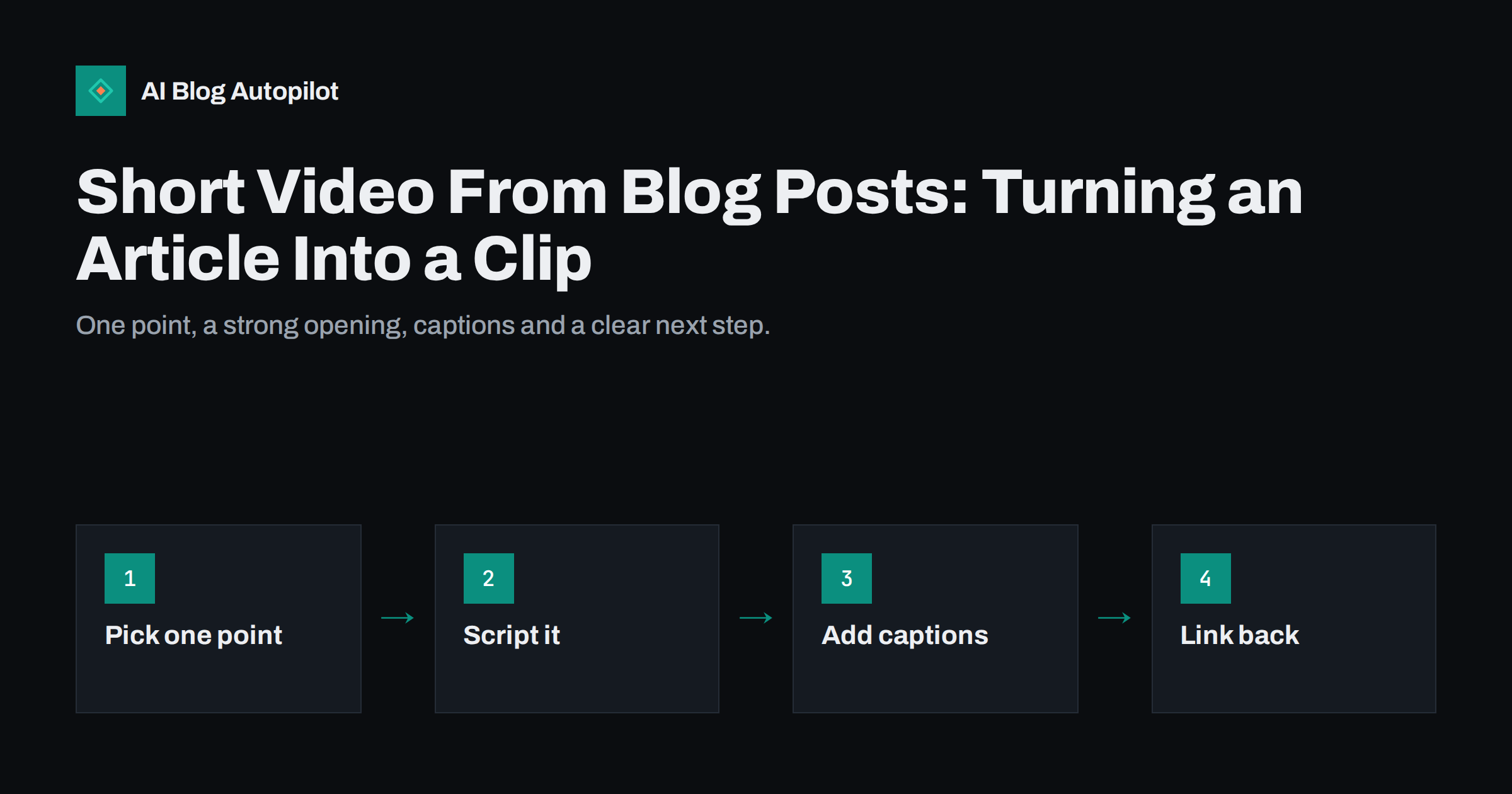
Short answer: you can turn a blog article into a short video by choosing one useful point, writing a few spoken lines or on-screen text for it, adding captions and ending with a clear way to read the full post. You do not need studio equipment: a phone, a slide-style screen recording or simple editing software is enough. Keep the clip focused, make the first seconds worth watching, and treat it as a way to reach new readers rather than a copy of the article.
Short video is one of the main formats on several social networks, and many readers who would never click a link will watch a clip. A blog article is a good source because it already holds researched points, examples and structure. The difficulty is that an article is long and a clip is not, so you cannot simply read the post aloud. This guide shows how to select material, write for the screen, produce a clip with modest tools and measure whether it brings people to the blog, without promising results that depend on each network’s changing rules.
Why a clip is not a shortened article
A written article rewards a reader who wants detail and will scroll back and forth. A clip is watched once, in order, often in a feed where something else is one swipe away. The two formats ask for different writing.
- One idea per clip. An article may have eight sections. A clip should use one, or one question the article answers.
- Spoken language. Short sentences, plain words, and numbers said in a way a listener can follow.
- Immediate value. The first lines must show the viewer why to stay, because many will leave quickly.
- A bridge to the post. The clip is the appetizer. The article holds the full answer, and the clip should say so.
If you treat a clip as a trailer for one part of the article, rather than a summary of all of it, the work becomes much simpler.
Choose which part of the article to use
Some sections convert to video easily, and others do not. Go through your article and mark candidates.
- A surprising or counter-intuitive point that corrects a common belief.
- A short procedure of three to five steps that can be shown or listed on screen.
- A before-and-after or a mistake with its fix.
- A direct answer to a question that readers often ask.
- A single number with context, only if it is correct and sourced in the article.
Leave out material that depends on a table, on long caveats or on a code listing. Those belong in the written post. One article can supply several clips over a few weeks, each with a different point, which also gives you a reason to share the same post again without repeating yourself.
Plan in batches where you can. Pick one article, mark three points that could stand alone, write all three scripts in one sitting and record them together in the same place with the same lighting. Batching saves setup time, keeps the look consistent, and lets you schedule the clips across several weeks so that the blog post keeps receiving fresh attention. Keep a simple list of which point has been used so that you do not repeat the same clip months later by accident.
Write a script that fits the format
A short script has a simple shape that works for most topics.
- Hook (first sentence). State the problem, the question or the result. “Most blog posts lose readers in the first paragraph. Here is the fix.” is clear and honest if the clip delivers it.
- Point (the middle). Give the idea in a few short statements, one after another. Cut anything that does not serve the point.
- Next step (the end). Tell the viewer where to find the rest, for example “The full guide with examples is on our blog”.
Read the script aloud and time it. Remove words until it sounds natural at a normal speed. If you plan to speak on camera, write bullet points rather than a full text so that you sound like a person rather than a reader. If you plan to use only on-screen text, write one short line per screen.
Make it with simple tools
You do not need to buy anything to start. Several approaches work with equipment you already have.
- Talking to the camera. A phone held at eye level, a quiet room and daylight from a window are enough. Speak to one person, not to a crowd.
- Screen recording. For software, settings and how-to topics, record the screen while you speak. Zoom in on the part that matters.
- Text-on-screen slides. Create a few simple slides from the article’s key lines and export them as a video with a sound track or a voice-over.
- Stills and motion. Use your own images or illustrations with gentle movement and a voice-over. Check that you have the right to use every image and sound.
Use the format in which the target network displays video, which is often vertical on phones. Check each network’s current guidance for aspect ratio and length, since these change, and avoid placing key text near the edges where interface elements may cover it.
Before you publish, watch the clip once on a phone with the sound off and once with the sound on. Ask whether a stranger would understand the point from the first five seconds, whether the text is readable at arm’s length and whether the last line makes the next step obvious. If any answer is no, fix that before you post. Small checks like this catch most of the problems that make an otherwise good clip fail.
Captions and accessibility
Many people watch video with the sound off, in public places or at work, and others cannot hear it. Captions help all of them, and they help viewers whose first language is not the one you speak.
- Add captions to every clip, either by using the network’s automatic captions and correcting them, or by providing your own subtitle file.
- Check the text. Automatic captions often misspell names, brands and technical terms. Correct them before posting.
- Keep contrast high. Use a clear font, a size readable on a phone and a background that does not blend with the letters.
- Describe visuals that carry meaning, so that a viewer who cannot see them still gets the point.
- Provide a transcript on the blog when the clip contains information that is not in the article.
Send viewers back to the article
The clip is only part of the plan. Decide what you want a viewer to do next, and make that easy.
- Say it in the clip, in one sentence, and show it as text at the end.
- Use the network’s own link options where they exist. Where links in captions are not clickable, direct people to the profile link or to a short, easy-to-remember address.
- Match the landing page to the clip. If the clip is about one step, send people to the post, ideally to the relevant section with an anchor.
- Use tracking tags on the link so that you can see in your analytics which clips brought visits.
Avoid sending viewers to a page that does not repeat the promise made in the clip. A mismatch leads to a quick exit and teaches the audience not to click.
Measure what the clips do
Views alone do not tell you whether a clip helped the blog. Look at several signals together.
- Watch time or completion, as reported by the network, to see whether the opening works.
- Clicks to the article, from your link tags and the network’s own statistics.
- Behaviour on the article. Do visitors from video read, scroll and visit other pages, or leave at once?
- Comments and questions, which show what people want next.
Test one change at a time, such as a different opening line, and compare after several clips. A handful of posts will not show a pattern, so give each approach a fair number of tries before deciding.
Keep your tone the same as in the written post. A reader who follows you on a social network and then opens the article should feel they are listening to the same person. Use the same terms for the same things, avoid slang that does not match the blog, and keep any claims modest. If the clip makes a statement of fact, make sure the article contains the source, so that anyone who clicks can check it.
Mistakes to avoid
- Cramming the whole article into a minute and leaving the viewer with nothing they can use.
- Opening with a long greeting or logo before the point.
- Using music or footage you do not have the rights to use.
- Making claims in the clip that the article does not support.
- Posting the identical clip on every network without checking how it looks on each one.
How AI Blog Autopilot helps
AI Blog Autopilot writes the article, with a FAQ, tags and SEO meta, and shares it to your connected social networks with text adapted to each network, at the times you set. It does not make video clips, so you create those yourself from the finished article, and you can use the article’s own sections as your script. The content map shows the posts per network. See the pricing page for plans.
Related reading
- Turning an Article Into Social Posts That Get Read
- Embedding Video in Blog Posts: When It Helps
- Turning Blog Posts Into Carousels for LinkedIn and Instagram
- Quote Graphics From Blog Posts: Shareable Images That Work
The bottom line
A short video made from a blog article works best as a trailer for one point, not as a summary of the whole post. Choose a single idea, write a short script with a clear opening, record it with tools you already own, add corrected captions and tell viewers where to read more. Track which clips send readers to the blog and adjust one thing at a time. Over a few weeks, one article can feed several clips and bring new people to the page.
GYIK
How long should a short video from a blog post be?
As short as the point allows. Each network has its own limits and recommendations, which change, so check the current guidance and aim for the minimum that delivers one clear idea.
Do I need to appear on camera?
No. Screen recordings, text slides and voice-over with images all work. Choose the style you can repeat comfortably and consistently.
Should I add captions to every clip?
Yes. Many viewers watch without sound, and captions also help people who cannot hear and those who read the language better than they understand it spoken. Always correct automatic captions.
Can one article produce several clips?
Yes. Use a different point or question from the article in each clip and space them out, so that each one gives people a new reason to visit the post.
How do I know if the clips bring readers to my blog?
Add tracking tags to the link, check clicks in the network’s statistics and compare visits and behaviour on the article in your analytics.