ENEnglish
 LTLietuviškai
 DEDeutsch
 FRFrançais
 RUРусский
 ESEspañol
 PLPolski
 ITItaliano
 UKУкраїнська
 CSČeština
 PTPortuguês
 JA日本語
JA日本語 LVLatviešu valoda
 ETEesti
 HUMagyar
 IDBahasa Indonesia
 TRTürkçe
 HIहिन्दी
 ELΕλληνικά
 ARالعربية
 THไทย
THไทย VITiếng Việt
 RORomână
 MSBahasa Melayu
 BNবাংলা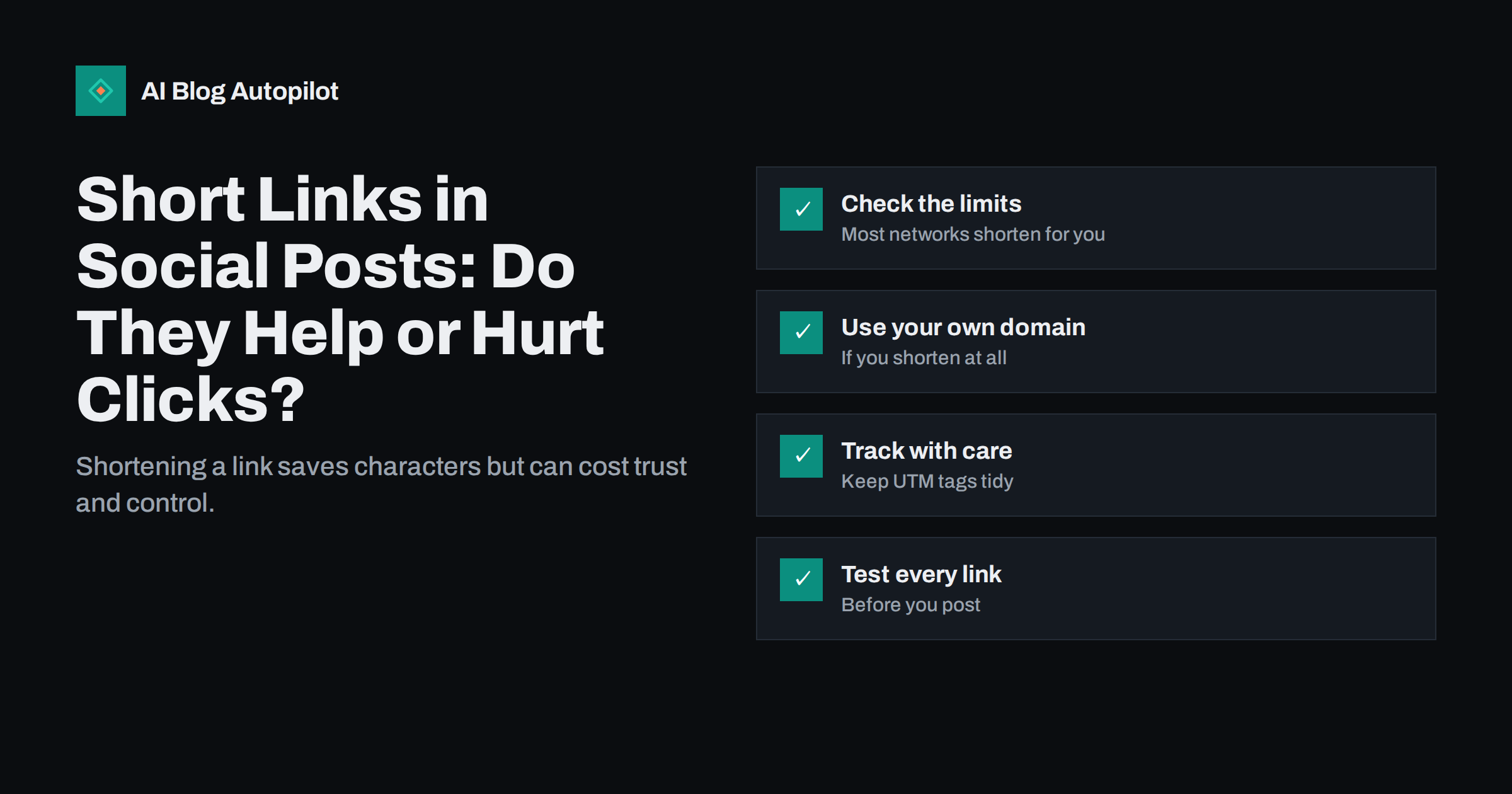
Short answer: shortening links in social posts is rarely necessary today, because most networks handle long addresses themselves and show a clean preview. A short link can still help when you need to read a link aloud, print it or track clicks separately, but generic shorteners hide the destination, which lowers trust, and they can break if the service closes. If you do shorten, use your own domain, test the redirect and keep the full address on your blog readable. In most cases the plain blog URL is best.
Link shorteners were born in the days of very tight character limits, when a long address could eat half a post. Many networks now count links at a fixed length or turn them into preview cards, so the original reason has faded. Yet shortened links remain common in posts, newsletters and printed material. This guide looks at what they offer, what they cost and how to decide for your blog, with attention to trust, tracking and the practical risk of links that stop working.
Why people shorten links
There are four main reasons, and only some still apply:
- Character limits. Old networks counted every character of a link. Now most count links at a fixed length or hide them, so this reason is much weaker.
- Appearance. A long address with tracking parameters looks messy in plain text. A short link looks tidier.
- Click tracking. Many shorteners show how many people clicked, which is simple to read for non-specialists.
- Spoken or printed use. A short address is easier to say on a podcast, show on a slide or print on a leaflet.
The first reason rarely applies, the second can be solved differently and the last two are real. Decide which of them you actually need.
What shortening costs
Short links come with trade-offs that readers and site owners feel.
Trust
Readers cannot see where a short link leads. Because shorteners are often used by spam and phishing, many people hesitate to click addresses they do not recognise. Some networks and security tools also treat shortened links with more suspicion than plain ones.
Dependency
If the shortening service closes, changes its terms or removes your account, every link you shared may stop working. Old posts are still found and shared years later, so a broken link is a lasting loss.
Lost context
A plain blog address tells readers a lot: the domain, and often the topic in the path. A short link throws that away. It also stops people recognising that they have already read the page.
Extra step
A redirect adds a small delay, because the browser has to follow it before reaching your page. On slow connections, this can be noticeable.
When a plain URL is better
For most blog shares, use the full address of the article. It is trusted, it shows your domain, it works in link previews and it does not depend on anyone else. Modern networks display a card with the title and image, and the address itself is usually shown in a small line or hidden. In those cases, shortening gains nothing.
Clean addresses also help you. A readable slug, as discussed in guides on permalinks, gives context at a glance, and you can check later which post was meant even if the text around it is lost.
If you do shorten, use your own domain
A branded short link, on a domain or subdomain you control, solves most of the trust and dependency issues. Readers see a name they recognise, and you can move the redirect between services without breaking old links. A few rules apply:
- Use a short, memorable domain or a subdomain of your main site that is clearly connected to your brand.
- Keep control of the redirects. Prefer a setup in which you hold the data and can export it.
- Use a permanent redirect so that browsers and search engines treat the short address as pointing to the real page.
- Keep a list of the links you have created and what they point to.
Even then, ask whether you need it. A branded short link makes the most sense for printed material, talks and videos, not for ordinary social posts.
Tracking without shortening
If tracking is the goal, you do not need a shortener. Add tracking tags to the full address so that your analytics tool can tell which network and post sent each visit. This keeps the data in your own reports, where it connects to what readers do after they arrive.
Some practical points:
- Use a consistent naming scheme for source, medium and campaign, with lower-case values.
- Remember that long tagged addresses can look untidy. Many networks hide them behind a preview card, so the length rarely matters.
- Do not put tracking tags on the address you want search engines to index. Keep the plain version as the page’s canonical address.
- Avoid sharing the tagged link in places where people copy it widely, since the tags then count visits from sources you did not intend.
Click counts from a shortener show clicks, not visits. Some clicks are bots, link previews or security scanners. Your analytics will usually give a more accurate picture of real readers.
Link previews and short links
Networks build a preview card from the page the link leads to. A redirect adds a step, and if it fails or is slow, the card may not appear, or may show old information. Test with the sharing tools that networks provide, and make sure the final page carries the title, description and image you want. Keeping the plain address avoids a class of problems where the card shows the shortener’s page instead of your article.
Safety and security
Short links can hide harmful destinations, which is why careful readers distrust them. To protect your audience and your reputation:
- Never reuse a short link for a different destination after it has been shared.
- Check that the service you choose does not add interstitial pages or ads.
- Review old links from time to time, and remove those that point to pages that no longer exist.
- Do not use shorteners to hide paid or affiliate destinations from readers. Be open about them.
A simple decision guide
- Normal social post on a network with link cards: full article address, with tracking tags if you want them.
- Printed material, talk or podcast: a branded short link on your own domain, tested before use.
- Network that counts every character and has a hard limit: check whether it still does; if so, a branded short link may help.
- Anything long-lived, such as a profile bio: the full, stable address of the page.
Before posting, click the link on a phone, check that it loads fast and that the preview looks right.
Example: choosing between three options
Suppose you publish a guide on your blog and want to share it three ways: in a social post, on a printed flyer at an event and in the notes of a video. For the social post, the plain article address with tracking tags works well: the network shows a card, the address is trusted and your analytics record the visit. For the flyer, you need something people can type, so a short branded address that redirects to the same article is sensible, and you test it on a phone before printing. For the video notes, a plain link is fine, since viewers click it rather than type it.
The same page can therefore have more than one address, each suited to its use. The key is that all of them lead to one article, that the redirects are permanent and that the article itself keeps a single preferred address. When the page declares its preferred address clearly, search engines understand that the short and tagged versions are only routes to the same place.
Checklist before you share
- Open the link in a private browser window and confirm that it reaches the right page.
- Check the address on a phone, over mobile data, to see how fast it loads.
- Look at the preview card in the network’s own sharing tool and fix the title or image if needed.
- Record what the link is for, so that you can review it later.
- Set a reminder to check long-lived links once a year, in case the destination has moved.
These steps take a minute and prevent most of the problems that make readers lose trust in links. A single broken link in a widely shared post can undo a lot of careful work, and it is the kind of mistake that is easy to avoid with a habit of testing before publishing.
Keep a short note of which address you used where, so that when someone asks which link was in the flyer you can answer without searching through old files.
How AI Blog Autopilot helps
AI Blog Autopilot shares each article to your connected social networks, with text, length and timing set for each network. Its content map shows each post per network and links to the live post, so you can open it, click through and check the address yourself. If a post failed, it tells you why. See the pricing page for plans.
Related reading
- UTM Tags for Social Shares: See Which Posts Bring Readers
- Link Preview Not Updating? Fixing Stale Social Share Cards
- Permalink Structure: Dates, Categories or Plain Post Names
- Open Graph Tags: Controlling How Shared Posts Look
The bottom line
Most blog posts shared on social networks do not need a shortened link. Plain article addresses are trusted, readable and independent of any service. Use a short link only when you have a clear need, such as print or speech, and then use your own domain, a permanent redirect and a tested destination. For tracking, add tags to the full address and rely on your analytics. Always click the link before you post.
GYIK
Do shortened links hurt SEO?
A permanent redirect from a short link passes readers to your page without harm, but generic shorteners add a step and hide the destination. For social shares, the plain address is simpler and safer.
Are link shorteners safe to click?
They can hide the destination, which is why spam often uses them. Readers are wary of unfamiliar short links, so a branded short link or a plain address builds more trust.
What happens to short links if the service closes?
Links that depend on it can stop working, including those in old posts. Using your own domain lets you move the redirects elsewhere.
How can I track clicks without a shortener?
Add consistent tracking tags to the full article address and read the results in your analytics. This also shows what visitors do after they arrive.
When is a short link worth using?
For printed material, talks and podcasts, where people must type or say the address. Use a branded one on your own domain and test it before use.