ENEnglish
 LTLietuviškai
 DEDeutsch
 FRFrançais
 RUРусский
 ESEspañol
 PLPolski
 ITItaliano
 UKУкраїнська
 CSČeština
 PTPortuguês
 JA日本語
JA日本語 LVLatviešu valoda
 ETEesti
 HUMagyar
 IDBahasa Indonesia
 TRTürkçe
 HIहिन्दी
 ELΕλληνικά
 ARالعربية
 THไทย
THไทย VITiếng Việt
 RORomână
 MSBahasa Melayu
 BNবাংলা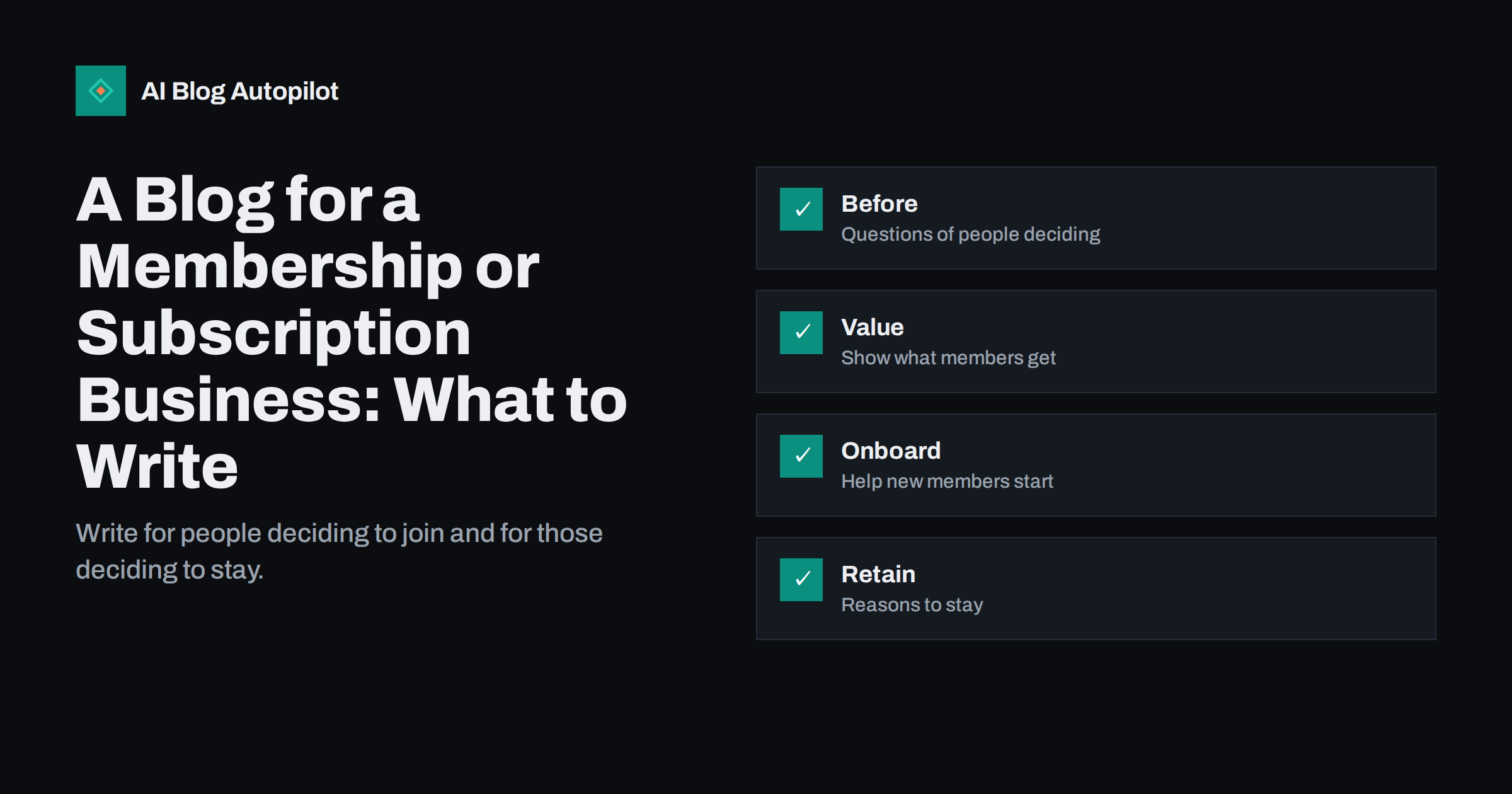
Short answer: a membership or subscription business should write for two groups: people who are still deciding whether to join and members who are deciding whether to stay. Cover the questions that come before joining, show what members actually get, help new members start well and give long-term members reasons to remain. Keep private member content behind the login and public posts focused on search and trust.
Clubs, associations, online courses, subscription boxes, software memberships and community groups share a challenge: the sale is not a single purchase. People join, compare, hesitate and sometimes leave. A blog can support each of those moments. This article suggests topics for each stage, shows how to keep public and private content apart and offers a simple plan you can start with this month.
There is often a third group worth a thought: former members. People who left may return if circumstances change, and a short post about what is new or a simple way to rejoin can bring some of them back. Keep the tone friendly and avoid guilt.
Know the two audiences
The first audience is the prospect. They may not know your name. They search for a problem, a comparison or a price question, and they want to know whether a membership is worth the cost. The second audience is the member. They already pay, and they want to use the service well and feel that they made a good choice.
These groups need different posts. A prospect needs clear explanations, honest comparisons and proof. A member needs guidance, updates and recognition. Mixing the two in one post usually serves neither. Label your plan with the audience for each article, and aim for a healthy balance rather than writing only about your own offer.
Public posts are what search engines can read, so they carry most of the acquisition work. Members-only content can still matter, but it is for retention and is not indexed. Decide early which posts belong where, and write the public ones as if a stranger will read them first.
Do not forget the practical questions that stop a sign-up at the last step: how to cancel, how billing works, what happens to content after leaving and who to contact with a problem. Answering these openly in a short post reduces anxiety, and the clearest wording often comes from the real questions in your support inbox.
Topics for people deciding to join
Start with the questions that people ask before they commit. What does a membership like this include? Who is it for, and who is it not for? How much time does it take each week? What do members usually achieve in the first month? How does it compare with buying a single product or doing it alone? These are the questions that appear in search, in your inbox and on sales calls.
Write them as honest answers. A post titled with a real question and a direct answer in the first lines will serve readers better than a general advertisement. Use the structure in how to write FAQ sections that rank and treat each answer as a small page of its own. Include a plain statement of who the membership is not for, as described in who it is not for statements, because it builds trust and saves wasted sign-ups.
Add comparison posts where they fit, such as joining monthly or yearly, or choosing between two levels. Do not state prices or conditions in a post that can go out of date unless you will keep it current. Link to the page that holds the live details instead.
Be careful with privacy. A member story should only include details that the person agreed to share, and a screenshot of a community conversation should hide names unless permission was given. Trust inside the community depends on respecting that line in public as well.
Show what members get
Many membership pages list features but do not show them in use. A blog can fill that gap with examples. Describe a typical week for a member, a result that someone reached, a resource that members use most or a question that the community answered. Use real examples with permission and avoid inventing numbers.
Case studies and member stories work well because they answer the unspoken question: “will this work for someone like me?” Our guide to how to write a case study shows a structure that stays credible. Keep the claims modest and specific. If a result needs context, such as time spent or starting level, include it.
Also show the people behind the membership. A short introduction of the team or the person who runs the community, as in meet the team posts, makes a subscription feel less like an anonymous charge and more like a relationship.
Consider a short series for the first month, with one post for each week. A series gives new members a gentle path, gives you a natural reason to send a weekly message and gives search engines a group of connected pages that share a topic.
Help new members start
The first weeks decide whether someone stays. Many cancellations come from people who joined, felt lost and never used what they paid for. Write public or semi-public posts that cover the first steps: how to set up, what to do on day one, what to ignore for now and where to ask for help.
These posts also serve prospects, because they show what joining looks like in practice. A “your first week” article answers a question that many people have but rarely ask. Send the link in your welcome message so that it gets used twice. The same idea appears in support articles that reduce tickets, where clear instructions save time for everyone.
Keep each guide short and focused on one task. A member who is stuck wants one answer, not a long essay. Break larger processes into steps, add screenshots where they help and update the guides whenever the service changes.
Listen to cancellation reasons and turn the common ones into posts. If many people say that they did not have time, write about doing the most valuable part in a short session. If they say that they did not know about a feature, write a clear guide to it and mention it in your messages.
Reasons to stay
Retention content shows continuing value. Publish updates on what is new, tips for using the service better and stories from long-term members. Round-ups of what the community did this quarter remind people of the value they receive and give them a sense of belonging.
Be honest about change. If you add something, say what and why. If you remove or change something, explain it clearly and early. Surprises damage trust, and members who feel respected tend to forgive small problems. Our article on product update posts offers a format for this.
Consider writing for the moment of doubt. A post such as “is it worth keeping your membership?” feels risky, but an honest one that helps people use what they already have can prevent an unnecessary cancellation, and it shows confidence in your offer.
Also think about how you describe the community. Prospects often worry about being the only beginner, about being sold to constantly or about not getting value. A public post that speaks plainly about those worries, and explains how your community handles them, can remove the doubts that stop people from joining.
Keep public and private content clear
Decide what is open and what is for members. Public content should be useful on its own and give a taste of the quality inside. Private content should offer more depth, tools or community, not simply the same text behind a login. If search engines cannot see your best material, they cannot send people to it, so make sure the public layer is strong.
When you gate content, think about how it is shown to visitors and to search engines. A clear preview and a plain explanation of what is behind the login serve readers well. Read gated content and AI search for the trade-offs, including how gated pages appear in AI answers.
Avoid dark patterns. Do not hide cancellation information or make joining sound free when it is not. Clear terms in a plain-language post are good for trust, and they reduce complaints.
Keep your promises modest. A membership blog works best when it is consistent: one or two helpful posts a week for a few months will do more than a burst of ten posts followed by silence. Choose a pace you can keep, and let each post do one job well.
A starter plan for the next month
Choose four posts. Write one that answers the most common pre-sale question, one that shows a member story, one that guides a new member through the first week and one that explains a recent update or a better way to use the service. That gives you one article for each stage of the relationship.
Link them together. The pre-sale post should point to the member story, and the story should point to the page where someone can join. The first-week guide should link to help resources. Use the ideas in mapping blog topics to funnel stages to keep the plan balanced.
After a month, look at which posts bring visitors, which ones lead to sign-ups and which ones members mention. Use that information to choose the next four topics.
How AI Blog Autopilot helps
AI Blog Autopilot writes full SEO articles for your WordPress blog from the topics, keywords, audience and tone you set, with FAQ sections, tags and SEO meta included, and it shares each one to your social networks. Describe your members and your prospects in the audience setting, list the questions they ask as topics, and use approval mode to read each article and add the real details only you know. See the pricing page for plans.
Related reading
- Top, Middle and Bottom of Funnel: Mapping Blog Topics
- How to Write a Case Study
- Support Articles That Reduce Tickets
The bottom line
Write for people deciding to join and members deciding to stay. Answer real questions, show real use, guide the first week and keep your public content strong enough to be found.
GYIK
Should a membership blog be public or private?
Both. Public posts attract new people through search, while private content adds depth for members and supports retention.
What is the best first post for a membership business?
An honest answer to the most common question before joining, such as what is included and who it suits.
Can blog posts reduce cancellations?
They can help by guiding new members through the first weeks and showing how to get more from what they already pay for.
Should I list prices in blog posts?
Only if you will keep them current. Otherwise link to the page that holds the live details.
How many posts do I need to start?
Four are enough for a first month: one pre-sale, one member story, one first-week guide and one update or tips post.