ENEnglish
 LTLietuviškai
 DEDeutsch
 FRFrançais
 RUРусский
 ESEspañol
 PLPolski
 ITItaliano
 UKУкраїнська
 CSČeština
 PTPortuguês
 JA日本語
JA日本語 LVLatviešu valoda
 ETEesti
 HUMagyar
 IDBahasa Indonesia
 TRTürkçe
 HIहिन्दी
 ELΕλληνικά
 ARالعربية
 THไทย
THไทย VITiếng Việt
 RORomână
 MSBahasa Melayu
 BNবাংলা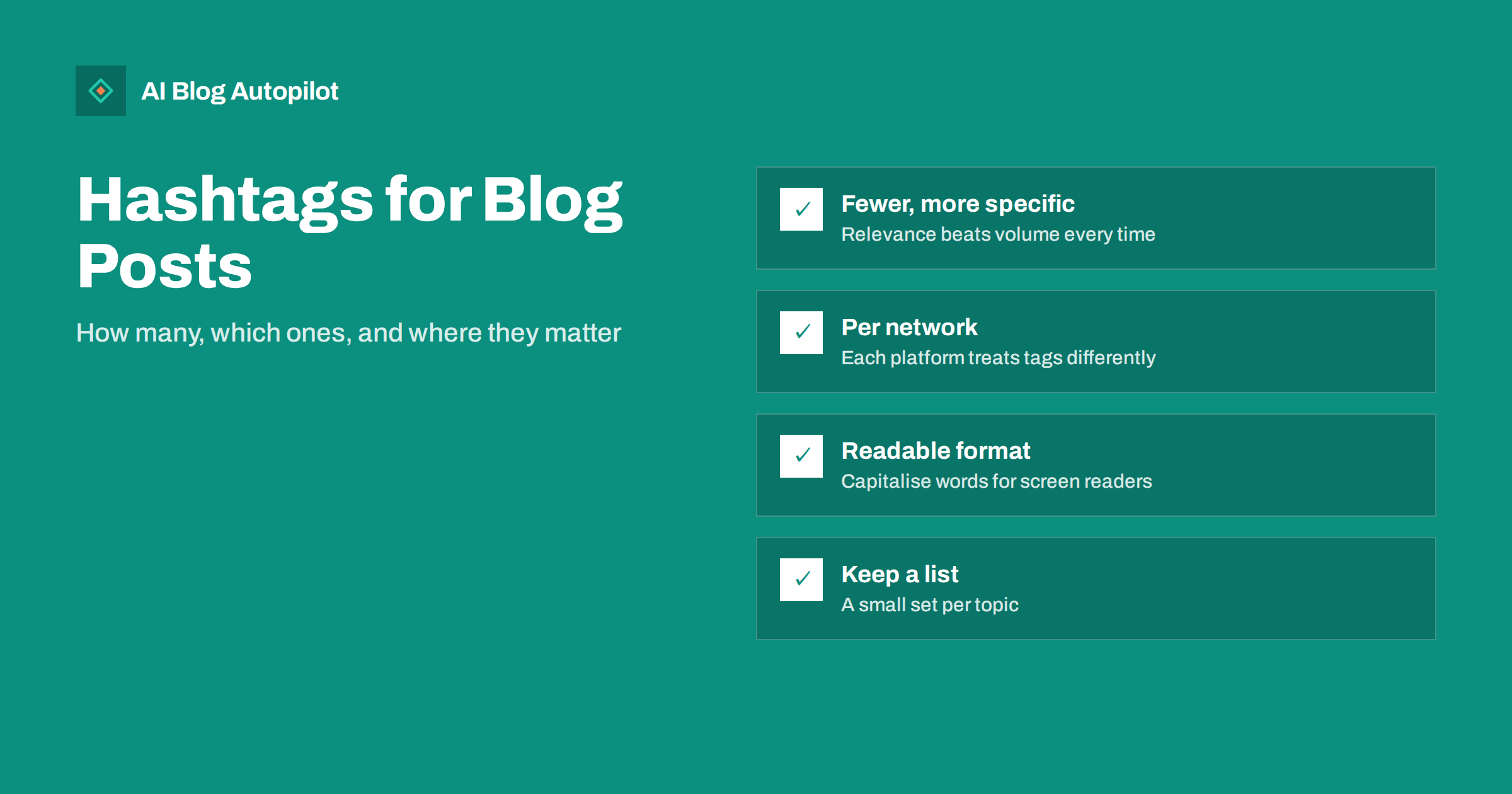
Short answer: when sharing a blog post on social media, use a few specific, relevant hashtags rather than many broad ones, and adjust for each network. Networks that rely on hashtags for discovery, such as Instagram and decentralised networks like Mastodon, reward a small set of well-chosen tags; on LinkedIn and X one to three is usually plenty; on others, keywords in the text matter more. Pick tags your audience actually follows or searches, capitalise each word for readability, and keep a short list per topic so you are not reinventing them for every post.
Hashtags are one of the most inconsistent parts of social media. Advice ranges from “use thirty” to “never use them”, and both have been right on some network at some point. For someone sharing blog articles across several networks, the confusion is understandable.
This guide explains what hashtags do today, how their role differs between networks, how many to use when sharing an article, and how to choose them without spending ten minutes on every post.
What hashtags actually do
A hashtag turns a word or phrase into a clickable, searchable label. Depending on the network, it can:
- Help discovery, by showing your post to people browsing or searching that tag.
- Help categorisation, by signalling to the network’s recommendation system what the post is about.
- Connect to a community or event, such as a conference tag or an industry conversation.
- Allow people to follow topics, on networks that support following hashtags.
What hashtags do not do is make a weak post interesting. They affect who might see a post, not whether those people care. The text, image and link still decide whether anyone clicks through to the article.
How hashtags differ between networks
Networks have changed how much weight they give hashtags, and they change their rules over time, so treat the following as general patterns and check each network’s current help pages for specifics.
- Instagram. Hashtags remain a recognised discovery feature, alongside keywords in captions. The network caps how many can be used per post, and its own guidance has tended to favour a small number of relevant tags over long lists.
- LinkedIn. Hashtags are supported and followable, but the feed relies mainly on the content and engagement. A few relevant professional tags are enough; long lists look out of place.
- X. Hashtags are useful for joining live conversations and events. One or two is typical; more reduce readability in a short post.
- Threads. Uses topic tags, with a limit per post, to associate a post with a topic.
- Facebook. Hashtags work but play a small role in reach for most pages. Many pages use none or one.
- Pinterest. Keywords in pin titles, descriptions and board names matter far more than hashtags.
- Mastodon and similar decentralised networks. Without a central recommendation algorithm, hashtags are one of the main ways posts are discovered beyond followers, and people commonly follow tags. Relevant hashtags matter here more than almost anywhere.
- Bluesky. Supports hashtags, and they feed into search and some custom feeds.
- Telegram and Discord. Hashtags work mainly as internal labels within a channel or server, not for discovery.
The practical conclusion: one hashtag strategy copied across every network is wrong somewhere. Each network deserves its own small adjustment. Turning an article into social posts covers the rest of that per-network adaptation.
How many hashtags to use when sharing an article
| Network | Typical number for a shared article | Main purpose |
|---|---|---|
| 3–5 specific tags | Discovery and categorisation | |
| 1–3 | Topic signal, followable topics | |
| X | 1–2 | Joining conversations |
| 0–2 | Minor categorisation | |
| Mastodon | 2–4 | Main discovery route |
| Bluesky | 1–3 | Search and topic feeds |
| 0–2, focus on keywords | Minor; keywords matter more |
These are practical starting points, not rules from the networks. The pattern across all of them is that a few relevant tags beat many generic ones. Long lists of tags make posts harder to read and, on several networks, look like spam.
Choosing the right hashtags
The best hashtag for a post is specific enough to reach interested people and active enough that someone is actually looking at it.
- Start from the article’s topic, not from a list of popular tags. What is the post genuinely about?
- Prefer specific over broad. A very broad tag such as #marketing is flooded with posts, and yours disappears within minutes. A specific tag such as #EmailMarketing or #ContentStrategy reaches a narrower, more interested audience.
- Check the tag is used. Search it on the network. If recent posts are relevant and from real accounts, it is a good candidate. If it is empty, or full of spam, skip it.
- Include one community or industry tag if your field has an established one, such as a profession, event or regional business community.
- Consider a branded tag only if you use it consistently and people actually use it; otherwise it adds nothing.
Never use trending hashtags unrelated to the article to borrow reach. It annoys people browsing that tag and can be treated as spam.
Formatting hashtags well
- Capitalise each word, such as #ContentMarketing instead of #contentmarketing. It is easier to read and screen readers pronounce it correctly, which matters for accessibility.
- Keep them short. Long compound tags are hard to read and rarely searched.
- Place them sensibly. On most networks, a few tags at the end of the text read better than tags scattered mid-sentence. Using one naturally within a sentence can work on X and LinkedIn.
- No spaces or punctuation inside a tag; they break it.
- Avoid overlapping duplicates, such as #SEO, #SEOTips and #SEOStrategy together on one short post.
Building a reusable hashtag list
Choosing hashtags from scratch for every post is slow and inconsistent. A small library solves that.
- List your blog’s main categories.
- For each category, research three to six relevant, active hashtags, noting which networks they suit.
- Add a couple of general tags for your field and any community tags you belong to.
- When sharing an article, pick from the list for its category and add one specific tag for the article if one exists.
- Review the list every few months; tags go in and out of use.
The list becomes part of your brand voice guidelines for social media. Brand voice guidelines explains how to document such conventions so they are applied consistently, whether posts are written by a person or a tool.
Hashtags when sharing automatically
If articles are shared to social networks automatically, hashtags need a little thought up front, because nobody is choosing them post by post.
- Map categories to hashtag sets. An article in your email marketing category gets tags from the email marketing list, an article about pricing gets tags from the pricing list. This keeps tags relevant without manual work.
- Adjust per network. The same article might carry three tags on Instagram, one on X and none on Facebook. A good automation setup treats each network separately rather than appending one block everywhere.
- Avoid tags that date quickly. Event tags and trending phrases are fine for a post you write by hand on the day, but automated posts that go out later can end up tagged with a conversation that has already moved on.
- Review a sample regularly. Look at a handful of automated posts each month on each network. Check that the tags still make sense for the article and that none has become associated with spam or unrelated content.
- Keep the article’s own words first. On most networks, a clear sentence about what the article offers does more for clicks than any tag. Tags should support that sentence, not replace it.
Handled this way, automated sharing can be just as tidy as manual posting, and often more consistent, because the same sensible rules are applied every time instead of depending on how much time someone had that day.
Measuring whether hashtags help
Hashtags are hard to measure in isolation, because reach depends on many factors. A few practical approaches:
- Network analytics. Some networks show how many impressions came from hashtags or from search. Where available, compare posts with and without tags.
- Clicks to the article. Ultimately, the goal is readers. Tag shared links with UTM parameters, as explained in UTM tags for social shares, and compare networks and posts.
- Small experiments. For a month, use a different number or type of tags on one network and compare average reach and clicks. Keep other variables as stable as you can.
Expect modest differences. Hashtags are a fine-tuning tool, not a growth strategy on their own.
Common hashtag mistakes
- Too many tags, making posts look spammy and hard to read.
- Only broad tags, which bury the post among millions of others.
- Irrelevant trending tags used to borrow reach.
- The same list on every network, ignoring how each treats hashtags.
- Unreadable lowercase compounds that screen readers cannot pronounce.
- Banned or spam-filled tags, which can reduce a post’s visibility. Checking a tag before using it avoids this.
How AI Blog Autopilot handles social posts
AI Blog Autopilot shares every published article to your connected networks with its own text, length and timing per network, rather than one identical post everywhere. The content map shows where every article was posted and links to the live posts. See the AI Blog Autopilot home page for how social sharing works.
Related reading
- Turning an Article Into Social Posts That Get Read
- Auto-Post Every New Blog Article to Social Media
- Using LinkedIn to Distribute a Business Blog
- Pinterest for Bloggers: Pins That Keep Sending Readers
The bottom line
Hashtags help a shared blog post reach people interested in its topic, but their importance varies widely by network. Use a few specific, active, relevant tags instead of long generic lists, adapt the number and choice to each network, capitalise words for readability, and keep a reusable list per topic. Measure by clicks to the article, and treat hashtags as fine-tuning rather than the thing that makes a post work.
GYIK
How many hashtags should I use when sharing a blog post?
Usually a few. One to three suits LinkedIn, X and Bluesky, three to five specific tags suit Instagram, and a few relevant tags help on Mastodon. Long lists rarely help and often look like spam.
Do hashtags still work on social media?
They still help discovery and categorisation, but how much varies by network. They matter most where people browse or follow tags, such as Instagram and Mastodon, and much less on networks driven mainly by recommendations and keywords.
Should I use popular hashtags or niche ones?
Mostly niche, specific ones that your audience follows or searches. Very popular broad tags are flooded with posts, so yours is seen briefly by people who may not care about the topic.
Why should hashtags use capital letters?
Capitalising each word, as in #ContentMarketing, makes tags easier to read and lets screen readers pronounce them as separate words, which improves accessibility. It does not change how the tag is matched.
Should I use the same hashtags on every network?
No. Networks treat hashtags differently, so adjust the number and choice for each. A reusable list per topic makes that quick without copying one block everywhere.