ENEnglish
 LTLietuviškai
 DEDeutsch
 FRFrançais
 RUРусский
 ESEspañol
 PLPolski
 ITItaliano
 UKУкраїнська
 CSČeština
 PTPortuguês
 JA日本語
JA日本語 LVLatviešu valoda
 ETEesti
 HUMagyar
 IDBahasa Indonesia
 TRTürkçe
 HIहिन्दी
 ELΕλληνικά
 ARالعربية
 THไทย
THไทย VITiếng Việt
 RORomână
 MSBahasa Melayu
 BNবাংলা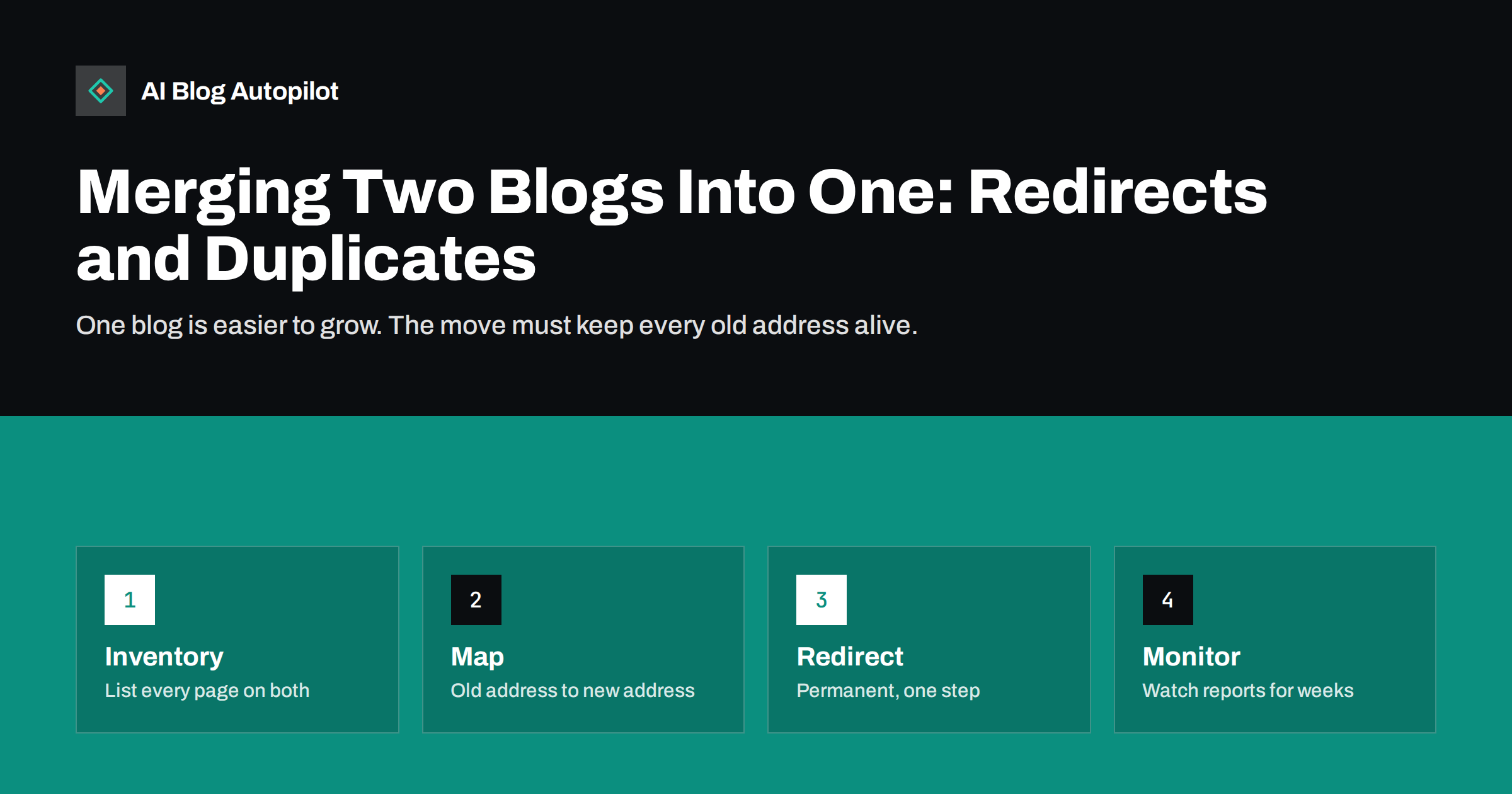
Short answer: to merge two blogs, list the content of both, decide what to keep, merge or retire, map every old address to its best new address, use permanent one-step redirects, update internal links and sitemaps and watch your reports for several weeks. Done carefully, the merged blog can be stronger than the two separate ones. Done in a hurry, it can lose traffic that took years to earn.
Businesses end up with two blogs for ordinary reasons: a company joined another, a side project grew, a brand was split into two sites or a separate blog was started for a topic that now belongs to the main one. Keeping both costs time, divides links and confuses readers. This article gives a clear order of work, from the first list to the final checks, so that the merge does not turn into a loss.
Set a date and an owner. A merge touches content, design, hosting and marketing, and tasks fall between people without one person who watches the whole plan. Agree on a simple schedule with a freeze on new posts on the old site shortly before the switch, so that nothing is published into a place that is about to change.
Decide why you are merging
Start with the reason. Sometimes the goal is to focus authority in one place, because links and mentions are spread across two sites. Sometimes it is to simplify work, with one team, one design and one set of tools. Sometimes it is a change in brand. The reason shapes the plan, because it tells you which blog is the main one and which content is worth moving.
Do not merge only because two blogs look messy. If each blog serves a different audience with a distinct purpose, separate sites may still make sense. A merge puts all content in front of one audience, and the topics must fit together. Ask whether a reader of one blog would find the other blog’s posts relevant. If the answer is mostly no, think again.
Also check legal and practical points: who owns each domain, who controls the hosting and whether any contract or partner depends on the current addresses. These details are easy to forget and slow to fix after the switch.
Take inventory of both blogs
List every page on both sites: address, title, publish date, traffic, links and status. A spreadsheet is enough, and our guide to a content inventory spreadsheet shows useful columns. Use your sitemap, your analytics and Search Console to make the list, and add pages that have links from other sites, even if they get no visits.
Look for overlaps. Two blogs often have posts on the same subject, written at different times for different readers. Those pairs are candidates for merging into one stronger article. Keeping both would create the problem described in keyword cannibalisation, where pages compete for the same searches.
Mark each page with a decision: keep as it is, improve and keep, merge with another page or retire. The advice in content pruning helps you decide which option fits each page. Be careful with retiring, since a page with good links or steady traffic is worth keeping or redirecting to something close in meaning.
Keep a copy of the old sites until the work is complete. A full backup of both, stored safely, lets you recover from a mistake and compare old and new pages. The steps in backups for a blog explain how to do this properly.
Choose the destination structure
Decide where the merged content will live. In the simplest case, one blog stays on its current address and the other is moved into it. The moved content may sit in a new category or a subfolder, such as a section that carries the name of the former blog. Keep the structure simple and logical for readers, with categories that make sense for the whole site.
If the two blogs live on different domains, you are also dealing with a domain move, which has extra steps. Read changing a domain name and blog migration without losing traffic before you start. If one blog sits on a subdomain and the other in a subfolder, see subdomain versus subfolder for the trade-offs.
Think about design as well. Posts that were written for one theme may carry formatting, shortcodes or images that do not fit the destination. Test a handful of moved posts before moving hundreds, and fix any pattern that breaks.
Map every old address to a new one
This is the heart of the work. For each old address, choose the best new address: the same post at its new location, a merged article that now covers the topic or, as a last resort, a close category page. Write the pairs in a table with the old address in one column and the new address in another.
Aim for a one-to-one match wherever possible. A redirect should lead to a page that serves the same need. Sending many old posts to the home page is treated like a missing page by search engines in many cases, and readers are confused. Our article on 301 versus 302 redirects explains why permanent redirects are the right type for a merge.
Include more than posts. Categories, tags, author pages, images, feeds and downloadable files may all have addresses with links or traffic. List them too, and decide for each whether it moves, redirects or ends.
Handle duplicate and overlapping content
If two articles cover the same topic, do not publish both under the merged blog. Choose the stronger one as the base, add the best parts of the other and redirect the weaker address to the merged page. This gives readers one complete answer and puts the links in one place.
Where you must keep two similar pages for a good reason, make the difference clear in the title and the content, and use canonical tags with care. The rules are in canonical tags explained and how to handle duplicate content. A canonical tag is a hint, not a redirect, so use it only when both versions have to remain available.
Review dates and facts in the merged articles. Content from two sources may disagree on prices, names or procedures. Fix these differences now, since readers and search engines will see them side by side.
Set up redirects correctly
Implement the redirects at the server level or with a reliable plugin, and test them before the switch if you can. Each old address should reach its new address in one step. Chains, such as old to middle to new, waste time and can lose signals, and loops break pages completely. See redirect chains and loops for how to spot them.
After launch, test a sample of old addresses by hand and then test all of them with a crawling tool or a script. Check the response type, the final address and the content of the final page. Watch for address variations such as the version with a trailing slash, the version with and without www and the secure and non-secure forms.
Keep the redirects for a long time, ideally permanently. Other sites, bookmarks and old emails will keep using the old addresses for years, and removing the redirects will turn those visits into errors.
Update links, sitemaps and tools
Update internal links to point straight to the new addresses. Redirects work, but links that go through them add a step and make your own site harder to maintain. Search your content for old addresses and replace them. Update the menu, the footer and any call-to-action buttons as well.
Submit the new sitemap and remove the old one if the old site is gone. If the domain changed, use the proper tools in Search Console for that move, and set up the right property for the new site as described in Search Console property types. Update links in your social profiles, email signatures and directory listings, since those are the ones that people actually click.
Do not forget analytics and tracking. Make sure the merged site reports to one account, so that you can compare before and after, and note the date of the switch in your records.
Tell your readers. A short post or a banner that explains the change, and where to find favourite content, reduces confusion. If the blogs had separate newsletters or social accounts, decide how to combine them and say so before the change, so followers do not feel that their favourite source has vanished.
Monitor and recover
Expect some movement in the first weeks. Search engines need time to process the redirects, and rankings may shift while they do. Check Search Console for crawl errors, pages that are not found and sudden drops for important pages. Compare traffic with the period before the merge, using the same days of the week.
If an important page lost traffic, check the redirect first, then the content and then the internal links. A common cause is a redirect that points to a page that no longer matches the topic. Fix the mapping, not the symptom.
Keep a log of what you changed and when. After two or three months, review the results and tidy any leftovers, such as outdated categories or thin pages that came across in the move.
How AI Blog Autopilot helps
AI Blog Autopilot writes full SEO articles for your WordPress blog from the topics, keywords, audience and tone you set, with FAQ sections, tags and SEO meta included, and it shares each one to your social networks. After a merge, a single blog with a clear topic list is easier to keep fresh, and approval mode lets you read each new article before it appears. See the pricing page for plans.
Related reading
- Content Pruning: When to Delete, Merge or Redirect a Blog Post
- Blog Migration Without Losing Traffic
- 301 vs 302 Redirects
The bottom line
Merge two blogs by taking inventory, mapping each old address to its closest new one, using permanent one-step redirects and fixing duplicates. Then update links and watch your reports for weeks.
FAQ
Will merging two blogs hurt my SEO?
It does not have to. With careful mapping, permanent redirects and updated links, many sites keep their traffic and gain from combined authority.
Should I redirect everything to the home page?
No. Redirect each old address to the closest matching page. Mass redirects to the home page are treated like missing pages.
What if both blogs have an article on the same topic?
Merge them into one stronger article, then redirect the weaker address to it.
How long should I keep redirects?
As long as you can, ideally permanently. Old links and bookmarks keep sending visitors to the old addresses.
How long until I see the result?
Allow several weeks for search engines to process the changes, and compare traffic with the same period before the merge.