ENEnglish
 LTLietuviškai
 DEDeutsch
 FRFrançais
 RUРусский
 ESEspañol
 PLPolski
 ITItaliano
 UKУкраїнська
 CSČeština
 PTPortuguês
 JA日本語
 LVLatviešu valoda
 ETEesti
 HUMagyar
 IDBahasa Indonesia
 TRTürkçe
 HIहिन्दी
 ELΕλληνικά
 ARالعربية
 THไทย
 VITiếng Việt
 RORomână
 MSBahasa Melayu
 BNবাংলা
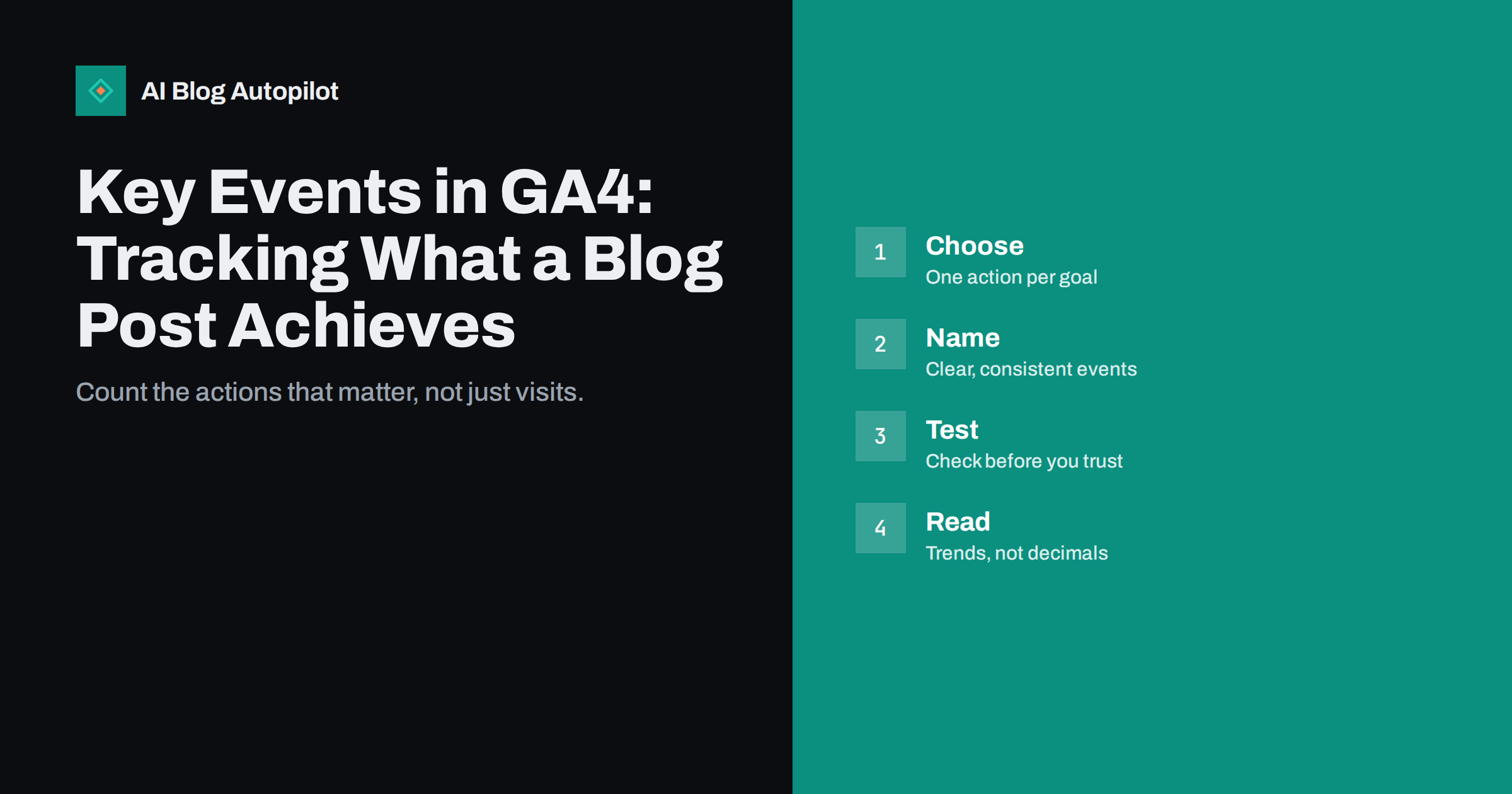
Short answer: a key event in GA4 is an action you mark as important, such as a newsletter sign-up, a contact form submission, a click on a booking button or a download. For a blog, choose a small number that reflect real goals, give them clear names, test that each one fires once per action, and read the results as trends. Respect consent rules, never record personal data in event names or values and treat the numbers as a guide, not as exact truth.
Many blog owners watch visits and little else. Visits show that people arrived, not whether they did anything useful. A post that brings thousands of readers who never click may matter less than one that brings fifty readers and ten enquiries. Key events help you see the difference.
This guide explains what key events are, how to choose them for a blog, how to set them up in plain steps, how to test them and how to read the results with care. It does not need coding skill for the simplest cases, though some events need a developer or a tag manager.
It also helps to know what a key event is not. It is not a measure of quality, a guarantee that a reader is a customer or a replacement for talking to the people who contact you. It is a signal that a chosen action happened, recorded by a tool that cannot see everything, so use it together with common sense and with the feedback you get from real conversations.
What a key event is
GA4 records many kinds of events, such as page views, scrolls, outbound clicks, file downloads and searches on your site. Some are collected automatically, others you create. A key event is simply an event you flag as especially important to your goals. Google Analytics used to call these conversions, and you may still see that word in older guides.
Marking an event as a key event does not change how it is recorded. It changes how reports and tools treat it: key events appear in dedicated columns, can be used to compare pages and sources and can be passed to other tools you connect. Because the setting is easy to change, you can adjust it as your goals change.
Think of key events as the answer to a question: what do I want a reader to do after reading? For a shop it may be adding to a basket, for a service business a call or a form, for a publisher a subscription. Only the answer that fits your site is useful, and the article on traffic or leads can help you decide which one matters.
Keep the number small. Three to five key events are enough for most blogs. If everything is a key event, nothing stands out.
If your blog sells directly, add the steps of the purchase as separate events, such as adding to a basket, starting checkout and completing an order. Mark the ones that matter most as key events, and compare which posts lead readers into the shop. If it does not sell directly, think of the smallest honest step that shows a reader is moving closer, and count that.
Choosing events for a blog
Start with the goals of the blog. A business blog usually has one primary goal, such as enquiries, bookings, sign-ups or sales, and one or two supporting ones, such as newsletter subscriptions or downloads of a guide. List them and write down the exact page or button where each happens.
Prefer actions that cost the reader some effort. A click on a contact link, a submitted form or a booked call says more than a scroll or a long visit. Time on page and scroll depth can help you understand reading behaviour, as the article on scroll depth and engaged time explains, but they rarely make good key events.
Think about micro-steps. A reader who clicks on a pricing link from a blog post has shown real interest, even if they do not buy that day. Such a click can be a supporting key event and shows which posts lead readers towards your offer. The guide on calls to action that fit the article helps you place those links.
Avoid events that count the same thing twice, such as both a click on a button and the thank-you page that follows. Choose the one that is most reliable and count that.
Start with one event and finish it properly before adding another. Set it up, test it, mark it, write the note and check it again a week later. Teams that try to build ten events at once often end up with several that do not work and no time to repair them. A single reliable event is worth more than a dozen doubtful ones, and you will learn the process as you go.
Setting them up
For a form that leads to a thank-you page, the simplest way is an event that fires when that page loads. Many plugins and tools already send an event for form submissions, and the analytics interface lets you create a new event from an existing one when certain conditions are met, such as a page address that contains the thank-you path.
For clicks on links or buttons, you may need a tag manager or a plugin that sends an event when a visitor clicks an element. Give each click an identifiable label, such as the place on the page, without personal information. Ask a developer if you are unsure, and never paste code from an unknown source.
Once the event appears in the reports, mark it as a key event in the events list of the admin area. It can take a day for new events to show in the reports. Document what each one means, with the date you created it, in a simple note, so that others understand the numbers later. The article on annotating your analytics shows a good habit for changes.
Think about privacy from the start. Event names, parameters and values must not contain names, email addresses, phone numbers or other personal data. Respect the consent choices of visitors and the rules where you operate.
Naming and organising events
Choose names that are clear and consistent. Use lowercase words with underscores, describe the action rather than the tool and keep to one pattern, for example newsletter_signup, contact_form_submit, booking_click or guide_download. Avoid names that could mean several things or that change from page to page.
Use parameters sparingly. A parameter can say which form or which button was used, which is helpful when a page has several. Keep the list short and consistent, and register only the ones you will use in reports. Too many parameters make reports hard to read and may hit limits in the tool.
Keep a simple tracking plan: a table with the event name, what triggers it, which page, why it matters and who owns it. Review it every quarter and retire events you no longer need. A small, well-kept plan is more valuable than a long list of events that nobody understands.
Share the plan with the team and with anyone who builds or edits pages. A form changed without notice can silently break an event, and the numbers will fall for no real reason.
Testing before you trust the numbers
Test each event yourself. Use the real-time view or the debug tools of the analytics interface, perform the action and check that the event appears exactly once, with the right name and parameters. Test on a phone as well as on a computer, and in a private browser window, so that cached settings do not mislead you.
Check that your own visits are not counted. Filter internal traffic where you can, and remember that visitors who decline consent may not be recorded at all, so your numbers will be lower than the real activity. Bots can also create strange events, and the article on bot traffic in analytics explains how to spot them.
Compare the event count with another source when possible. If the form sends you an email for each enquiry, the number of emails and the number of events should be close. A large gap means a problem, such as a broken trigger or blocked scripts.
Test again after theme changes, plugin updates and redesigns. Many tracking problems start with an update nobody linked to analytics.
Share a short monthly summary with the people who decide on content. Show the key events, the five posts that led to the most of them, the five that had many visits but none, and one change you will make as a result. A simple page that leads to a decision is more useful than a long report, and it keeps tracking connected to the real work of writing and editing.
Reading the results with care
Look at key events by page, by source and by device in the reports. Which posts lead to enquiries? Which sources bring readers who act? Which devices lose people? Because blog posts may be only the first step in a longer journey, look also at paths and, where available, assisted effects, since a reader may act on a later visit.
Do not read too much into small numbers. A post with two events and another with three are not meaningfully different. Look at trends over weeks and months, compare similar posts and ask whether a change in the numbers has an explanation in your work, such as a new button or a new campaign.
Remember what the data cannot see: phone calls that start from a number typed by hand, visits from people who decline tracking, decisions made after several visits on different devices and recommendations by word of mouth. Add a simple question to your forms or calls, such as how did you hear about us, to cover some of the gap.
Use the numbers to decide, not to prove. If a topic brings readers who act, write more on it. If a popular post brings nobody to act, improve its next step instead of celebrating the traffic.
Common mistakes
The most common mistake is marking too many events as key. Another is changing the setting often, which makes old and new numbers hard to compare. A third is trusting a number that was never tested. A fourth is ignoring privacy and consent, which can create legal and trust problems.
Some people send personal data in event parameters by accident, for example by adding the text of a form field. Review parameters and settings, and ask your developer or plugin provider what is sent. The article on privacy and analytics on a business blog explains what to check.
Finally, avoid chasing numbers for their own sake. A key event is a tool to learn which parts of the blog help readers and the business. If a number does not lead to a decision, stop tracking it.
How AI Blog Autopilot helps
AI Blog Autopilot can write and publish articles on your chosen topics, with FAQ sections, tags and SEO meta, and share them to your social networks. Add clear next steps to the pages it publishes, set up and test your own key events, and review the results before you plan the next topics. See the pricing page for plans and monthly credits.
Related reading
- GA4 for Bloggers: The Few Reports Worth Checking Weekly
- How to Measure Whether a Blog Is Working
- Getting More Enquiries From the Readers You Already Have
The bottom line
Mark a few real actions as key events, name them clearly, test them, protect privacy and read the numbers as trends.
FAQ
What is a key event in GA4?
An event you mark as important to your goals, such as a form submission, a booking click or a newsletter sign-up.
How many key events should a blog have?
Usually three to five, tied to real goals. Too many make it hard to see what matters.
Are key events the same as conversions?
They are the same idea. Google Analytics used the word conversions before it renamed the setting.
Do I need a developer?
Not always. Many form tools and plugins send events, but custom clicks may need a tag manager or help.
Can I put personal data in event names or values?
No. Never include names, emails, phone numbers or other personal data, and respect consent choices.