ENEnglish
 LTLietuviškai
 DEDeutsch
 FRFrançais
 RUРусский
 ESEspañol
 PLPolski
 ITItaliano
 UKУкраїнська
 CSČeština
 PTPortuguês
 JA日本語
JA日本語 LVLatviešu valoda
 ETEesti
 HUMagyar
 IDBahasa Indonesia
 TRTürkçe
 HIहिन्दी
 ELΕλληνικά
 ARالعربية
 THไทย
THไทย VITiếng Việt
 RORomână
 MSBahasa Melayu
 BNবাংলা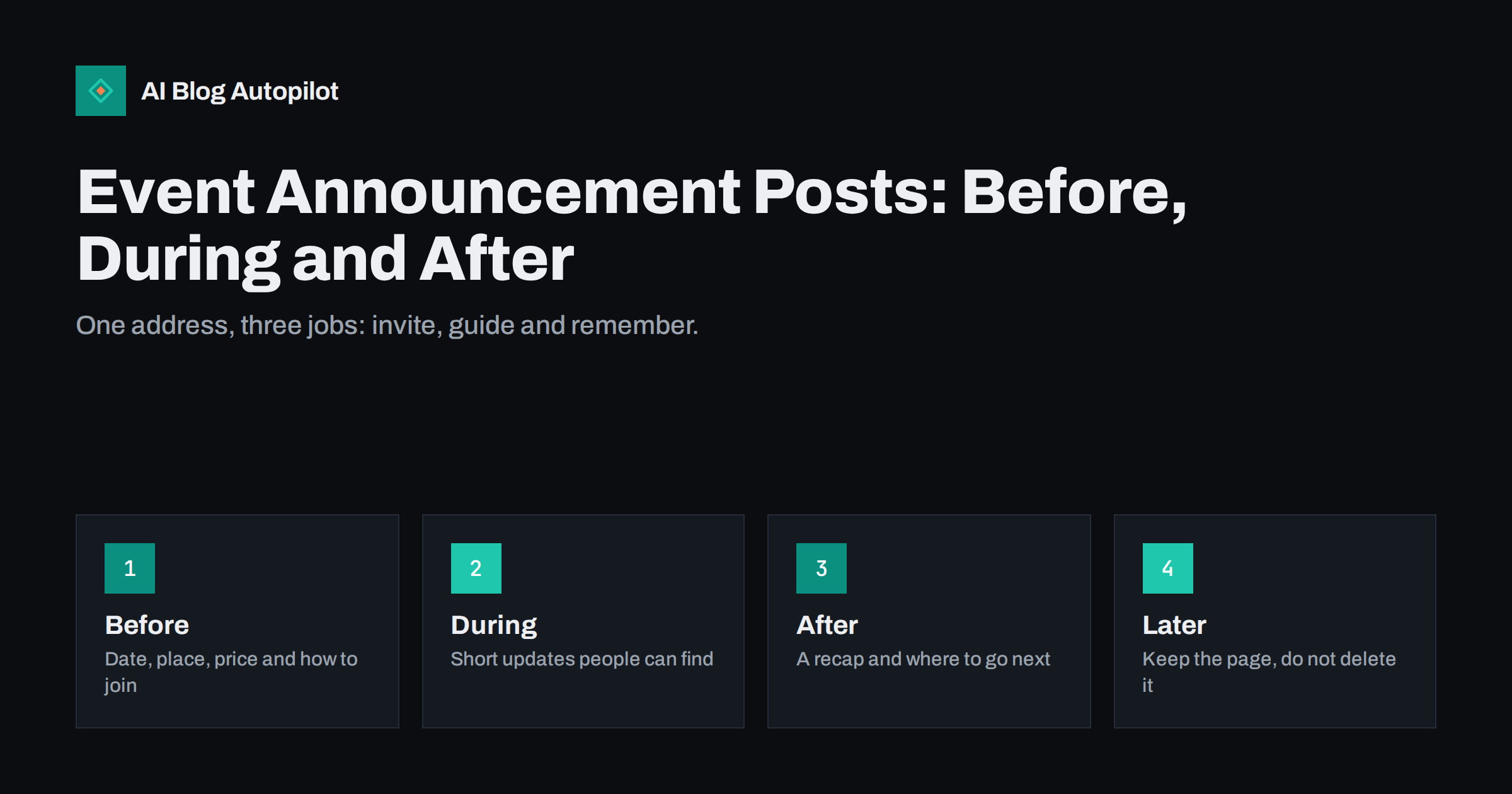
Short answer: an event announcement should live on one permanent page that changes with the event. Before the day it gives the date, time, place, price and a clear way to sign up. During the day it carries short updates, and afterwards it becomes a recap with photographs, slides or notes and a link to the next event. Keep the address the same throughout, so that every link and search result keeps working.
Many businesses and organisations announce an event in a social post, a newsletter and a poster, and then leave the website with nothing, or with a page that keeps saying “coming soon” long after the day. A single well-built event page solves this. It gives people one address to share, it can be found in search, and it keeps its value after the event has passed.
Put the essential details first
A visitor to an event page wants to answer five questions within seconds: what is it, when is it, where is it, what does it cost and how do I take part. Put the answers in the first paragraph, in plain words, with the date in an unambiguous format and the time zone if people may join from elsewhere. Add the full address, a map link, and notes about parking, public transport and accessibility.
State the price or say that the event is free, and explain what the ticket includes. Say clearly how many places are available if the number is limited, how to register and when registration closes. If there is a waiting list, explain how it works. Check every detail twice before you publish, because errors on an event page cost real people real time. Do not promise speakers, guests or features that are not yet confirmed.
Write a short description that answers “why go”
After the details, explain why a person should come. Describe the programme in a few lines, name the speakers or hosts with a one-sentence introduction, and say who the event is for and who it is not for. A short list of what attendees will take away, such as a checklist, a skill or a set of contacts, helps people decide. Avoid exaggeration and empty words such as “unmissable”; specific facts are more persuasive.
Add an agenda if the event has more than one session. A simple table or list with times and titles is easy to read on a phone. Our article on when to use tables and lists explains how to choose the right format. If you expect questions, add a short FAQ with answers about refunds, children, recording and what to bring.
Consider the people who cannot attend in person. A short note about whether there will be a recording, slides or a written summary lets them decide whether to register anyway to receive the material. Do not promise a recording unless you are sure you can make one and have the consent of the speakers. If you do, say when it will be available and where.
Make the page easy to find and share
Give the page a clear, short address and a title that includes the name of the event, the place or format and the year. Write a meta description that repeats the date and place in natural language, and add a good preview image so that shares look right on social networks. Check how the link looks when posted, and fix the preview if needed, as described in our guide to Open Graph tags.
Use tagged links when you share the page in different places, so that you can see which channel brings registrations, following the approach in our guide to UTM tags for social shares. Add the event to your business profile and your newsletter, and ask partners and speakers to link to the same address rather than create their own. If you need a date reminder, offer a simple way to add the event to a calendar.
Send reminders that point to the same page
People forget, so plan a short sequence of reminders: one when registration opens, one a week before, one the day before and one on the morning. Each should be brief and should link to the event page, where the latest details are always kept. If something changes, such as a different room or a late start, update the page first and then tell people. A single source of truth prevents the confusion caused by conflicting messages.
Use different angles in each reminder. The first can explain the programme, the second can introduce a speaker, the third can give practical details and the last can say how to find the entrance. Our guide to email subject lines offers ideas for wording that gets opened without tricks. Do not send more messages than people expect, and always give a way to opt out.
Handle the day itself
During the event, the page should help people who are there and those who cannot be. Add a short notice at the top with the key information, such as the room, the stream link or the schedule change. If you publish live updates, keep them brief and time-stamped, and avoid posting private information or images of people who have not agreed. For online events, give clear instructions for joining, what to do if the link fails and where to find help.
Prepare for problems in advance. Decide who updates the page, who answers messages and how you will announce a delay or a cancellation. If the event is cancelled or moved, say so at the top of the page in plain words and explain what happens to tickets. Leaving an old announcement online without a warning is the surest way to lose trust.
Turn the page into a recap
When the event ends, do not delete the page. Change the opening to say that the event took place, add the date and a short summary, and publish what was promised: photographs, slides, a recording, links to resources and thanks to speakers and sponsors. Ask permission before you publish names or photographs of attendees, and respect any request to remove them. A recap helps people who missed the event and shows future attendees what to expect.
Link to the next event, to a sign-up form for future announcements and to related articles. Our guide to webinar recap posts explains how to write a summary that is useful on its own and not just a list of names. If there is a recording, add a transcript or a summary, as discussed in our article on video transcripts.
Plan registration and follow-up
A registration form is part of the announcement, so treat it with care. Ask only for what you need, such as a name, an email address and any access requirements, and explain how the data will be used and for how long. Confirm each registration with a short message that repeats the date, place and what to bring, and include a way to cancel. If a ticket has a price, show it clearly before the final step and explain refund conditions in plain words.
After the event, send a thank-you message to those who attended, with a link to the recap and a short request for feedback. Keep the questions few and specific, for instance what was most useful and what should change next time. Those answers will tell you what to write about on the blog and how to improve the next announcement. Remember to respect the choices people made about future messages, and delete or archive registration data when it is no longer needed.
Measure what happened. Compare the number of visits to the event page with the number of registrations and the number of attendees. If many people visit but few register, the page may lack a clear price, a visible button or a convincing reason to attend. If many register but few come, consider an extra reminder or a calendar link. One simple change at a time makes it clear what works.
Decide what to do with old events
Over time, you will have many past events. Keep them as an archive, with the date in the title, and make clear at the top that the event has passed. If an event is repeated every year, consider a permanent page for the series that lists each edition, and link the individual pages from it. Where a past event no longer has any value, redirect its address to the nearest relevant page rather than leaving an error, as explained in our article on expired content on blogs.
Review the archive once a year. Remove broken links, update contact details and check that tickets or forms no longer accept orders for events that are over. A tidy archive shows that your organisation is dependable and gives search engines a clear picture of what the site contains.
How AI Blog Autopilot helps
AI Blog Autopilot writes full SEO articles for your WordPress blog from the topics, keywords, audience and tone you set, with FAQ sections, tags and SEO meta included, and it shares each one to your social networks. Around an event, it can keep related guides and background articles appearing, so that the event page is supported by useful content. Approval mode lets you read each article first, which matters for dates, names and prices. See the pricing page for plans.
Related reading
- Webinar Recap Posts: Turn a Live Session Into Lasting Content
- UTM Tags for Social Shares: See Which Posts Bring Readers
- Open Graph Tags for Blogs: Control How Shares Look
- Expired Content on Blogs: What to Do With Old Pages
The bottom line
Treat an event page as one permanent address that changes with the event. Put the essential facts first, share and remind with the same link, update it honestly on the day, turn it into a recap and keep it in a tidy archive.
FAQ
Should I create a new page for each reminder?
No. Use one event page and point every reminder to it, so that the latest information is always in one place.
What should an event announcement include?
The date, time, place, price, how to register, who it is for and a short programme. Add accessibility and contact details.
What should I do if the event is cancelled?
Say so at the top of the page in plain words, explain what happens to tickets and keep the page online so that visitors are not confused.
Should I delete the page after the event?
No. Turn it into a recap with photographs, slides or notes, and link to the next event. Redirect only if the page has no value.
How many reminders are enough?
Usually three or four: at opening, a week before, the day before and on the morning. Always give a way to opt out.