ENEnglish
 LTLietuviškai
 DEDeutsch
 FRFrançais
 RUРусский
 ESEspañol
 PLPolski
 ITItaliano
 UKУкраїнська
 CSČeština
 PTPortuguês
 JA日本語
 LVLatviešu valoda
 ETEesti
 HUMagyar
 IDBahasa Indonesia
 TRTürkçe
 HIहिन्दी
 ELΕλληνικά
 ARالعربية
 THไทย
 VITiếng Việt
 RORomână
 MSBahasa Melayu
 BNবাংলা
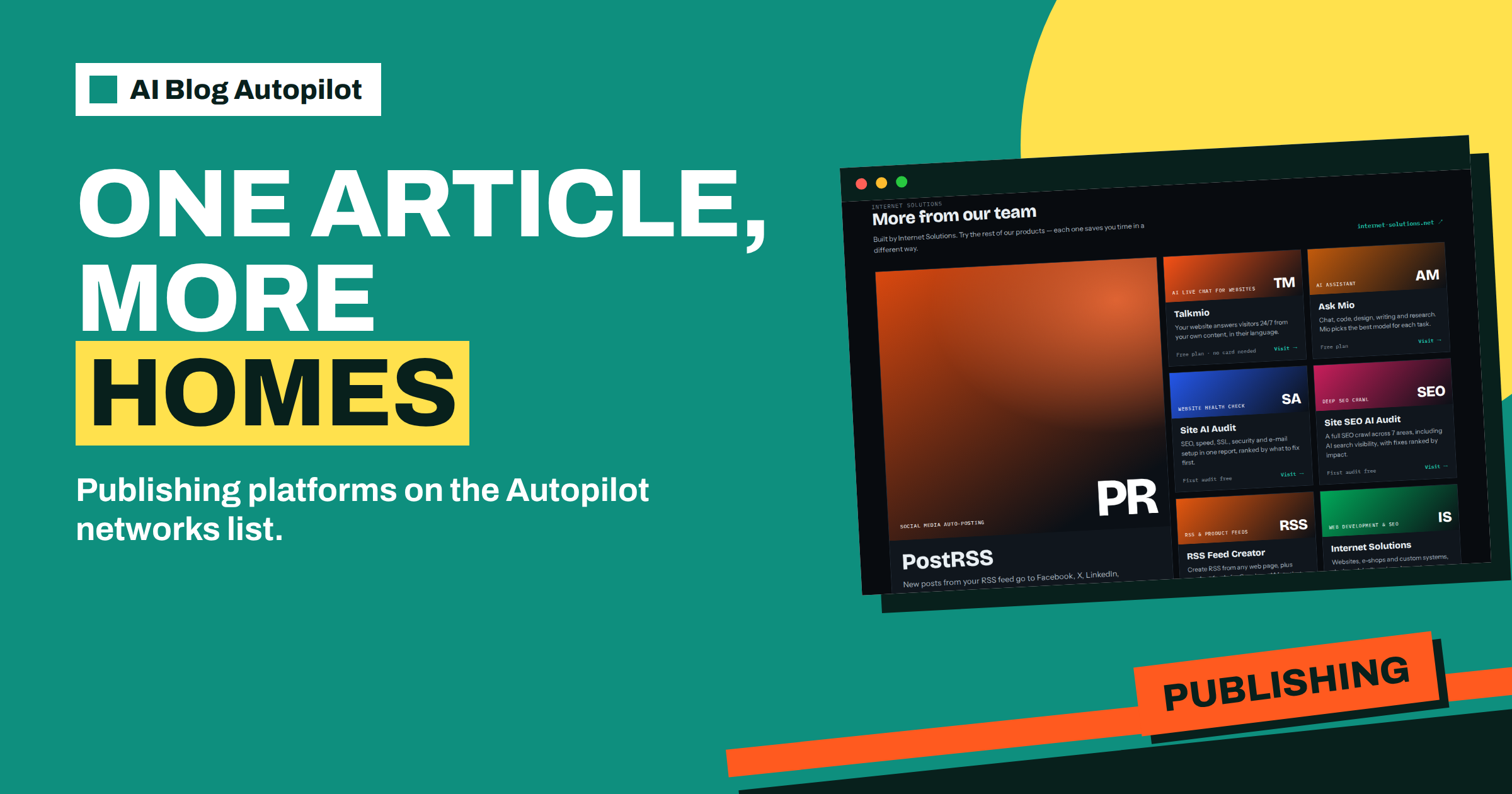
Short answer: The networks page of AI Blog Autopilot lists 14 blogs and publishing platforms, such as WordPress, Ghost, Webflow CMS, DEV, Discourse and Telegraph. They let one article reach a second home beyond your main blog. Use them for reach, not duplication: choose one main address, link back to it and check each platform’s rules before you connect.
When people hear about posting to many networks, they think of social media. But the networks page of AI Blog Autopilot lists more than social channels. One of its five groups is blogs and publishing: places where an article can live as a page of its own, not only as a short post with a link.
This guide explains what those platforms are, who might use them and how to avoid the main risk, which is duplicate content. The product facts come from the networks page. It lists the platforms but does not describe how each one behaves in detail, so treat the advice as a way to think, and check the options in your account.
What the networks page lists
The networks page groups its supported networks by type. Under blogs and publishing it lists 14: WordPress, Ghost, Webflow CMS, Wix Blog, DEV (Forem), Qiita, Hatena Blog, Livedoor Blog, FC2 Blog, Dreamwidth, WriteFreely and Write.as, Telegraph, Micro.blog and Micropub, and Discourse.
These platforms differ. Ghost is a publishing system for newsletters and blogs. Webflow CMS and Wix Blog belong to website builders. DEV is a community for developers. Qiita is a Japanese developer community, and Hatena Blog, Livedoor Blog and FC2 Blog are popular blogging services in Japan. Dreamwidth and WriteFreely are smaller, independent writing platforms. Telegraph is a simple publishing page connected to Telegram. Discourse is forum software.
The page says that every new article on your blog becomes a native post on each network you connect, with its own text, length and timing. It also says the list keeps growing, and that new networks appear automatically when they become available in your account.
Why a second home can help
A second home for an article reaches readers who do not visit your site. A developer community such as DEV has its own audience, which reads posts on the platform. A Japanese blogging service reaches people in that market in their own surroundings. A forum such as Discourse puts a topic where a community already talks.
It can also serve customers who prefer a certain tool. Some businesses run a ghost-based newsletter, or a site built with a website builder, and want articles to appear there too. If your main site is not WordPress, a platform on the list may be a route to publish.
A second home also acts as a backup and a signal. An article in more than one place can be found through more than one door, and links from a reputable community can bring visitors back to the original. These benefits are modest, and they depend on choosing platforms that match your audience.
The main risk: duplicate content
The danger is that identical text on several addresses confuses search engines about which one to show. If your own blog and a platform both carry the full article, the platform may rank above you, even though you wrote it first.
There are a few safe habits. Choose one main address, normally your own blog. Make sure the original is published and indexed before copies appear, which Autopilot does by publishing the blog first, then each network with its own delay, as the networks page describes. Add a link back to the original on each copy, and use the platform’s canonical option if it has one.
The page says each network gets its own text, not a copy of the article, which helps. Where a platform supports longer posts, consider whether a shorter version, with a link to the full article, serves readers better. The article on content syndication without SEO harm explains the rules in detail.
Choosing which platforms to use
Do not connect everything. Start by asking where your readers already spend time. A software company may choose DEV, a hobby community may use Discourse, and a business targeting Japan may use Qiita or Hatena Blog. If your customers never visit a platform, a post there is wasted effort.
Check the platform’s rules. Some communities limit promotion, ask for a disclosure of your connection or have standards for tone and format. Read them, and make sure automatic posting is allowed. Breaking a community’s rules can harm your reputation more than the post can help it.
Think about language. A platform in Japanese needs articles in Japanese, and the home page says Autopilot writes natively in 25 languages. The pricing page lists one language on Starter, three on Growth and all 25 on Pro and Agency. Match the plan to the platforms you want. The article on WordPress versus other platforms helps you compare the options.
How to set up a second home safely
Begin with a single platform and a single article. Connect it in your account, once, as the networks page says. Request or wait for an article, and watch how it appears on the platform: the title, formatting, links, images and how the link back to your blog looks.
Check the timing. Your blog should appear first. The second platform should follow later, with a delay. The home page describes each network getting its own timing, so check that the order is what you want, and that no copy appears before the original.
Look at the result in search after a few weeks. Search for the title of the article and see which address appears first. If the copy outranks your blog, adjust: shorten the copy, strengthen the link back or remove the platform. The content map shows each article and each post, with every cell linking to the live post, so you can find them quickly.
Keeping control and avoiding spam signals
Posting the same kind of content to many platforms can look like spam if it is not handled with care. Keep the number of platforms small, make sure each post suits the platform and avoid posting at a pace that looks mechanical. A steady, modest rhythm builds trust.
Keep approval on at first if you are unsure. The home page says approval can be switched on at any time. Read the platform posts as well as the articles, because a platform audience notices a post that feels out of place.
Finally, watch your brand. Make sure the author name, profile and description on each platform match your business. A consistent identity makes a second home feel like part of the same brand, not a scattered copy. The article on consistent social profiles gives a short checklist.
Consider a short story. A small software firm runs its blog on WordPress and wants to reach developers who do not visit company blogs. It connects DEV as a second home. Each article appears on the blog first, then on DEV a little later with a link back to the original. After two months, the firm notices that the blog still ranks first for its articles, while DEV brings a steady stream of readers who click through. The firm also tries a second platform, finds that its audience is not there and disconnects it.
The lesson is that a second home is a test. Keep the ones that bring readers, and drop the ones that do not.
Blogs for regional audiences
Several platforms on the list serve specific regions. Qiita, Hatena Blog, Livedoor Blog and FC2 Blog are popular in Japan, and a business that serves Japanese customers may find readers there who would never see its own site. In that case, the language matters most: an article must be written natively, not translated from English, and the home page says this is how Autopilot writes its 25 languages.
Before choosing a regional platform, check three things. Is your audience on it, in numbers that matter? Are the rules for businesses and promotion clear? And do you have someone who reads the language, to review the first posts? Without a reader, you cannot judge whether the text suits the audience, and a poor post can do more harm than none.
Start with a single regional platform and a single language, and watch the result for a month. If the platform sends readers to your site, keep it. If not, remove it and use the time elsewhere.
Measuring whether a platform earns its place
Decide in advance how you will judge each platform. Useful signals are the number of visits that reach your site from the platform, the time those visitors spend, the replies or comments on the post and any enquiries that mention it. The content map shows each article and each post and links every cell to the live post, so you can open them quickly and check how they look.
Give each platform a fair trial of eight to twelve weeks. A new audience takes time to notice you, and one quiet fortnight proves little. At the end of the trial, keep the platform if it sends readers or builds your reputation. If it brings nothing, disconnect it, note why and move on.
Keep the list short and review it each quarter. Platforms change their rules, audiences move and your own goals shift. A quarterly look at which second homes are working keeps your distribution tidy and your effort pointed at places that matter.
How AI Blog Autopilot helps
The product lists blogs and publishing platforms among its networks and gives each its own text and timing after your blog goes live, so a second home does not mean extra writing. Try it with the three free articles on AI Blog Autopilot, no card needed, and see the plans on the pricing page.
Related reading
- Content Syndication: Republishing Posts Without SEO Harm
- WordPress vs Other Platforms for a Content Blog
- Choosing Social Networks for a Blog
The bottom line
Use the blogs and publishing platforms on the networks list as second homes for reach, keep one main address that publishes first, link back to it, start with one platform that matches your readers and drop any that do not bring visitors.
FAQ
Which publishing platforms does Autopilot list?
The networks page lists 14, including WordPress, Ghost, Webflow CMS, Wix Blog, DEV, Qiita, Telegraph and Discourse.
Will a second home hurt my search rankings?
It can if the copy outranks your own blog. Publish your blog first, link back and use canonical options where available.
Do I need extra tools to connect a platform?
The networks page says you connect each network once in your Autopilot account and no other tools are needed.
Does each platform get a copy of the article?
Each network gets its own text, length and timing, according to the networks page.
Can I add platforms later?
Yes. The page says the list keeps growing and new networks appear when they become available in your account.