 ENEnglish
 LTLietuviškai
 DEDeutsch
 FRFrançais
 RUРусский
 ESEspañol
 PLPolski
 ITItaliano
 UKУкраїнська
 CSČeština
 PTPortuguês
 JA日本語
JA日本語 LVLatviešu valoda
 ETEesti
 HUMagyar
 IDBahasa Indonesia
 TRTürkçe
 HIहिन्दी
 ELΕλληνικά
 ARالعربية
 THไทย
THไทย VITiếng Việt
 RORomână
 MSBahasa Melayu
 BNবাংলা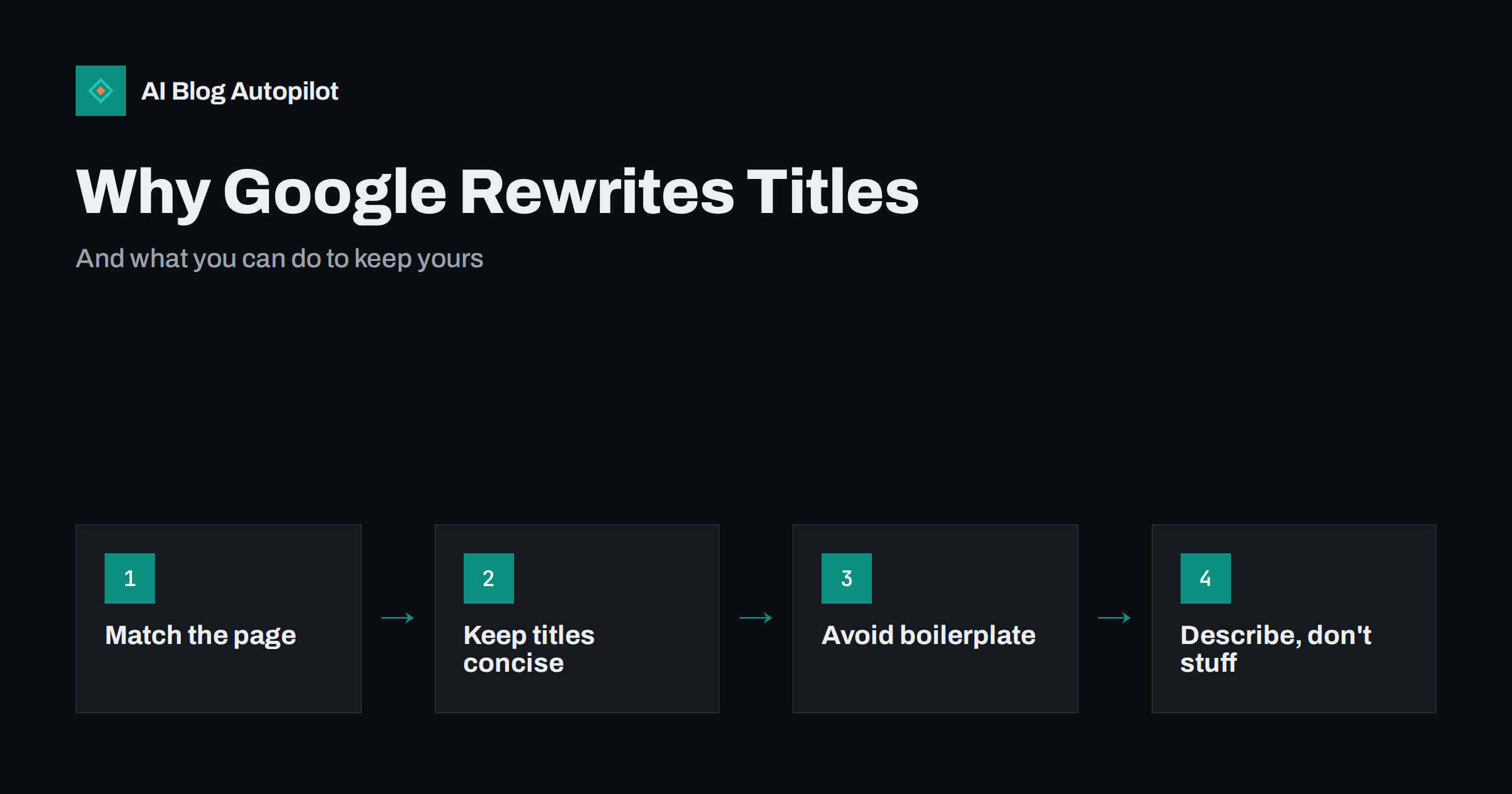
Short answer: Google generates the title link and snippet shown in search results automatically. It uses your title tag and meta description in many cases, but replaces them when it judges that other text on the page describes the result better for a particular query. Titles are usually rewritten when they are too long, stuffed with keywords, identical across pages, missing, or different from the visible headline. Descriptions are often replaced with a passage that matches the searcher’s query more closely. You cannot force your own version, but accurate, concise, page-specific titles and descriptions are kept far more often.
Few things are more irritating for a site owner than carefully writing a title and description, then seeing something different in search results. It can feel arbitrary, even like a penalty. It is neither.
This article explains how Google chooses what to show, the common causes of rewrites on blogs, and what you can realistically do about it.
What Google actually shows in results
Each organic result has two main text parts:
- The title link: the clickable headline of the result.
- The snippet: the description text below it.
Neither is a direct copy of your HTML. Google’s documentation describes both as automatically generated, with your title element and meta description as primary but not exclusive sources. The system aims to show whatever best represents the page for the specific search, which means the same page can show different snippets for different queries.
Understanding that the goal is “best for this search” rather than “what the owner wrote” explains most of the behaviour.
Where rewritten titles come from
According to Google’s guide to influencing title links, the sources it may use include:
- the content of the title element;
- the main visual title or headline shown on the page;
- heading elements such as H1 and H2;
- other large and prominent text on the page;
- anchor text on the page and text in links pointing to the page;
- structured data for the site name.
So a rewritten title is almost always built from your own content, often your visible H1. That is a clue: when titles are rewritten, the replacement usually tells you what Google thinks the page is about.
The common reasons titles are rewritten
Google’s documentation lists typical problems that lead to a title being replaced. On blogs, these are the ones that come up most:
- Titles that are too long. Long titles are truncated in results anyway, and very long ones may be replaced with a shorter version drawn from the headline.
- Keyword stuffing. Titles made of a string of phrases separated by pipes or commas look unnatural and are often rewritten.
- Boilerplate titles. Many pages sharing the same or nearly the same title, such as “Blog” or “Page 2 | Blog”, give no way to tell pages apart.
- Missing titles. Pages with an empty or default title tag get a title generated from their content.
- Title and headline disagree. If the title tag says one thing and the visible H1 says another, Google may prefer the one that better reflects the page.
- Outdated titles. A title mentioning last year’s date while the content has been updated may be corrected.
- Repeated site name. Very long branding appended to every title adds noise, especially when the site name is also shown separately.
The pattern behind all of them is the same: the title does not describe the page clearly and specifically.
Why meta descriptions are replaced even more often
Descriptions are rewritten more often than titles, and for a simpler reason. A meta description is one summary of the whole page, while searches are specific. Google’s snippet documentation explains that snippets are primarily created from the page content, and that the meta description is used when it describes the page more accurately than content extracted from the page.
In practice:
- For searches that match the page’s main topic, a good meta description is often shown.
- For long-tail searches about a detail within the page, Google often shows the passage that addresses that detail, because it is more useful to the searcher.
- Missing, duplicated or generic descriptions are replaced most of the time.
A description being replaced for some queries is normal and often helps click-through rate, because the snippet answers what the person searched for. It is not a sign that the description is bad.
How to check what is being shown
You cannot see a rewrite rate in any report, but you can check what appears.
- Search the exact title of a post and look at how it is displayed.
- Search the main question the post answers, and one or two long-tail variants, and compare the snippets.
- In Search Console, look at pages with many impressions but a low click-through rate compared with similar pages at similar positions. A poor displayed title or snippet is one possible reason.
- Check the page source to confirm what your title tag and meta description actually say. Themes and plugins sometimes output something other than what you typed.
That last check matters more than it sounds. Duplicate or empty title tags produced by a theme or plugin conflict are a surprisingly common cause of rewrites.
How to reduce title rewrites
You cannot prevent rewrites entirely, but these practices make it much more likely your title is used as written.
- Write one specific title per page that describes its content accurately. Every post needs a unique title.
- Keep it concise. Around 50 to 60 characters is a sensible target, because longer titles are typically truncated on most screens.
- Make the title tag and H1 agree. They do not have to be identical, but they should describe the same thing in similar words.
- Put the main topic early, in natural language, rather than listing several keyword variants.
- Keep branding short or leave it out on posts, letting the site name appear separately.
- Update titles that mention dates when you update the content, or remove the date if it is not essential.
- Fix archive and pagination titles so each is distinguishable, for example by including the category name and page number.
Writing a headline people click and meta titles and descriptions go further into wording.
How to write descriptions that are used more often
- Summarise the page’s main answer in one or two sentences, rather than advertising it.
- Be specific. Mention what the reader will learn or be able to do, with concrete detail.
- Stay within a sensible length, roughly 140 to 160 characters, so it is less likely to be cut off.
- Write a unique description for every page. A duplicate description across many posts is almost always ignored.
- Avoid quotation marks and lists of keywords, which read badly and are often replaced.
Also make sure the opening of the article itself is clear and direct. If the description is replaced, the text Google chooses will often come from the first paragraphs, so a strong opening improves the snippet either way.
When a rewrite is actually better
It is worth looking at rewrites honestly before fighting them. Sometimes the replacement is clearer, shorter or closer to how people search. If Google consistently shows your H1 instead of your title tag, and the H1 is good, consider adopting similar wording in the title tag. If the snippet shown for a common query is a crisp answer from your article, that is working in your favour.
Rewrites can also reveal a mismatch you did not notice. If Google keeps choosing a heading from halfway down the article as the title, the page may be more about that subtopic than its title suggests, and the title, or the article’s focus, may need adjusting.
The aim is not to control every character of the result. It is to be the result people choose to click. Measure that through click-through rate in Search Console rather than by how closely the result matches what you wrote.
A quick title and description audit
- Export your posts’ titles and descriptions from your SEO plugin, or crawl the site with a free crawler.
- Flag titles over roughly 60 characters, duplicates, and titles that differ substantially from the H1.
- Flag missing and duplicate descriptions.
- Check archive, tag and paginated pages for boilerplate titles.
- Rewrite the flagged items, starting with the pages that get the most impressions.
- Recheck the displayed results after a few weeks.
Prioritisation matters here. A blog with a few hundred posts does not need every title polished at once. The pages with the most impressions in Search Console are where a better title or description has the largest effect, because many people already see them. Start there, then work through the rest over time, perhaps a handful per week alongside new publishing.
Keep a simple log of what you changed and when. Because click-through rate is influenced by position, season and the other results on the page, a before-and-after comparison is only meaningful over equal periods and with similar average positions. A log turns a vague impression that titles are better into evidence you can act on.
How AI Blog Autopilot handles titles and meta
AI Blog Autopilot writes an SEO title and meta description for every article it publishes, planned around the article’s search query, and an automatic quality check reviews the meta along with length, structure and keyword before publishing. Your theme and SEO plugin still control how titles are output on archive pages, so those are worth checking once. See the AI Blog Autopilot home page for how it works.
Related reading
- Meta Titles and Descriptions: What to Write and What to Automate
- How to Write a Headline People Actually Click
- Striking-Distance Keywords: Moving Page-Two Posts Up
The bottom line
Google generates titles and snippets automatically, using your title tag and meta description when they describe the page well and replacing them when other text serves the searcher better. Rewrites are most common for long, stuffed, duplicated, missing or mismatched titles and for generic descriptions. Write concise, specific, unique titles that agree with the headline, summarise each page honestly in its description, open articles with a clear answer, and judge success by clicks rather than by exact wording.
FAQ
Why does Google change my page title in search results?
Google generates title links automatically and may replace your title tag when it is too long, stuffed with keywords, duplicated, missing or different from the visible headline. The replacement usually comes from your own H1, headings or other prominent text.
Can I stop Google from rewriting my titles?
Not completely. There is no setting to force a title. Writing concise, specific, unique titles that match the page headline makes it much more likely your title is used as written.
Why is my meta description not shown in Google?
Snippets are chosen for each search. When a passage from your page answers the specific query better than your meta description, Google shows the passage. Missing, duplicate or generic descriptions are replaced most often.
How long should a title tag be?
Around 50 to 60 characters is a practical target, because longer titles are typically truncated. There is no fixed limit, but concise titles are displayed in full more often and rewritten less.
Is a rewritten title bad for SEO?
Not in itself. A rewrite does not reduce rankings. It can affect click-through rate either way, so compare clicks and impressions rather than assuming the rewrite is harmful.


