ENEnglish
 LTLietuviškai
 DEDeutsch
 FRFrançais
 RUРусский
 ESEspañol
 PLPolski
 ITItaliano
 UKУкраїнська
 CSČeština
 PTPortuguês
 JA日本語
JA日本語 LVLatviešu valoda
 ETEesti
 HUMagyar
 IDBahasa Indonesia
 TRTürkçe
 HIहिन्दी
 ELΕλληνικά
 ARالعربية
 THไทย
THไทย VITiếng Việt
 RORomână
 MSBahasa Melayu
 BNবাংলা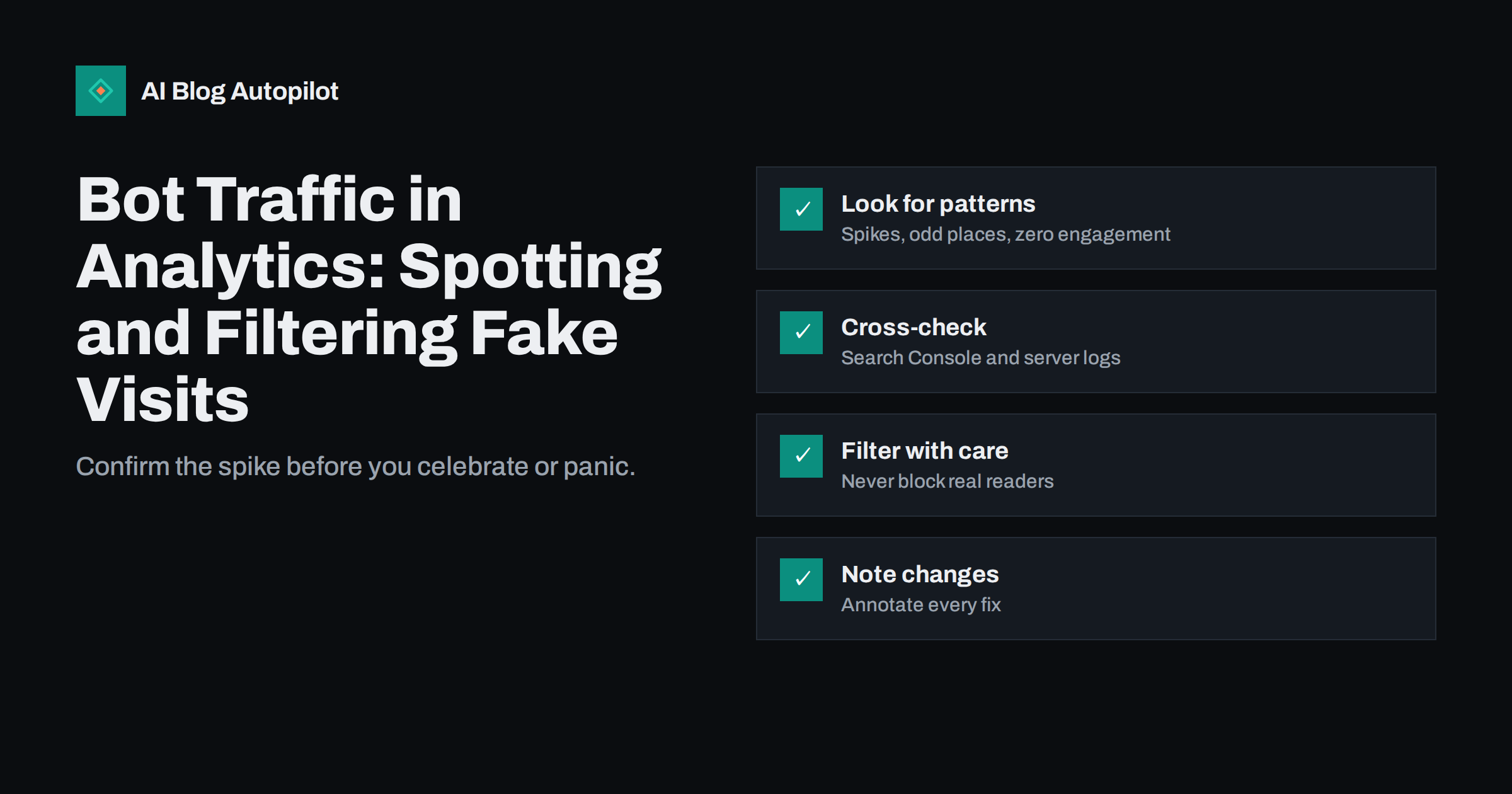
Short answer: bot traffic shows up as visits that do not behave like readers: sudden spikes from one place or source, sessions with no engagement, identical device details, strange hours, or visits to pages no human would open. To handle it, confirm the pattern by comparing analytics with Search Console and, if you can, server logs; use your tool’s built-in filters and segments to exclude obvious junk; block abusive sources at the server or firewall level; and note every change so that your trends remain readable. Do not delete data, and never block search crawlers by mistake.
Analytics tools are built to count people, but a share of the web’s traffic comes from software. Much of it is harmless or even useful, such as search crawlers and uptime monitors. Some is unwanted: scrapers, vulnerability scanners, fake referrals and traffic generated to look like visits. If you do not separate it, your numbers can mislead you. A spike may look like success when it is noise, and a good month may look average when bots hide the real pattern.
What bot traffic is
A bot is a program that requests pages without a person driving it. Good ones identify themselves honestly and follow your rules. Search engine crawlers belong here. Others hide their nature or ignore your rules, such as scrapers copying content, tools probing for weak spots, programs checking login pages and services that fire fake visits to analytics or inject fake referral sources.
Whether a bot shows up in analytics depends on how it behaves. Simple bots that fetch a page’s HTML never run the tracking script, so analytics does not see them, though your server does. More advanced ones run a full browser and execute the script, so they appear as real sessions. Some fake visits do not touch your site at all and send data straight to the analytics service using your measurement identifier. Each type leaves different traces.
Many analytics products already filter traffic from known bots and spiders, using published lists. That helps with the obvious cases, but unknown or disguised bots pass through, so a manual check is still useful.
Signs that traffic may not be human
No single sign proves anything, but several together make a strong case. Look at these patterns when a number looks surprising.
- A sudden spike with no matching campaign, post or news mention.
- One source, one country or one city producing a large share of visits, especially from places you do not serve.
- Zero engagement: sessions with no scrolling, no clicks and a duration of a second or less, in large numbers.
- Identical details: the same screen size, browser version and language across hundreds of visits.
- Odd timing: visits at perfectly regular intervals, or concentrated in the middle of the night for your audience.
- Strange pages: visits to addresses that do not exist, login pages or files that you never link to.
- Unfamiliar referrals: sources with names that look like adverts or keywords and that do not link to your site when you visit them.
- Direct traffic jumps without a cause.
Also notice what does not change. If analytics shows a jump but search impressions, clicks and sign-ups stay flat, the jump probably does not involve real interest.
Cross-check with other sources
The best way to confirm a suspicion is to compare independent sources. Each one sees the traffic differently, so differences are informative.
- Search Console. If clicks from search are steady while analytics rises, the extra visits did not come through search.
- Conversions and sign-ups. Real interest tends to produce some actions. A large rise in visits with no change in actions is suspicious.
- Server logs. They show every request, with addresses and user agent strings, so you can see whether the traffic came from a few addresses or a hosting provider’s range. Our guide on server log analysis explains how to read them.
- Hosting or CDN dashboards. Many show bandwidth, request counts and bot scores, which help to confirm spikes.
- Other tools. A second analytics tool or a simple counter can show whether the pattern is specific to one system.
If the spike appears in analytics but not in the server logs, it is likely to be fake data sent directly to the analytics service. If it appears in both, real requests are reaching your site, and you may want to act at the server level.
Clean up the reports
Once you know what the unwanted traffic looks like, reduce its effect on your reports. The options vary by tool, so check what yours offers.
- Use segments or comparisons to exclude sessions that match a pattern, such as a country or source that clearly does not apply. This changes the view but not the stored data, which is safer.
- Filter internal traffic, such as your own team and any testing services, using address-based rules where available.
- Exclude unwanted referral sources using the tool’s settings, so that known junk does not appear as a source.
- Limit data to your own hostnames where the tool supports it, which removes fake visits that report a different site name.
- Protect your measurement identifier as far as possible, and change it if it is being abused in a persistent way.
Be careful with permanent filters. Some tools apply them to data going forward and cannot undo them. Test filters on a copy of the view first, and keep one unfiltered view as a reference.
Block at the source when it matters
Analytics filters do not reduce load on your site. If bots consume bandwidth, slow pages, probe for weaknesses or scrape your content, act on the server side. Typical measures include rate limiting, blocking abusive address ranges, bot protection offered by a content delivery network or security service, and a firewall rule set. Many hosts and WordPress security tools offer these features.
- Identify the pattern from logs: addresses, user agents, the pages requested and the timing.
- Start with the least harmful measure, such as rate limiting or a challenge page, rather than blocking outright.
- Whitelist the crawlers you want, such as major search engines, and verify them with the methods their operators document, since user agent names can be faked.
- Monitor the effect on real visitors, indexing and uptime.
Take extra care with AI-related crawlers. Some site owners want to allow them, some do not, and the choice belongs in your robots rules and your server settings, with the consequences understood. Our guide on AI crawlers explains the options.
A worked example
A small publisher notices that analytics shows 6,000 visits on a Tuesday, against a normal 900. Nothing was published or promoted. The first check is Search Console, where clicks are in line with other weekdays. The second is the source report: nearly all the extra sessions are “direct”, from one country the publisher does not serve, each lasting under a second and viewing the home page only. The server logs show far fewer requests than analytics reports, which points to fake data sent straight to the analytics service, not to real requests.
The publisher creates a comparison that excludes that country and the zero-second sessions, adds an annotation to the date, and checks the settings for filtering unwanted data. Reports return to the normal pattern, and the note explains the break to anyone who reviews the history later. No server change is needed, since the site itself was not affected. Had the logs shown thousands of real requests from a single hosting range, the next step would have been rate limiting or a block at the firewall. The same careful sequence works for any spike: observe, confirm, clean the view, act at the server only if it is needed and write it down.
Protect your decisions
Bad data causes bad decisions, so build habits that keep reports honest. Annotate your analytics whenever you change a filter, install a firewall rule or notice a spike, so that you can explain a break in a trend later. Report search clicks, sign-ups and enquiries alongside visits, since they are harder to fake. When you share numbers with a client or a team, say which filters apply.
When a spike looks too good to be true, treat it with curiosity, not celebration. Ask where it came from, what the visitors did and whether anything else moved. A calm check usually takes less than an hour and prevents a month of misdirected effort.
Security and privacy points
Bot traffic is sometimes a symptom of something worse. A rise in requests to login pages, to files that do not exist or to old plugin paths can mean that someone is probing your site. Keep the platform, theme and plugins updated, use strong passwords and two-step sign-in, limit login attempts and keep backups. Our guide on basic site security lists the essentials.
Handle logs with care, since addresses are personal data in many places. Keep them only as long as needed, restrict who can see them and respect the rules that apply to you when you share them with a security provider.
How AI Blog Autopilot helps
AI Blog Autopilot asks for your topics, keywords, audience and tone, and writes full SEO articles with FAQ, tags and meta for your WordPress blog. Reliable reports show which articles bring real readers, so clean analytics help you choose the next topics with confidence. See the pricing page for plans.
Related reading
- Tracking Visits From AI Assistants in Your Analytics
- Server Log Analysis: Seeing How Bots Crawl Your Blog
- Search Console vs Analytics: Why the Numbers Never Match
- Security Basics for a Business Blog
The bottom line
Bots are a normal part of web traffic, and some of them distort analytics. Learn the signs, confirm them against Search Console, conversions and server logs, and use segments and filters carefully to clean your reports. Block abusive traffic at the server when it costs you speed or security, never block the crawlers you want, and annotate every change so that your trends stay explainable. Trust actions, such as clicks from search and sign-ups, more than raw visit counts.
FAQ
Does my analytics tool filter bots automatically?
Many tools exclude traffic from known bots and spiders, but unknown or disguised ones can still appear, so a manual check is worthwhile.
How do I know if a spike is fake?
Look for one dominant source or country, zero engagement, identical device details and no change in search clicks or sign-ups. Confirm with server logs.
Will bot traffic hurt my search rankings?
Fake visits in analytics do not affect rankings. Heavy bot load that slows your site, or security problems, can matter.
Should I block all bots?
No. Search engine crawlers and other useful services should be allowed. Block abusive traffic and verify the crawlers you allow.
Can I delete bot data from past reports?
Usually not. Use segments or comparisons to hide it from views, and annotate the period so that readers understand the trend.