ENEnglish
 LTLietuviškai
 DEDeutsch
 FRFrançais
 RUРусский
 ESEspañol
 PLPolski
 ITItaliano
 UKУкраїнська
 CSČeština
 PTPortuguês
 JA日本語
JA日本語 LVLatviešu valoda
 ETEesti
 HUMagyar
 IDBahasa Indonesia
 TRTürkçe
 HIहिन्दी
 ELΕλληνικά
 ARالعربية
 THไทย
THไทย VITiếng Việt
 RORomână
 MSBahasa Melayu
 BNবাংলা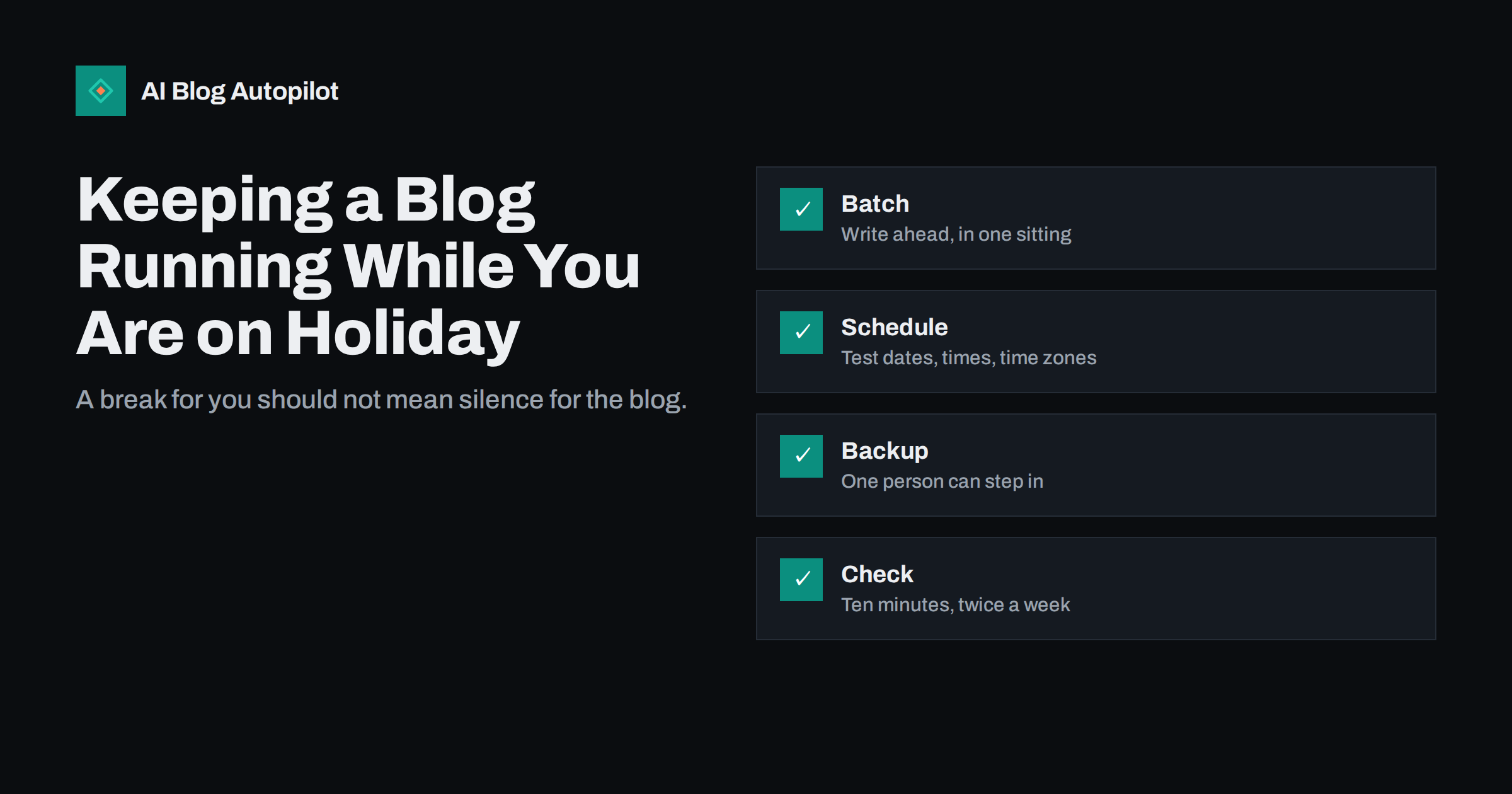
Short answer: to keep a blog running while you are away, write and schedule the posts before you leave, test that scheduling works on your site, name a backup who can fix problems, set simple rules for comments and enquiries, and plan one short check-in rather than daily monitoring. A gap of a week or two rarely harms a blog, so the aim is not to publish more; it is to avoid failures that go unnoticed, such as missed schedules, spam in the comments, an expired plugin licence or an enquiry that waits ten days for a reply.
Many small businesses run their blog through one person, and when that person is away, the blog quietly stops. Often nothing dramatic happens; the next article just does not appear, and readers and search engines see a long pause. This article gives a practical checklist for holidays, illness, busy seasons and any other period when the usual owner is not available.
Decide what “running” means for the break
Start by deciding what needs to continue. For a two-week holiday, you may decide that publishing on your normal rhythm is the goal, or you may decide that a lighter schedule is fine. A blog that posts every week can pause for one week without any visible effect on rankings, and it is better to publish fewer good articles than a rushed batch. Write the plan down: how many posts, which dates, who approves them and who handles anything unexpected. If you have not set a rhythm yet, our article on how often to publish will help you choose one you can keep.
If your blog depends on topics that need your personal knowledge, tell readers when you will be back instead of forcing content. A short note on the home page or in the newsletter, such as “new articles resume on the 15th”, is honest and avoids the impression of neglect. For a business that sells seasonal products, align the break with the quiet period if you can, and avoid being away at the moment when your most important articles should be published.
Write ahead in a single sitting
Batching is the most reliable way to cover an absence. Set aside a block of time two weeks before you leave and prepare everything that will go out while you are away: the articles, the images, the headlines and descriptions, the social posts and any email notification. Working from one outline in one session keeps the voice consistent and avoids last-minute rushing. Our guide to planning a quarter of content shows how to plan a batch quickly, and the pre-publication checklist keeps quality up when you are working at speed.
Choose evergreen topics for the gap. A news-led article scheduled three weeks ahead can be out of date by the time it appears, whereas a guide or explainer stays useful. Our article on evergreen and news content explains the difference.
Build a small buffer all year, not just before holidays. If you always keep two or three finished articles in reserve, an illness or an unexpected deadline does not leave a gap. Mark the reserve in your calendar with the word “spare” and replenish it whenever you use one. Choose topics for the buffer that never go out of date, and check them for time-sensitive phrases such as “this year” before they are used. This steady habit is far less stressful than a frantic batch before each break.
Schedule carefully and test it
Scheduled posts fail more often than people expect. Time zones are set wrongly, a caching plugin serves an old page, or the site’s scheduler does not run when nobody visits. Before you leave, schedule a test post a few minutes ahead and confirm that it publishes on time. Then check the site timezone setting and the dates of the future posts in the list. The article on scheduling posts in WordPress covers the common problems and how to prevent them.
Check that social sharing is also set for the days you are away, and that links in scheduled posts point to pages that will exist by then.
Name a backup and give them access
Choose one person who can act if something breaks: a colleague, a freelancer or your hosting contact. Give them the access they need and no more, using their own account rather than your password. The article on user roles for a blog team explains which role is appropriate. Share a one-page note with the login location, what to do if a post fails, how to contact the host and who to ask about content decisions. A longer handover is covered in handing your blog to someone else.
Plan for comments, enquiries and spam
Readers do not stop writing because you are away. Decide how to deal with comments and messages: close comments on new posts for the period, keep moderation on so nothing appears without approval, or ask your backup to check once or twice a week. Set an automatic reply on the contact address that says when you will be back and who to contact for urgent matters. If your site uses forms, make sure spam filtering is active, as described in our guide to keeping spam out. Make sure enquiries from the blog reach someone who can answer them.
Decide in advance what counts as urgent. A complaint, a press enquiry or a problem with an order may need a quick answer; a general question can wait until you are back. Give your backup a short list of the types of message they may answer on your behalf and the ones they should forward. Agree a standard wording for holding replies so customers receive something polite and consistent, and review the list when you return so lessons are folded into your normal routine.
Cover security and maintenance
An unattended site can accumulate updates, expiring licences and certificates. Before you go, update the core software, themes and plugins, take a fresh backup, confirm that the backup actually restores and check that domain, hosting and certificate renewals do not fall due while you are away. The articles on security basics and backups list the essentials. Avoid installing new plugins or changing the theme just before a trip.
Change nothing that you cannot easily reverse. If you must update software before you leave, do it at least a few days earlier, so there is time to spot and fix problems, and leave the live site alone during the trip. Note the contact details of your hosting provider, and make sure someone besides you knows where the emergency instructions are kept. If an important renewal falls due during your absence, pay it early. These simple precautions prevent a minor problem from becoming a long outage while nobody is watching.
Check in lightly
You do not need to monitor the blog every day. Pick two short check-in times, perhaps ten minutes twice a week, and look at a fixed list: did the scheduled posts publish, does the home page load, are there messages that need a reply, did anything odd appear in the analytics. If you prefer not to look at all, ask the backup to send a one-line message after each scheduled post goes live. A simple routine beats anxious scrolling, and it lets you actually rest.
When you are back: a re-entry routine
The first day back is when mistakes are caught or missed. Start with a quick health check of the site: load the main pages, test a form, look at the list of scheduled and published posts and scan the dashboard for errors. Read the notes your backup left, answer the messages that waited and review the analytics for the period, looking for anything unusual rather than studying every number. If a post failed or appeared late, find out why and fix the cause while it is fresh in memory.
Then reset the rhythm. Refill the buffer of finished articles, update the calendar, thank the person who covered for you and write down anything you would change next time. A short list of lessons, kept in the same place as the holiday checklist, makes each absence easier than the last. If the break was long, consider a short post that welcomes readers back and points to the most useful articles published while you were away.
Finally, look at what the break taught you about dependence on one person. If the blog stopped for reasons that could have been avoided, such as only one person knowing a password or a process, fix that now. Document the routine steps, share access sensibly and make sure the schedule does not rely on your presence. A blog that runs smoothly without you for two weeks is also a blog that can survive illness, a busy launch or a change of staff.
How AI Blog Autopilot helps
AI Blog Autopilot writes full SEO articles for your WordPress blog from the topics, keywords, audience and tone you set, with FAQ sections, tags and SEO meta included, and it shares each one to your social networks. That makes it a natural way to keep a steady rhythm during an absence: you set the topics before you go and choose whether articles publish automatically or wait for approval. If you want to read everything first, use approval mode and let your backup approve while you are away. See the pricing page for plans.
Related reading
- Scheduling Posts in WordPress: Time Zones and Missed Schedules
- Content Calendar on Autopilot: Planning 30 Articles a Month
- Handing Your Blog to Someone Else Without Losing It
- Running a Business Blog in Two Hours a Week
The bottom line
A blog can survive a holiday without drama if you prepare for it. Decide what must continue, write ahead, test your scheduling, name a backup, handle comments and enquiries, update and back up the site, and check in lightly. An hour or two of preparation means your readers see a steady blog and you come back to a site that behaved itself.
FAQ
Will a two-week break hurt my rankings?
Rarely. A short pause in publishing does not harm established pages. Unnoticed problems, such as downtime or broken forms, matter more.
Should I schedule posts or have someone publish manually?
Scheduling is more reliable if you test it first. Have a backup person who can publish manually if a scheduled post fails.
What if a scheduled post misses its time?
Check the timezone setting and caching, and ask your backup to publish it manually. Test scheduling before you leave to avoid this.
Do I need to keep posting social updates while away?
Not necessarily, but scheduled shares for new articles keep the account active. Make sure the links will work on the scheduled dates.
What is the most important thing to do before leaving?
Test a scheduled post and name a backup with the right level of access. Those two steps prevent most holiday problems.