ENEnglish
 LTLietuviškai
 DEDeutsch
 FRFrançais
 RUРусский
 ESEspañol
 PLPolski
 ITItaliano
 UKУкраїнська
 CSČeština
 PTPortuguês
 JA日本語
JA日本語 LVLatviešu valoda
 ETEesti
 HUMagyar
 IDBahasa Indonesia
 TRTürkçe
 HIहिन्दी
 ELΕλληνικά
 ARالعربية
 THไทย
THไทย VITiếng Việt
 RORomână
 MSBahasa Melayu
 BNবাংলা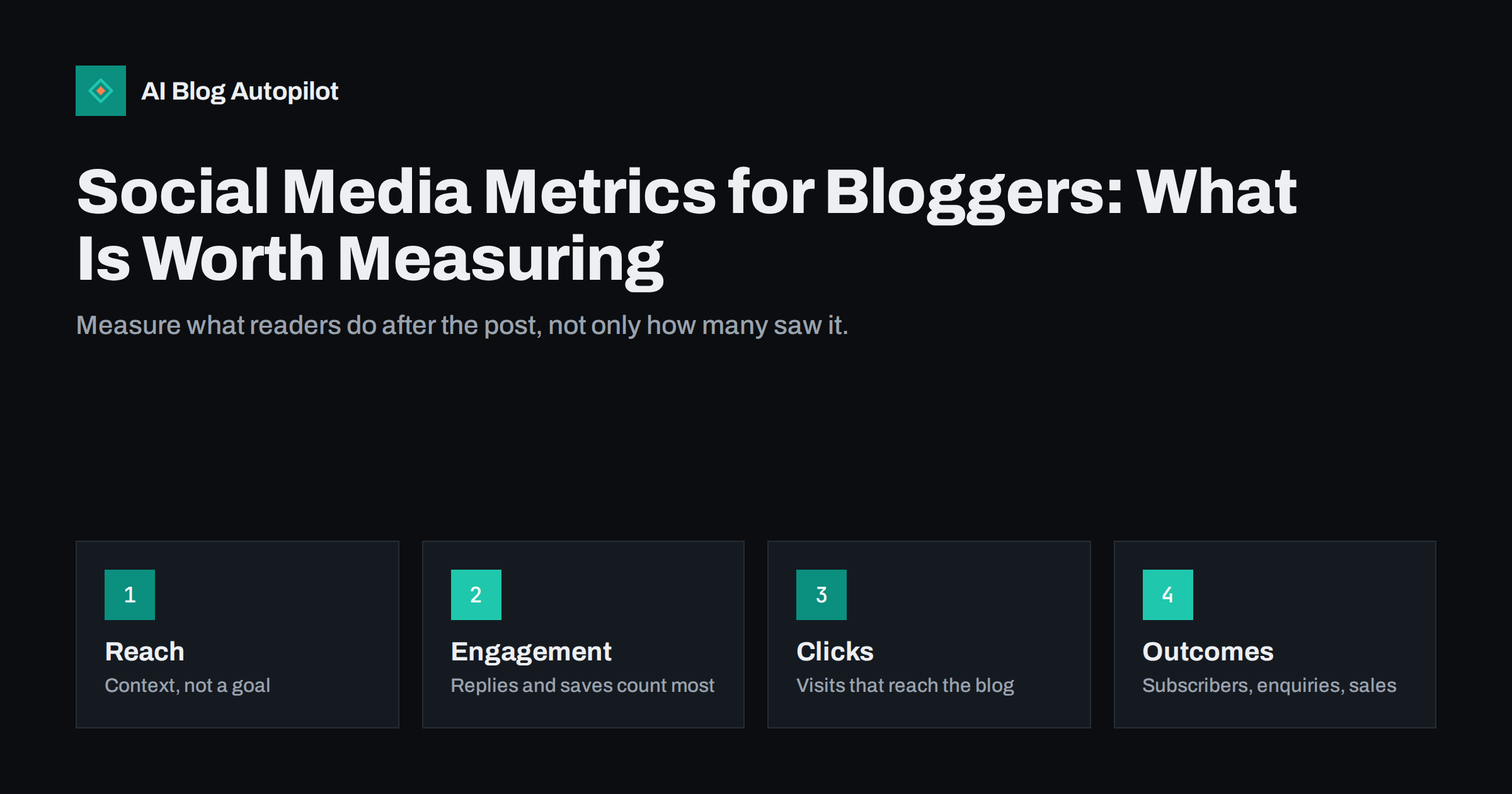
Short answer: for a blogger, the most useful social media metrics are the ones that show what people do: link clicks and the visits they bring to your blog, how long those visitors stay, replies and saves, and outcomes such as newsletter sign-ups, enquiries or sales. Reach, impressions and follower counts give context but are easy to inflate and say little on their own. Track a few numbers per network every month, compare post types against each other on the same network, and use the results to decide where to spend your time.
Every social network offers a dashboard full of numbers. Impressions, reach, engagement rate, profile visits, video views, follower growth. It is easy to spend an hour looking at charts and come away with no idea whether sharing your articles is worth the effort. The point of measuring is to make better decisions: which networks to focus on, which posts to make more of, what to stop doing. This guide sorts the metrics into those that help with that and those that mostly look good.
Start with what you want social media to do
Metrics only make sense against a goal. Bloggers and small businesses usually use social media for one or more of these:
- Bringing readers to the blog, so articles are read beyond search traffic.
- Building an audience that sees and remembers your name.
- Conversation and feedback with readers and customers.
- Leads and sales, directly or through the blog.
Pick the one or two that matter most for you. If your goal is blog readers, link clicks and visits matter more than likes. If your goal is conversation, replies matter more than impressions. Without this choice, every number seems important and none of them guides action.
It also helps to write down what “good” would look like in three months. For example: social media brings a few hundred engaged visits a month to the blog and a handful of newsletter sign-ups. A concrete target, even a rough one, turns a dashboard into a progress check instead of a collection of numbers.
Reach and impressions: context, not success
Impressions count how many times a post was shown; reach counts how many different accounts saw it. Both depend heavily on how each platform’s algorithm treats your posts, on the time of day and on factors you cannot see.
They are useful as context:
- A post with high reach but few clicks may have a weak introduction or the wrong audience.
- A post with low reach but many clicks from those who saw it is worth posting again or turning into a different format.
- A long-term drop in reach across all posts can indicate a change on the platform or in your posting habits.
On their own, reach and impressions are vanity metrics: they rise easily with viral but irrelevant posts and do not tell you whether anyone cared.
Engagement: which interactions matter
Engagement covers every interaction with a post, but the types are not equal:
- Replies and comments show genuine interest and start conversations. They are usually the strongest signal.
- Saves and bookmarks show that people found a post useful enough to return to. They are a good sign for educational content.
- Shares and reposts extend your reach to new audiences and show that people want to be associated with the post.
- Likes and reactions are quick and cheap. They show mild approval, nothing more.
Engagement rate, usually interactions divided by reach or by followers, helps compare posts of different reach. Platforms calculate it differently, so compare engagement rates within one network, not between networks.
Pay attention to which posts get replies from the people you most want to reach. Ten thoughtful comments from potential customers on LinkedIn can matter more than a hundred reactions from accounts outside your field. Most platforms let you see who interacted, and a quick look at that list tells you more about audience quality than any rate.
Clicks and blog visits: the metric bloggers need
If social media is meant to bring readers to your articles, link clicks and the visits they create are the core numbers.
- Link clicks reported by the platform show how many people tapped the link. They can include accidental taps and bots.
- Sessions in your analytics from each network show how many visits actually reached your blog. These are usually lower than reported clicks, which is normal.
- Engaged sessions or time on page show whether those visitors read the article or left immediately.
- Pages per visit show whether social visitors explore further.
Adding UTM parameters to the links you share makes social visits much easier to identify in analytics, especially from apps that do not pass a clear referrer. Without them, a large share of social traffic can show up as direct visits.
Compare social visitors with visitors from search. Social visitors often arrive with less specific intent and leave sooner, which is normal. What matters is the trend: if engaged visits from a network grow month by month, the posts are reaching people who care about your topic, even if the absolute numbers are modest.
Outcomes: what readers do next
The most valuable metrics are actions that matter to your business:
- Newsletter sign-ups from social visitors.
- Contact form submissions, quote requests or bookings.
- Free trial sign-ups or purchases.
- Downloads of a template or guide.
Set these up as conversions or key events in your analytics, so you can see how many came from each network. Volumes are often small for a blog, so look at several months together. A network that brings few visits but regular sign-ups may be more valuable than one that brings many casual readers.
Remember that social media often influences people who convert later through another channel, such as a search for your brand. Analytics will not credit social media for those, so treat the numbers as a lower bound.
Some platforms show conversions for their own ads only, not for organic posts. For unpaid sharing, your own analytics is the more reliable source. Keep the setup simple: a few clearly defined conversions are easier to trust than dozens of events nobody checks.
Follower count: the slowest signal
Followers are the most visible number and one of the least informative. Accounts with many inactive or purchased followers can have tiny engagement, while small accounts with engaged followers can drive real results.
Follower growth is still worth tracking over months:
- Steady growth suggests your content gives people a reason to follow.
- Sudden jumps often come from one viral post, which may or may not bring the right audience.
- Declines can indicate that your content changed or that posting became too frequent.
Never buy followers. They inflate a number that already means little and reduce engagement rates, which can make the platform show your posts to fewer real people.
If you post on many networks, rank them once a quarter by engaged visits and conversions. The bottom ones are candidates for less effort, not necessarily for closing.
A simple monthly routine
You do not need a complex dashboard. Once a month, spend half an hour on this:
- For each network, note total posts, link clicks, replies, saves and follower change.
- In analytics, note visits from each network, engaged visits and conversions.
- List your three best and three worst posts per network by the metric that matches your goal.
- Look for patterns: post type, topic, time, format, length of text, image or no image.
- Decide on one or two changes for next month, such as more how-to posts on LinkedIn or fewer link posts on Instagram.
Keep the notes in a simple spreadsheet. After a few months, trends become clear and decisions get easier.
Share the summary with anyone who works on the blog or the social accounts. A short monthly note with the main numbers and the planned changes keeps everyone focused on the same goals and makes it obvious when an experiment worked.
Common measurement mistakes
- Comparing networks by engagement rate. Each platform counts differently. Compare networks by visits and outcomes instead.
- Judging a post in the first hour. Some networks spread posts over days. Check after a week.
- Chasing viral posts. One big post that brings no readers is less valuable than many small ones that do.
- Ignoring dark social. Links shared in private messages and chat apps rarely show as social traffic. UTM tags help a little; accepting the gap helps more.
- Measuring too many things. Five numbers you check every month beat thirty you never act on.
How AI Blog Autopilot helps
AI Blog Autopilot shares every article to your social networks with separate text and timing for each, and its content map shows every article and every post in one place. Each cell in the network matrix links to the live post, and if a post failed, it tells you why. That makes it easier to see what went out where before you compare the results. See the pricing page for plans.
Related reading
- UTM Tags for Social Shares: Tracking Which Posts Bring Readers
- How to Measure Whether a Blog Is Working
- Best Time to Share a Blog Post on Social Media
- Traffic or Leads: Which Number Should a Blog Chase?
The bottom line
Social media dashboards show many numbers, but bloggers need only a few. Decide what social media should do for you, treat reach and followers as context, give more weight to replies, saves and shares, and measure link clicks, blog visits and conversions in your own analytics with UTM-tagged links. Review a handful of metrics monthly, compare post types within each network, and make one or two changes at a time based on what your own audience does.
KKK
What social media metrics should bloggers track?
Link clicks, visits from each network in your analytics, how long those visitors stay, replies and saves, and outcomes such as newsletter sign-ups or enquiries. Reach and followers are useful context but weak goals.
Why do social link clicks not match visits in analytics?
Platforms count every tap, including accidental ones and some bots, while analytics counts visits that actually loaded and were tracked. Consent banners, ad blockers and app browsers also reduce recorded visits.
Is engagement rate a good metric?
It helps compare posts on the same network. Platforms calculate it differently, so do not use it to compare networks. Replies and saves usually say more than total engagement.
How often should I review social media metrics?
Monthly is enough for most blogs. Check posts after about a week rather than in the first hours, and look for patterns across several months before making big changes.
Does a large follower count mean social media is working?
Not necessarily. Inactive or purchased followers inflate the number without bringing readers. Visits, engagement and conversions from your posts are better signs of real results.