ENEnglish
 LTLietuviškai
 DEDeutsch
 FRFrançais
 RUРусский
 ESEspañol
 PLPolski
 ITItaliano
 UKУкраїнська
 CSČeština
 PTPortuguês
 JA日本語
JA日本語 LVLatviešu valoda
 ETEesti
 HUMagyar
 IDBahasa Indonesia
 TRTürkçe
 HIहिन्दी
 ELΕλληνικά
 ARالعربية
 THไทย
THไทย VITiếng Việt
 RORomână
 MSBahasa Melayu
 BNবাংলা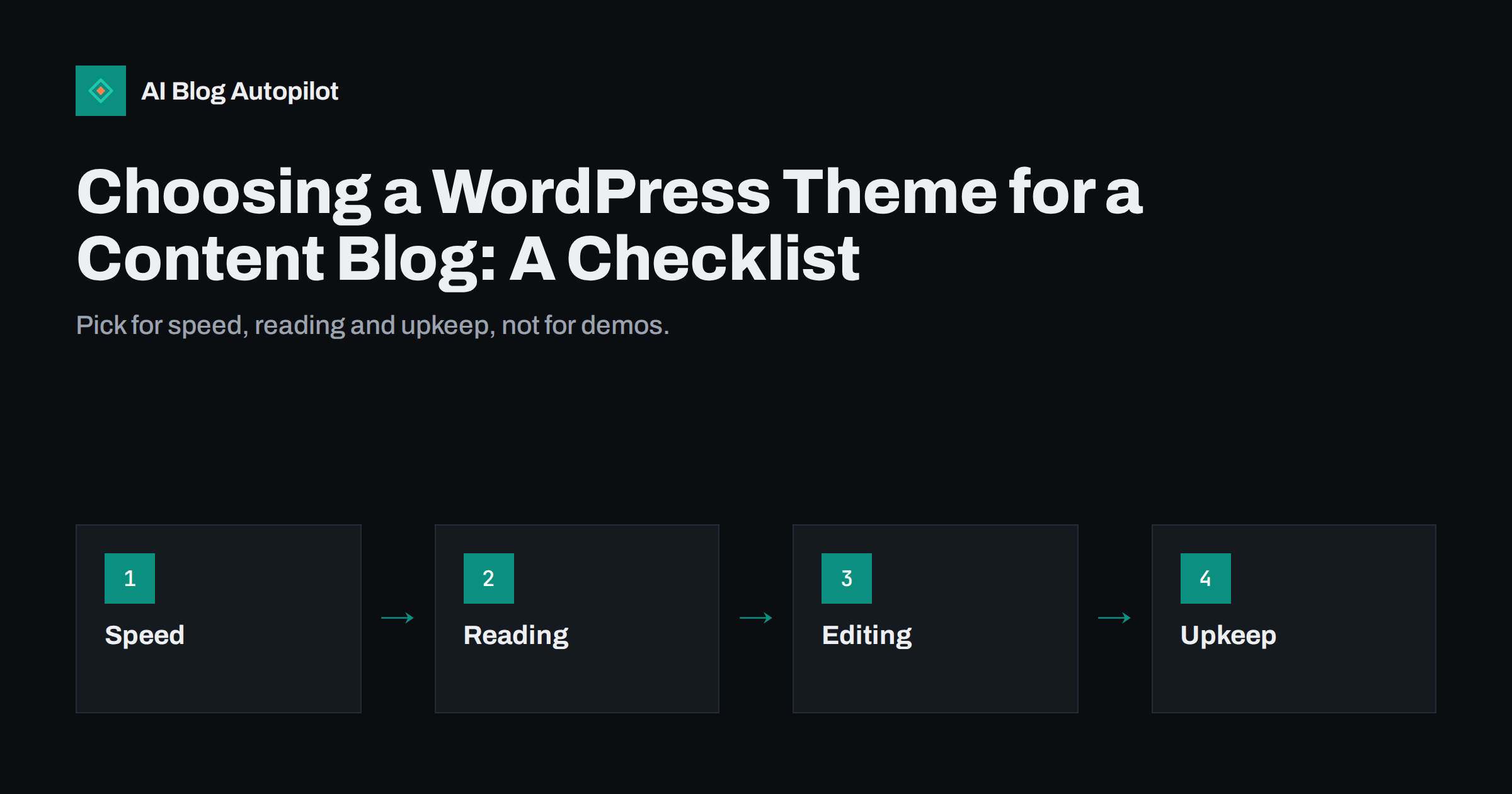
Short answer: for a content blog, choose a WordPress theme for speed, readability, flexibility in the editor and long-term support, not for the look of its demo. Test the demo on a phone, check how much code and how many scripts it loads, confirm that it works with the block editor and with your SEO plugin, read the update history and review its accessibility. A plain, well-maintained theme usually serves a blog better than a feature-heavy one, and changing themes later is far more work than choosing carefully now.
There are many thousands of themes, and the demos are designed to impress at first sight. That is the wrong test for a blog, where visitors come to read and where you will publish for years. This article offers a checklist that moves the decision from appearance to the factors that decide whether a theme is still a good choice in two years.
Start with what the blog needs
Before opening a theme directory, write down what your blog must do. A short list stops you from being distracted by features that you will never use.
- Content types: mainly articles, or also products, events, a portfolio or a resource library?
- Layout needs: a simple list of posts, a magazine front page, categories as sections or a landing page for each topic?
- Languages: will you publish in more than one, including right-to-left languages?
- Brand: logo, colours and typefaces that you must keep.
- Team: who will edit, and how technical are they?
- Integrations: newsletter forms, shop, booking or membership tools that must work with the theme.
Be realistic about your resources, too: a theme that needs a developer for every change is a poor fit for a small team. Rank the points from essential to nice-to-have. A theme should meet every essential item, and the rest can be handled with plugins or simple settings.
Speed and weight
Speed is the factor most likely to differ between themes and the hardest to fix later. A theme that loads many scripts, large fonts and heavy sliders will be slow however good your hosting is. Test the demo with a page-speed tool, on a phone connection setting, and look at the numbers that reflect the experience of real readers: how soon the main content appears, whether the layout jumps and how quickly the page responds to a tap.
- Page weight: compare the total size of a typical demo article page between candidate themes.
- Scripts: a blog needs very little JavaScript. Be wary of themes that load large libraries on every page.
- Fonts: a few font files are fine; a dozen weights from several families are not.
- Images: check that the theme supports responsive images and does not force oversized thumbnails.
- Built-in builders: themes that bundle their own page builders often add weight to every page.
Remember that a demo site is usually set up with ideal content and hosting, so the real result will be slower. If the demo is already poor, move on. Test more than one page type as well, such as the home page, an article with several images and a category page, because themes often optimise one and neglect the others.
Reading comfort
A blog theme is judged by how it feels to read a long article. Open a demo post on a phone and on a laptop and read a few paragraphs, as a visitor would.
- Line length: a comfortable column is roughly 60 to 80 characters wide. Very wide lines tire the eye.
- Type size and contrast: body text should be at least about 16 pixels, with strong contrast against the background.
- Spacing: look for generous space between paragraphs and headings, and clear heading styles for every level.
- Distractions: check for sticky bars, pop-ups and sidebars that crowd the text on small screens.
- Dark mode and print: not essential, but a good sign of care.
Our guide on blog design that helps people read goes into more detail. A theme with excellent typography is worth more than one with fifty layout options. Check the details that readers notice without knowing why: how links look inside a paragraph, how lists and quotes are styled, whether images have sensible captions and whether the first screen of an article shows the title and the opening text without a huge banner pushing them down.
The editor and templates
How the theme works with the WordPress editor decides how easy it is to publish. Modern themes support the block editor, which means that what you see while writing is close to what readers see. Check that headings, lists, tables, images, quotes and buttons all look good in the editor and on the front end, and that the theme offers sensible templates for single posts, archives, search results and the 404 page.
- Look for block patterns or templates that fit a blog, so that new articles are consistent.
- Check how the theme handles featured images and excerpts, since both affect listings and social previews.
- Confirm that the table of contents, author box and related posts can be added without custom code.
- Find out whether the theme supports full-site editing, and whether you want that flexibility or prefer a simpler setup.
If an automated tool or a plugin will publish your articles, check that the theme displays the content it sends in the way you expect, including headings, lists, tables and images.
SEO, structure and accessibility
A theme does not make a blog rank, but a poor one can make good content harder for search engines to read. Check the page source of a demo article, or ask a developer to do so, for the basics.
- Heading structure: one main heading per page, with subheadings in a logical order.
- Semantic HTML: proper elements for the article, navigation and footer.
- Clean URLs and breadcrumbs: support for the permalink structure you plan and for breadcrumb navigation.
- Structured data: avoid duplicate markup if your SEO plugin already produces it.
- Compatibility: confirm that it works with the SEO plugin you use, and that titles and descriptions are not set twice.
- Language and direction: correct language attributes and hreflang support if you publish in several languages.
Be careful with themes that put important text in images or load the main content only through scripts, since these can hide content from crawlers and assistive technology.
Accessibility belongs in the same review, because an accessible theme is better for everybody. Look for statements that the theme has been reviewed for accessibility, and test a few basics yourself: can you reach all menu items with the keyboard, is the focus visible, are the colours readable, do images carry alt text, and do form fields have labels? Some theme directories mark themes that have passed an accessibility review. Our guide on accessibility for blogs lists the fixes that matter most.
Support, updates and reputation
A theme is software, and software needs maintenance. Check the history before you commit.
- Update frequency: look for regular releases and compatibility with the current WordPress version.
- Active installations and reviews: read the recent reviews, especially negative ones, and see how the author replies.
- Support channel: find out where to ask for help and how fast answers arrive.
- Licence and cost: understand what a paid licence includes, how long updates last and what renewal costs.
- Author track record: prefer authors with several maintained products over a theme that may be abandoned.
- Security: avoid themes from unofficial sources or “free” copies of paid products, which are a common way to spread malware.
Customisation without lock-in
Some themes bundle so many features, shortcodes and custom post types that leaving them breaks your content. When you later switch themes, text may be filled with shortcodes that no longer work. To reduce the risk, prefer themes that use standard blocks and standard WordPress features, keep custom CSS in a child theme or in the theme’s own settings area, and keep functionality, such as forms and galleries, in separate plugins that you could keep after changing theme.
Think too about the exit. Ask what would happen if the theme author stopped updating the theme next year, and whether you could move your content to another theme in a weekend. If the answer is no, the theme owns you more than you own the theme. Document your customisations. A short note of what you changed and where makes later maintenance simpler and helps if a developer has to take over.
Test before you commit
Install your top two or three candidates on a staging copy of the site, not on the live one. Add three real articles with images, a table, a list and a quote. Test them on a phone and a desktop, run a speed test and an accessibility check and ask two other people to read an article and tell you what annoyed them. Keep a simple score sheet with the factors above, and pick the theme with the best total, even if it is the least exciting one.
If you are replacing an existing theme, follow a migration checklist so that rankings are not harmed. Our guide on changing a blog theme without hurting SEO covers the steps in detail.
How AI Blog Autopilot helps
AI Blog Autopilot connects to WordPress with one click and publishes articles with titles, tags, SEO meta and images, so a clean, readable theme is all that stands between the article and the reader. See the pricing page for plans.
Related reading
- Changing a Blog Theme Without Hurting SEO: A Checklist
- Blog Design That Helps People Read
- Accessibility for a Blog: The Fixes That Matter Most
- Page Speed on a Content Site: What Actually Helps
The bottom line
Pick a theme for the long haul. Write down what your blog needs, test speed and reading comfort on a phone, check editor support, structure and accessibility, read the maintenance record and avoid lock-in. Try the finalists on a staging copy with real content, score them honestly and choose the one that keeps readers focused on your articles.
FAQ
Should I choose a free or a paid theme?
Either can work. What matters is speed, maintenance and support. Use the official directory or a trusted author, and never use pirated copies of paid themes.
Is a block theme better for a blog?
Block themes offer flexible templates and consistent editing. Choose one if you want that control, or a simpler classic theme if you prefer fewer options.
Does the theme affect SEO?
Not directly, but speed, structure, mobile layout and accessibility are influenced by it, and those affect readers and search engines.
How can I test a theme safely?
Use a staging copy of the site, publish sample articles, test on phones and run a speed and accessibility check before touching the live site.
Will changing themes later hurt rankings?
It can if layouts, headings, speed or internal links change. Follow a migration checklist and compare key pages before and after.