ENEnglish
 LTLietuviškai
 DEDeutsch
 FRFrançais
 RUРусский
 ESEspañol
 PLPolski
 ITItaliano
 UKУкраїнська
 CSČeština
 PTPortuguês
 JA日本語
JA日本語 LVLatviešu valoda
 ETEesti
 HUMagyar
 IDBahasa Indonesia
 TRTürkçe
 HIहिन्दी
 ELΕλληνικά
 ARالعربية
 THไทย
THไทย VITiếng Việt
 RORomână
 MSBahasa Melayu
 BNবাংলা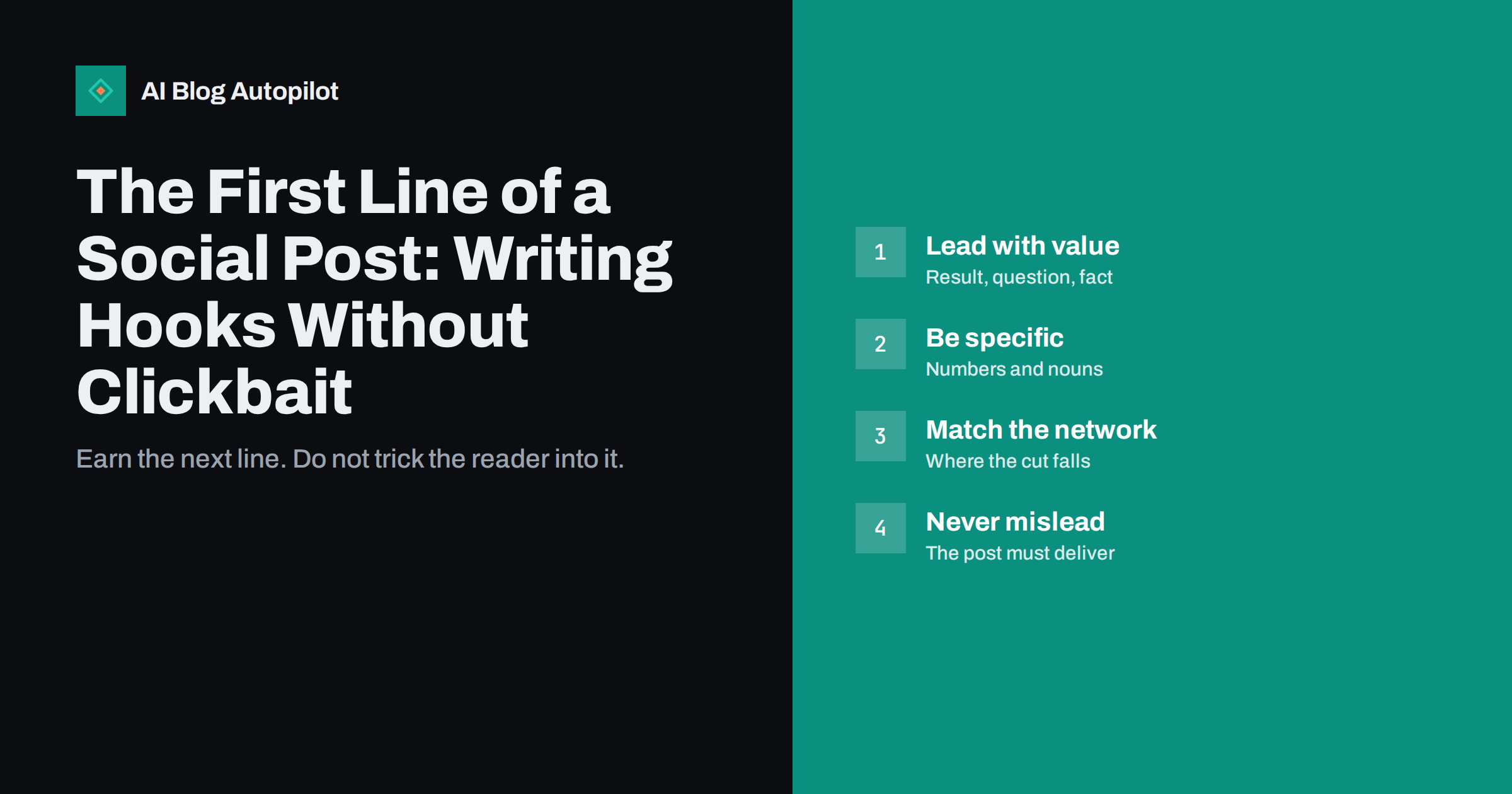
Short answer: the first line of a social post decides whether anyone reads the rest, because most networks show only a few words before cutting the text or sending it into a feed full of other posts. A good first line states a clear benefit, a surprising specific fact or a real question the reader has, in plain words that match what the article delivers. Put the point first, keep it short enough to survive the cut, avoid misleading teasers and test a few styles to see which suits your audience.
When you share a blog article, you are competing with every other item in the feed. Readers scroll quickly, and they give each post a fraction of a second. If the opening words do not tell them what is in it for them, they move on. At the same time, a first line that overpromises brings clicks that turn into quick exits, and over time it teaches your audience to ignore you. This guide covers what a first line has to do, patterns that work, mistakes to avoid and a simple way to improve over time.
Why the first line matters so much
Most networks show a limited amount of text before a “see more” link, and some show the first words in notifications, previews and search. On a phone, the visible part may be only one or two lines. Whatever you write there is all that many people will ever see of your post.
The first line has three jobs:
- Stop the scroll. Give the reader a reason to pause by being relevant to them.
- Say what the post is about. The reader should understand the topic from the first line alone.
- Earn the next line. It should lead naturally to the rest of the text or the link, not be a separate gimmick.
A first line can do all of this in a dozen words. The skill lies in choosing which words.
Know where the cut falls
The point at which text is truncated differs by network, by device and over time, and the networks change their layouts. Rather than memorise numbers, check your own posts on a phone and on a desktop after you publish. Look at three things: how many words are visible before the cut, whether the link or image appears above or below the text and what the preview looks like in a notification or a shared message.
Write so that the first sentence stands alone. If the cut falls in the middle of your second sentence, nothing is lost. If it falls in the middle of your first, the post looks broken. A first line of fifteen words or fewer usually survives on every network, and if it does not need a second sentence to make sense, even better.
Also remember that some networks give little weight to links in the text, or show them separately. Do not waste the first line on a web address or on a label such as “New blog post:”. The reader can see that it is a post.
Patterns that work
There is no magic formula, but a handful of patterns come up again and again because they respect the reader’s attention.
- The result. Start with what the reader will be able to do: “Check your redirects in ten minutes with a short list.” It is direct and concrete.
- The honest question. Ask something your audience really asks: “Do you need a separate page for every keyword?” Use it only when the article answers it.
- The specific fact. Lead with a figure or finding, and make sure it comes from the article and is accurate: “Our audit of 40 old posts found that most had no internal links.”
- The common mistake. “Most blogs repeat the same title on every page.” Name the problem, then promise the fix.
- The before and after. Contrast a typical situation with a better one, in a single line.
- The plain statement. Sometimes the best hook is a clear sentence of the main point. If the idea is strong, you do not need to dress it up.
Whichever pattern you use, name the subject in the first line. A reader should be able to tell whether the post is about redirects, hashtags or hiring a writer without opening it.
Be specific, not vague
Vague openings are the most common weakness. Compare “Here is something every blogger should know” with “A title longer than about 60 characters may be cut in search results.” The first says nothing. The second gives a fact the reader can use and a reason to read on.
Specific lines tend to share a few features:
- They use concrete nouns instead of general ones: “title tags” instead of “SEO things”.
- They contain numbers when numbers are real and relevant: “three checks”, not “some checks”.
- They speak to a defined reader: “If you run a small shop blog” signals who the post is for.
- They avoid empty intensifiers such as “amazing”, “incredible” or “game-changing”.
Specificity also protects you from clickbait, because it is hard to be specific about something that does not exist in the article.
Curiosity without clickbait
A little curiosity is healthy. A first line that leaves a gap, such as “One setting made our archive pages stop competing with each other”, invites a click. The problem begins when the gap is never filled, or is filled with something far smaller than the promise. Clickbait has recognisable signs:
- Withholding the subject entirely: “You will not believe what happened next.”
- Exaggeration that the article cannot support: “The one trick that doubles your traffic.”
- Fear or outrage used to force a click: “Stop doing this immediately.”
- A headline that the article does not answer, or answers on the last line.
A simple test: could you read the first line aloud to the person who reads the article afterwards and feel comfortable? If you would be embarrassed by the difference, change the line. The long-term cost of disappointed readers is higher than the short-term gain from a few extra clicks.
Match the network and the audience
The same article may need different first lines on different networks. A professional network may reward a short statement of a lesson. A visual network may need a caption that works with the picture. A chat-style network may suit a direct question. Look at what already works on your own account and in your field, but do not copy another account’s habits without thinking.
- Match the tone of your brand. A formal firm does not need to sound casual because the network is informal.
- Write in the language of the audience on that network. Do not translate a hook word for word; rewrite it so it sounds natural.
- Keep emojis and symbols out of the first words unless they carry meaning, since they can display differently and may be read aloud by assistive technology.
- Put hashtags later in the text, not in the opening, so the first words stay readable.
Test and learn
You will not know which first lines work for your audience until you compare them. Keep it simple.
- Write two or three options for each article, using different patterns.
- Vary one thing at a time across similar posts: for example, a question on one, a result on another.
- Measure what matters: clicks to the article, time on the page and replies, not just impressions or likes. Using tagged links makes the clicks easy to see.
- Look for patterns over weeks, not single posts. One post can be affected by timing or a news event.
- Keep a swipe file of your best lines and the ones that failed, with a note about why.
The aim is not to find a formula but to learn what your readers respond to, and to keep your lines honest while you do it.
Rewrite a weak line: three quick examples
Practice makes the difference clear. Take a post about redirects and try three versions of the opening.
- Weak: “New on the blog: everything you need to know about redirects.” It names the topic but promises nothing in particular and uses the empty label “new on the blog”.
- Better: “Moved a page? A redirect keeps readers and links from landing on an error.” It addresses a real situation and states the benefit.
- Best for a professional audience: “Changing a URL without a redirect sends every old link to a dead end. Here is how to avoid it.” It states the problem, implies the cost and promises a method.
Notice what changed between the versions. The weak line could be placed above any article. The better ones could only belong to this one. If your opening could sit unchanged on ten other posts, it is probably too general to earn the click.
How AI Blog Autopilot helps
AI Blog Autopilot shares each article to your connected social networks with a text written for each network, with its own length and timing, rather than one message copied everywhere. Its content map shows every post per network, so you can open the live posts and see how the first line actually looks. The writer is instructed never to make up statistics, quotes or sources. See the pricing page for plans.
Related reading
- Turning an Article Into Social Posts That Get Read
- Social Media Character Limits: Post Length for Each Network
- Hashtags for Blog Posts on Social Media: How Many and Which
- How to Write a Headline People Actually Click
The bottom line
The first line is the part of a social post most people will ever read, so it deserves the most care. Lead with a result, a real question or a specific fact, name the subject, and keep the opening short enough to survive the cut on a phone. Use curiosity, but never promise more than the article delivers. Match the tone to the network, test a few styles over several weeks, and measure clicks and reading rather than likes alone.
FAQ
How long should the first line of a social post be?
Fifteen words or fewer usually survives the cut on most networks. Check your own posts on a phone, since layouts change.
Is a question always a good hook?
Only if it is a question your audience really asks and the article answers it. A question used as a trick tends to disappoint readers.
What counts as clickbait?
Hiding the subject, exaggerating what the article offers or using fear to force a click. If the article does not deliver what the line promises, it is clickbait.
Should I put the link or hashtags in the first line?
Usually not. Use the first words for the point and place hashtags later, so the opening stays readable.
How do I find out which first lines work?
Write two or three versions, vary one thing at a time across similar posts and compare clicks and reading time over several weeks rather than judging by likes.