ENEnglish
 LTLietuviškai
 DEDeutsch
 FRFrançais
 RUРусский
 ESEspañol
 PLPolski
 ITItaliano
 UKУкраїнська
 CSČeština
 PTPortuguês
 JA日本語
JA日本語 LVLatviešu valoda
 ETEesti
 HUMagyar
 IDBahasa Indonesia
 TRTürkçe
 HIहिन्दी
 ELΕλληνικά
 ARالعربية
 THไทย
THไทย VITiếng Việt
 RORomână
 MSBahasa Melayu
 BNবাংলা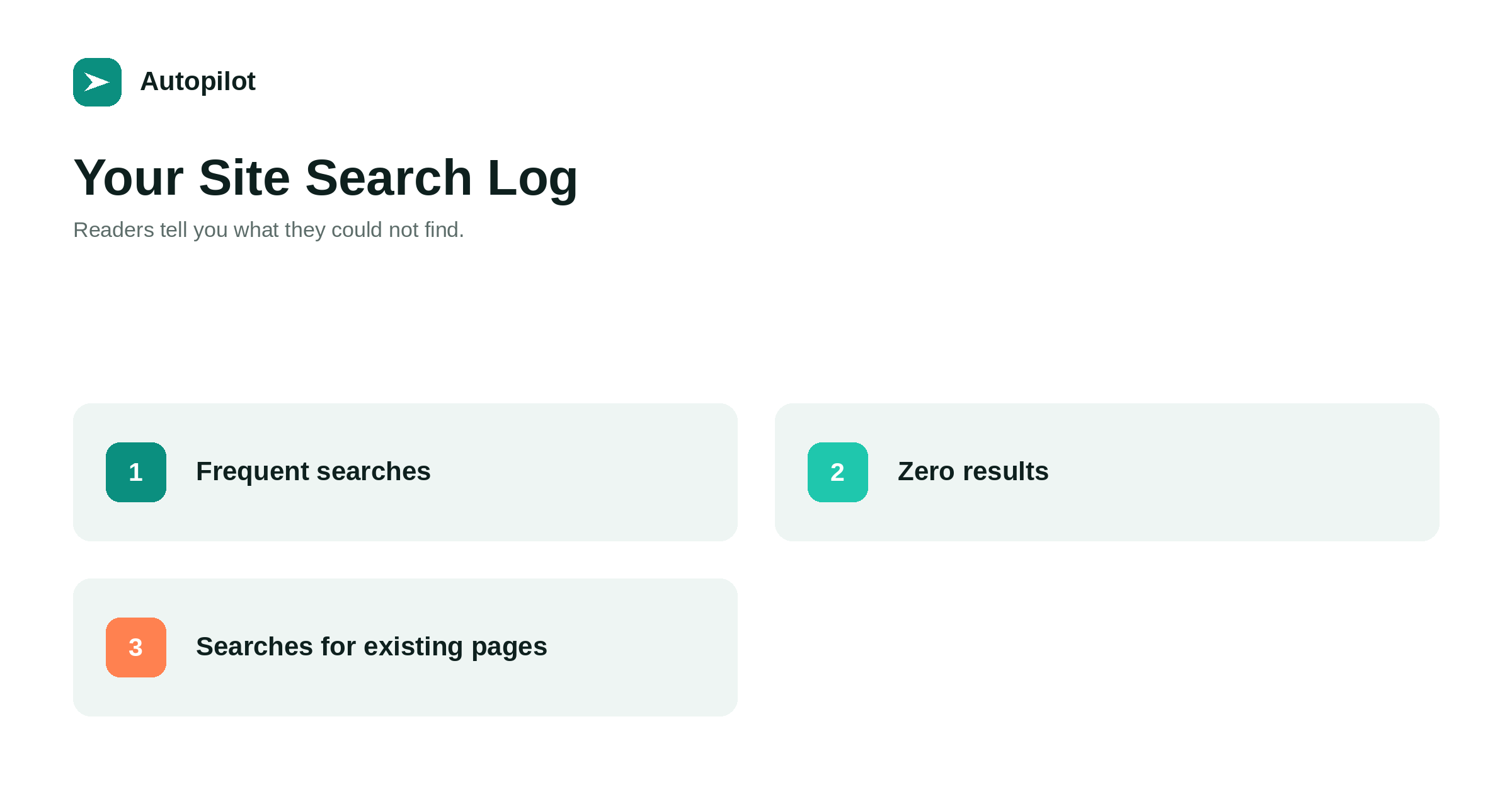
Short answer: if your blog has a search box, its log records what readers typed when they could not find something by browsing. Collect those searches monthly, group them, and look at three patterns: frequent searches for subjects you cover, which point to navigation problems; searches returning no results, which point to gaps; and searches in unexpected words, which show how readers describe things. Fix navigation, write articles for real gaps, and use readers’ wording in titles and headings.
Most topic research looks outward: search tools, competitors, results pages. One of the most direct sources is inside your own site, in the searches readers type into your search box.
Each search is a reader telling you what they expected to find. On a small site the numbers are modest, but the signal is unusually clear.
Collecting the searches
Most analytics tools can record site search terms if configured to recognise the search parameter in the URL. Some search plugins keep their own logs. Either way, you want a list of terms with how often each was searched and whether results were returned.
Collect monthly, and look at three months at a time on a small site, since individual searches are few.
Three patterns
Group the searches and look for patterns.
| Pattern | What it means | What to do |
|---|---|---|
| Frequent search for a covered subject | Readers cannot find it by browsing | Improve navigation and links |
| Search with no results | A genuine gap | Consider an article |
| Unexpected wording | Readers use different terms | Use their words in titles and headings |
| Searches for contact, pricing, login | Navigation to key pages is weak | Make them easier to find |
Each pattern leads to a different fix.
Navigation problems
If readers frequently search for something you already cover, the article exists but cannot be found through menus, categories or links. That is a navigation problem, not a content problem.
Link to the article from related articles and the relevant category, and consider whether it belongs in the menu — breadcrumbs and navigation covers navigation.
Genuine gaps
Searches that return nothing, repeated by several readers, are strong candidates for new articles. They come from people already on your site, interested enough to look.
Check each against your subjects before writing; some will be outside what the blog should cover. Add the rest to the topic list — finding the gaps in your blog.
Readers’ own words
Site searches show the words readers actually use. If they search for posting schedule while your articles say publishing cadence, your titles and headings are using the wrong vocabulary.
Adjust titles, headings and introductions to use readers’ terms. This also tends to help in external search, since the same readers use the same words there.
Improving the search itself
The default search on many platforms is basic: it matches exact words and ranks results by date. Readers searching a synonym or misspelling find nothing.
Check what common searches return. If results are poor, a better search plugin or adding synonyms can help. At minimum, make sure the no-results page suggests popular articles or categories rather than a dead end.
Privacy
Search terms can occasionally contain personal information typed by mistake. Collect them in aggregate, avoid linking them to individuals, and include site search in your privacy policy — privacy and analytics.
An example
Imagine a blog about office equipment whose search log over three months shows: warranty searched thirty times, printer ink cost searched twelve times with no results, and contact searched eighteen times.
The warranty searches suggest an existing warranty page is hard to find; it needs links from product articles and the footer. The ink cost searches reveal a gap that fits the blog’s subject; an article comparing running costs would answer it. The contact searches show the contact page is not visible enough; it belongs in the main menu. Three changes, each directly from what readers typed.
Combining with other sources
Site search tells you what people already on your site want. Search Console tells you what people searching elsewhere found you for. Customer questions tell you what people close to buying ask. Each source sees a different part of the picture.
Topics that appear in more than one source are the strongest candidates. A question readers search for on your site, customers ask by email, and that appears in Search Console queries is almost certainly worth a dedicated article.
When there is no search box
Some blogs have no search box at all. On a small blog with clear navigation that can be fine. On a larger one, adding search helps readers and gives you this data. Place it where readers expect it, usually in the header, and make sure it works well on a phone.
If you prefer not to add search, other signals partly replace it: pages with high exit rates after short visits, and questions arriving by email about subjects you already cover.
Sharing what you learn
Share the top searches with the people who plan content and answer customers. They are a direct view of what readers want, and they often confirm or challenge assumptions about what matters to your audience.
Acting on the results
Record what you changed in response to site search — a new link, a renamed heading, a new article — and check the same searches a quarter later. If readers stop searching for something after you improved navigation to it, the fix worked.
Small numbers, clear signals
Even a handful of identical searches is meaningful, because each came from a reader already on your site who could not find something.
Making it a habit
Add a look at site search to the monthly or quarterly review: the top searches, the zero-result searches, and any new wording. It takes minutes and regularly produces the most direct topic ideas available.
Site search insights do not guarantee traffic. They make sure the content and navigation match what your own readers are looking for.
Related reading
If this was useful, these cover the questions that usually come next.
- Finding the gaps in your blog — other sources of missing topics
- Breadcrumbs and navigation — fixing what readers cannot find
- Using people also ask — questions from outside your site
The bottom line
Record site search terms, review them monthly or quarterly, and sort them into navigation problems, genuine gaps and unexpected wording. Improve links and menus for the first, write articles for the second, use readers’ words for the third, and make sure searches with no results still lead somewhere useful.
FAQ
How do I see what visitors search for on my site?
Configure your analytics to record site search terms from the search URL parameter, or use a search plugin that keeps logs.
What does it mean when readers search for existing articles?
The articles are hard to find through navigation. Improve links, categories and menus.
Should every zero-result search become an article?
No. Check each against your subjects; write for genuine gaps that fit the blog.
How often should I review site search?
Monthly or quarterly, depending on volume.
Can site search data improve SEO?
Indirectly: readers’ own wording often matches external searches, and filling gaps can help. Nothing guarantees rankings.
What should a no-results page show?
Suggestions such as popular articles, categories and a way to ask a question, rather than a dead end.