ENEnglish
 LTLietuviškai
 DEDeutsch
 FRFrançais
 RUРусский
 ESEspañol
 PLPolski
 ITItaliano
 UKУкраїнська
 CSČeština
 PTPortuguês
 JA日本語
JA日本語 LVLatviešu valoda
 ETEesti
 HUMagyar
 IDBahasa Indonesia
 TRTürkçe
 HIहिन्दी
 ELΕλληνικά
 ARالعربية
 THไทย
THไทย VITiếng Việt
 RORomână
 MSBahasa Melayu
 BNবাংলা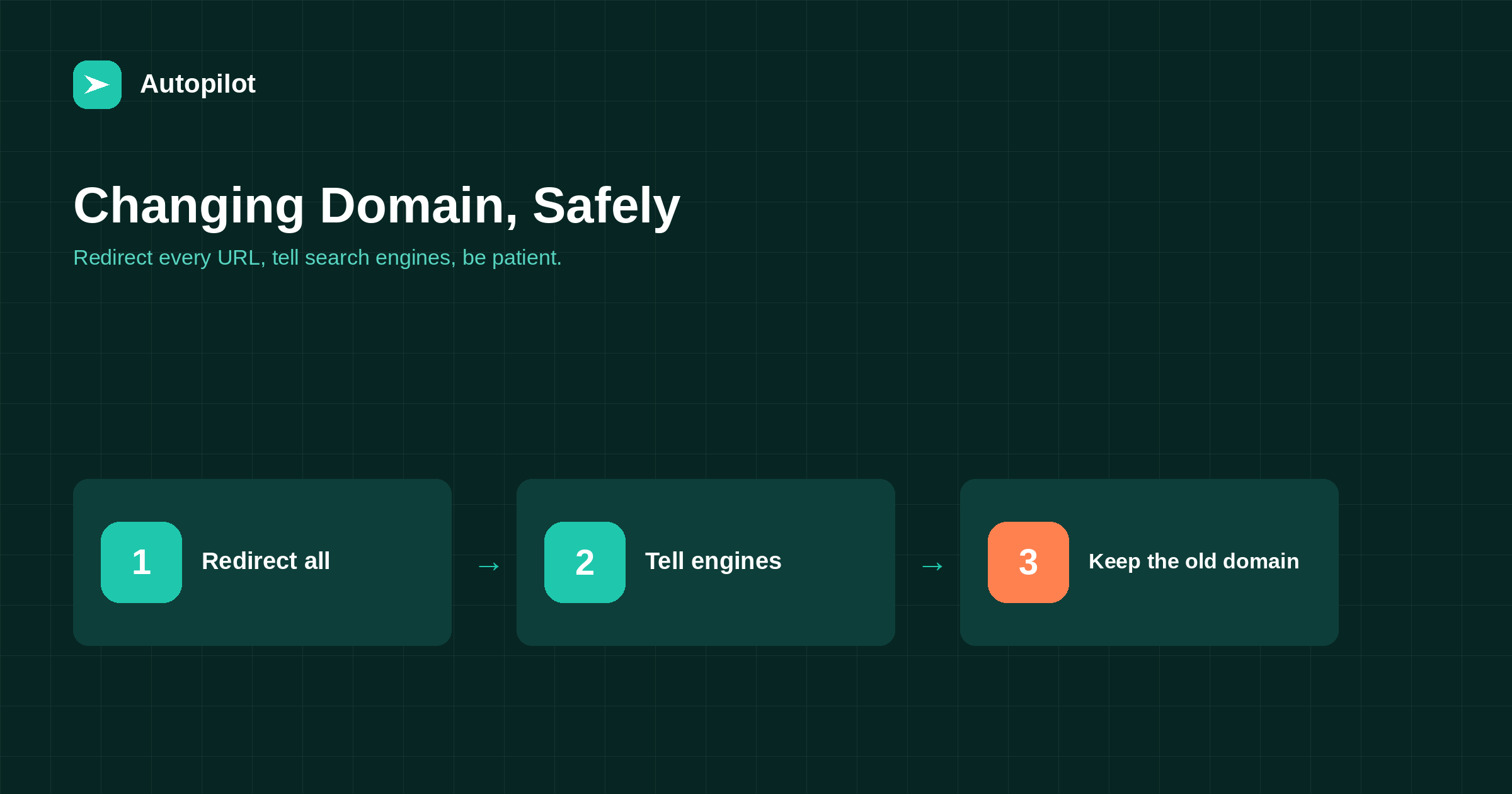
Short answer: change a domain only for a strong reason, such as a rebrand or a legal issue, because it is the riskiest kind of migration. Redirect every old URL to its exact equivalent on the new domain with permanent redirects, keep paths the same where possible, use the change-of-address tools in Search Console and Bing Webmaster Tools, submit the new sitemap, and update internal links, profiles and important external links. Keep the old domain registered and redirecting for years. Expect a period of fluctuation before signals transfer.
A new domain can feel like a fresh start: a better name, a new brand, a cleaner address. For search visibility it is the opposite of a fresh start; everything the old domain earned has to be carried across carefully, and some of it is at risk during the move.
Done properly, most of the value transfers. Done carelessly, a blog can lose much of its traffic for months.
Is it worth it?
Good reasons include a rebrand, a legal dispute over the name, merging businesses, or a domain that genuinely misleads customers. Weaker reasons include a slightly better name or a newer domain extension.
If the reason is marginal, the risk usually outweighs the benefit. A domain change always involves a period of uncertainty, and the result cannot be guaranteed.
Keep everything else the same
Change the domain, and nothing else, at the same time. Keep the same paths, content, titles and structure, so that each old URL maps exactly to a new one.
Combining a domain change with a platform change or URL restructure multiplies risk and makes problems hard to trace. If both are needed, do them months apart.
Redirect every URL, one to one
Every URL on the old domain should redirect permanently to the same path on the new domain. That includes posts, pages, archives, images and files, not just the homepage.
| Old | New |
|---|---|
| olddomain.com/article-name/ | newdomain.com/article-name/ |
| olddomain.com/category/guides/ | newdomain.com/category/guides/ |
| olddomain.com/wp-content/uploads/image.png | newdomain.com/wp-content/uploads/image.png |
| www and non-www versions | The single canonical new version |
A server-level rule usually handles this in a few lines if paths are unchanged.
Tell search engines
Search Console has a change of address tool, and Bing Webmaster Tools has an equivalent. Verify both domains, set up redirects first, then use the tools to tell each search engine about the move.
Submit the new domain’s sitemap. XML sitemaps covers sitemaps; IndexNow can notify participating engines of the new URLs quickly.
Update what you control
Update everything pointing to the old domain that you can change.
- Internal links, so they point directly to new URLs.
- Canonicals, hreflang and structured data.
- Social profiles, business profiles and directory listings.
- Email signatures, templates and documents.
- Connected tools, including publishing and analytics tools.
Update important external links
External links will still work through redirects, but asking the most valuable linking sites to update to the new domain helps. Partners, directories you control and sites you have relationships with are good places to start.
Do not expect every site to update. Redirects cover the rest.
Keep the old domain
Keep the old domain registered and redirecting for years, ideally permanently. If it lapses, the redirects stop, old links break, and someone else may register it.
What to expect afterwards
Search engines need time to process the move. Some fluctuation over weeks is common, and full transfer of signals can take months.
Monitor Search Console for both domains: the old one should show pages dropping out as redirects are processed; the new one should show them appearing. Rising errors or pages missing from the new domain need fixing — migrating a blog covers the checks.
Email and other systems
Domain changes affect more than the website. Email addresses on the old domain, email authentication records, newsletter sending settings, payment and booking systems, and integrations with other tools may all reference it.
List every system that uses the old domain before starting. Keep old email addresses forwarding for a long period, and update authentication records for the new domain before sending from it, so newsletters and notifications are not caught by spam filters.
A pre-move checklist
Before switching, confirm: both domains verified in Search Console and Bing Webmaster Tools; a complete URL inventory; redirect rules written and tested on staging; the new site indexable; canonicals, hreflang and structured data updated to the new domain; the new sitemap ready; internal links updated; and a list of external profiles and key links to update.
Then pick a quiet period for the switch and keep someone available to fix problems for the following days.
If the new domain has a history
If the new domain was used before, check its history first. A domain previously used for spam, or carrying a manual action, can bring problems with it. Look at archived versions of the site, check for existing links, and verify it in Search Console before moving to see whether any issues are reported.
Brand searches during the transition
For a while, people will search for the old name and find the old domain in results. Redirects take them to the new site, which is why keeping redirects is essential. Mentioning the former name on the new site’s about page, for a period, helps both readers and search engines connect the two.
If the change is a rebrand, update the Organization structured data and business profiles at the same time, so the new name and domain appear consistently everywhere search engines look.
Monitoring both domains
Keep both properties in Search Console for at least a year. The old one shows whether redirects are being processed and whether any old URLs still return errors; the new one shows indexing and traffic building up. Comparing the two over time is the clearest picture of how the move is going.
Communicating the change
Tell your readers and customers about the new domain: a short note on the site, in the newsletter and on social profiles. It reduces confusion and reassures people that the new address is genuinely yours.
Related reading
If this was useful, these cover the questions that usually come next.
- Migrating a blog — the full migration checklist
- XML sitemaps — helping engines find new URLs
- Earning links honestly — updating links that point to you
The bottom line
Change domain only for a strong reason, and change nothing else at the same time. Redirect every URL one to one, use the change-of-address tools, submit the new sitemap, update everything you control and ask key sites to update links. Keep the old domain for years and expect months before signals fully transfer.
FAQ
Will changing my domain hurt SEO?
There is usually a period of fluctuation. With complete one-to-one redirects and the change-of-address tools, most value typically transfers, but nothing guarantees it.
How do I redirect an old domain to a new one?
Permanently redirect every URL to the same path on the new domain, usually with a server-level rule.
Should I change URLs at the same time?
No. Keep paths identical and make other changes months later.
How long should I keep the old domain?
For years, ideally permanently, so redirects keep working and nobody else registers it.
What is the change of address tool?
A feature in Search Console, with an equivalent in Bing Webmaster Tools, for telling search engines a site has moved domains.
How long does recovery take?
Fluctuation often settles within weeks, but full transfer of signals can take months.