ENEnglish
 LTLietuviškai
 DEDeutsch
 FRFrançais
 RUРусский
 ESEspañol
 PLPolski
 ITItaliano
 UKУкраїнська
 CSČeština
 PTPortuguês
 JA日本語
 LVLatviešu valoda
 ETEesti
 HUMagyar
 IDBahasa Indonesia
 TRTürkçe
 HIहिन्दी
 ELΕλληνικά
 ARالعربية
 THไทย
 VITiếng Việt
 RORomână
 MSBahasa Melayu
 BNবাংলা
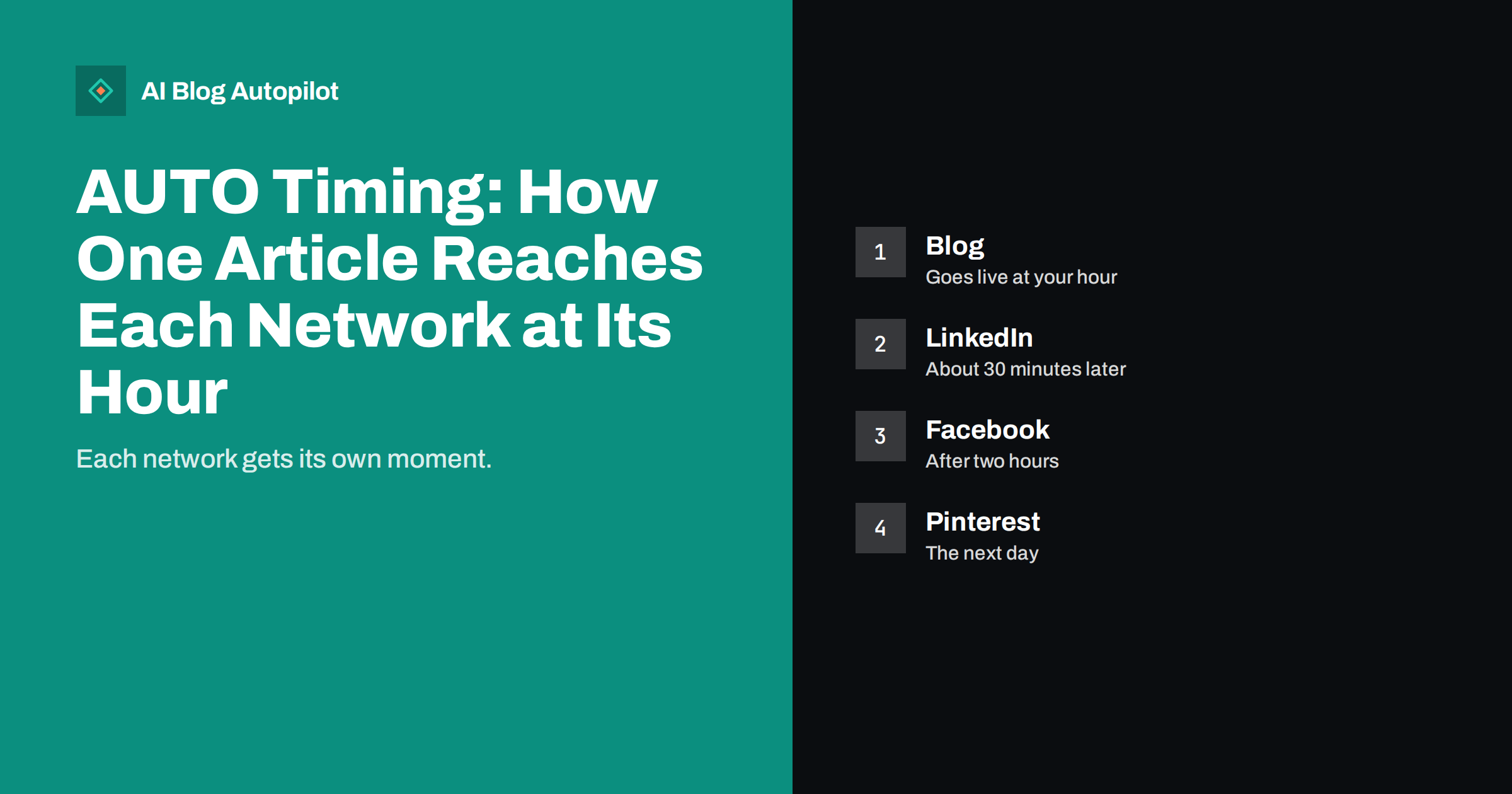
Short answer: with AUTO timing, AI Blog Autopilot publishes the article on your blog at the hour you choose and then shares it to each network at a different time, so every audience sees it when it is online. The product’s own default pattern is the blog first, LinkedIn about 30 minutes later, Facebook after two hours and Pinterest the next day.
Many tools post to every network in the same minute. It is quick, but it makes your feed look automated and ignores the fact that people use each network at different times and in different ways. A professional audience may read in the morning, while an image-led audience may browse in the evening.
This guide explains what AUTO timing does in AI Blog Autopilot, how it fits with the blog schedule, what you can still decide yourself and how to check that it is working. The details come from the product’s own pages, so check the current wording there for any change.
What AUTO means in the product
AUTO is the default mode in AI Blog Autopilot. It means the product makes the routine decisions: it plans articles from your topics, writes them, runs a quality check, publishes them and shares them. There is no queue to approve and no daily log-in. If you prefer to see each article before it goes live, you can switch on approval at any time.
Timing is part of AUTO. Instead of asking you to pick a minute for every network on every article, the product applies a timing pattern for each network. The product page describes this as the blog at your hour, LinkedIn thirty minutes later, Facebook after two hours and Pinterest the next day, each audience when it is online.
That pattern gives a sensible starting point. You do not need to know the best minute for each network, and you do not need to log in to schedule each post separately. You choose the blog hour, and the rest follows the pattern.
The blog goes first
The article is published on your blog at the hour you choose. This comes first for a good reason: the social posts link to it. The page must exist, load properly and be readable before anyone clicks. Publishing first also gives search engines a chance to find the page early.
Choose the hour with your readers in mind. If your readers are professionals who read in the morning, a morning slot suits them. If they are shoppers who browse in the evening, choose an evening slot. Your analytics will show when blog visits are highest, and look at visits by hour in your reports to see when they are highest.
Since the other networks follow the blog, moving the blog hour moves the whole sequence. That makes it easy to experiment: change one hour and watch what changes across networks over a few weeks.
A short example shows the idea. Suppose you set the blog hour to nine in the morning. The article goes live at nine, the LinkedIn post follows at around half past nine, the Facebook post appears at about eleven and the Pinterest pin comes the following day. Each step reaches a different audience, and none of them competes with the others for attention in the same minute.
LinkedIn about thirty minutes later
LinkedIn is the network where many readers expect a professional article, and where people often check in during working hours. A short delay after the blog goes live gives the page time to settle, and still catches the same working-day audience.
The post is not a pasted link. The product says each network gets its own text, length and style. A LinkedIn post usually works best when it opens with a clear point or question, offers one useful idea from the article and then invites the reader to continue on your blog. Autopilot writes the text for the network, so you do not need to rewrite it.
If LinkedIn needs reconnecting, the product tells you, as shown in its content map example, and one click fixes it. Reconnect promptly, since a disconnected network means missed posts. The guide to using LinkedIn to distribute a business blog offers further ideas.
The gap also protects you from mistakes. If something is wrong with the article, such as a typo or a missing image, you have a window between the blog and the later posts to notice it. Check the blog page soon after it goes live, particularly in the first weeks, and tell Autopilot about any pattern you want changed.
Facebook after two hours
Facebook comes about two hours after the blog. The gap spaces out the posts so your followers do not see the same article from you on several networks at once, and it gives the early readers on your blog time to arrive. Different networks reach overlapping audiences, and a gap makes the repetition feel natural.
Facebook posts tend to suit a friendlier, more conversational style than a professional network. The product writes a separate text for it, so the tone can differ. You can check how the text reads in your content map, and adjust your topics and tone settings if you want something warmer or more formal.
Facebook audiences are mixed, so clear, simple wording and a strong first line help. If you notice comments, reply to them, since a post that receives a reply often continues to be shown to others.
Pinterest the next day
Pinterest follows the next day. This is different from the rest, because people use Pinterest to plan and to save ideas for later, not to react to news. A pin can keep bringing visitors for weeks, so there is no need to rush it, and a day’s gap also helps spread the work across the schedule.
Pinterest relies on images, so the featured image of your article matters. Use clear, well-composed pictures that look good in a narrow format, and avoid heavy text on the image. The guide to Pinterest for bloggers explains what makes a pin work.
If Pinterest is not a good fit for your business, you can choose other networks within your plan. Each plan lists how many social networks it includes, so you can focus on those where your customers are.
Other networks and your plan
The product connects to many networks, including Facebook, Instagram, Threads, X, LinkedIn, Telegram, Pinterest, Tumblr, Bluesky, Mastodon, Discord, Reddit, Matrix, VK and Instapaper, with more listed on the site. Which ones you can use depends on your plan: the Social and Starter plans include 5 social networks, while Growth, Pro and Agency include all 60.
The product states that each network gets its own text, length and time, not only the four mentioned above. You do not need to know the details for every network, which is the point of AUTO. But it is worth choosing networks where your customers actually spend time, because a post that nobody sees is wasted.
The Growth, Pro and Agency plans also list evergreen reshares as a feature. Check the pricing page for what each plan includes and for current limits.
Notice also what is not in the pattern. The product does not promise a particular number of clicks or reach, and no timing can guarantee that. Timing only gives each post a reasonable chance. The quality of the article, the first line of the post and the relevance of the topic still decide whether people click.
Keep notes on any change you make, such as moving the blog hour or switching a network on or off, with the date. When results change, the notes tell you why. Without notes, it is easy to credit the wrong cause.
Watching the results
The content map shows every article and every post in one place. A calendar shows when things go out, and a network matrix shows where each article was posted, with each cell linking to the live post. If something failed, it says why. That lets you confirm that the sequence is working without opening each network.
Spend a few minutes each week on it. Check that posts appeared on every network, scan the text for tone and accuracy, and look at replies and comments. Reply where it matters, since automation posts for you but does not talk to your community for you.
After a month, compare results by network: clicks, replies and visits to the blog. If one network brings little, consider replacing it with another that suits your audience better. The guide to social media metrics for bloggers lists which numbers are worth watching.
Think about your own availability as well. If you want to reply to comments quickly, choose a blog hour when you are at your desk, so that the LinkedIn and Facebook posts arrive while you can answer. A reply within the first hour or two often matters more than the exact minute of posting.
When to use approval instead
AUTO is the recommended mode, but approval is available. Use it when the topic is sensitive, when you are launching a new brand voice or when you want to learn how the product writes before trusting it. In approval mode you see each article before it goes live and decide whether to publish it.
Some owners start with approval for two or three weeks, notice that they rarely change anything and then switch to AUTO. Others keep approval for particular topics, such as legal or health subjects, where a human check is wise whatever the tool.
Whichever mode you use, you stay responsible for what your business says. Check dates, prices, offers and claims, and tell Autopilot about changes in your business so that new articles stay accurate.
How AI Blog Autopilot helps
AI Blog Autopilot handles the timing for you, so you can plan the month once and let each article reach each network at its own hour. See the pricing page for plans, networks and monthly credits.
Related reading
- Auto-Post Every New Blog Article to Social Media Automatically
- Best Time to Share a Blog Post on Social Media
- How Often to Post on Each Social Network
The bottom line
Choose your blog hour once, let each network follow at its own time, and check the content map each week.
FAQ
Does AI Blog Autopilot post to all networks at the same time?
No. Each network is posted at its own time, so each audience sees the post when it is online.
What is the default timing pattern?
The blog goes live at your chosen hour, LinkedIn follows about 30 minutes later, Facebook after two hours and Pinterest the next day.
Can I approve posts before they go out?
Yes. AUTO is the default, but approval can be switched on at any time.
Does every network get the same text?
No. Each network gets its own text, length and time.
How do I see what was posted?
The content map shows a calendar and a network matrix, with each cell linking to the live post and the reason if something failed.