ENEnglish
 LTLietuviškai
 DEDeutsch
 FRFrançais
 RUРусский
 ESEspañol
 PLPolski
 ITItaliano
 UKУкраїнська
 CSČeština
 PTPortuguês
 JA日本語
 LVLatviešu valoda
 ETEesti
 HUMagyar
 IDBahasa Indonesia
 TRTürkçe
 HIहिन्दी
 ELΕλληνικά
 ARالعربية
 THไทย
 VITiếng Việt
 RORomână
 MSBahasa Melayu
 BNবাংলা
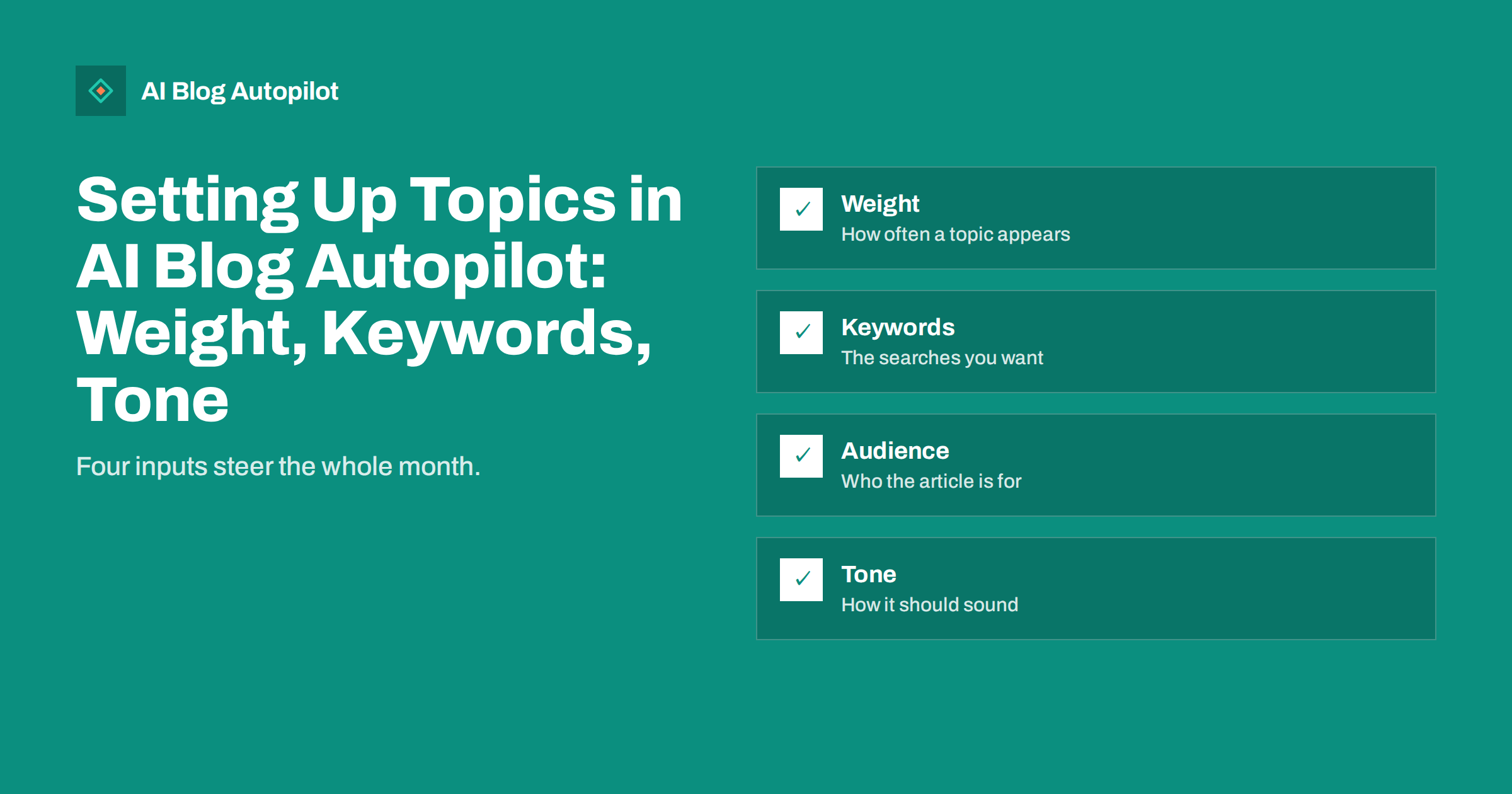
Short answer: in AI Blog Autopilot you tell the tool your topics, each with a weight, keywords, an audience and a tone, and it plans the month from there. Good topic settings are specific, true and written for a real reader. Weak settings produce vague articles, so spend your time here and let the tool do the writing.
Automation does not remove the need for judgement; it moves it. Instead of writing every article, you decide what the blog is about, who it is for and how it should sound. Those decisions are made once in your topic settings, and they shape every article that follows.
This guide explains the four inputs the product describes, how to fill them in with care, how to check the results and how to improve them over time. The product details come from the product’s own pages; check them for the current wording, and treat the examples here as suggestions, not promises.
Where topics fit in the process
The home page describes four steps. First you connect your website, or go social-only. Second, you tell Autopilot the topics. Third, it writes full articles with FAQ, tags and SEO meta, with an automatic quality check before anything goes live. Fourth, the blog goes out at your chosen hour, then each network receives its own text and timing.
Topics are therefore the only creative input in the process. Everything else follows from them: the plan for the month, the articles, the search queries each article targets and the social posts that accompany them. If the topics are wrong, the rest will be a very efficient delivery of the wrong material.
That is why it is worth an hour of careful thought before you start. Think of topic settings as a short brief to a writer who is talented and quick but knows nothing about your business except what you tell them. The guide to writing a content brief for AI covers the same idea in more depth.
Weight: how often each topic appears
The product says topics come with a weight. In plain terms, weight tells the planner how much attention a topic should get compared with the others. A topic with a high weight should appear more often in the monthly plan, and a topic with a low weight should appear now and then.
Use weight to match your business priorities. If most of your income comes from one service, give that subject the highest weight. If another subject supports it by answering questions or building trust, give it a medium weight. Subjects you want to keep alive but not push can have a low weight.
Review weights each quarter. Seasons change, new services start and old ones fade. If you plan a promotion in spring, raise the weight of related topics a few weeks before, so articles exist when interest begins. Compare the weights with the calendar in your content map to confirm the mix looks as you intended.
Keywords: the searches you want to meet
Keywords tell the planner which searches each topic should serve. The product states that articles are planned around a real search query, so the keywords you give are the starting point for those queries. Choose phrases that real customers type, not internal jargon or the names of your products that no one knows.
Prefer specific phrases to broad ones. “How to choose a wood-burning stove” is clearer than “stoves”, and it points to a question you can answer well. Mix informational phrases, such as how, why and what, with some that show buying intent, such as cost, comparison or near me. The guide to keyword research for an automated blog explains how to find them.
Do not try to list every keyword. A handful of good phrases per topic is enough, because the planner expands from them. Remove phrases that bring the wrong audience, such as job seekers when you want customers. If you have Search Console data, it can show what people already use to find you; the Pro and Agency plans include a Search Console topic import for this purpose.
Audience: who the article is for
An article for a homeowner reads differently from one for a facilities manager, even on the same subject. State who you are writing for: their role, their level of knowledge, their location and what they want to do. The more clearly you describe them, the better the examples, vocabulary and level of detail.
Use a short description in plain words. For instance: “owners of small independent hotels who manage their own marketing and have little time”. That single sentence tells the writer to avoid technical jargon, to be practical and to keep each article focused.
If you serve more than one audience, create more than one topic instead of mixing them into one description. A separate topic for each audience keeps the articles clean and lets you give each a different weight. See reader personas for blogs for a method to build them.
Tone: how the articles should sound
Tone is the most personal setting. Describe how you speak to customers: friendly or formal, brief or detailed, playful or serious. Add anything to avoid, such as slang, exclamation marks or sales pressure. A few clear sentences can steer the voice of every article.
Think about the contexts in which your articles are read. A blog for a law firm needs calm, careful wording, while one for a surf shop can be relaxed. If your business works in a sensitive field, say so and ask for restraint. Read the first articles and adjust the description until the voice sounds like yours.
Tone interacts with language. Autopilot writes each article directly in its language, in 25 languages, not translated from English, so a tone that suits English may need a different phrasing in another language. Check a sample in each language you use, ideally with a native reader. The guide to brand voice guidelines shows how to write them down.
Give the tool true facts
The product states that the writer is instructed never to make up statistics, quotes or sources. You can help by supplying accurate facts about your business. List what you offer, where you work, who you serve and what you do not do. Include rules that matter, such as opening hours, regions served and services you do not provide.
Avoid details that change often. A price or an offer written into a topic description can end up in articles long after it ceases to be true. If something changes, update the description at once and review recent articles.
Be honest about limits. If you do not do emergency call-outs, say so; if you serve only one city, say so. Clear exclusions prevent articles that promise what you cannot deliver. The guide to who it is not for statements explains why this builds trust.
Plan for growth in the number of topics. A new blog may start with three or four, one for each core service or question area. As results arrive, add subjects that customers ask about, retire those that never perform and split broad ones into narrower ones. A list of five to ten well-described topics usually serves a small business better than thirty vague ones.
Share the settings with colleagues. The person who answers the phone often knows which questions come up most, and the person who ships orders knows what goes wrong. Ask them to read your topic descriptions and add what is missing. A few corrections from the people closest to customers can improve every article that follows.
Review, adjust and repeat
After the first articles appear, read them against your topic descriptions. Ask whether each one fits the audience, uses the keywords naturally and sounds right. Note patterns: a topic that is too broad produces general articles, and one that is too narrow runs out of ideas quickly.
Adjust one thing at a time, so you can see its effect. Change the audience description, wait for the next articles and compare. If an article fails the quality check and waits for you, the cause is often visible in the topic settings: a vague brief, an unusual keyword or a conflicting tone.
Make a short monthly review part of your routine. Look at the content map, count how many articles each topic received, and check that the mix matches your weights. If a topic has attracted visitors or enquiries, raise its weight; if not, consider reshaping it. The monthly blog review agenda offers a ready-made list.
Examples of strong and weak topic settings
A weak setting looks like this: “Blog about plumbing. Friendly.” It is short, general and leaves almost everything to chance. The planner has little to work with, so it produces broad articles that look like those of every other plumber.
A stronger setting says: “Boiler servicing and repair for homeowners in a named town. Audience: homeowners who are not technical and want to avoid surprise bills. Keywords: boiler service cost, boiler making noise, when to replace a boiler. Tone: calm, practical, plain words, no scare tactics. Do not cover commercial installations.” The planner now knows what to write, for whom and what to leave out.
Notice that the second version contains no secrets and no inventions. It simply states what is true and what matters. Anyone in your business could write it in ten minutes.
How AI Blog Autopilot helps
You can start with the first three articles free, with no card, and see how your topic settings translate into real articles. The pricing page lists the plans, from Social at 15 euros a month to Agency at 249 euros, and AI Blog Autopilot plans the month from the topics you set.
Related reading
- Prioritising Blog Topics
- Choosing What Your Business Blog Is About
- Turning Customer Questions Into Blog Topics
The bottom line
Give each topic a clear weight, real keywords, a described audience and a tone in your own voice, supply true facts, and review the results every month.
FAQ
What do I set for each topic in AI Blog Autopilot?
According to the product, topics come with a weight, keywords, an audience and a tone, and it plans the month from there.
What does topic weight do?
It tells the planner how much attention a topic should get compared with others, so higher weights appear more often in the plan.
How many keywords should I enter?
A handful of specific phrases that real customers type is enough. Remove any that attract the wrong audience.
Can I import topics from Search Console?
The Pro and Agency plans list a Search Console topic import. Check the pricing page for the current details.
How do I improve the articles I get?
Read the first articles against your settings, change one thing at a time and review the mix on the content map each month.