ENEnglish
 LTLietuviškai
 DEDeutsch
 FRFrançais
 RUРусский
 ESEspañol
 PLPolski
 ITItaliano
 UKУкраїнська
 CSČeština
 PTPortuguês
 JA日本語
JA日本語 LVLatviešu valoda
 ETEesti
 HUMagyar
 IDBahasa Indonesia
 TRTürkçe
 HIहिन्दी
 ELΕλληνικά
 ARالعربية
 THไทย
THไทย VITiếng Việt
 RORomână
 MSBahasa Melayu
 BNবাংলা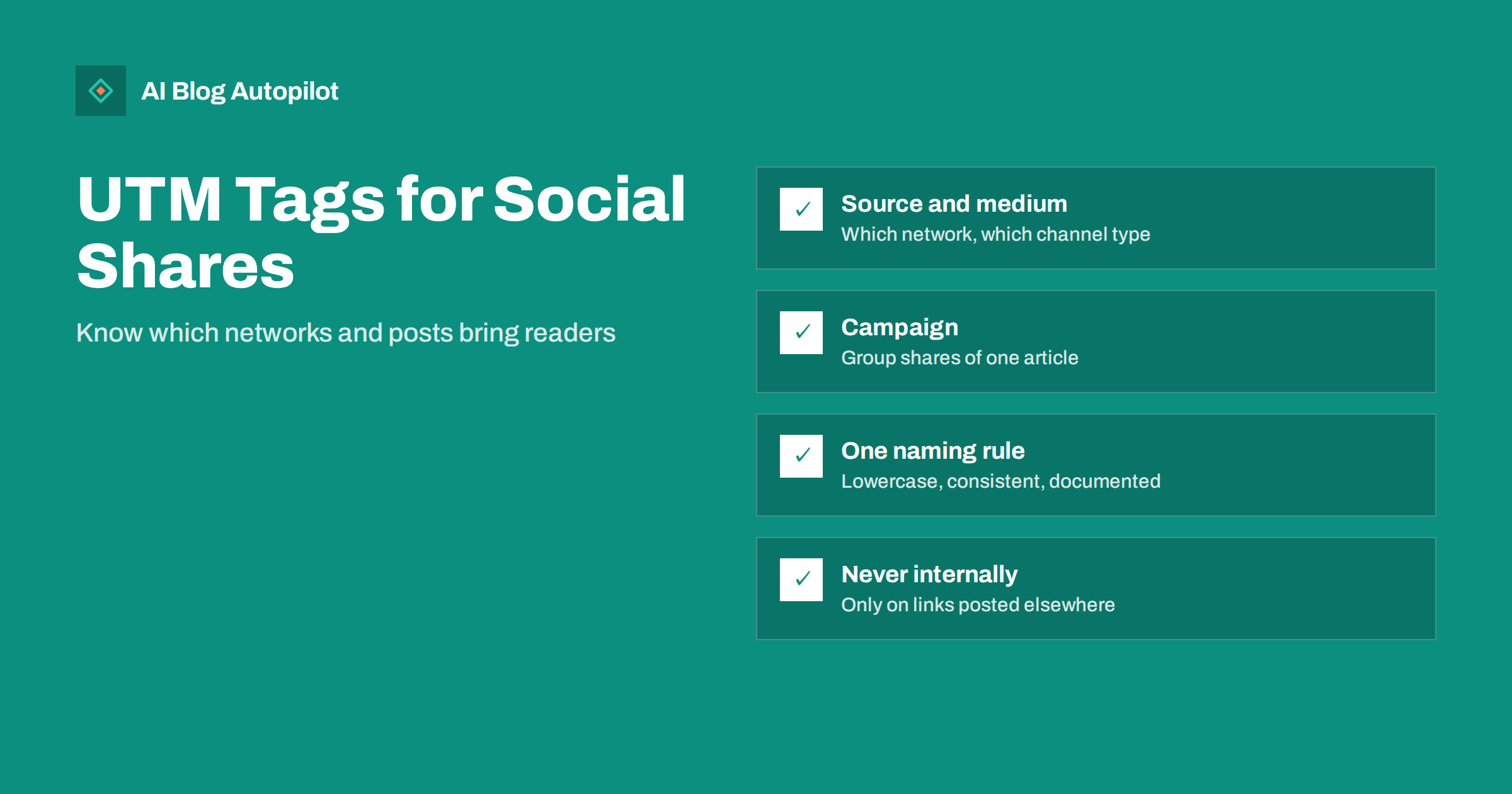
Short answer: UTM tags are parameters added to a link, such as utm_source, utm_medium and utm_campaign, that tell your analytics exactly where a visit came from. Adding them to the links you share on social networks lets you see which network, which post and which article brought readers, instead of relying on vague referral data. Use a consistent lowercase naming scheme, tag only links you post outside your site, never tag internal links, and keep a simple record of the names you use.
Sharing every article to social media is standard practice. Knowing whether it works is less common. Analytics tools often lump social visits together, lose them entirely when apps open links in their own browsers, or mislabel them as direct traffic.
UTM tags solve most of that with a few extra words at the end of each shared link. This guide explains what each parameter does, a naming scheme that stays tidy over years, and how to read the results without over-interpreting them.
What UTM tags are
UTM tags are query parameters appended to a URL. They do not change the page the visitor sees. They carry labels that analytics tools read and store with the visit.
A tagged link to an article might end with something like ?utm_source=linkedin&utm_medium=social&utm_campaign=keyword-research-guide. When someone clicks it, analytics records that the visit came from LinkedIn, via social, as part of the campaign for that article.
The name comes from Urchin, the analytics software that introduced the convention before it became Google Analytics. Today the parameters are recognised by most analytics tools, not just Google’s. Google’s help page on collecting campaign data with custom URLs documents them in detail.
The parameters and what to put in each
| Parameter | Answers | Example values | Required? |
|---|---|---|---|
| utm_source | Which site or platform? | facebook, linkedin, pinterest, newsletter | Yes |
| utm_medium | What type of channel? | social, email, paid-social | Yes |
| utm_campaign | Which campaign or article? | article slug, or a named promotion | Recommended |
| utm_content | Which version of the post? | image-post, text-post, reshare-2 | Optional |
| utm_term | Which keyword (mainly paid search)? | rarely needed for social | Optional |
For organic social sharing of blog posts, source, medium and campaign cover most needs. Add utm_content when you post the same article more than once or in different formats and want to compare them.
Why tag social links at all
Analytics tools already detect many social visits from the referrer, so tagging can seem unnecessary. In practice, untagged social traffic is unreliable for several reasons:
- In-app browsers. Many social apps open links inside their own browser, which may not pass a referrer, so the visit appears as direct traffic.
- Link shorteners and redirects can strip or change the referrer.
- Several referrer domains for one network, such as mobile and desktop variants, fragment the numbers.
- No detail below the network. Even when the network is detected, you cannot tell which post or which article share caused the visit.
Tags make the source explicit and add the post-level detail. They turn “some traffic from social” into “the LinkedIn post about keyword research brought most visits this week”.
A naming scheme that stays clean
The biggest practical problem with UTM tags is inconsistency. Analytics treats “Facebook”, “facebook” and “fb” as three different sources, and after a year of casual tagging the reports become unreadable. A few rules prevent that:
- Always lowercase. Values are case-sensitive in most tools.
- One name per network, written down: facebook, instagram, linkedin, x, pinterest, threads, bluesky, telegram and so on.
- A small fixed set of mediums: social for organic posts, paid-social for ads, email for newsletters. Match the medium names your analytics tool uses for its default channel grouping, so tagged visits land in the right channel.
- Campaign equals article slug for blog sharing. It is unique, already exists and makes reports easy to match to posts.
- Hyphens, not spaces, and no special characters.
- A shared document listing the allowed values, so everyone who posts uses the same ones.
With these rules, a year of data remains easy to filter and compare.
It is also worth deciding early how to treat networks that share a parent company or appear in several forms, such as a main app and a separate messaging or short-video product. Give each its own source value if you post to them separately and want to compare them; merge them only if you genuinely treat them as one channel. Whatever you choose, write it down, because the decision will otherwise be made differently by each person who posts, and by you on different days.
Where not to use UTM tags
Tags belong only on links that live outside your site. Using them in the wrong places damages your data.
- Never on internal links. A tagged link from one of your articles to another starts a new session attributed to that tag in some tools, overwriting the real source of the visitor. Internal navigation should always use clean URLs.
- Not in canonical tags or sitemaps. These should always show the clean URL.
- Not on links you want people to copy and reshare widely, if you care about attribution accuracy, because the reshares will carry your original tags.
Search engines generally handle tagged URLs well, especially when each page declares its clean canonical URL, which most WordPress setups do by default. Canonical tags explained covers why that matters.
Making tagging practical
Tagging every link by hand is tedious, which is why it often stops after a week. Ways to keep it sustainable:
- Use a URL builder, such as the free campaign URL builders analytics providers offer, or a spreadsheet formula that assembles the link from the article URL and your standard values.
- Check your sharing tool. Some scheduling and automation tools can add UTM parameters automatically per network. Check what yours does before adding your own, to avoid double tagging.
- Keep templates per network, so only the campaign value changes for each article.
- Tag the link in your bio or profile once, with a campaign such as profile, to see how much traffic comes from it.
A tagging plan for one article
To make the scheme concrete, here is how a single article might be tagged when it is shared to four networks and reshared a month later. Assume the article’s slug is keyword-research-guide.
- LinkedIn, first share: source linkedin, medium social, campaign keyword-research-guide, content launch.
- Facebook, first share: source facebook, medium social, campaign keyword-research-guide, content launch.
- Pinterest pin: source pinterest, medium social, campaign keyword-research-guide, content pin-vertical.
- Newsletter mention: source newsletter, medium email, campaign keyword-research-guide, content launch.
- LinkedIn, reshare a month later: the same values, with content reshare-1.
Filtering reports by the campaign keyword-research-guide then shows every visit the article received from outside the site, broken down by network, with launch and reshare traffic kept apart. Filtering by source linkedin across all campaigns shows which articles perform best on that network.
Notice what is not in the tags: dates, times, the author’s name or a description of the post. Analytics already records when a visit happened, and extra detail only splits the data into rows too small to compare. The plan deliberately uses as few distinct values as possible.
If you publish several articles a week, write this plan down once as a template and reuse it. The only value that changes per article is the campaign, which is simply the slug, so the whole scheme can be applied in seconds, or generated with a spreadsheet formula.
Reading the results
In most analytics tools, tagged visits appear in acquisition reports broken down by source, medium and campaign. Useful questions to ask:
- Which networks send readers who stay? Compare engagement, not just visits. A network that sends fewer, more engaged readers may be more valuable.
- Which articles travel well on social? Filter by campaign to see which posts attract clicks. Topics that do well are candidates for more content and for resharing later.
- Which formats work? If you used utm_content, compare image posts with text posts, or first shares with reshares.
- Do social readers convert? If you track sign-ups or enquiries, check whether social visitors complete them. Measuring whether a blog is working covers setting that up.
Keep expectations realistic. Social traffic to blog posts is often modest compared with search, and it tends to arrive in short bursts after each post. The value of tagging is in comparison and direction, not in large absolute numbers.
Common mistakes
- Inconsistent capitalisation or naming, splitting one source into several rows.
- Tagging internal links, which overwrites real sources.
- Too much detail in values, such as dates and post times, making every row unique and reports unreadable. Analytics records the date already.
- Personal data in tags, such as email addresses or names. UTM values are stored in analytics and should never identify individuals.
- Forgetting the medium, so visits fall into an unassigned channel.
How AI Blog Autopilot fits in
AI Blog Autopilot shares every published article to your connected social networks, with its own text and timing per network, and its content map shows where each article was posted and links to the live posts. Your analytics tool is where you see the visits those posts bring back, and a consistent tagging scheme makes that side clearer. See the AI Blog Autopilot home page for how sharing works.
Related reading
- Turning an Article Into Social Posts That Get Read
- How to Measure Whether a Blog Is Working
- Auto-Post Every New Blog Article to Social Media
- Privacy and Analytics on a Business Blog
The bottom line
UTM tags turn social traffic from a vague total into clear data about which networks, posts and articles bring readers. Tag every link you share outside your site with source, medium and campaign, use one documented lowercase naming scheme, never tag internal links, and keep personal data out of the values. Then compare engagement across networks and articles to decide where your sharing effort is best spent.
FAQ
What are UTM tags?
UTM tags are parameters added to the end of a URL, such as utm_source, utm_medium and utm_campaign. Analytics tools read them to record where a visit came from. They do not change the page the visitor sees.
Which UTM parameters do I need for social media posts?
Use utm_source for the network, utm_medium set to social for organic posts, and utm_campaign for the article or campaign. Add utm_content if you want to compare different versions or reshares of the same post.
Do UTM tags affect SEO?
Not when used correctly. Keep them off internal links, sitemaps and canonical tags. Pages that declare their clean URL as canonical help search engines treat tagged versions as the same page.
Should I use UTM tags on internal links?
No. Tagged internal links can overwrite the real source of a visit in analytics and distort your reports. Use clean URLs for all links within your own site.
Why does social media traffic show as direct in analytics?
Social apps often open links in built-in browsers that do not pass referrer information, so analytics cannot tell where the visit came from. UTM tags on shared links solve this by labelling the source explicitly.