ENEnglish
 LTLietuviškai
 DEDeutsch
 FRFrançais
 RUРусский
 ESEspañol
 PLPolski
 ITItaliano
 UKУкраїнська
 CSČeština
 PTPortuguês
 JA日本語
JA日本語 LVLatviešu valoda
 ETEesti
 HUMagyar
 IDBahasa Indonesia
 TRTürkçe
 HIहिन्दी
 ELΕλληνικά
 ARالعربية
 THไทย
THไทย VITiếng Việt
 RORomână
 MSBahasa Melayu
 BNবাংলা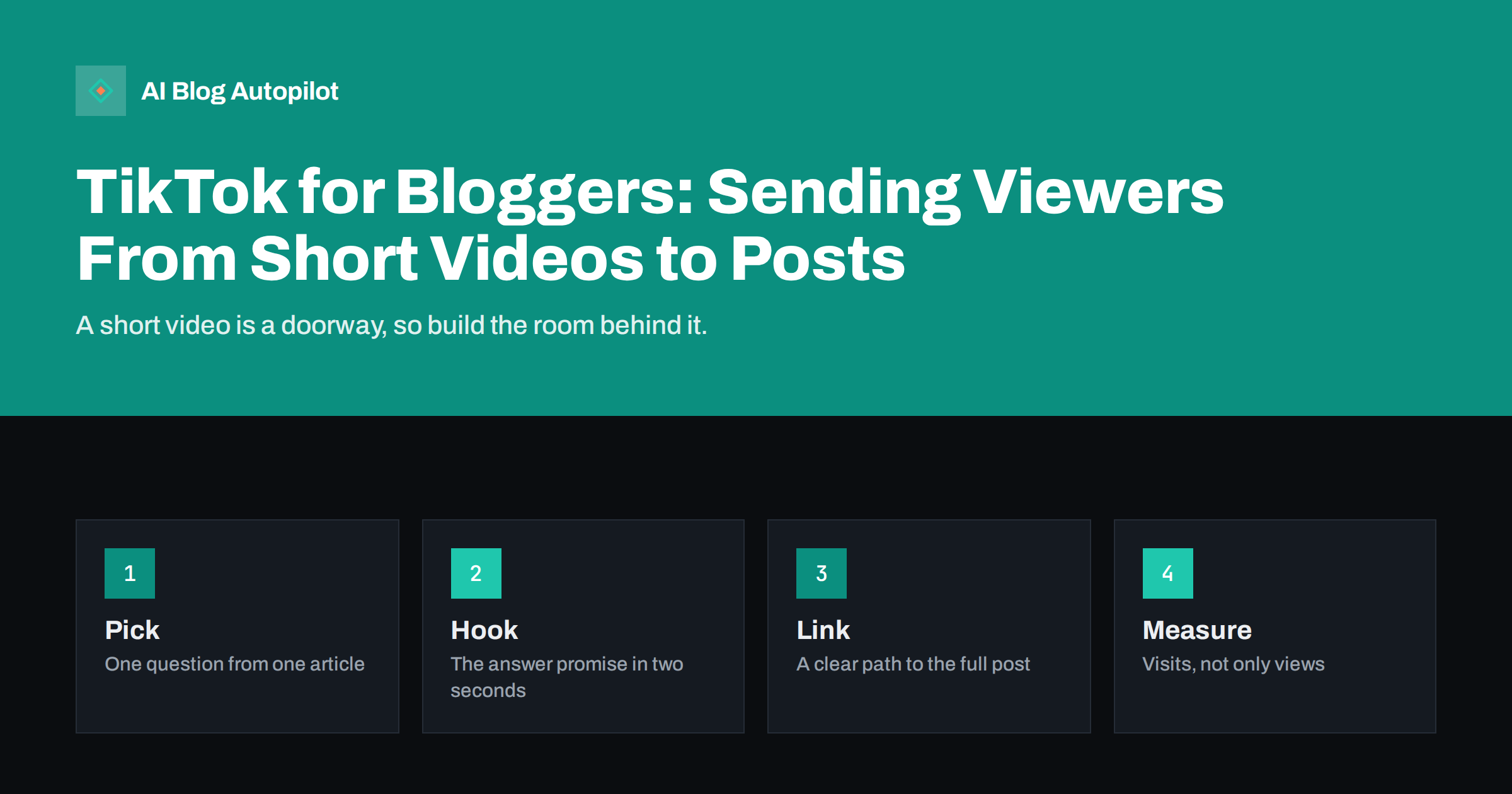
Short answer: a blogger can use short vertical videos to answer one question from an article, promise a useful answer in the first seconds, deliver a part of it on screen and point to the full post through the profile link and the caption. Treat each video as a doorway, not a replacement. Measure success by visits and sign-ups on your own site, not by views alone, and check the platform’s current rules on links, music and disclosure before you publish.
Short video platforms reach people who might never search for your topic. A viewer who watches a thirty-second explanation of a common mistake may be curious enough to read the whole guide. The format rewards clarity and speed, which suits bloggers who already know how to explain one idea well. It also takes time, so the aim is a repeatable routine that turns articles into clips with little extra work.
Decide whether the platform fits your readers
Not every audience is there, and not every topic works in short video. Ask who reads your blog, what age and what habits they have, and whether they would watch an explanation on a phone. Topics that show a process, a before-and-after, a quick tip or a common mistake translate well. Dense legal, technical or financial subjects can still work if you pick one narrow question, but they need care and clear limits on advice.
Try a small test: five videos over a month, each based on an existing article, and measure what happens. If the clips bring visits, sign-ups or useful comments, continue. If they bring views but nobody clicks, change the topic or the call to action before giving up. Our guide on choosing social networks with a simple method offers a way to decide where to spend effort.
Turn one article into several clips
Look through a published article and pick the parts that stand alone: a question in a heading, a list of three mistakes, a short process, a surprising number with a clear source. Each can be one video. Write down the question the video answers, the one point it makes and what you want the viewer to do next. Resist the urge to summarise the whole article, because a clip that tries to say everything says nothing.
This is repurposing, not duplication. The video gives a taste, and the article gives the depth. Our article on repurposing an article into several formats explains how to plan this so that each format has its own job. Keep a list of the clips you made from each article, with the dates, so you do not repeat yourself and can find which ones worked.
Plan the visual side before you press record. A simple structure works for most clips: a spoken or written question, a quick demonstration or example, the key point and an ending that names the next step. Use real screens, notes or objects rather than stock footage, because authenticity is part of what viewers respond to. If your topic is abstract, draw a simple diagram on paper and show it, which is easier to follow than a long explanation.
Write a hook that is honest
The first two seconds decide whether anyone keeps watching. Start with the question, the problem or the result, and say it in plain words. “Three reasons your post is not ranking” is a clear promise. A misleading hook that suggests something dramatic and delivers something small will lose trust and be punished by viewers leaving. Look at our article on writing hooks without clickbait for examples that grab attention without exaggeration.
After the hook, get to the point quickly. Show the example on screen, use short sentences and cut every pause. Add captions that match what you say, because many people watch without sound, and they also help people with hearing loss. Keep the language simple and the text on screen large enough to read on a small phone. End with a single next step, such as reading the full guide, not three different requests.
Think about accessibility from the start. Use clear speech, steady pacing, accurate captions and good contrast between text and background, and avoid flashing effects. Write a short description in the caption that says what the video covers, in plain words, so that people who cannot watch can still understand the topic. These habits also help viewers in noisy places and those who speak another language, and they cost little once they are part of your template.
Make the link easy to find
Links work differently on each platform, and the rules change, so check what is currently allowed for your type of account. In many cases, the main route is the single link in the profile, so make it point to a page that matches the video, not to the home page. Say in the video and the caption where the link is, and keep the wording simple. If you have several videos from the same article, use one clearly named landing page for them.
Build a landing page that welcomes the visitor from the video: a short heading that repeats the question, a clear answer near the top, a link to the full article and one useful offer, such as a checklist or a newsletter. Test the page on a phone. Because the visitor has just come from a vertical screen, the page must load quickly and read well in the same format. Add tracking parameters to the link, as described in our guide to UTM tags for social shares, so that you can see the visits in your reports.
Think also about consistency of identity. Use the same name, picture and short description as on your other profiles, so that someone who finds a clip can recognise you on your site and in search. A short bio that says who you are, what you cover and where to find the full guides is enough. Check that the profile link works and that the landing page is up to date. A broken link is the quickest way to waste the attention a good clip has earned.
Respect the rules and your audience
Use only music, images and clips that you have the right to use, and follow the platform’s rules for commercial accounts. Disclose sponsored content and affiliate relationships as the rules and the law require, in the video and in the caption, not only in a hidden place. Do not include information about private individuals without their permission, and avoid giving advice that could cause harm on health, money or legal matters. If you are unsure, keep the content general and point to a qualified professional.
Moderate comments with the same care as on your site. Reply to genuine questions with a useful answer, and use the replies as topics for new clips or articles. Do not argue with trolls, and remove abusive comments in line with your own rules. Our guide on handling negative comments on social posts offers a calm approach.
Measure what matters
Views are easy to see and easy to misread. A video that gets many views and no visits is entertainment, not marketing. Track clicks on the profile link, sessions from the platform in your analytics, time on the landing page, newsletter sign-ups and any conversions that follow. Compare clips by topic, length and hook, and look for patterns. Over a few weeks you will see which kinds of video send readers and which do not.
Do not expect precise numbers, because some visits from social platforms appear as direct traffic. Use consistent tagged links and a simple spreadsheet with the date, the topic, the link and the results. Review it monthly, drop formats that do not work and repeat those that do. A modest, steady stream of clips that drive visits is better than a burst of effort that cannot be sustained.
Plan for how you will reuse the best clips. A video that performed well can be shared again later with a new hook, embedded in the related article or turned into a short post for another network. Keep the raw files in an organised folder, with notes about what each one covers, and review the library each quarter. Retire clips that contain outdated information, and re-record them when the article behind them changes. Old clips that give wrong advice damage trust long after the article has been fixed.
A light routine that lasts
Batch the work. Once a month, choose five articles, write the hooks and scripts, record the clips in one session with the same set-up and schedule them across the following weeks. Keep the equipment simple: a phone, a steady surface, decent light and a quiet room. Avoid heavy editing, and use the same caption style and end card for recognition. A repeatable template saves more time than any single tool.
How AI Blog Autopilot helps
AI Blog Autopilot writes full SEO articles for your WordPress blog from the topics, keywords, audience and tone you set, with FAQ sections, tags and SEO meta included, and it shares each one to your social networks. That gives you a steady supply of well-structured articles to draw video ideas from, while you record the clips yourself, in your own voice. Approval mode lets you read each article before it goes live. See the pricing page for plans.
Related reading
- Short Video From Blog Posts: Turning an Article Into a Clip
- Repurposing an Article: One Piece, Several Formats
- UTM Tags for Social Shares: See Which Posts Bring Readers
- The First Line of a Social Post: Writing Hooks Without Clickbait
The bottom line
Use short video as a doorway to your articles. Pick one question from a post, write an honest hook, make the link easy to find, follow the platform’s rules and measure visits rather than views. A small, steady routine will tell you quickly whether the platform is worth your time.
FAQ
Can short videos really bring readers to a blog?
They can, if each clip answers one question and points clearly to a matching page. Measure clicks and visits, not only views, to see whether it works for your topic.
How long should a clip be?
As short as it takes to answer one question, often under a minute. Cut pauses and keep to a single point.
Where should the link to my article go?
Check the platform’s current rules for your account type. Often the profile link is the main route, so point it to a page that matches the video.
Do I need to disclose sponsored content?
Yes. Follow the platform’s rules and the law in your country, and disclose clearly in the video and the caption.
Should I repeat the whole article in the video?
No. Give one useful part and send viewers to the full article for the rest.