ENEnglish
 LTLietuviškai
 DEDeutsch
 FRFrançais
 RUРусский
 ESEspañol
 PLPolski
 ITItaliano
 UKУкраїнська
 CSČeština
 PTPortuguês
 JA日本語
JA日本語 LVLatviešu valoda
 ETEesti
 HUMagyar
 IDBahasa Indonesia
 TRTürkçe
 HIहिन्दी
 ELΕλληνικά
 ARالعربية
 THไทย
THไทย VITiếng Việt
 RORomână
 MSBahasa Melayu
 BNবাংলা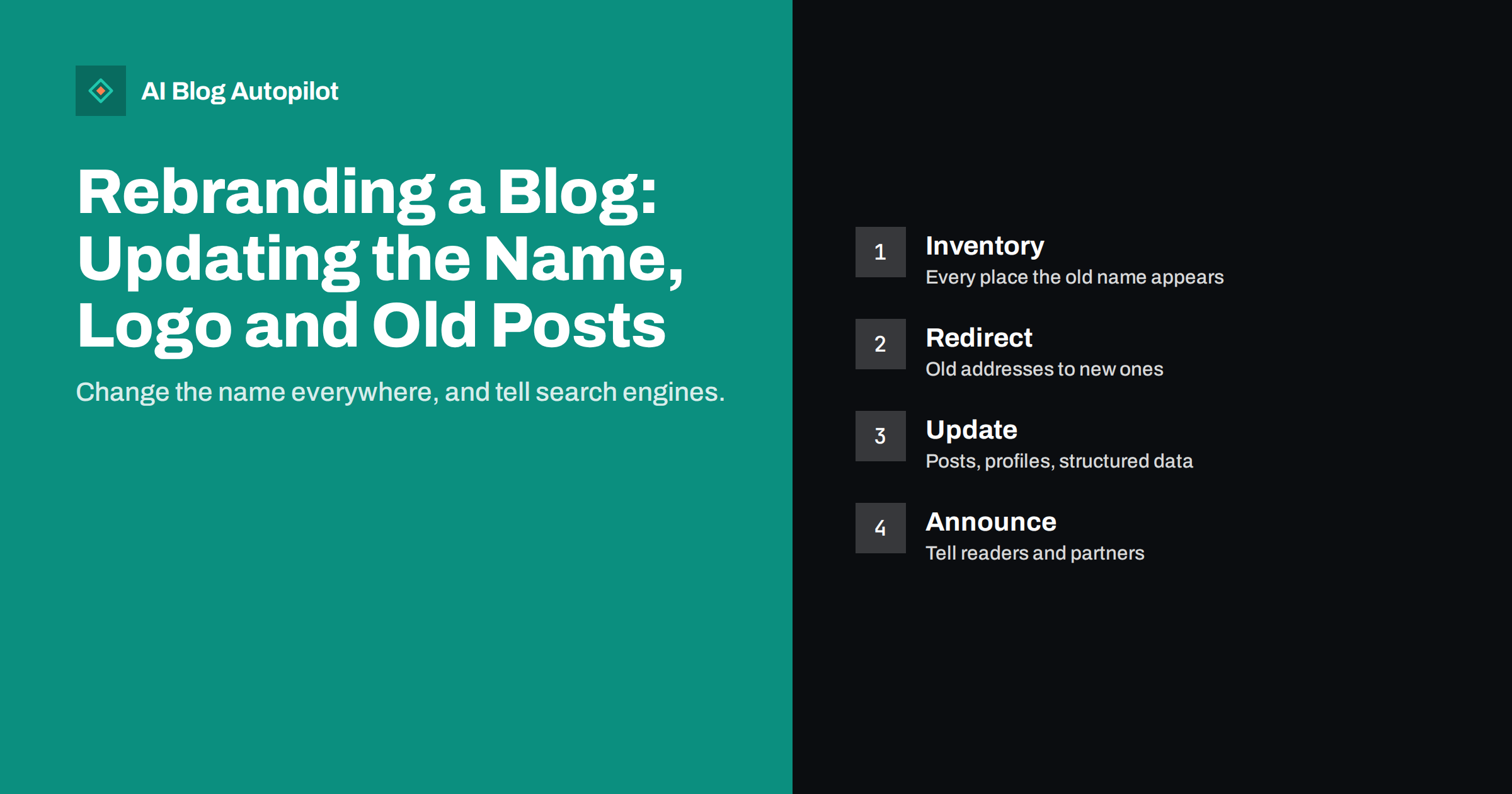
Short answer: to rebrand a blog safely, list everywhere the old name, logo and wording appear, decide whether the web address changes, update the site and its structured data, redirect every old address that changes to its new equivalent, refresh older posts where the old name is confusing, update social and directory profiles, and announce the change to readers. Rankings usually recover when the old and new versions are clearly connected, and they suffer when search engines and visitors cannot tell they are the same business.
A rebrand might be a new name, a new logo, a new tone or a new domain. Each affects a blog differently. A visual refresh is mostly a design task, while a name change touches hundreds of pages, and a domain change is a migration. This article provides a plan you can follow whichever kind you are doing, and points to the guides that cover the technical parts in more detail.
Decide what is actually changing
Write a short brief before touching anything. Does the business name change, or only the logo and colours? Does the web address change? Do product names, categories or the tone of voice change? What is the date of the switch? The answers decide the scale of work. If the domain changes, treat the project as a migration and follow our guides on changing a domain name and migrating a blog without losing traffic. If only the visuals change, focus on design assets and consistency.
Set a realistic timetable and a clear owner. Rebrands slip when nobody is responsible for the details, and the dull tasks, such as updating a footer on a partner’s website or a listing on a directory, are the ones that get forgotten. Choose a launch date, work backwards to set deadlines for each group of tasks and decide what must be ready on the day and what can follow within a few weeks. A short, honest list is better than an ambitious plan that nobody finishes.
Make an inventory of the old brand
You cannot update what you have not listed. Search your site for the old name and variations, including abbreviations and misspellings, and record where each appears: titles, headings, body text, image alt text, author bios, legal pages, footers, menus, schema markup, email signatures and form messages. Do the same outside the site: social profiles, business listings, review sites, app stores, newsletters, PDFs, presentations and partner websites. Put it all in a spreadsheet with an owner and a status for each item, and tick them off as you go. The approach is similar to the one in building a content inventory.
Do not forget the hidden places. Search in the database or the editor for the old name in custom fields, widgets, menu labels, redirect rules, email templates, automated messages, contact form notifications and plugin settings. Check downloadable files, PDFs and images that contain the old logo or name, since these are not found by a text search. Give each of these a priority based on visibility, and work through the list over several days, rather than hoping to do everything in one sitting.
Update the site in the right order
Work from the core outward. First change the identity elements: site title, tagline, logo, favicon, social sharing image and the footer. Then update the about page, contact page, legal pages and author information. Next, update the structured data that names your organisation, so search engines see the new name. Finally, deal with the posts. Our guide to site name and favicon in search explains how these identity signals reach search results, which can take time to refresh. Be consistent about capitalisation and spelling; small variations confuse people and machines.
Take screenshots of the site before you begin, and keep a backup you can restore. Make the changes first on a staging copy if you have one, review them on desktop and mobile, and only then apply them to the live site. After launch, crawl the site to find leftover mentions of the old name and broken links, and fix them in batches. A methodical order and a safety net turn a stressful change into a controlled one.
Redirect every address that changes
If any URL changes, whether because the domain is new or because the name appeared in the address of a page, set up a permanent redirect from each old address to its closest equivalent. Do not send everything to the home page, since that loses the link between old and new and frustrates visitors. Check for chains, where one redirect leads to another, and for loops. Our article on 301 and 302 redirects explains which type to use, and the guide to finding and fixing broken links helps you check the result. Keep the redirects in place for as long as possible, ideally permanently.
Deal with old posts thoughtfully
Most older posts do not need a full rewrite. Decide by priority: articles with the most traffic, links or conversions come first; articles that mention the old name in a way that would confuse a reader come second; the rest can wait or be left alone. Where the old name appears, replace it with the new one, and add a short note where history matters, such as “Formerly known as…”. Do not erase facts that were true at the time. If a post describes an old product or process, update or retire it as suggested in our guide to updating old posts. Avoid changing publication dates to make old posts look new; use an honest updated date instead.
Help search engines and AI assistants connect the dots
For a period, search results, AI answers and directories will show both names. Make the connection explicit. Use a sentence on the about page and in the announcement that says the business is now called the new name, formerly the old name. Keep your organisation structured data accurate and consistent, with both names where appropriate. Update profile pages and listings, and ask partners and sites that link to you to change the name or link. The article on what people see when they search your brand explains how to review the results, and ambiguous names in AI answers covers cases where a new name is similar to others.
Announce the change
Publish a clear announcement: what changed, why, what stays the same and what readers or customers need to do, if anything. Link to it from the home page for a while, share it on your social profiles, and send it to subscribers and partners. Keep the tone calm and practical, and avoid claims that need evidence. Then monitor Search Console for crawl errors, check traffic by landing page against your pre-launch numbers and look for pages that have lost visits. Expect some fluctuation in the first weeks, and fix any broken redirects promptly.
Prepare answers to the questions you will receive: why the name changed, whether prices or products change, whether existing customers need to do anything, whether old invoices and contracts remain valid. Put the answers on a short page that you can link to from the announcement, and brief your team so everybody gives the same reply. If you send newsletters, change the sender name and the template at the same time as the site, and tell subscribers in advance so the new name does not look like spam.
Profiles, listings and the wider web
Much of a brand lives outside the website. Change the name, description, logo and links on every social profile and directory entry, keeping the same handle if the platform allows it, or setting a clear redirect message if the handle changes. Update your business profile on local and map services, review sites, app stores and marketplaces. Check embedded elements as well, such as email signatures, invoices, packaging, vehicle graphics and printed material, and plan their replacement according to cost and visibility.
Contact the sites that link to you and ask them to update the name and link, starting with the most authoritative and the ones that send you the most visitors. Old links will keep working if your redirects are correct, but a direct link to the new address is cleaner and passes value more clearly. Search for unlinked mentions of the old name and, where it is worth the effort, ask for a correction. Keep a record of each request and the response.
Finally, watch for impersonation and confusion. When a name changes, scammers and competitors sometimes exploit the gap, and customers may be unsure whether an email or an invoice is genuine. State plainly on the site how you will communicate, which addresses you use and what you will never ask for. If the old domain is not renewed, someone else can buy it, so keep it registered and redirecting for as long as it receives visits.
How AI Blog Autopilot helps
AI Blog Autopilot writes full SEO articles for your WordPress blog from the topics, keywords, audience and tone you set, with FAQ sections, tags and SEO meta included, and it shares each one to your social networks. After a rebrand, update the business description, tone and topics you have set, so new articles use the new name from the start. With approval mode on you can read each article during the transition and catch any use of the old wording. See the pricing page for plans.
Related reading
- Changing a Blog’s Domain Name Safely
- Migrating a Blog Without Losing Its Traffic
- 301 or 302 Redirect? Choosing the Right One for a Blog
- Site Name and Favicon in Google Results: Getting Them Right
The bottom line
A rebrand is a project, not a switch. Decide what changes, inventory the old name, update the core identity first, redirect every address that moves, refresh the posts that matter, connect old and new names clearly and announce the change. Then watch the data for a few weeks. With careful handling, readers and search engines follow you to the new name without losing their way.
FAQ
Will a rebrand hurt my SEO?
It can cause temporary fluctuation, especially if the domain changes. Permanent redirects, consistent updates and a clear link between the old and new names keep the loss small.
Do I need to update every old blog post?
No. Start with the pages that have the most traffic or would confuse readers, and leave low-value posts for later or for the next refresh cycle.
Should I keep mentioning the old name?
For a while, yes. A phrase such as “formerly known as” helps people and search systems connect the two names. You can reduce it over time.
How long should redirects stay in place?
As long as you can manage, ideally permanently. Removing them too soon breaks old links and loses the connection to the earlier pages.
What should I check after launch?
Look for crawl errors and traffic drops by landing page, test redirects and review how your name appears in search results and directories.