ENEnglish
 LTLietuviškai
 DEDeutsch
 FRFrançais
 RUРусский
 ESEspañol
 PLPolski
 ITItaliano
 UKУкраїнська
 CSČeština
 PTPortuguês
 JA日本語
JA日本語 LVLatviešu valoda
 ETEesti
 HUMagyar
 IDBahasa Indonesia
 TRTürkçe
 HIहिन्दी
 ELΕλληνικά
 ARالعربية
 THไทย
THไทย VITiếng Việt
 RORomână
 MSBahasa Melayu
 BNবাংলা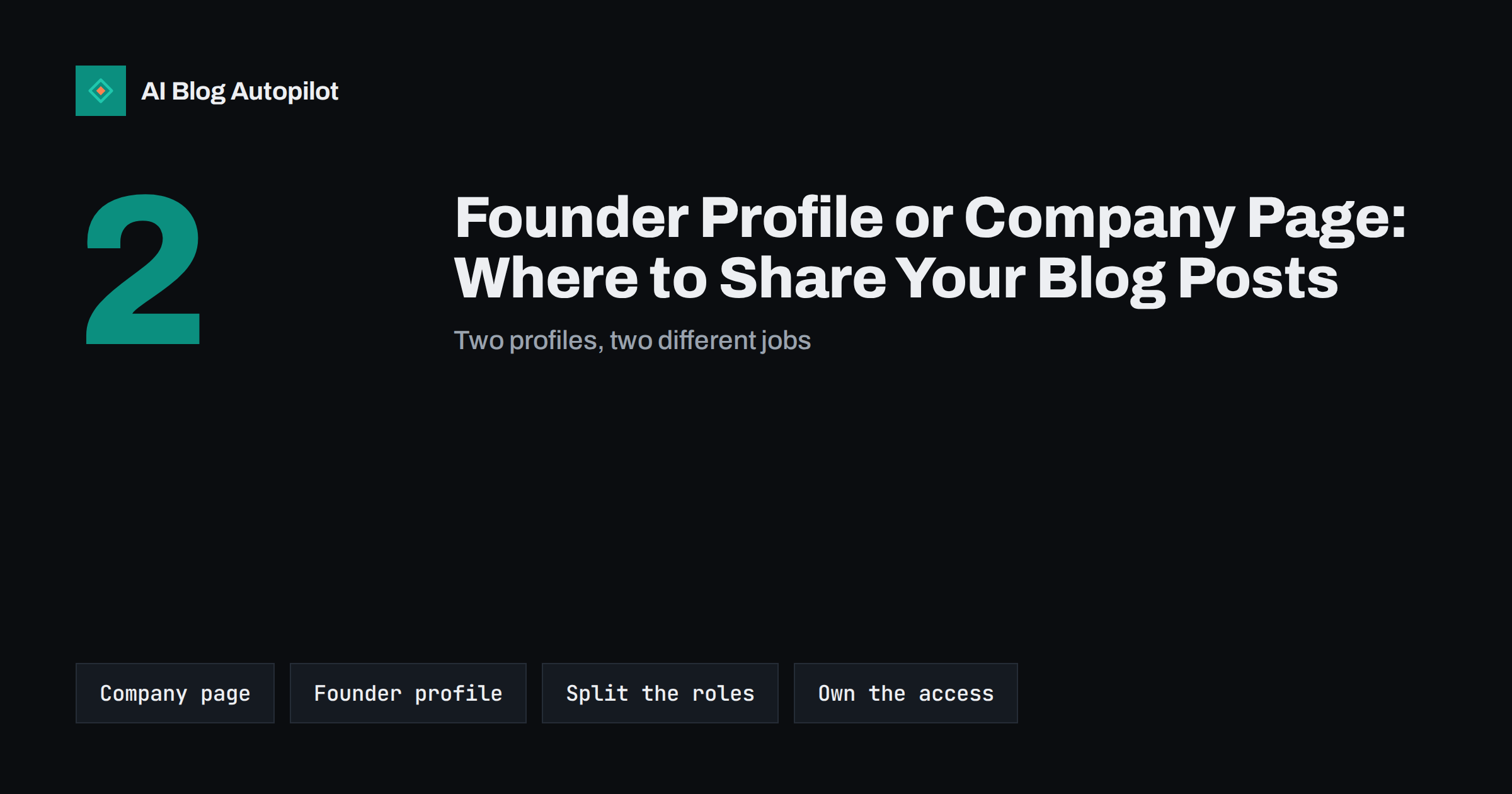
Short answer: for most small businesses the best answer is both, with different jobs. The company page is the official, stable home for announcements and every blog post. The founder’s or expert’s personal profile is where the human voice lives: a short personal take, a story behind the article, an answer to a comment. Do not post identical text in both places, make sure the company owns and controls the company accounts, and agree in advance what happens to a personal profile if its owner leaves.
Business owners often ask which account should share their blog posts. A company page feels proper but may reach few people. A personal profile may reach more, because people respond to people, yet it belongs to an individual and not to the business. The question gets more interesting on networks where personal accounts are the norm and business pages are an afterthought. This guide sets out what each type of account does well, how to divide the work, how to write for each and which risks to manage. It does not promise a particular level of reach, because each network changes how it shows posts and the results vary by audience.
What a company page does well
A company page is the official presence of the business. It has strengths that a personal profile cannot match.
- Continuity. It stays when people change. Followers, history and content remain with the business.
- Control. Several people can manage it with defined roles, and the business can remove access when someone leaves.
- Authority. It is the place a customer, journalist or candidate checks to confirm that you are real, active and consistent.
- Tools. Pages often offer analytics, scheduling, advertising options and links to products, which personal profiles do not.
- Neutral tone. It is the right place for formal announcements, policies, job posts and notices.
The weakness is that people usually follow a company page less enthusiastically than they follow a person, and many networks give organic company posts a smaller audience than personal ones. Treat it as a record and a reference and not as your main engine of attention.
What a personal profile does well
People connect with people. A founder, an expert or a team member who writes in the first person brings qualities that a brand voice finds hard to match.
- Trust. A named person with a face and a history is easier to believe than a logo.
- Conversation. Replies and comments feel natural, and a person can build relationships over time.
- Story. Personal accounts suit the background of an article: why you wrote it, what surprised you, what you got wrong.
- Network effects. A person’s contacts, colleagues and peers can see and share a post in ways that may not happen with a page.
The weaknesses are real. The account belongs to the individual, the tone must be authentic and not corporate, and the person must be willing to be visible. Not every founder wants that, and nobody should be pressured into it.
How to divide the work
A simple structure keeps both accounts useful and avoids duplicate posts.
- The company page publishes every article, with a clear summary, the link and an appropriate image. It is the complete, regular feed.
- The personal profile shares selectively, perhaps one article in three, and the ones where the person has something to add.
- The personal post is different in content. Instead of repeating the summary, add a personal remark, a lesson or a question. Link to the article, or to the company page’s post if the network handles that well.
- Keep the timing apart. Posting both at the same minute looks automatic. Space them out by at least a few hours or a day.
- Cross-support lightly. The personal profile can mention the company page in its bio, and the company page can credit the author of the article by name.
This gives a reader who follows either account a distinct experience, and it gives the article two chances to meet its audience.
Writing for each one
The same article needs different words in different places. A few habits help.
- Company page: third person or “we”, factual, concise, with the benefit stated up front. Use the brand’s regular terms.
- Personal profile: first person, specific, conversational. Mention a detail that only the author would know.
- Avoid reposting the same text. Networks and readers notice, and it looks like a mechanical routine.
- Do not impersonate. A post written by a marketing team in a founder’s voice, without the founder’s involvement, can mislead followers. If someone else writes it, the founder should read and approve it.
- Be honest about the link. If the article promotes your own product, say so plainly.
Some businesses have no obvious founder voice, for instance when the owner is private or the company is run by a team. In that case, choose one or two people who know the subject well, such as an engineer, a designer or a customer-service lead, and invite them to share what they find interesting. A practical, modest post from the person who actually does the work often earns more trust than a polished statement from the top. Make participation voluntary, give them a short guide on tone and disclosure, and let them speak in their own words.
Ownership and access
This is the part most businesses neglect until something goes wrong. A company page that depends on one person’s login, or a valuable audience built on a personal profile, is a risk.
- Create company pages from a business account and add at least two administrators, so no one person is a single point of failure.
- Use unique passwords and two-step sign-in for every account that can publish, and store recovery details securely.
- Write a short policy for personal profiles used for business content. State what the person may share, what needs approval and what happens to the account if they leave. The account stays theirs, but the company can ask them to remove company claims and to update their job details.
- Keep a list of all accounts, who manages them, and the date of the last access review.
- Remove access promptly when someone leaves or changes role.
Employees’ personal profiles are theirs. Do not require anyone to post on behalf of the company on a private account, and respect the privacy of their account settings.
Measuring what each account brings
To decide how much effort each deserves, measure what they do for the blog and not only the likes.
- Add tracking tags to links so that analytics can show visits from each account separately.
- Look at what readers do after arriving: reading time, other pages visited, sign-ups and enquiries.
- Note comments and messages, which are often more valuable than counts, especially on personal profiles.
- Review after a few months. If a founder’s profile consistently brings thoughtful readers, give it more attention. If a company page is quiet but important for credibility, keep it regular and low effort.
A simple weekly rhythm
A routine makes the split concrete. Here is one that suits a small team and takes little time.
- Publication day: the article goes live and the company page shares it with a short factual summary. This can be automated.
- Next day: the founder or author reads the post’s comments and writes a personal note on their own profile if they have something to add. It might be a lesson from writing it, a mistake they nearly made or a question for their network.
- Two or three days later: the company page replies to any questions and, if the article is evergreen, schedules a later reshare with a fresh angle.
- Once a month: look at the analytics for both accounts and decide whether to change the balance.
Fifteen minutes a week from the person is enough to keep the personal side alive. If even that is too much, it is better to let the company page do the work well than to have a personal profile that posts rarely and sounds forced.
Mistakes to avoid
Several habits undermine both accounts. They are easy to spot once you know what to look for.
- Treating the personal profile as an advertising channel. Followers came for a person. A feed made only of links to the company blog tires them quickly.
- Letting the company page go quiet because the founder is active. A visitor who sees a dormant page may doubt the business.
- Asking staff to like and share every post. Forced engagement is easy to notice, and people who do not want to take part should be free to say no.
- Mixing private and business content without thinking. Decide what you are comfortable sharing publicly and keep the rest private.
- Forgetting the profile details. Keep the job title, company name and links on the personal profile accurate, so that someone who clicks through reaches the right page.
- Ignoring the rules of each network about business use of personal accounts, which differ and change.
How AI Blog Autopilot helps
AI Blog Autopilot shares each article to the social networks you connect, with a text written for each network and timed separately, so the company side is covered without daily work. Personal remarks are best written by the person themselves, so add those on your own profile after the article goes out. The content map shows which posts went to which networks. See the pricing page for plans.
Related reading
- Getting Your Team to Share Blog Posts on Their Profiles
- Turning an Article Into Social Posts That Get Read
- Securing Your Social Media Accounts: Access, 2FA and Recovery
- Using LinkedIn to Distribute a Business Blog
The bottom line
You do not have to choose. Let the company page carry every article as the official record, and let the founder or an expert share the posts that deserve a personal comment. Write differently in each place, space the posts apart, and keep clear control of the company accounts with more than one administrator. Agree in writing how personal profiles are used, and review the results every few months so that your effort goes where readers respond.
FAQ
Which gets more reach, a company page or a personal profile?
It depends on the network and the audience, and networks change how posts are shown. Personal profiles often draw more engagement, but a company page is the stable official record.
Should I post the same text on both?
No. Repeating the same text looks mechanical. Keep the company post factual and give the personal post a perspective only the author can add.
Who should own the company page?
The business, through a business account with at least two administrators. Do not tie it to a single employee’s personal login.
What if the founder leaves the company?
The personal profile stays with the person. Agree beforehand that company claims are updated, and keep the company page under business control so the audience remains.
Can a marketing team write posts for a founder’s profile?
Yes, if the founder reviews and approves them, and they reflect the founder’s real views. Do not publish invented personal experiences.