ENEnglish
 LTLietuviškai
 DEDeutsch
 FRFrançais
 RUРусский
 ESEspañol
 PLPolski
 ITItaliano
 UKУкраїнська
 CSČeština
 PTPortuguês
 JA日本語
JA日本語 LVLatviešu valoda
 ETEesti
 HUMagyar
 IDBahasa Indonesia
 TRTürkçe
 HIहिन्दी
 ELΕλληνικά
 ARالعربية
 THไทย
THไทย VITiếng Việt
 RORomână
 MSBahasa Melayu
 BNবাংলা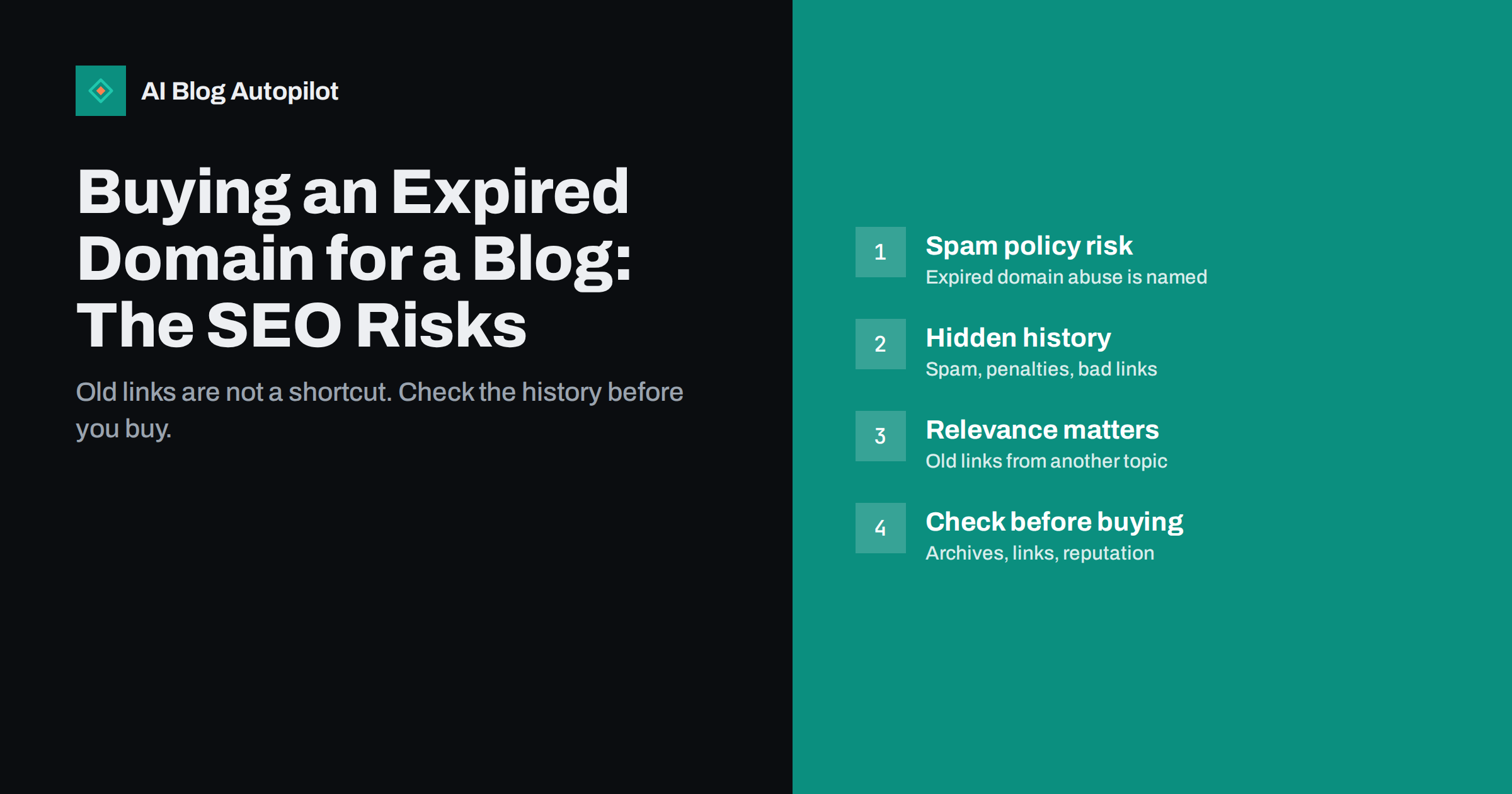
Short answer: buying an expired domain for a new blog is not forbidden, but using one mainly to benefit from its old backlinks is risky. Google’s spam policies name “expired domain abuse”, where an expired domain is bought and repurposed primarily to manipulate rankings with content of little value. Even without that intent, an old domain can carry spam history, penalties or irrelevant links. If you want a particular name for your brand, check its history carefully first; if you want it for its links, the shortcut is unlikely to pay off.
Every day, thousands of domains expire and return to the market. Some once belonged to real businesses, charities or popular blogs and still have links pointing to them. It is easy to see why buying one seems attractive: why start a blog from zero when you could inherit years of authority? This guide explains how search engines treat expired domains, the practical risks, and how to check a domain if you have a legitimate reason to buy it.
What Google’s spam policies say
Google’s spam policies define expired domain abuse as purchasing an expired domain and repurposing it primarily to manipulate search rankings by hosting content that provides little to no value to users. The examples given include affiliate content on a site previously used by a government agency, and casino content on a former school website.
The key words are “primarily to manipulate”. The policy does not ban buying previously used domains. A business that buys a good brand name that happened to be registered before, and builds a genuinely useful site on it, is doing something ordinary. The problem is the pattern where the domain’s previous reputation is the whole point and the new content exists only to exploit it.
Violations can lead to lower rankings or removal from results, either through automated systems or a manual action shown in Search Console.
Why old links often do not carry over
Even when there is no spam intent, the expected benefit is often smaller than sellers suggest:
- Links are about relevance. Links pointing to an old bakery’s site recommended that bakery. They are not endorsements of a marketing blog that later appears at the same address.
- Search engines notice when a site changes completely. A new owner, a new topic and entirely new content signal that the old site no longer exists, and the value of its history is reasonably questioned.
- Links point to pages that no longer exist. Many old backlinks lead to specific articles or products. Unless you recreate the same content, those links land on missing pages.
- Metrics can mislead. Third-party authority scores are estimates from link data and can be inflated deliberately. They are not Google measurements.
Google representatives have also said repeatedly that domain age on its own is not a ranking factor, so an older registration date does not help by itself. The guide on domain authority scores explains what those third-party numbers measure.
The hidden risks in a domain’s past
A previously used domain can bring problems that are hard to see at first:
- Spam history. It may have hosted spam, scraped content, hacked pages or adult or gambling content, which can shape how it is treated for some time.
- Past penalties or manual actions. You only see manual actions in Search Console after verifying the domain, which usually means after buying it.
- Toxic backlinks. Some expired domains were used in link schemes and still receive large numbers of spammy links.
- Reputation outside search. The domain might be on email blocklists, flagged by security services, or associated with complaints and bad reviews.
- Legal issues. A domain containing someone else’s trademark can lead to disputes regardless of what you publish.
- Confused visitors. People following old links or bookmarks expect the previous site, and may be disappointed or suspicious.
Legitimate reasons to buy a used domain
There are good reasons to buy a domain that was registered before:
- It is the right name for your brand. Short, memorable names are scarce, and most have been registered at some point.
- It matches your business directly, such as a local business name that a closed company used before.
- You are acquiring a business or a site and continuing its content, which is a purchase of a going concern rather than an expired domain.
In all of these, the name is chosen for your brand, and any leftover history is a side effect to manage, not the reason for buying.
New domain, used domain or expired domain: a comparison
It helps to compare the three situations a new blog owner usually faces:
| Option | Main benefit | Main risk | Sensible when |
|---|---|---|---|
| Brand-new domain | No history to inherit | Starts with no links or reputation | Almost always a safe default |
| Previously used name bought for the brand | A better, shorter or matching name | Unknown past use | The history checks out clean |
| Expired domain bought for its links | Apparent head start | Spam policy, penalties, wasted money | Rarely, if ever, for a business blog |
A new domain feels slower, but its growth reflects your own work, which is easier to understand and to build on. Expect any new blog to take months to gain steady search traffic, whichever domain it uses; the article on how long a new blog post takes to rank sets realistic expectations.
Also consider the cost. Domains with strong backlink profiles are often sold at a premium precisely because of those metrics. The same money spent on better content, design or promotion for a clean domain is usually a safer investment.
How to check a domain before buying
If you are considering a previously used domain, check its history carefully:
- Look at archived versions in a public web archive to see what the site was over the years. Frequent changes of topic, thin pages, foreign-language spam or sudden casino or pharmacy content are red flags.
- Search for the domain using a
site:search to see whether pages are still indexed and what they show, and search the name in quotes to see what others say about it. - Review backlinks with a link research tool. Look for relevance and quality, not just counts. Large numbers of links from unrelated, low-quality or foreign spam sites are a warning.
- Check anchor text. If most links use commercial phrases unrelated to the old site, it was probably used for link schemes.
- Check blocklists for email and security reputation, especially if you plan to send email from the domain.
- Check trademarks for the name in the markets where you operate.
Keep notes of what you checked and when. If problems appear later, such as a manual action for links that predate your ownership, a record of your checks and of the date you took over helps you explain the situation in a reconsideration request.
Be wary of sellers and marketplaces that present domains mainly through link metrics and traffic estimates. A listing that emphasises “authority” rather than the name itself is selling the very thing the spam policy warns about. Ask the seller directly what the domain was used for, and compare their answer with what the archives show.
If the history is unclear or worrying, choose a different name. A clean new domain has no hidden baggage.
If you already bought one
If you own a previously used domain and want to build a blog on it:
- Verify it in Search Console immediately and check the Manual actions and Security issues reports.
- Look at the Links report to understand which sites link to it and which pages they point to.
- Let old URLs return 404 or 410 unless you have genuinely equivalent content. Redirecting every old URL to the home page, or to unrelated new pages, is the kind of manipulation the policy describes.
- Consider disavowing clearly manipulative links if there are many and a manual action or strong evidence suggests they are a problem. The guide on spammy backlinks and the disavow tool explains when that is worth it.
- Build normally. Publish useful content for your own audience, earn links honestly and expect the site to be judged on what it is now.
Common expired domain schemes to avoid
- Rebuilding a dead site’s content from archives to pass it off as the original, usually with affiliate links added.
- Private blog networks built from expired domains to link to a main site. Search engines treat these as link schemes.
- Redirecting expired domains to your blog to pass their link value. The same policy concerns apply, and unrelated redirects rarely help.
- Buying domains of institutions, such as schools, charities or public bodies, to exploit their trust with commercial content.
How AI Blog Autopilot fits in
AI Blog Autopilot works with the WordPress blog on whatever domain you already use, and publishes new articles for your own topics and audience. It does not buy domains, rebuild archived content or create link networks. On a new or clean domain, a steady flow of useful articles is the honest way to build visibility over time. See how Autopilot works.
Related reading
- Changing a Blog’s Domain Name Safely
- Earning Backlinks Honestly: What Works for a Small Site
- Manual Actions in Search Console: What a Blogger Should Do
The bottom line
An expired domain is not a shortcut to authority. Google names expired domain abuse as spam, old links from unrelated sites rarely carry real value to a new topic, and a domain’s past can bring penalties and reputation problems. Buy a previously used domain only when the name itself is right for your brand, check its history thoroughly, and then build the site on its own merits.
FAQ
Is buying an expired domain against Google’s rules?
Buying one is not against the rules. Google’s spam policies target expired domain abuse, where the domain is repurposed primarily to manipulate rankings with content of little value to users.
Do backlinks transfer to a new site on an expired domain?
Often not in any meaningful way. Links were given to the previous site and its content, so when the domain changes owner and topic entirely, their value to the new site is questionable.
How can I see what a domain was used for before?
Look at archived snapshots in a public web archive, search for the domain name and its pages, and review its backlinks and anchor text with a link research tool. Topic changes and spammy links are warning signs.
Does an older domain rank better?
Google representatives have said domain age on its own is not a ranking factor. What matters is the content and reputation of the site as it is now.
What should I do with old URLs on a domain I bought?
Let them return 404 or 410 unless you have genuinely equivalent content to redirect them to. Redirecting everything to the home page or to unrelated pages is not helpful and can look manipulative.
Is a new domain better than an expired one for a blog?
For most business blogs, yes. A new domain has no hidden history, and its visibility grows from your own content and reputation, which is slower at first but far more predictable.