ENEnglish
 LTLietuviškai
 DEDeutsch
 FRFrançais
 RUРусский
 ESEspañol
 PLPolski
 ITItaliano
 UKУкраїнська
 CSČeština
 PTPortuguês
 JA日本語
 LVLatviešu valoda
 ETEesti
 HUMagyar
 IDBahasa Indonesia
 TRTürkçe
 HIहिन्दी
 ELΕλληνικά
 ARالعربية
 THไทย
 VITiếng Việt
 RORomână
 MSBahasa Melayu
 BNবাংলা
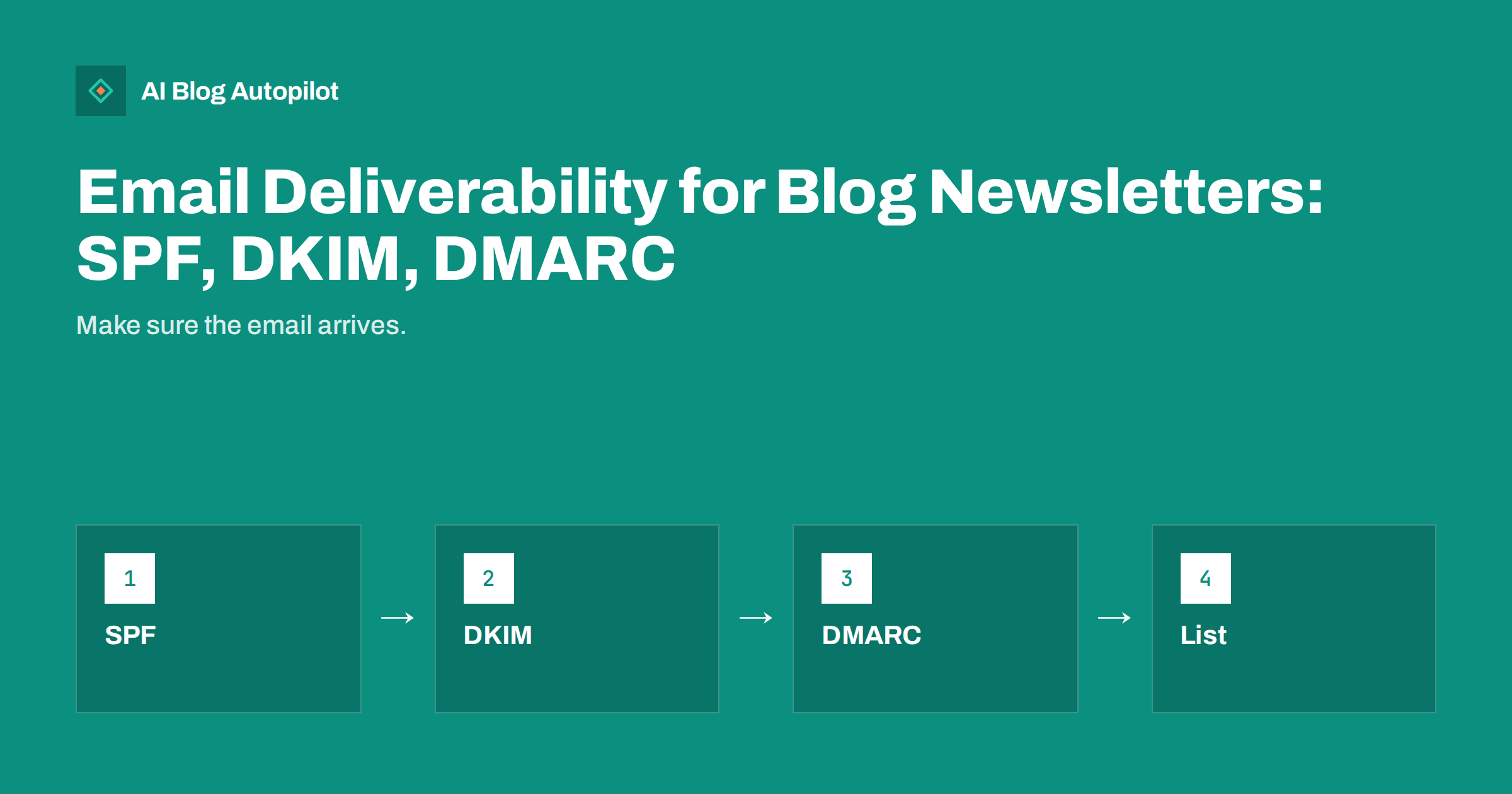
Short answer: email deliverability means your newsletter reaches the inbox instead of spam. Set up three DNS records for your sending domain: SPF to say who may send, DKIM to sign messages and DMARC to tell receivers what to do with failures. Then keep a clean list of people who asked for your emails, send at a steady pace and make unsubscribing easy.
A blog newsletter is only useful if people see it. Many small businesses set up a sign-up form, write a good message and never notice that a share of subscribers never receive it. The cause is often technical and easy to fix, but it is rarely explained in plain language.
This guide explains the three records in simple terms, how to check that they work, which habits protect your reputation and what to do when emails start to land in spam. It does not depend on a specific email tool, because the principles are the same everywhere.
Why emails end up in spam
Mailbox providers want to protect users from fraud and unwanted mail. They judge each message on two things: whether it proves it comes from who it says it does, and whether recipients like what you send. Messages that fail on either count tend to be filtered, delayed or rejected.
Because anyone can type any “from” address, receivers look for technical proof. That proof is the job of SPF, DKIM and DMARC. If your emails come from a domain with none of them, even a legitimate newsletter looks suspicious. Large providers have also tightened their expectations for bulk senders in recent years, so check the current requirements of the providers your readers use.
The second factor is behaviour. If many people ignore, delete without opening or mark your messages as spam, providers learn to distrust you. Technical setup gets you through the door, and good content and list habits keep you there.
SPF: who may send for your domain
SPF stands for Sender Policy Framework. It is a single text record in your domain’s DNS that lists the servers and services allowed to send email using your domain. When a message arrives, the receiving server checks whether the sending server is on that list.
Your newsletter tool will usually give you a line to add or an instruction to include its servers in your existing record. A domain should have only one SPF record, so if you already have one for your office email, extend it rather than creating a second. Two records can cause the check to fail.
Keep the record short. SPF allows a limited number of lookups, and adding many services can push you over the limit. Remove tools you no longer use. After every change, test the record with a free checker and send yourself a message to confirm that it passes.
DKIM: a signature that proves the message is intact
DKIM stands for DomainKeys Identified Mail. Your sending service adds a digital signature to each message, and a public key stored in your DNS lets receivers check that the signature is valid and the message was not changed on the way.
Setup normally means adding one or more records that your email tool gives you, often as CNAME or TXT entries with a long name. Copy them exactly, since a missing character breaks the check. DNS changes can take some time to spread, so test after waiting.
Use a signature tied to your own domain, not just the tool’s domain. When the signing domain matches the visible “from” domain, the message is said to be aligned, and DMARC cares about that alignment. Most good newsletter services offer this under a heading such as domain authentication or custom sending domain.
DMARC: the policy that ties it together
DMARC builds on SPF and DKIM. It tells receivers what to do when a message claiming to come from your domain fails the checks, and it asks them to send you reports. It is also a TXT record in your DNS.
Start gently. A policy of “none” asks receivers to take no action but send reports, so you can see who is sending mail using your domain, including services you forgot. After you have confirmed that every legitimate sender passes, you can move to a stricter policy that quarantines or rejects failures. This protects your name from being used in fake messages.
Reports arrive as machine-readable files, which are hard to read directly. Several free and paid tools turn them into simple tables. Review them monthly at first. If something legitimate fails, fix the sender’s setup before tightening the policy.
A few words about subdomains help many small senders. Some owners send newsletters from a subdomain, such as news.example.com, so that bulk mail has its own reputation separate from everyday business email. This is a sound habit when you grow, because a problem with the newsletter then does not affect invoices or customer replies. Each subdomain needs its own records, so repeat the setup and test it.
Be careful with free mailbox addresses as the sender. Sending a newsletter from an address at a free provider while using your own tool often fails authentication, since the provider controls those records, not you. Use an address on a domain you own.
Check that it all works
After setting up the three records, send a test message to a few personal addresses at different providers and check the message headers or the “show original” view. Look for results that say SPF, DKIM and DMARC pass. Many free tools can also send you a score after you mail a test address.
Check that the “from” address is a real, monitored mailbox on your domain, not a no-reply address. Replies are a positive signal to providers, and readers appreciate being able to write back. Use a consistent name so that people recognise you at a glance.
Keep a note of every service that sends email for you: your newsletter tool, your shop, your booking system and your office mail. Each should be covered by your records. When you add a new tool, add it to the list and test again.
Keep the list clean and wanted
The best technical setup cannot save a poor list. Send only to people who asked for your emails, and record when and how they agreed. Never buy or borrow a list. Providers watch for complaints, and a small number of spam reports can damage your reputation quickly.
Remove addresses that bounce and review subscribers who have not opened a message for many months. A short email asking whether they still want to hear from you, followed by removal if they do not answer, protects your reputation. A smaller, engaged list performs better than a large, silent one.
Make unsubscribing simple and visible. A link that works at once is better than a hidden one, because a frustrated reader will otherwise press the spam button. Follow the data protection rules in your country about consent and storage. The guide to GDPR and blog analytics covers related ground.
Content and sending habits that protect your name
Send on a steady rhythm. A sudden jump from one message a month to daily mailings looks suspicious to providers and surprises readers. If you must increase volume, do it gradually. Mail the most engaged readers first so that early opens and clicks build a positive record.
Write subject lines that tell the truth. Misleading subjects drive complaints. The article on email subject lines for blog posts offers practical patterns. Avoid heavy images with little text, link shorteners that hide the destination and too many links in one message.
Include your business name and postal address if required where you operate, and keep the layout simple. Plain, readable messages with a clear purpose perform well, and they also work for people who read on a phone or with images switched off. See the guide to newsletters built from blog posts for structure.
Keep a simple log of each send: date, subject, number sent, opens, clicks, bounces and complaints. After a few months it shows you what normal looks like, so a real problem stands out at once instead of hiding in a feeling that “numbers seem lower”.
What to do when deliverability drops
If open rates fall suddenly, work through a short list. First, send a test and read the headers for SPF, DKIM and DMARC results; a record may have been changed during a website or hosting move. Second, check whether you recently added a new sender that is not covered by your records. Third, look at complaint and bounce rates in your newsletter tool. Fourth, review what you changed in content or frequency.
If the cause is reputation, slow down. Send only to your most engaged readers for a few weeks, use clear subject lines and avoid anything that might provoke complaints. Reputation recovers with consistent, wanted mail, and rushing back to a full send often causes a second drop. If problems continue, ask your newsletter provider’s support team; they can see signals that you cannot.
Finally, remember that some readers use filters and tabs that place newsletters out of the main view. Ask new subscribers in the welcome message to reply or to add your address to their contacts. A reply or a contact entry is one of the strongest positive signals a provider receives.
How AI Blog Autopilot helps
AI Blog Autopilot keeps your blog supplied with new articles at a steady pace, which gives your newsletter something worth sending each time. Check the plans and start with the three free articles to see how it fits your routine.
Related reading
- CTAs That Fit a Blog Post
- Blog Conversion Rate Optimisation
- Templates, Checklists and Other Reasons to Subscribe
The bottom line
Publish SPF, DKIM and DMARC records for your sending domain, test them, keep a wanted and tidy list and send at a steady pace, so your newsletter reaches the inbox.
FAQ
What are SPF, DKIM and DMARC?
SPF lists who may send for your domain, DKIM signs messages so changes can be detected and DMARC tells receivers what to do when checks fail.
Do I need all three for a small newsletter?
It is best to set up all three. Many mailbox providers expect authentication, and it protects your domain from being faked.
How do I know if my emails go to spam?
Send tests to addresses at different providers, check message headers for passes and watch open rates and complaints in your newsletter tool.
Should I start DMARC with a strict policy?
No. Start with a monitoring policy, read the reports, fix any legitimate sender that fails and then tighten the policy.
Does list quality matter as much as the technical setup?
Yes. Complaints, bounces and silent subscribers harm your reputation, so send only to people who asked and remove inactive addresses.