ENEnglish
 LTLietuviškai
 DEDeutsch
 FRFrançais
 RUРусский
 ESEspañol
 PLPolski
 ITItaliano
 UKУкраїнська
 CSČeština
 PTPortuguês
 JA日本語
JA日本語 LVLatviešu valoda
 ETEesti
 HUMagyar
 IDBahasa Indonesia
 TRTürkçe
 HIहिन्दी
 ELΕλληνικά
 ARالعربية
 THไทย
THไทย VITiếng Việt
 RORomână
 MSBahasa Melayu
 BNবাংলা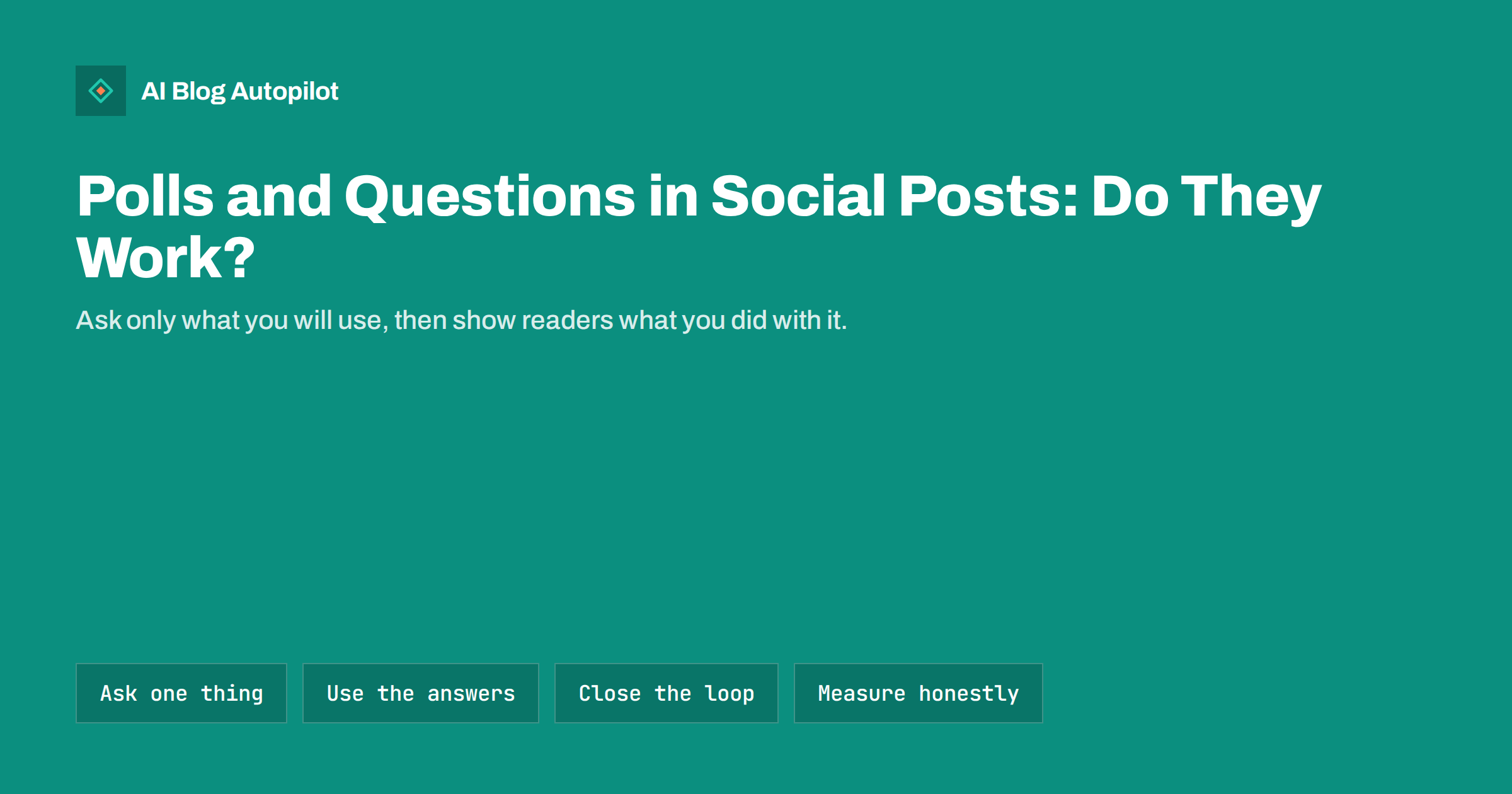
Short answer: polls and questions in social posts can work well for a business blog when they ask one clear thing your audience can answer in seconds, and when you actually use the answers. They are good for finding topics, testing preferences and starting conversations, and weak as a source of precise data. Ask only what you will act on, word the options neutrally, share the result and link it to a relevant article, and do not treat the replies as a statistical survey.
Questions are the simplest way to turn a one-way feed into a conversation. They cost little to write, they are easy to answer and they show that someone is listening. But many businesses use them as filler, with questions such as “What is your favourite day of the week?”, which tell nobody anything and lead nowhere. A good question has a purpose: it helps you choose what to write, learn what your audience finds hard or invite people to share experience. This guide explains when polls and questions fit, how to write them, what to do with the answers and how to avoid common mistakes.
What polls and questions can and cannot do
Different networks offer different tools. Some have a built-in poll with a few options and a time limit. Some allow question stickers, comment prompts or open threads. Whatever the format, the strengths and limits are similar.
- They can show interest. A question that gets many replies suggests a topic your audience cares about.
- They can start a conversation. Replies give you something to answer, and engagement of that kind can make the account feel alive.
- They can guide content. Asking what people find confusing yields article ideas in their own words.
- They cannot replace research. The people who answer are a self-selected group of your followers who happened to see the post. They do not represent all your customers or the whole market.
- They cannot prove demand. Voting for an option costs nothing. A poll that says 70 percent would buy a product does not mean 70 percent will.
Treat results as hints, not as figures to quote in a report.
Good reasons to ask
Before you post, finish the sentence “I am asking this because I will…” If you cannot, do not ask. Useful purposes include:
- Choosing a topic. “Which would help you more: a guide to redirects or a checklist for old posts?” The answer decides your next article.
- Finding the real problem. An open question such as “What is the hardest part of keeping a blog going?” collects the words your readers use, which are valuable for headlines and FAQ sections.
- Testing a preference. Format, length or timing: “Do you prefer short weekly tips or one long monthly guide?”
- Warming up an audience before you share an article on the same subject, so that people arrive already thinking about it.
- Inviting stories. “What was the best change you made to your blog this year?” This can lead to quotations or case studies, with permission.
Avoid asking questions just to raise engagement numbers. Replies from an audience that has no interest in your business look good in a report and do nothing for it.
How to write a clear question
The wording shapes the answers, so spend a little time on it.
- Ask one thing. A question with two parts confuses people and makes the results hard to read.
- Keep it short. Anyone should be able to answer in a few seconds on a phone.
- Use neutral wording. “How much do you love our new feature?” invites praise. “How useful is the feature, if at all?” invites honesty.
- Give complete, balanced options. Include an “other” or “not sure” option where the format allows, and make sure the choices do not overlap.
- Avoid insider words. Use the terms your audience uses, not your internal names.
- Make it relevant to your field. A question that belongs to your subject attracts the right people.
Open questions give richer material but are harder to summarise. Closed polls are easy to count but limit the answers to what you thought of. A good approach is to use a poll to find the direction and a follow-up open question to find the detail.
Timing and format
Most polls live for a limited time, and attention is highest in the first hours. Choose a time when your audience is online, which you can see from your own history, and give the poll enough time for people in other time zones to respond. If you run a poll for a short period, mention in the post when it ends.
Do not post polls too often. One every week or two is plenty for a small account; more begins to feel like homework. Mix them with other types of post, such as tips, articles and behind-the-scenes updates. Where a network allows it, add context in the text, such as why you are asking and what you will do with the answers. People answer more willingly when they can see the point.
For accessibility, make sure the question and each option are in text, not only in an image, and avoid relying on colour to distinguish choices. Also remember that some networks make poll results public, so avoid questions that expose personal or sensitive information.
Use the answers and close the loop
The most important step is the one most often skipped: telling people what happened. When you share the result and what you did about it, you show followers that their answers matter, and next time more of them will take part.
- Record the result in a simple document: the question, the date, the number of responses and any notable comments.
- Act on it. Write the article, adjust the format or change the plan, and say so.
- Share the outcome. A short post such as “You asked for a guide to redirects, so here it is” with a link to the article is a natural follow-up. It is also a good reason for the click.
- Thank people who gave detailed answers. If you want to quote someone, ask first.
- Use the wording. The phrases people use to describe their problems can inform headings, FAQ questions and search-friendly phrasing in the article.
This loop turns a casual question into a small research and promotion cycle: you ask, you write, you tell people, and they come to read.
Linking questions to your blog
A question can be a gentle way to bring readers to an article. There are two main patterns.
- Before the article: ask a question related to the topic and, in the reply or a follow-up post, link to the article that answers it. Do not hide the answer behind a click if the question is simple; give a short answer and offer the article for more detail.
- After the article: when you share a published piece, end with a question that invites discussion, such as “Which of these checks do you already do?” Replies tell you what readers took from the article and what might be missing.
Use tagged links in follow-up posts so that you can see in your analytics how many visits came from them. Compare these with your normal shares, but be modest about conclusions on small numbers.
Examples of questions that work
Concrete examples make the principles easier to apply. These fit a business blog, and you can adapt the wording to your own field.
- Topic choice: “We are writing one guide this month. Redirects or image sizes?”
- Problem finding: “What is the one thing about your blog you keep meaning to fix?”
- Format preference: “When you read a how-to, do you prefer step-by-step lists or a short explanation first?”
- Experience: “Have you ever lost traffic after changing your site structure? What helped you recover?”
- After an article: “Which of these three checks surprised you?”
Notice that each one is short, specific to the audience and tied to something the business will do next. A question that could be asked by any account in any field, such as “Monday or Friday?”, tells you nothing about your readers.
Mistakes to avoid
- Questions with no purpose, asked only to raise engagement.
- Leading questions, which collect the answers you hoped for and teach you nothing.
- Treating results as proof. A poll among your followers is not a market study.
- Ignoring the replies. A question that receives answers and no response from you looks careless.
- Asking for private details in public comments.
- Too many options, which splits votes and makes the result unclear.
- Repeating the same question every month without using the results.
Also be careful with giveaways that require a comment or a vote. Rules for contests differ by country and by network, so check them before you run one.
How AI Blog Autopilot helps
AI Blog Autopilot plans your content from the topics you give it, with weight, keywords, audience and tone, and shares each article to your connected social networks with a text written for each network. What your followers tell you in a poll or a reply is a good source for those topics, and you can update the topics whenever you learn something new. Its content map shows every post per network. See the pricing page for plans.
Related reading
- Social Media Metrics for Bloggers: What Is Worth Measuring
- UTM Tags for Social Shares: See Which Posts Bring Readers
- How Often to Post on Each Social Network Without Overdoing It
- Social Media Content Mix: What to Post Between Articles
The bottom line
Polls and questions work when they have a purpose. Ask one clear, neutral question that your audience can answer quickly, only when you will act on the answers. Use the results as hints for topics and formats, not as proof of demand, and tell your followers what you did with them. Link follow-up posts to the relevant article, tag the links so you can measure visits, and keep the number of questions modest. A question that leads to a better article is worth far more than one that only collects votes.
FAQ
Do polls increase reach on social media?
Some networks may show polls to more people, but this changes and you should not rely on it. Judge a poll by what you learn and use, not by reach alone.
How many options should a poll have?
Two to four clear, non-overlapping options is usually enough. More options split the votes and make the result harder to read.
Can I use poll results in my articles?
Only with care. Describe them as an informal poll among your followers, give the number of responses and do not present them as representative research.
How often should I post a poll or question?
Once every week or two is plenty for a small account. More often feels like homework for followers.
What should I do after the poll closes?
Record the result, act on it and tell your followers what you did, ideally with a link to the related article.