ENEnglish
 LTLietuviškai
 DEDeutsch
 FRFrançais
 RUРусский
 ESEspañol
 PLPolski
 ITItaliano
 UKУкраїнська
 CSČeština
 PTPortuguês
 JA日本語
 LVLatviešu valoda
 ETEesti
 HUMagyar
 IDBahasa Indonesia
 TRTürkçe
 HIहिन्दी
 ELΕλληνικά
 ARالعربية
 THไทย
 VITiếng Việt
 RORomână
 MSBahasa Melayu
 BNবাংলা
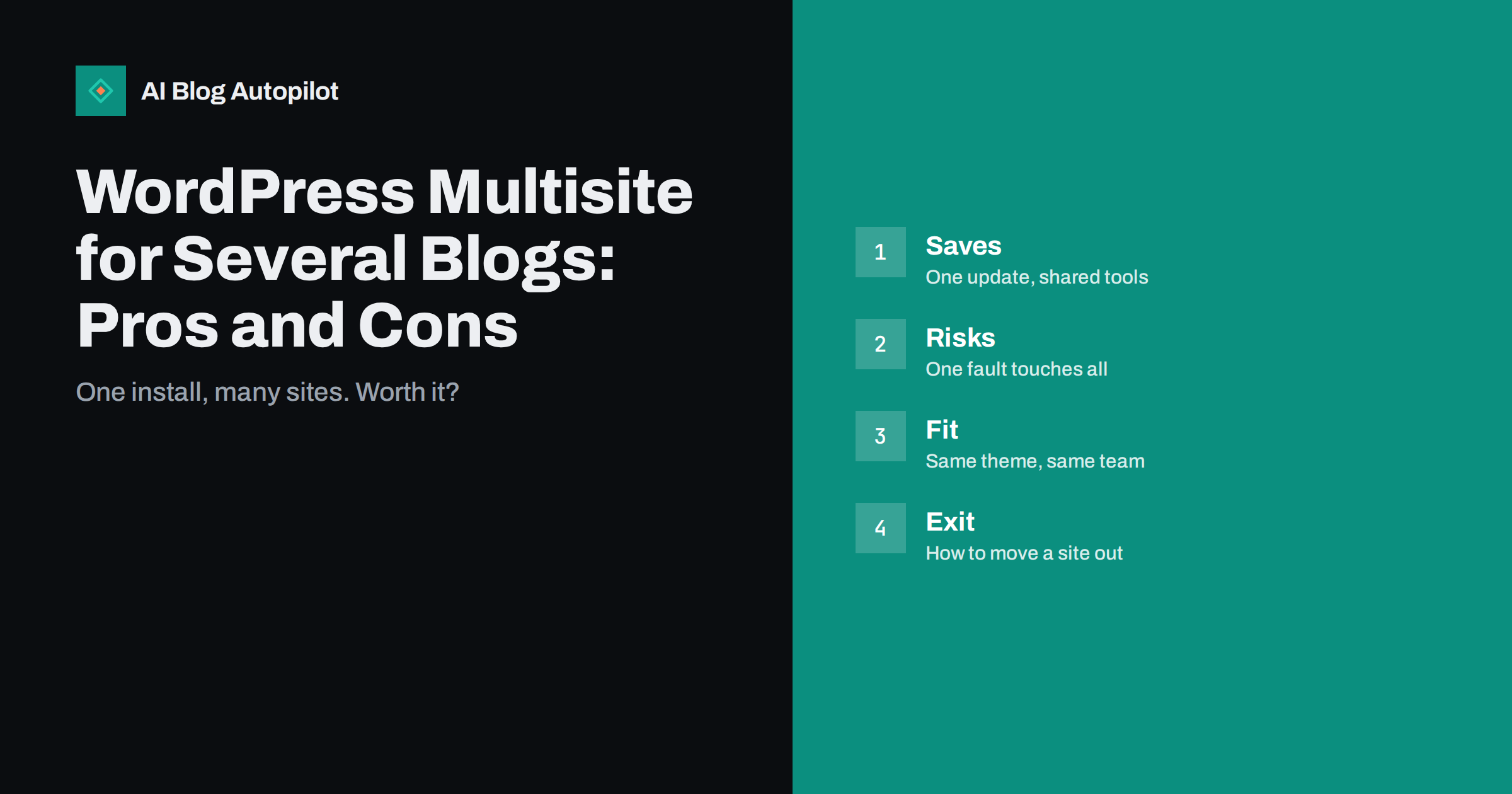
Short answer: WordPress Multisite lets you run many sites from a single WordPress installation, with one set of core files, shared themes and plugins and one place for updates and users. It suits a group of sites that share a design, a team and a purpose, such as branches of one organisation or language versions of one blog. It is a poor fit for unrelated sites with different plugins, owners or hosting needs.
If you manage several blogs, the idea of updating WordPress once and having every site follow is attractive. Multisite delivers that, and also adds a layer of complexity that many site owners underestimate. The decision is not only technical: it touches teamwork, security, backups, search visibility and how easy it is to change your mind later.
This guide explains what Multisite does, the real advantages, the common problems, the questions to ask before you choose it and some alternatives. It is written for owners, editors and small teams who manage several blogs and want an honest comparison, not a sales pitch for any particular setup.
What Multisite is and how it works
Multisite is a feature built into WordPress. After you enable it, one installation hosts a network of sites. The network has a super administrator who controls themes, plugins and updates for the whole network, while each site has its own administrators, content, settings and media library. Sites can be created as subdomains, such as one.example.com, or as subfolders, such as example.com/one.
All sites share the same core files and the same database, though each site has its own set of tables. Users are shared across the network, so one account can have different roles on different sites. A person can be an editor on one blog and a reader on another, with a single login.
Themes and plugins are installed once at network level, and then enabled for the network or for chosen sites. Each site owner may be allowed to activate the themes the super administrator has approved. This is the source of both the savings and the restrictions of Multisite: individual sites cannot install their own tools unless you allow them.
Different domains can be mapped to different sites, so that the network does not have to look like one brand. Many agencies and organisations use this to give each site its own domain, while managing everything in one dashboard. Mapping needs careful setup of the web server, security certificates and the settings of the network.
Where Multisite helps
The most obvious benefit is maintenance. Updating the core, a theme or a plugin once applies to all sites. For a network of ten sites that share the same tools, that saves a lot of repeated work, and reduces the chance that one blog is left behind with an old, vulnerable version.
Consistency is another advantage. A shared theme, shared settings and a set of approved plugins make a group of sites look and work alike. Editors who move between sites find the same layout and tools, and training new staff is simpler. Brand teams can manage design in one place.
User management is easier when the same people work on several sites. A single account, with roles that differ by site, avoids multiple passwords and makes it simpler to add or remove someone. The guide to WordPress user roles for blogs explains how to give each person the access they need.
Multisite can also suit language versions, regional branches, a network of schools or departments and a group of projects run by one organisation. Content can share a structure, and a central team can support local editors. If you are managing several related sites, it can reduce hosting costs, since all use the same resources.
Security needs special attention. Because users and plugins are shared, a weak password for a super administrator is a risk for the whole network. Use strong, unique passwords and two-step login for anyone with network-level access, limit who holds that role and review accounts regularly. Keep a record of who can do what.
Be aware of upload and storage settings as well. Each site has its own media folder, but total storage and limits are set at network level, and a large library on one site can use up space for all. Set sensible limits, check file types and clean old files from time to time.
Where Multisite causes trouble
The main risk is that everything is connected. A faulty plugin update, a security breach or a server problem can affect every site in the network at once. With separate installations, a problem is usually limited to one site. If your sites have different levels of importance, a shared fault may be unacceptable.
Plugin compatibility is a common problem. Many plugins are not written for Multisite, or work differently on a network. Some store settings per site, others for the whole network, and a few do not work at all. Test each plugin before you rely on it, and check that the vendor supports Multisite. The guide on too many WordPress plugins explains why fewer, better-chosen tools are safer.
Performance and resources are shared. A busy or badly built site can slow down all others on the same server. Large networks need good hosting, caching and monitoring. If one site grows into a major project, it may need its own resources, and moving it can be harder than with a separate installation.
Backups and restoration become more complicated. Restoring a single site from a network backup can be tricky, since sites share a database and user table. You need a plan and regular tests. The guide on blog backups and recovery describes the principles to follow.
Think about search, domains and ownership
Search engines treat each site by its address, not by the software behind it. A subdomain network is treated as separate sites in many respects, while subfolders are more closely tied to the main domain. Decide what you want: either each site builds its own authority, or the sites support one brand. This is a strategic choice that is hard to reverse.
Think about ownership. If the sites belong to different people or organisations, a shared network means one party controls the tools and the risk. Clients and partners may want full control of their own site, including the ability to move it. Multisite can make that harder, and you should agree the terms early.
Moving a site out of a network is possible but takes work: exporting content, media, users and settings, then rebuilding the design and plugins in a standalone install. Redirects must be set up carefully if the address changes. Plan the exit before you start, and keep records of the settings used on each site.
Check how your host supports Multisite. Some hosts need special configuration for wildcard subdomains, others limit certain features. Ask about backups, restoration of single sites and performance on networks, and read the terms. The right host can make a network much easier to run.
Questions to ask before you choose
Do the sites share a theme, a plugin set and a team? If yes, Multisite is a good candidate. If each site needs its own plugins, custom code or different editors with different standards, separate installations may be simpler and safer. Write down what each site really needs, and compare.
How many sites will there be, and how fast will the number grow? A network of three sites may not justify the added complexity, while a network of thirty may be hard to manage without it. Consider the effort of setup, testing, training and monitoring in your estimate.
Who will manage the network? Multisite needs someone with the skills and the time to maintain it: updates, testing, security and backups. If nobody has that role, the risk grows. The guide on managing several blogs covers how to organise the work.
What is the plan if a site needs to leave, if the network grows or if the host changes? Having a written exit plan, even a short one, shows that you have considered the downsides. It also makes later decisions calmer, since the options are known in advance.
Write simple rules for the network: how new sites are created, which themes and plugins are approved, who answers questions and how requests for changes are handled. Put them in a short page that all editors can read. Clear rules prevent disputes and keep the network healthy as it grows.
Alternatives and a sensible way to start
If you want central management without a network, consider separate installations with a management tool that updates several sites at once, shared design files and a common process for backups and monitoring. This keeps each site independent while saving time on routine tasks, and it avoids the shared-fault problem.
Another option is a single site with sections or language folders, using a plugin or a theme feature to separate content. For related content with one brand, one site is often better for search, since all pages build one body of authority. The guide on WordPress and other platforms compares broader choices.
If you choose Multisite, start small. Build a test network, add two sites, install your usual plugins, run updates, restore a backup and try moving a site out. Document what you learn, and only then move real sites. A short test saves long repairs later.
Review your choice each year. As sites grow, teams change and tools improve, the best structure may change as well. There is no shame in splitting a network or merging several sites, so long as you plan redirects and keep search traffic in mind.
How AI Blog Autopilot helps
Whichever structure you choose, each blog still needs steady, useful content. AI Blog Autopilot can write and publish articles on your chosen topics, with FAQ sections, tags and SEO meta, and share them to your social networks. Check your own setup and hosting before connecting several sites. See the pricing page for plans and monthly credits.
Related reading
- Managing Several Blogs Without Losing Control
- WordPress User Roles for Blogs
- WordPress or Another Platform for Your Blog
The bottom line
Choose Multisite for related sites that share a design, tools and a team, test it first, plan backups and an exit, and keep unrelated sites separate.
FAQ
What is WordPress Multisite?
A built-in feature that runs many sites from one WordPress installation, with shared core files, themes, plugins and users.
Is Multisite good for SEO?
It is neutral in itself. Search engines judge each address, so the choice of subdomains, subfolders or mapped domains matters more.
Can I move a site out of a network?
Yes, by exporting content, media and users and rebuilding the setup in a standalone install, with redirects if the address changes.
Do all plugins work on Multisite?
No. Some are not compatible or behave differently, so test each plugin and check the vendor’s support.
When should I avoid Multisite?
When sites are unrelated, have different owners or need different plugins, code or hosting.